Generador de códigos QR: crea enlaces escaneables personalizados en minutos (2026)
Resumen rápido
- La forma más rápida de crear enlaces escaneables personalizados en minutos es usar un generador de códigos QR profesional
- La forma más rápida de crear enlaces escaneables personalizados en minutos es usar un generador de códigos QR profesional: pega tu URL, activa el modo Código QR dinámico , personalízalo con tu logo y expórtalo.
- El marco de 3 pasos: crear enlaces escaneables personalizados
Proceso editorial
Revisado por SectoJoy y publicado el 15 de junio de 2026. Actualizamos este artículo cuando cambian los detalles del producto, los ejemplos o la guía de la herramienta. Última actualización: 15 de junio de 2026.
SectoJoy
Soy un desarrollador independiente que crea aplicaciones iOS y web, enfocado en productos SaaS prácticos. Me especializo en SEO con IA, explorando constantemente cómo las tecnologías inteligentes pueden impulsar el crecimiento sostenible y la eficiencia.
La forma más rápida de crear enlaces escaneables personalizados en minutos es usar un generador de códigos QR profesional: pega tu URL, activa el modo Código QR dinámico, personalízalo con tu logo y expórtalo como SVG para impresión. En 2026, según QR Code AI, casi el 90 % de los estadounidenses han escaneado al menos un código QR, así que la cuestión no es si usar códigos QR — sino cómo hacerlos profesionales, seguros y medibles.
El marco de 3 pasos: crear enlaces escaneables personalizados
Como dice Jessica Lau, especialista sénior de contenido en Zapier: «Los códigos QR prácticamente están empapelando el mundo, desde el menú de tu cafetería local hasta ese volante vagamente condescendiente de tu gimnasio».
Así es como se hace bien.
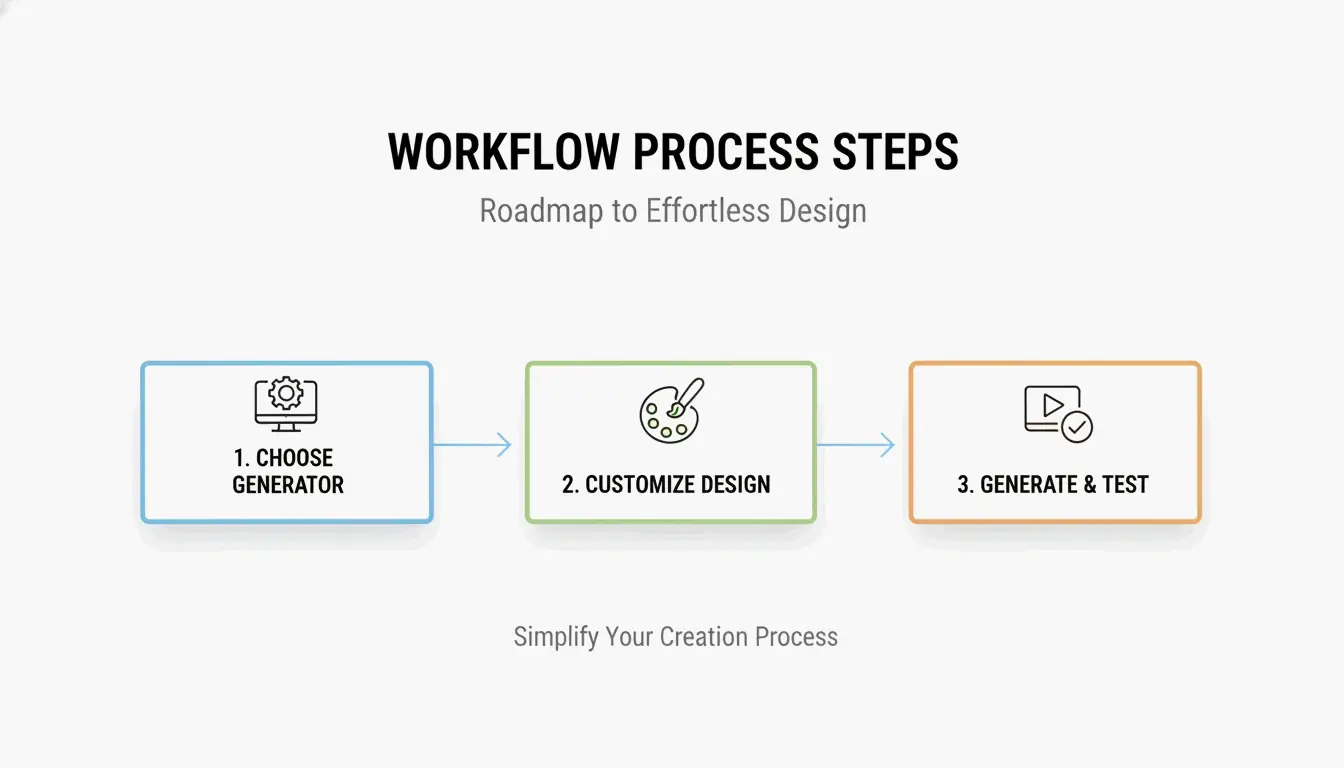
Paso 1: elige tu generador
| Caso de uso | Herramienta recomendada | Característica clave |
|---|---|---|
| Marketing empresarial | QR Code Generator de Bitly | Cumplimiento SOC 2 Type II, analítica de escaneos |
| Enlace personal rápido | Generador integrado de Chrome | Rápido, sin cuenta |
| Códigos artísticos / de marca | QR Code AI | Diseños generados por IA, integración de logo |
| Económico | Utlexia | Gratis, salida de alto contraste |
Para marketing profesional, elige una plataforma con certificación SOC 2 Type II — esto garantiza servidores cifrados y cumplimiento de la protección de datos.
Paso 2: activa el modo dinámico y personaliza
Tras introducir tu enlace (URL, PDF, credenciales WiFi, vCard), cambia a Código QR dinámico. Luego personaliza:
- Colores de marca: usa tu paleta, pero mantén alto contraste — primer plano oscuro sobre fondo claro para un escaneo fiable con cualquier luz
- Ubicación del logo: añade tu logo al centro — la corrección de errores mantiene el código funcional
- Zona de silencio: deja espacio en blanco alrededor de los cuatro bordes; sin ella, los escáneres no detectan el límite del código
Paso 3: exporta como SVG y prueba
Exporta en formato SVG (vectorial) para cualquier uso de impresión. A diferencia de PNG/JPG, el SVG se mantiene perfectamente nítido desde una tarjeta de visita hasta una valla publicitaria. Realiza siempre una prueba de campo con al menos tres modelos de teléfono diferentes antes del lanzamiento.
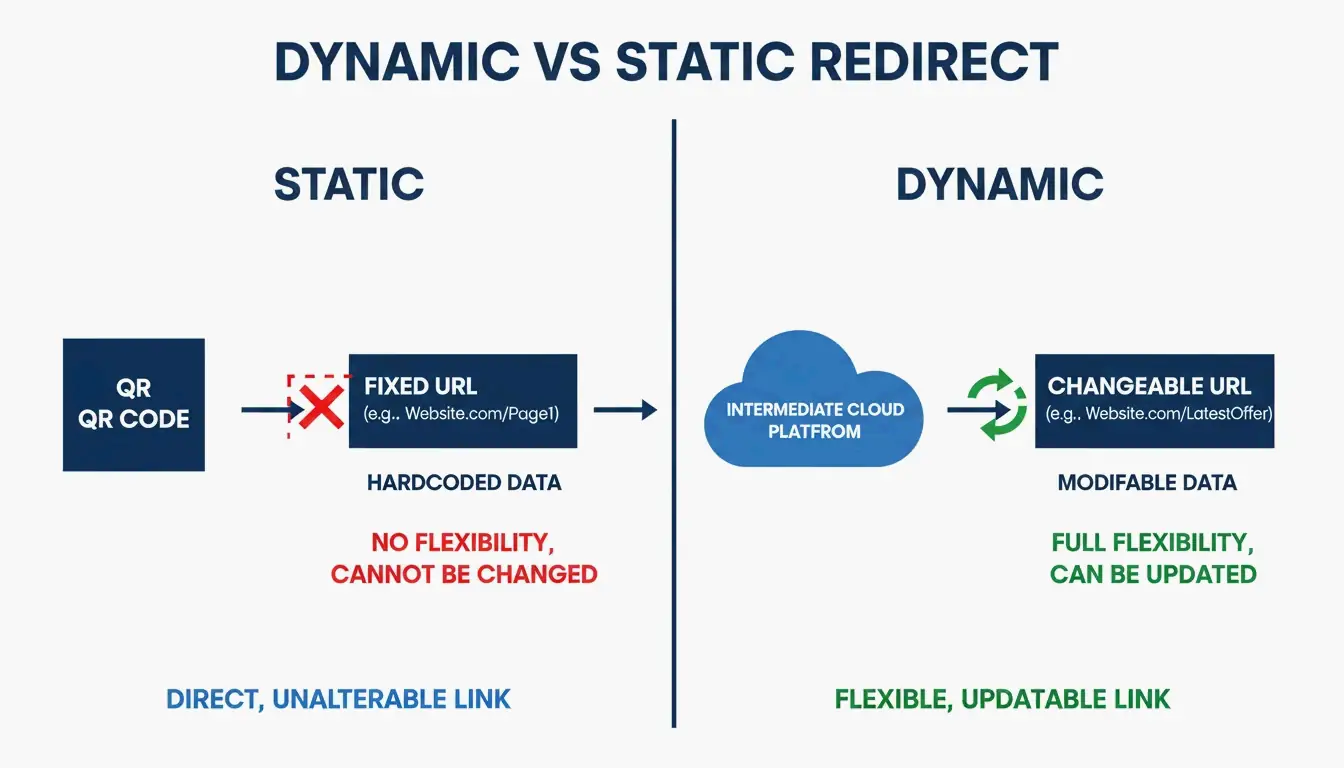
Códigos QR dinámicos vs estáticos: por qué el dinámico gana
Esta es la decisión más importante del proceso.
| Propiedad | Código QR estático | Código QR dinámico |
|---|---|---|
| Datos | Codificados en el patrón | Usa un enlace de redirección corto |
| Editable tras impresión | No — requiere reimpresión | Sí — cambia la URL desde el panel |
| Analítica de escaneos | No | Sí — escaneos, ubicaciones, dispositivos |
| Coste | Gratis | Requiere suscripción de servicio |
| Caducidad | Nunca | Si la suscripción caduca |
Los códigos dinámicos resuelven el problema del «enlace roto»: si tu URL cambia, actualiza la redirección en tu panel — sin reimprimir 5.000 folletos. También proporcionan Analítica de escaneos: cuántas personas escanearon, dónde estaban y qué dispositivo usaron.
Corrección de errores y SVG: códigos que funcionan en el mundo real
Los códigos QR deben sobrevivir a superficies curvas, luz tenue y daños físicos. La corrección de errores Reed-Solomon mantiene el código funcional incluso si el 30 % de su superficie está rayada o cubierta — esto es también lo que permite colocar un logo en el centro.
| Nivel | Recuperación | Ideal para |
|---|---|---|
| L (Bajo) | 7 % | Maximizar la capacidad de datos |
| M (Medio) | 15 % | Marketing general |
| Q (Cuartil) | 25 % | Uso exterior / industrial |
| H (Alto) | 30 % | Ubicación de logo, entornos difíciles |
Según QR Code AI, los diseños de marca personalizados con logo generan un 30 % más de escaneos frente a los patrones blanco y negro simples. Usa el nivel H al incrustar un logo.
Seguridad: protección contra el quishing (phishing QR)
Con la adopción creciente de los QR, también crece el quishing — los atacantes cubren códigos QR legítimos con pegatinas maliciosas para robar credenciales.
Lista de protección
- Usa generadores que cumplan SOC 2 Type II — la redirección cifrada protege a tus usuarios
- Activa dominios personalizados — los usuarios ven tu nombre de marca en la vista previa de la URL antes de que cargue la página
- Supervisa los datos de escaneo — picos geográficos inusuales en la analítica pueden indicar un código copiado
- Evita acortadores de URL que no controlas — añaden una capa de redirección no fiable
El mural de Taylor Swift en Chicago — un código QR gigante que adelantaba un lanzamiento de álbum — muestra cómo las campañas de alto perfil se convierten en objetivos. Usa un dominio personalizado para que los usuarios puedan verificar el destino antes de escanear.
Automatización a escala: API e integración con Zapier
Gestionar cientos de activos uno por uno no es escalable. Plataformas como Bitly y Uniqode ofrecen integraciones de API para la generación masiva.
Flujo de automatización
- Disparador: nuevo producto añadido al CRM, o archivo subido a Google Drive
- Acción: Zapier genera un código QR dinámico único vía API
- Salida: el código se añade automáticamente a tu panel de analítica de escaneos
Esto elimina la creación manual y da a tu equipo datos de escaneo en tiempo real en todos los activos.
Conclusión
Crear un código QR profesional en 2026 significa equilibrar diseño, flexibilidad y seguridad. Usa un código dinámico para editabilidad y analítica, mantén alto contraste con una zona de silencio adecuada, exporta como SVG para impresión y elige un generador que cumpla SOC 2. Los diseños de marca personalizados con logo aumentan los escaneos un 30 % — pero haz siempre pruebas de campo con varios dispositivos antes del lanzamiento.
Preguntas frecuentes
¿Caducan alguna vez los códigos QR gratuitos?
Los códigos QR estáticos no caducan nunca — los datos están codificados permanentemente en el patrón. Los códigos QR dinámicos pueden dejar de funcionar si termina el periodo de prueba del proveedor, se elimina la cuenta o se alcanzan los límites de escaneo. Revisa las condiciones del servicio si necesitas funcionalidad dinámica a largo plazo.
¿Cuál es el tamaño mínimo de un código QR en una tarjeta de visita?
0,8 × 0,8 pulgadas (2 × 2 cm) es el mínimo recomendado para un escaneo fiable con smartphone. Mantén una zona de silencio clara (relleno en blanco) alrededor de todos los bordes para que los escáneres detecten el límite del código.
¿Cuál es la diferencia entre PNG y SVG para impresión?
PNG es un formato de mapa de bits (píxeles) — se vuelve borroso al ampliarlo. SVG es un formato vectorial (trazos matemáticos) — se mantiene perfectamente nítido a cualquier escala. Usa siempre SVG para impresión profesional en folletos, pósters y envases.
Preguntas frecuentes
¿Caducan alguna vez los códigos QR gratuitos?
Los códigos QR estáticos no caducan nunca — los datos están codificados permanentemente en el patrón. Los códigos QR dinámicos pueden dejar de funcionar si termina el periodo de prueba del proveedor, se elimina la cuenta o se alcanzan los límites de escaneo. Revisa las condiciones del servicio si necesitas funcionalidad dinámica a largo plazo.
¿Cuál es el tamaño mínimo de un código QR en una tarjeta de visita?
0,8 × 0,8 pulgadas (2 × 2 cm) es el mínimo recomendado para un escaneo fiable con smartphone. Mantén una zona de silencio clara (relleno en blanco) alrededor de todos los bordes para que los escáneres detecten el límite del código.
¿Cuál es la diferencia entre PNG y SVG para impresión?
PNG es un formato de mapa de bits (píxeles) — se vuelve borroso al ampliarlo. SVG es un formato vectorial (trazos matemáticos) — se mantiene perfectamente nítido a cualquier escala. Usa siempre SVG para impresión profesional en folletos, pósters y envases.
Artículos Relacionados
Generador de Fuentes: El Mapa Completo del Texto con Estilo en 2026
Generador de fuentes estéticas: la guía definitiva para texto Unicode con estilo
Generador de fuentes de caligrafía: herramienta online gratuita para estilos de texto elegantes