Master AI Image Generator Prompts: The 2026 Framework for Pro Visuals
Quick Summary
- Getting great results from an AI image generator isn
- Getting great results from an AI image generator isn’t about luck or typing “make it beautiful.” In 2026, professional visuals come from structured prompting — treating the AI like a camera and art director co.
- The Six-Element Prompt Framework
Editorial Process
Reviewed by SectoJoy and published on May 7, 2026. This article is refreshed when product details, examples, or tool guidance change. Last updated May 15, 2026.
SectoJoy
I'm an indie hacker building iOS and web applications, with a focus on creating practical SaaS products. I specialize in AI SEO, constantly exploring how intelligent technologies can drive sustainable growth and efficiency.
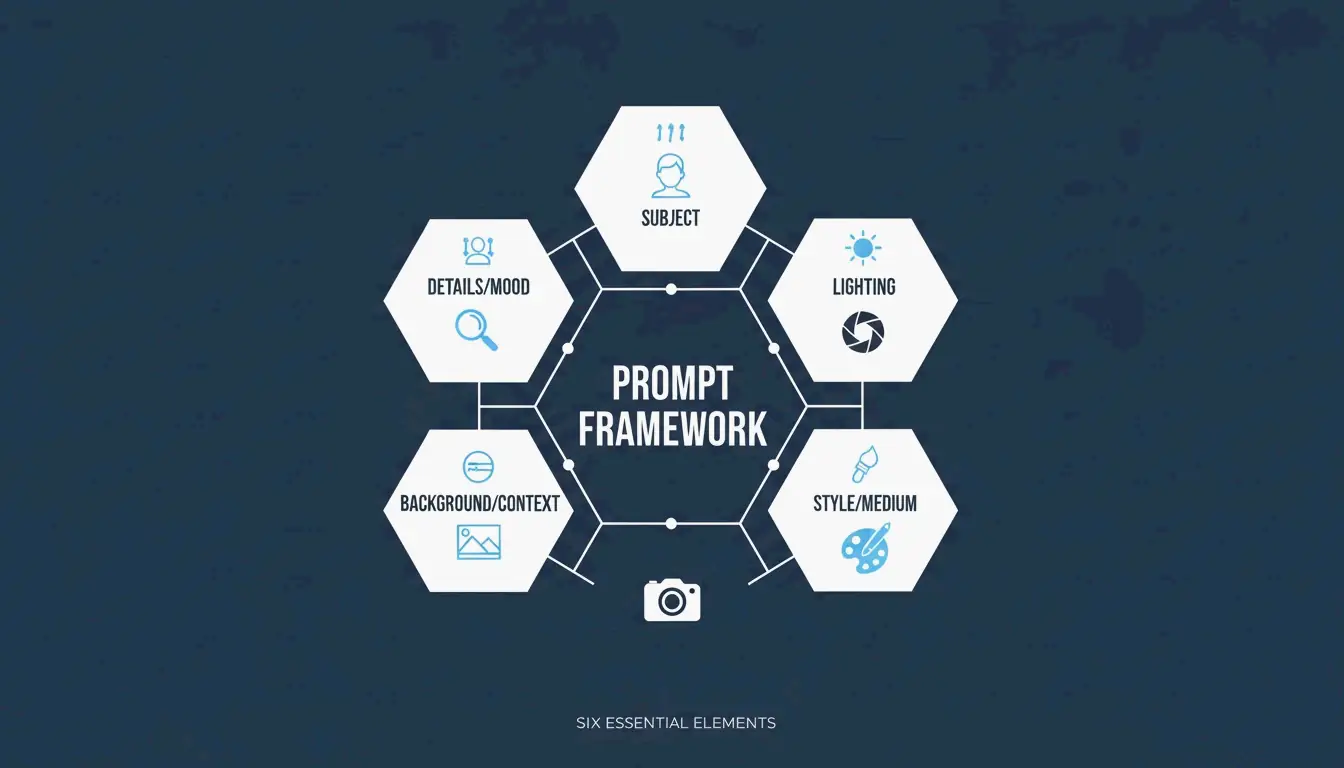
Getting great results from an AI image generator isn’t about luck or typing “make it beautiful.” In 2026, professional visuals come from structured prompting — treating the AI like a camera and art director combined. The approach that’s emerged as the industry standard is the Six-Element Framework: Subject, Environment, Style, Lighting, Composition, and Quality Modifiers.
This guide covers the full framework, compares the top models (GPT Image 2, Nano Banana 2, Flux 1.1 Pro, Midjourney), and shows you how to iterate from a rough draft to a production-ready image.
The Six-Element Prompt Framework
The key shift: stop describing and start instructing. Data from Adobe shows that by 2025, 67% of marketing teams had integrated AI generation into daily workflows — making prompt engineering a core professional skill.
Here’s the framework that ensures every element of your image is a deliberate choice:
| Element | What to Specify | Example |
|---|---|---|
| Subject | Main focus with physical details | “a slim silver laptop open at a 90-degree angle on a white oak desk” |
| Environment | Background or setting | “minimalist studio with soft gray walls” |
| Style | Medium or visual genre | “editorial photography,” “flat illustration,” “3D render” |
| Lighting | Direction, quality, temperature | “soft natural window light from the left, warm tone” |
| Composition | Camera angle and framing | “wide angle, eye-level perspective, shallow depth of field” |
| Quality | Technical output targets | “4K, ultra-realistic, high-fidelity” |
Why Precision Beats Adjectives
Words like “stunning” or “beautiful” don’t tell an AI model anything useful. Specifying a “50mm lens” or “DSLR-style photography” forces the AI to simulate real-world optics — including natural background blur (bokeh). According to the ImagineArt Guide, controlling the lighting is the single most effective way to move from a “fake AI look” to a professional photograph.
Case Study: 75% Cost Reduction in E-commerce
This framework isn’t just about aesthetics — it’s changing the economics of content production. As reported by Pixazo, one e-commerce platform used structured prompting with Seedream 4.5 and 5.0 to generate over 10,000 product images per month. By replacing traditional photoshoots (typically $2,000–$10,000 each), the company cut creative costs by 75% and accelerated time-to-market.
GPT Image 2: Typography and Complex Instructions
GPT Image 2 is a 2026 breakthrough because it handles layered instructions and renders legible text within images — something earlier models struggled with. To get clean typography:
- Put the desired text in quotes:
"SALE 50% OFF" - Specify the font style: “bold sans-serif” or “thin serif”
- Define placement: “centered on a white banner, top third of the image”
The 2K Reliability Boundary
Technical precision extends to resolution. While GPT Image 2 can target 4K (3840×2160), OpenAI’s documentation suggests treating anything above 2560×1440 (2K) as an “experimental boundary.” For consistent textures and logic in production, stay within 2K. Always ensure dimensions are a multiple of 16.
Prompting for Brand Consistency
GPT Image 2 is built for “Context-Rich Prompts.” Instead of just describing the image, tell the AI what it’s for. IndianPrompt recommends framing like: “Generate a professional image for a blog article about productivity… the mood should be optimistic.” This helps the model select color palettes and layouts that fit professional design standards automatically.
Nano Banana 2 and Flux 1.1 Pro: Photorealism Leaders
If your goal is absolute photographic realism, here’s how the top models compare:
| Model | Strength | Best For |
|---|---|---|
| Nano Banana 2 (Gemini 3 Pro Image) | Micro-textures: skin pores, fabric weaves, aged materials at 4K | Architecture, product photography, hyper-realism |
| Flux 1.1 Pro | Natural light simulation — how light bounces, where shadows fall | Developer pipelines, consistent lighting, high-volume work |
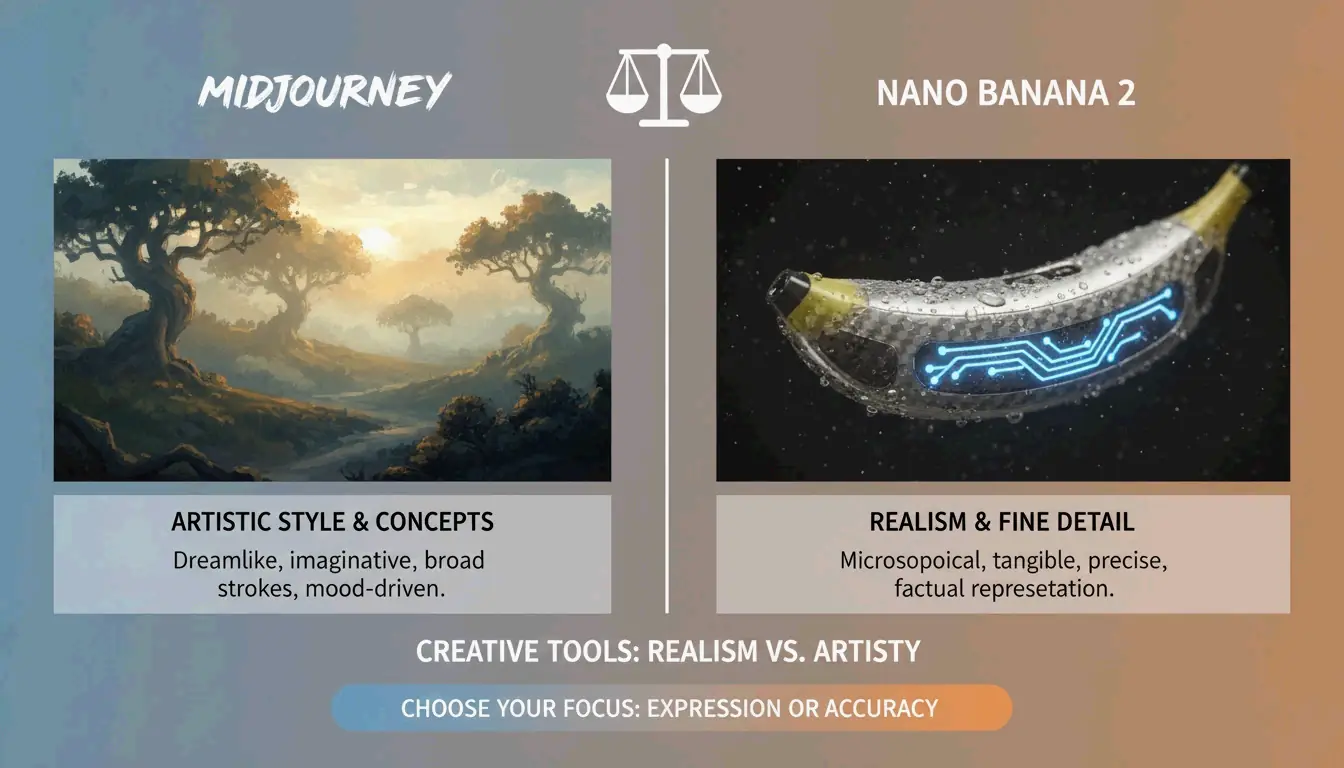
| Midjourney | Artistic mood, atmospheric imagery, editorial style | Abstract concepts, brand storytelling, “feeling over accuracy” |
AIMLAPI notes that Nano Banana 2 is currently the most detailed model for architecture and product shots. Midjourney still holds a 26.8% market share in 2026 (Prodia), making it the go-to when you need an “artistic vibe” rather than a literal document.
Advanced Techniques: Iterative Refinement
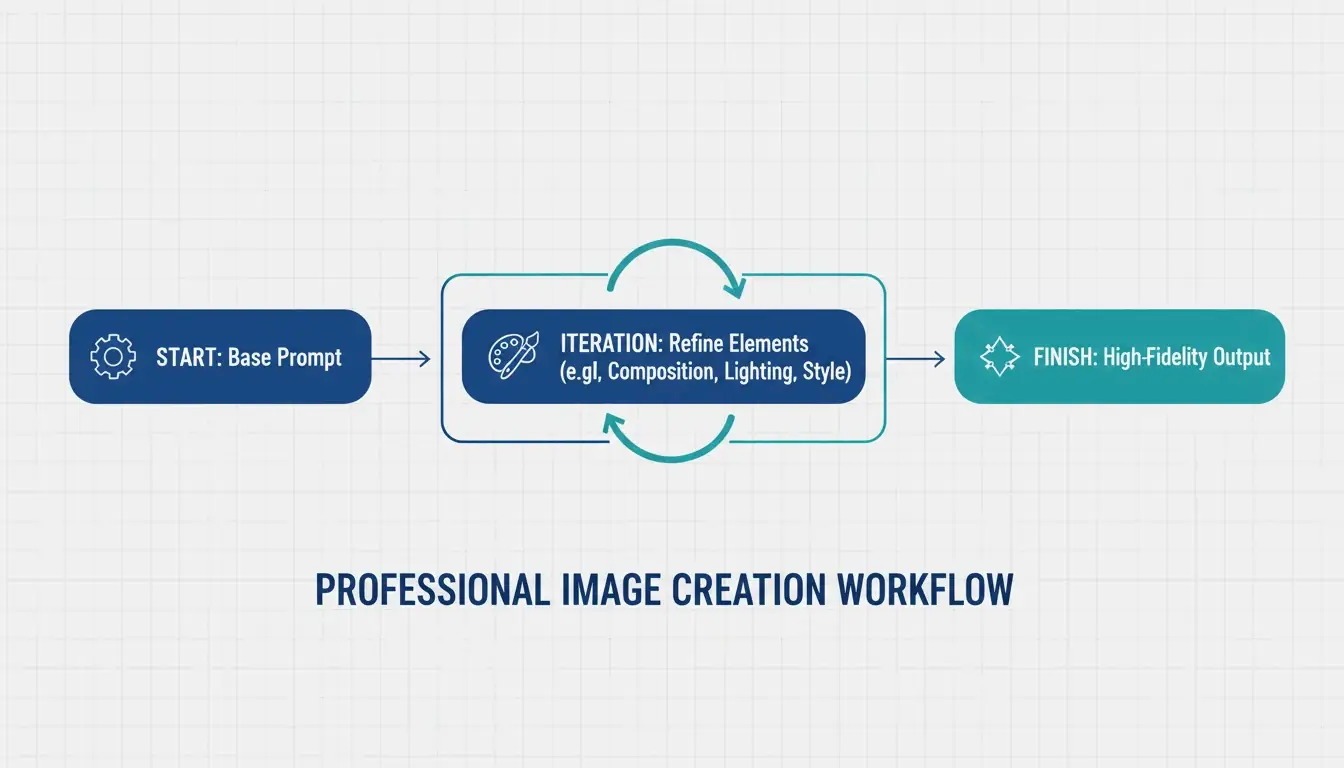
Professional AI images are rarely perfect on the first try. The industry standard is a 3–5 step refinement loop:
- Base prompt — Get the composition and subject right
- Refinement passes — Use targeted instructions like “change only the jacket color, keep the face identical”
- Final polish — Adjust lighting, fix artifacts, ensure brand alignment
ImagineArt emphasizes the importance of restating invariants — explicitly telling the AI what should not change between iterations. Without this, the model tends to drift.
Negative Prompts for Quality Control
Negative prompting remains essential — tell the AI what to exclude:
– "extra fingers, extra limbs" — Classic AI artifacts
– "text overlays, watermarks" — Unwanted additions
– "stock photo aesthetic, over-smoothed skin" — The generic “plastic” look common in high-saturation outputs
Preparing for Image-to-Video
A major 2026 trend: generating static images optimized for video tools like Kling or Grok. When creating visuals for the Image-to-Video (I2V) pipeline, ensure high-resolution keyframes with consistent features so the AI can animate the scene without glitches.
Specialized Workflows: SVG Output and Brand Consistency
For designers who need scalable files, Recraft V4 is the standout — the only major model that outputs true SVG (scalable vector) files. According to AIMLAPI, its native brand kit support lets you upload your own color palettes and logos, ensuring every generation fits your company’s design language.
Character Consistency Across Scenes
Tools like Midjourney and Nano Banana 2 now support “Character Reference” (Cref) tags, allowing the same character to appear consistently across different scenes. Combined with a “Character Seed” prompt that defines fixed traits (age, hair color, clothing), this is a major win for brand storytelling.
Legal Safety for Commercial Use
Adobe Firefly, with over 6.5 billion visuals created, remains the top choice for enterprise use because it’s trained on licensed content and offers commercial protection that open-source models can’t match. Always verify the latest AI disclosure requirements for your market.
Conclusion
Professional AI imagery in 2026 has moved from creative guesswork to structured engineering. The practical approach:
- Use the Six-Element Framework for every prompt — Subject, Environment, Style, Lighting, Composition, Quality
- Choose the right model — GPT Image 2 for typography and layouts, Nano Banana 2 for photorealism, Midjourney for artistic mood
- Iterate 3–5 times — Start with composition, refine details, then polish
- Think beyond static — Optimize for the Image-to-Video pipeline when needed
Mastering these technical instructions turns AI from a novelty toy into a high-performance digital studio.
FAQ
Which AI image generator is best for rendering clear text in 2026?
GPT Image 2 is the current leader for typography (AIMLAPI). It follows complex layout instructions better than Nano Banana 2 or Midjourney. For best results, place text in quotes and specify font style and placement.
Can I use AI-generated images for commercial marketing?
Yes, but it depends on the tool’s license. Enterprise tiers of GPT Image 2 and Adobe Firefly generally allow commercial use. Prodia notes that Adobe Firefly is particularly safe as it’s trained on licensed content. Always check current AI disclosure requirements for your region.
How do I maintain character consistency across multiple scenes?
Use Character Reference (Cref) tags in Midjourney or Nano Banana 2. Create a “Character Seed” prompt defining fixed physical traits. ImagineArt suggests using iterative refinement to adjust backgrounds while keeping the subject static.
What are the recommended resolution settings for GPT Image 2?
For production use, stay at 2560×1440 (2K). While 3840×2160 (4K) is possible, OpenAI’s Cookbook treats the 3840px cap as experimental. Always ensure dimensions are multiples of 16.
Frequently Asked Questions
Which AI image generator is best for rendering clear text in 2026?
GPT Image 2 is the current leader for typography (AIMLAPI). It follows complex layout instructions better than Nano Banana 2 or Midjourney. For best results, place text in quotes and specify font style and placement.
Can I use AI-generated images for commercial marketing?
Yes, but it depends on the tool’s license. Enterprise tiers of GPT Image 2 and Adobe Firefly generally allow commercial use. Prodia notes that Adobe Firefly is particularly safe as it’s trained on licensed content. Always check current AI disclosure requirements for your region.
How do I maintain character consistency across multiple scenes?
Use Character Reference (Cref) tags in Midjourney or Nano Banana 2. Create a “Character Seed” prompt defining fixed physical traits. ImagineArt suggests using iterative refinement to adjust backgrounds while keeping the subject static.
What are the recommended resolution settings for GPT Image 2?
For production use, stay at 2560×1440 (2K). While 3840×2160 (4K) is possible, OpenAI’s Cookbook treats the 3840px cap as experimental. Always ensure dimensions are multiples of 16.
Related Posts
Font Generator: The Complete Map of Styled Text in 2026
Aesthetic Font Generator: The Ultimate Guide to Stylish Unicode Text
Calligraphy Font Generator: Free Online Tool for Elegant Text Styles