Best Markdown Table Generator: Convert Excel, CSV, JSON to GFM Fast
Quick Summary
- Need to turn a spreadsheet, CSV, or JSON file into a cl
- Need to turn a spreadsheet, CSV, or JSON file into a clean Markdown table?
- Top Tools at a Glance
Editorial Process
Reviewed by SectoJoy and published on May 7, 2026. This article is refreshed when product details, examples, or tool guidance change. Last updated May 15, 2026.
SectoJoy
I'm an indie hacker building iOS and web applications, with a focus on creating practical SaaS products. I specialize in AI SEO, constantly exploring how intelligent technologies can drive sustainable growth and efficiency.
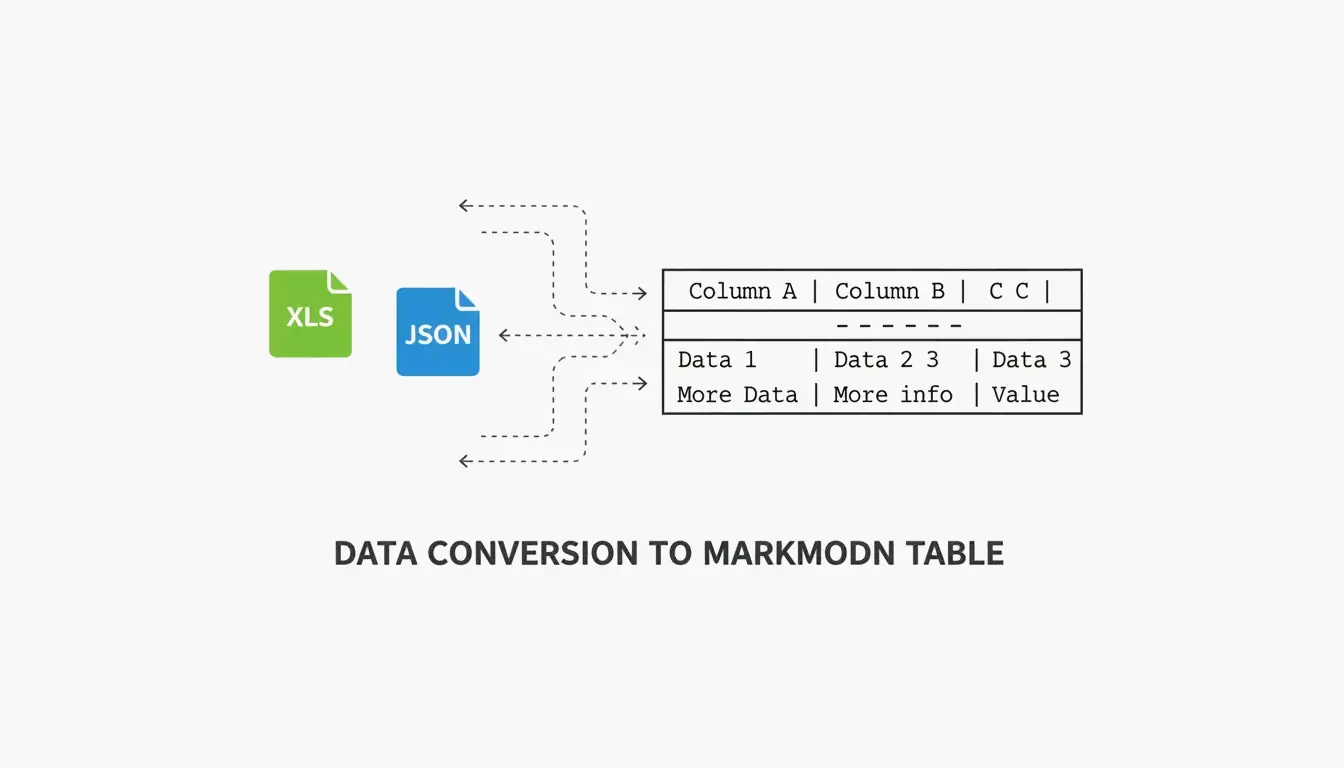
Need to turn a spreadsheet, CSV, or JSON file into a clean Markdown table? In 2026, the process is straightforward — the right tool depends on whether you’re doing a quick one-off conversion or automating documentation at scale.
This guide covers the best tools for each scenario: visual editors for manual work, CLI tools for automation, and CI/CD integration for keeping documentation in sync with your codebase.
Top Tools at a Glance
| Tool | Best For | Type | Key Strength |
|---|---|---|---|
| TableGenerator.com | Quick visual edits | Web (client-side) | Grid-based editor, alignment controls |
| AnywayData | Messy JSON files | Web / library | Flattening nested structures, AST parsing |
| MarkItDown (Microsoft) | Excel/Word automation | Python CLI | Preserves headers and table grids from Office files |
| Pandoc | Multi-format conversion | CLI | Supports dozens of formats, stable at scale |
| EaseCloud | Excel → GFM | Web | Simple browser-based converter |
| GoConverter | Excel → GFM | Web | Fast conversion with alignment options |
According to DasRoot (2026), modern Markdown tools can process 15–30 tables per second for mid-sized datasets — and the best ones use client-side processing, meaning your data never leaves your browser.
Why GFM Compliance Matters
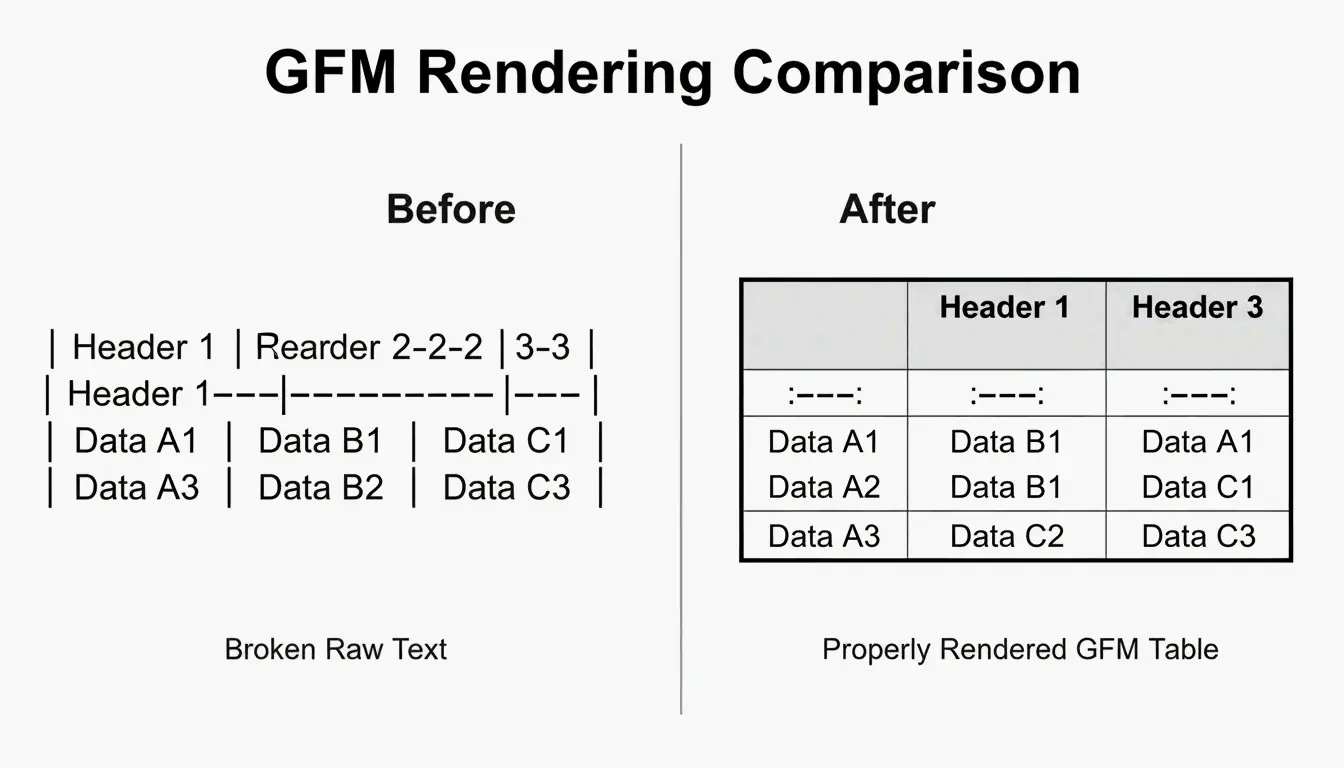
GitHub Flavored Markdown (GFM) is the specific dialect used by GitHub, GitLab, and Discord. The original Markdown spec didn’t support tables at all — GFM added the familiar “pipe-and-dash” syntax. A GFM-compliant generator ensures your tables render correctly with bold headers and aligned columns, rather than appearing as raw text.
How to Convert Excel and CSV to GFM
The process is two steps:
- Export to CSV — Save your Excel or Google Sheets file as CSV. This strips heavy formatting while preserving the data grid.
- Convert — Use a browser-based tool like EaseCloud or GoConverter to generate GFM code.
Column Alignment
GFM controls alignment through the separator row (the line under the header):
| Syntax | Alignment |
|---|---|
:--- |
Left-aligned (default) |
---: |
Right-aligned |
:---: |
Center-aligned |
Escaping Pipe Characters
Markdown uses | to mark column edges. If your data contains a pipe (in a code snippet or formula, for example), it will break the table. Escape it with:
- HTML entity:
| - Backslash:
\| - Code backticks:
`|`
Handling Large Datasets (100+ Rows)
For datasets over 100 rows, web-based visual editors may lag. Modern converters use incremental parsing to stay responsive. According to AnywayData, using “pairwise combinatorial data logic” can reduce necessary test cases by 90–99%, which helps when documenting complex configurations.
For truly large datasets, consider splitting into multiple tables or providing a downloadable CSV link alongside the Markdown version.
Converting JSON to GFM: Flattening Nested Data
JSON is hierarchical — data nested like Russian dolls. Markdown tables are flat 2D grids. The conversion requires flattening logic:
user.address.city → "User Address City" (single column header)
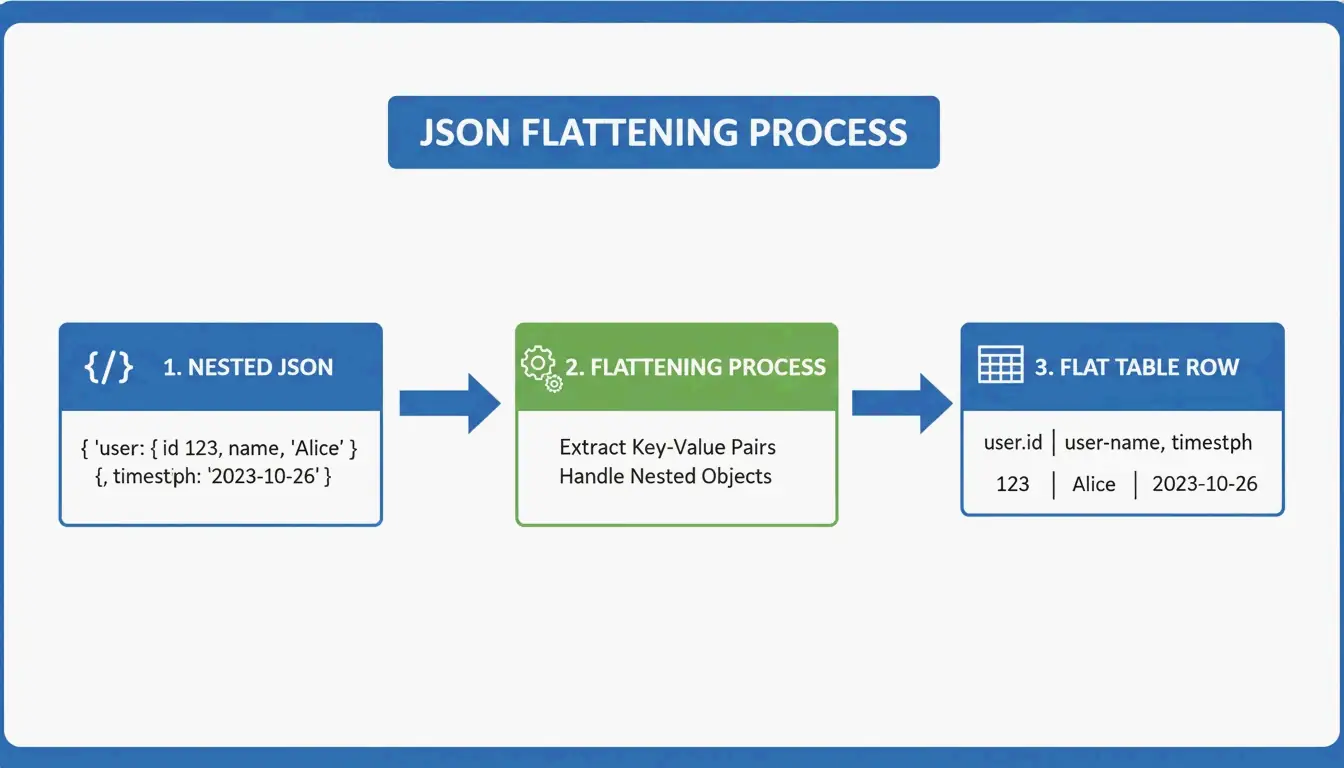
AnywayData’s Grid Table Editor excels here — it lets you import JSON and manually control how nested layers get flattened. The quality of the conversion depends on whether the tool uses AST (Abstract Syntax Tree) construction rather than simple text pattern matching. AST-based parsers build a logical map of the data structure, handling deeper nesting and inconsistent schemas far more accurately.
Automating with CI/CD
For engineering teams, manual conversion is a waste of time. Integrating table generation into your CI/CD pipeline ensures README files stay current automatically:
- Convert JSON API responses into GFM during the build process
- Treat documentation as code — it updates when your data changes
- Prevent the common problem of stale or incorrect information in your repo
Tools like Terraform-docs v0.17.0 (2026) automatically inject resource tables directly into README files — proving that CLI tools often beat web interfaces for infrastructure-level documentation.
MarkItDown vs. Pandoc: Which Should You Use?
| Factor | MarkItDown (Microsoft) | Pandoc |
|---|---|---|
| Optimized for | Office files (Excel, Word) | Universal document conversion |
| Markdown flavors | GFM-focused | CommonMark, GFM, and many others |
| Best for | Quick XLSX → GitHub table | Multi-format, high-volume CLI work |
| Latest version | 2026 | 3.9.0.2 (stable) |
| Speed | Faster for single Office files | Better for batch processing |
| Use when | You need one Excel file converted | You need to convert between dozens of formats |
For most developers, MarkItDown is faster for the common case (Excel → GitHub table). Pandoc is the better choice when you’re juggling many document formats or running large-scale batch conversions.
Conclusion
Converting data to GFM tables in 2026 comes down to volume and workflow:
- One-off edits → TableGenerator.com or AnywayData for visual control
- Recurring Office conversions → MarkItDown integrated into your Python workflow
- Multi-format or high-volume → Pandoc for CLI batch processing
- Infrastructure docs → CI/CD automation with terraform-docs or custom scripts
The key principle: documentation should update when your data updates. Automating the conversion prevents stale tables and keeps your project’s documentation trustworthy.
FAQ
How do I escape pipe characters (|) within a Markdown table cell?
Use the HTML entity | instead of the literal pipe. Alternatively, use a backslash escape \| if your GFM parser supports it, or wrap the content in code backticks. All three methods prevent the pipe from being interpreted as a column separator.
Does GFM support merged cells or multi-line content?
No. Standard GFM doesn’t support colspan or rowspan. Each cell must be independent. For multi-line content within a cell, use HTML <br> tags to force line breaks while keeping the data in a single row.
What’s the best approach for datasets over 100 rows?
Skip web-based visual editors (they’ll lag). Use CLI tools like MarkItDown or Pandoc instead. If the resulting table is too large for a single page, split it into multiple tables or provide a link to a downloadable CSV file to maintain readability.
Frequently Asked Questions
MarkItDown vs. Pandoc: Which Should You Use?
Factor MarkItDown (Microsoft) Pandoc Optimized for Office files (Excel, Word) Universal document conversion Markdown flavors GFM-focused CommonMark, GFM, and many others Best for Quick XLSX → GitHub table Multi-format, high-volume CLI work Latest version 2026 3.9.0.2 (stable) Speed Faster for single Office files Better for batch processing Use when You need one Excel file converted You need to convert between dozens of formats For most developers, MarkItDown is faster for the common case (Excel → GitHub table). Pandoc is the better choice when you’re juggling many document formats or running large-scale batch conversions.
How do I escape pipe characters (|) within a Markdown table cell?
Use the HTML entity | instead of the literal pipe. Alternatively, use a backslash escape \| if your GFM parser supports it, or wrap the content in code backticks. All three methods prevent the pipe from being interpreted as a column separator.
Does GFM support merged cells or multi-line content?
No. Standard GFM doesn’t support colspan or rowspan. Each cell must be independent. For multi-line content within a cell, use HTML tags to force line breaks while keeping the data in a single row.
What’s the best approach for datasets over 100 rows?
Skip web-based visual editors (they’ll lag). Use CLI tools like MarkItDown or Pandoc instead. If the resulting table is too large for a single page, split it into multiple tables or provide a link to a downloadable CSV file to maintain readability.
Related Posts

Font Generator: The Complete Map of Styled Text in 2026
Aesthetic Font Generator: The Ultimate Guide to Stylish Unicode Text

Calligraphy Font Generator: Free Online Tool for Elegant Text Styles