Domine Prompts para Geradores de Imagens com IA: O Framework 2026 para Visuais Profissionais
Resumo rápido
- Obter ótimos resultados de um gerador de imagens com IA não depende de sorte nem de digitar “deixe bonito”. Em 2026, visuais profissionais vêm de prompts estruturados — tratando a IA como câmera e diretor de arte ao mesmo tempo.
- Obter ótimos resultados de um gerador de imagens com IA não depende de sorte nem de digitar “deixe bonito”.
- O Framework de Prompt de Seis Elementos
Processo editorial
Revisado por SectoJoy e publicado em 21 de junho de 2026. Este artigo é atualizado quando os detalhes do produto, os exemplos ou as orientações da ferramenta são alterados. Última atualização em 21 de junho de 2026.
SectoJoy
Sou um hacker independente que cria aplicativos para iOS e web, com foco na criação de produtos SaaS práticos. Sou especialista em IA SEO e exploro constantemente como as tecnologias inteligentes podem impulsionar o crescimento sustentável e a eficiência.
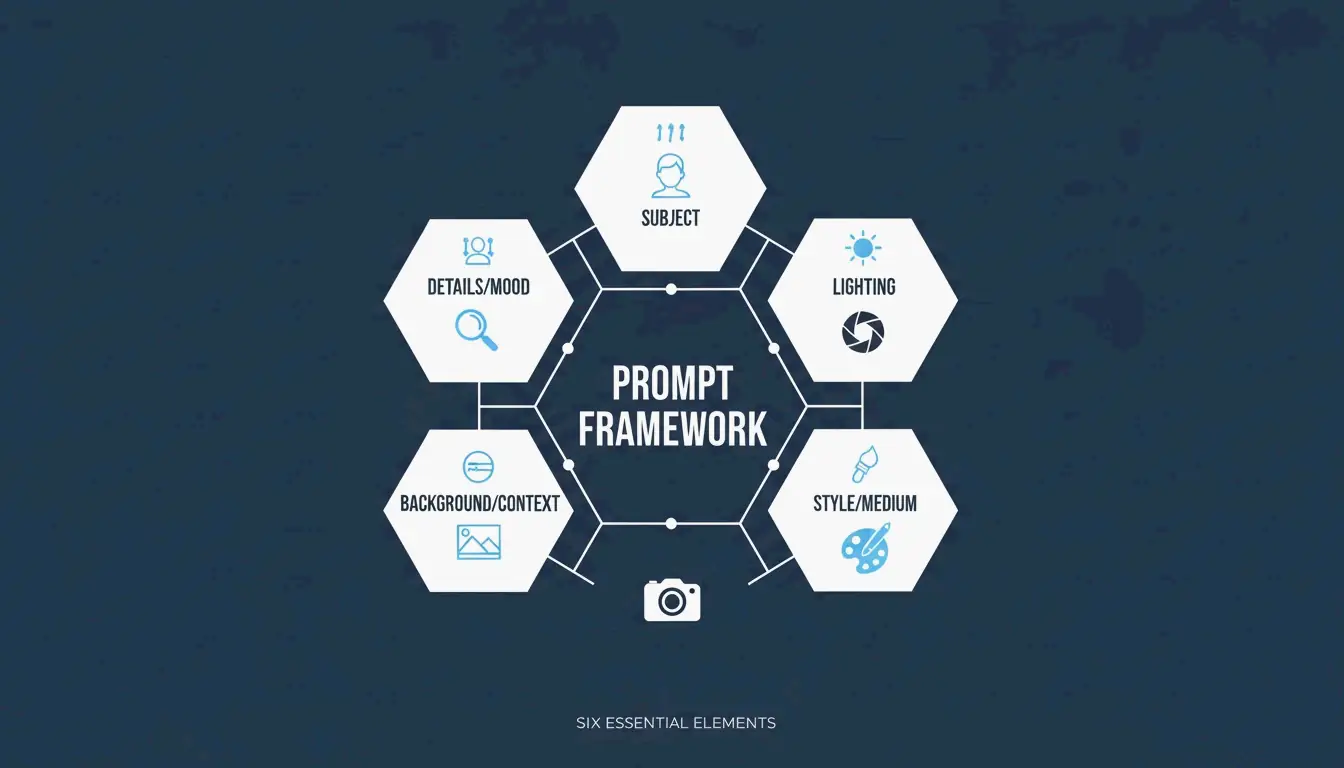
Obter ótimos resultados de um gerador de imagens com IA não depende de sorte nem de digitar “deixe bonito”. Em 2026, visuais profissionais vêm de prompts estruturados — tratando a IA como uma câmera e um diretor de arte combinados. A abordagem que se consolidou como padrão da indústria é o Framework de Seis Elementos: Assunto, Ambiente, Estilo, Iluminação, Composição e Modificadores de Qualidade.
Este guia cobre o framework completo, compara os principais modelos (GPT Image 2, Nano Banana 2, Flux 1.1 Pro, Midjourney) e mostra como iterar de um rascunho grosseiro até uma imagem pronta para produção.
O Framework de Prompt de Seis Elementos
A mudança-chave: pare de descrever e comece a instruir. Dados da Adobe mostram que, até 2025, 67% das equipes de marketing já haviam integrado a geração com IA em seus fluxos de trabalho diários — tornando a engenharia de prompts uma habilidade profissional essencial.
Aqui está o framework que garante que cada elemento da sua imagem seja uma escolha deliberada:
| Elemento | O que especificar | Exemplo |
|---|---|---|
| Assunto | Foco principal com detalhes físicos | “um notebook prateado fino e fino aberto num ângulo de 90 graus sobre uma mesa de carvalho branco” |
| Ambiente | Fundo ou cenário | “estúdio minimalista com paredes suaves em tons de cinza” |
| Estilo | Meio ou gênero visual | “fotografia editorial”, “ilustração plana”, “renderização 3D” |
| Iluminação | Direção, qualidade, temperatura | “luz natural suave vinda da janela à esquerda, tom quente” |
| Composição | Ângulo da câmera e enquadramento | “grande-angular, perspectiva ao nível dos olhos, pouca profundidade de campo” |
| Qualidade | Metas técnicas de saída | “4K, ultrarrealista, alta fidelidade” |
Por que Precisão Vence Adjetivos
Palavras como “impressionante” ou “lindo” não dizem nada de útil a um modelo de IA. Especificar uma “50mm lens” ou “DSLR-style photography” obriga a IA a simular óptica do mundo real — incluindo o desfoque natural do fundo (bokeh). Segundo o Guia da ImagineArt, controlar a iluminação é a forma mais eficaz de passar de um “visual falso de IA” para uma fotografia profissional.
Estudo de Caso: Redução de 75% nos Custos em E-commerce
Esse framework não é apenas sobre estética — está mudando a economia da produção de conteúdo. Conforme relatado pela Pixazo, uma plataforma de e-commerce usou prompts estruturados com Seedream 4.5 e 5.0 para gerar mais de 10.000 imagens de produtos por mês. Ao substituir sessões fotográficas tradicionais (normalmente $2.000–$10.000 cada), a empresa cortou os custos de criação em 75% e acelerou o tempo de lançamento no mercado.
GPT Image 2: Tipografia e Instruções Complexas
O GPT Image 2 é um avanço de 2026 porque lida com instruções em camadas e renderiza texto legível dentro das imagens — algo com que modelos anteriores tinham dificuldade. Para obter tipografia limpa:
- Coloque o texto desejado entre aspas:
"SALE 50% OFF" - Especifique o estilo da fonte: “bold sans-serif” ou “thin serif”
- Defina o posicionamento: “centralizado numa faixa branca, terço superior da imagem”
O Limite de Confiabilidade do 2K
A precisão técnica se estende à resolução. Embora o GPT Image 2 possa mirar em 4K (3840×2160), a documentação da OpenAI sugere tratar qualquer coisa acima de 2560×1440 (2K) como um “limite experimental”. Para texturas e lógica consistentes em produção, mantenha-se dentro do 2K. Sempre garanta que as dimensões sejam um multiple of 16.
Prompts para Consistência de Marca
O GPT Image 2 foi projetado para “Prompts Ricos em Contexto”. Em vez de apenas descrever a imagem, diga à IA para que ela serve. A IndianPrompt recomenda formulações como: “Gere uma imagem profissional para um artigo de blog sobre produtividade… o clima deve ser otimista.” Isso ajuda o modelo a selecionar paletas de cores e layouts que se encaixem automaticamente nos padrões de design profissional.
Nano Banana 2 e Flux 1.1 Pro: Líderes em Fotorrealismo
Se o seu objetivo é o fotorrealismo absoluto, veja como os principais modelos se comparam:
| Modelo | Ponto forte | Ideal para |
|---|---|---|
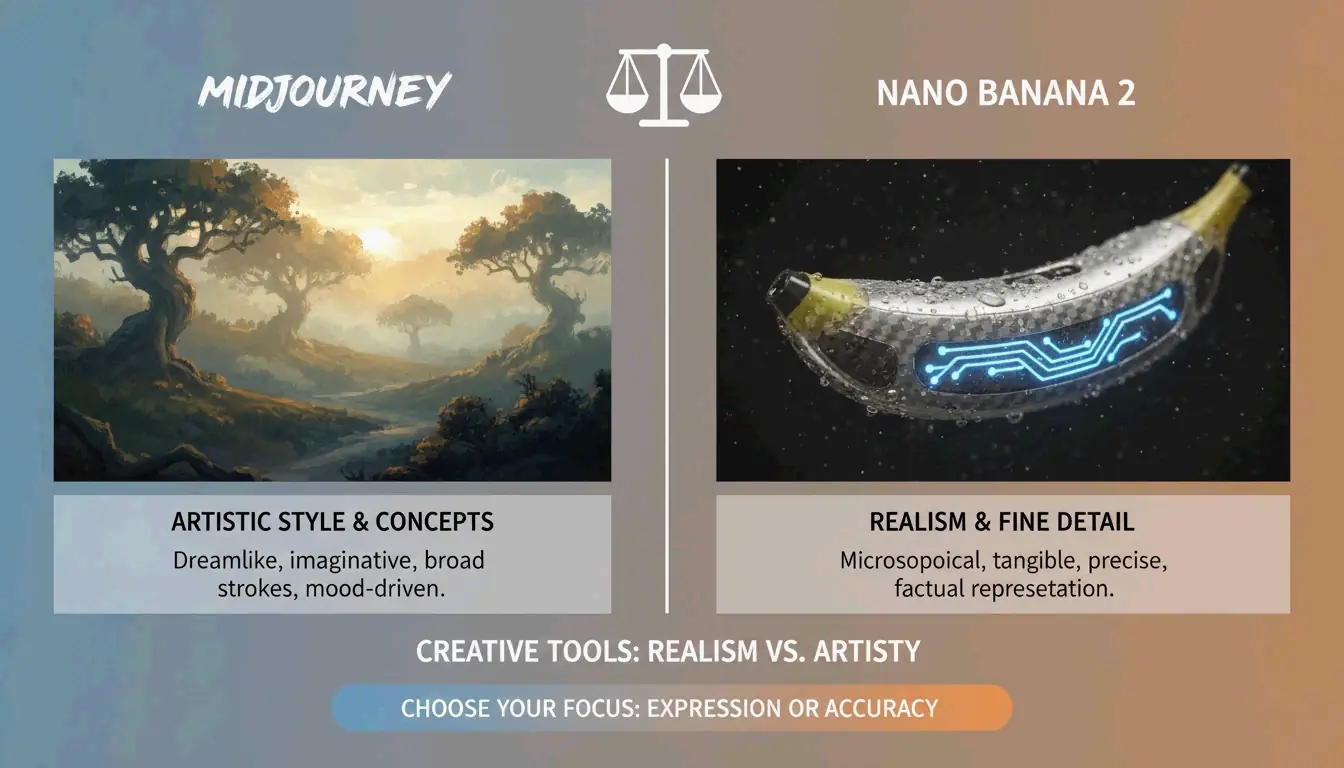
| Nano Banana 2 (Gemini 3 Pro Image) | Microtexturas: poros da pele, tramas de tecido, materiais envelhecidos em 4K | Arquitetura, fotografia de produtos, hiper-realismo |
| Flux 1.1 Pro | Simulação de luz natural — como a luz rebate, onde as sombras caem | Pipelines de desenvolvedores, iluminação consistente, trabalho de alto volume |
| Midjourney | Clima artística, imagens atmosféricas, estilo editorial | Conceitos abstratos, narrativa de marca, “sensação em vez de precisão” |
A AIMLAPI observa que o Nano Banana 2 é atualmente o modelo mais detalhado para arquitetura e fotos de produtos. O Midjourney ainda detinha uma participação de mercado de 26,8% em 2026 (Prodia), tornando-se a escolha preferida quando se precisa de uma “vibe artística” em vez de um documento literal.
Técnicas Avançadas: Refinamento Iterativo
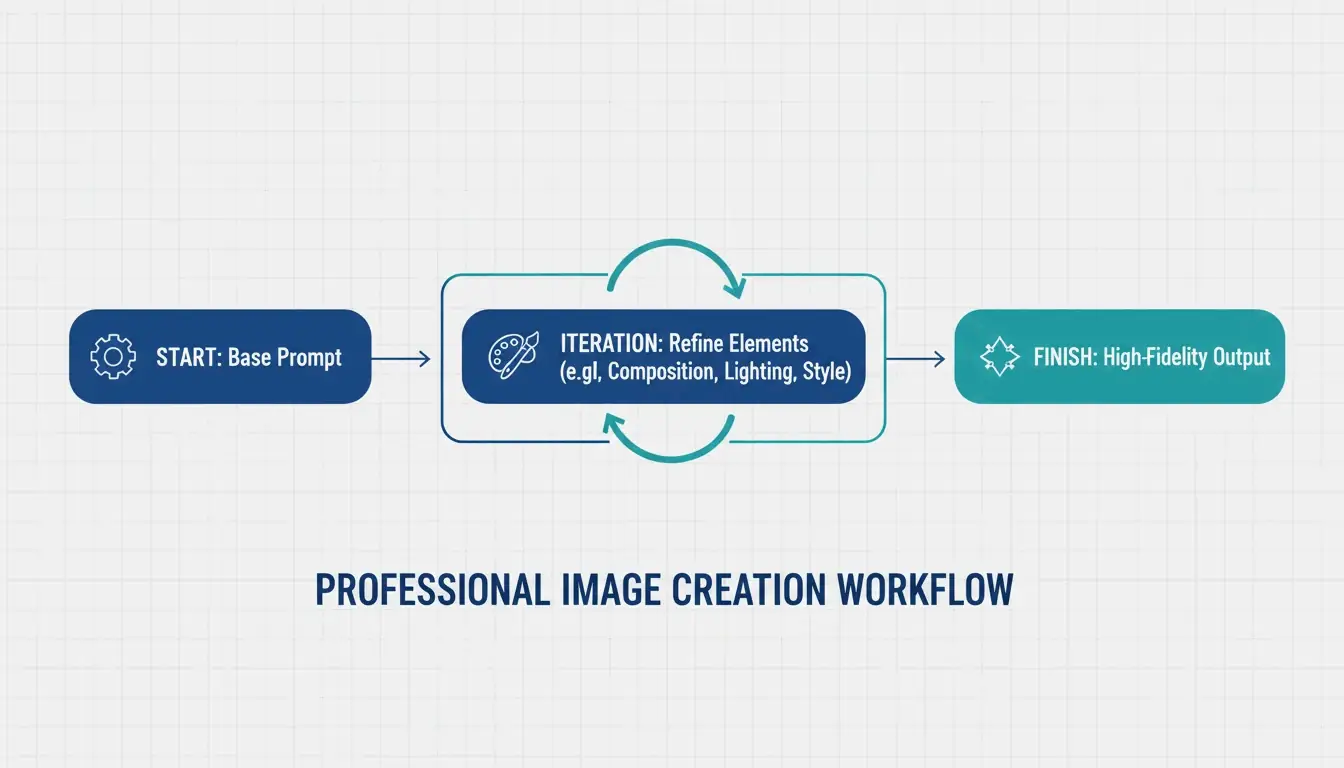
Imagens profissionais geradas por IA raramente ficam perfeitas na primeira tentativa. O padrão da indústria é um loop de refinamento de 3–5 etapas:
- Prompt base — Acerte a composição e o assunto
- Passagens de refinamento — Use instruções direcionadas como “mude apenas a cor da jaqueta, mantenha o rosto idêntico”
- Polimento final — Ajuste a iluminação, corrija artefatos, garanta alinhamento com a marca
A ImagineArt enfatiza a importância de reafirmar invariantes — dizer explicitamente à IA o que não deve mudar entre iterações. Sem isso, o modelo tende a se desviar.
Prompts Negativos para Controle de Qualidade
A instrução negativa continua essencial — diga à IA o que excluir:
– "extra fingers, extra limbs" — Artefatos clássicos de IA
– "text overlays, watermarks" — Adições indesejadas
– "stock photo aesthetic, over-smoothed skin" — O aspecto genérico “plástico” comum em saídas de alta saturação
Preparando para Image-to-Video
Uma grande tendência de 2026: gerar imagens estáticas otimizadas para ferramentas de vídeo como Kling ou Grok. Ao criar visuais para o pipeline de Image-to-Video (I2V), garanta quadros-chave de alta resolução com características consistentes para que a IA consiga animar a cena sem falhas.
Fluxos de Trabalho Especializados: Saída em SVG e Consistência de Marca
Para designers que precisam de arquivos escaláveis, o Recraft V4 é o destaque — o único modelo importante que gera arquivos verdadeiros em SVG (gráficos vetoriais escaláveis). Segundo a AIMLAPI, seu suporte nativo a kits de marca permite fazer upload das suas próprias paletas de cores e logos, garantindo que cada geração se alinhe à linguagem de design da sua empresa.
Consistência de Personagens entre Cenas
Ferramentas como Midjourney e Nano Banana 2 agora suportam tags de “Character Reference” (Cref), permitindo que o mesmo personagem apareça de forma consistente em cenas diferentes. Combinado com um prompt de “Character Seed” que define traços fixos (idade, cor do cabelo, vestuário), isso é uma grande vitória para a narrativa de marca.
Segurança Jurídica para Uso Comercial
O Adobe Firefly, com mais de 6,5 bilhões de visuais criados, segue sendo a principal escolha para uso empresarial porque é treinado em conteúdo licenciado e oferece proteção comercial que modelos open-source não conseguem igualar. Sempre verifique os requisitos atuais de divulgação de IA para o seu mercado.
Conclusão
A imagem profissional gerada por IA em 2026 deixou de ser adivinhação criativa para se tornar engenharia estruturada. A abordagem prática:
- Use o Framework de Seis Elementos em todo prompt — Assunto, Ambiente, Estilo, Iluminação, Composição, Qualidade
- Escolha o modelo certo — GPT Image 2 para tipografia e layouts, Nano Banana 2 para fotorrealismo, Midjourney para clima artística
- Itere de 3 a 5 vezes — Comece pela composição, refine os detalhes e depois faça o polimento
- Pense além do estático — Otimize para o pipeline de Image-to-Video quando necessário
Dominar essas instruções técnicas transforma a IA de um brinquedo novidade em um estúdio digital de alto desempenho.
FAQ
Qual gerador de imagens com IA é melhor para renderizar texto nítido em 2026?
O GPT Image 2 é o líder atual em tipografia (AIMLAPI). Ele segue instruções de layout complexas melhor do que o Nano Banana 2 ou o Midjourney. Para melhores resultados, coloque o texto entre aspas e especifique o estilo e o posicionamento da fonte.
Posso usar imagens geradas por IA em marketing comercial?
Sim, mas depende da licença da ferramenta. Os planos empresariais do GPT Image 2 e do Adobe Firefly geralmente permitem uso comercial. A Prodia observa que o Adobe Firefly é particularmente seguro por ser treinado em conteúdo licenciado. Sempre verifique os requisitos atuais de divulgação de IA para a sua região.
Como mantenho a consistência de personagens em várias cenas?
Use tags de Character Reference (Cref) no Midjourney ou no Nano Banana 2. Crie um prompt de “Character Seed” definindo traços físicos fixos. A ImagineArt sugere usar refinamento iterativo para ajustar os fundos mantendo o assunto estático.
Quais são as configurações de resolução recomendadas para o GPT Image 2?
Para uso em produção, mantenha-se em 2560×1440 (2K). Embora 3840×2160 (4K) seja possível, o Cookbook da OpenAI trata o limite de 3840px como experimental. Sempre garanta que as dimensões sejam múltiplos de 16.
Perguntas frequentes
Qual gerador de imagens com IA é melhor para renderizar texto nítido em 2026?
O GPT Image 2 é o líder atual em tipografia (AIMLAPI). Ele segue instruções de layout complexas melhor do que o Nano Banana 2 ou o Midjourney. Para melhores resultados, coloque o texto entre aspas e especifique o estilo e o posicionamento da fonte.
Posso usar imagens geradas por IA em marketing comercial?
Sim, mas depende da licença da ferramenta. Os planos empresariais do GPT Image 2 e do Adobe Firefly geralmente permitem uso comercial. A Prodia observa que o Adobe Firefly é particularmente seguro por ser treinado em conteúdo licenciado. Sempre verifique os requisitos atuais de divulgação de IA para a sua região.
Como mantenho a consistência de personagens em várias cenas?
Use tags de Character Reference (Cref) no Midjourney ou no Nano Banana 2. Crie um prompt de “Character Seed” definindo traços físicos fixos. A ImagineArt sugere usar refinamento iterativo para ajustar os fundos mantendo o assunto estático.
Quais são as configurações de resolução recomendadas para o GPT Image 2?
Para uso em produção, mantenha-se em 2560×1440 (2K). Embora 3840×2160 (4K) seja possível, o Cookbook da OpenAI trata o limite de 3840px como experimental. Sempre garanta que as dimensões sejam múltiplos de 16.
Postagens relacionadas
Gerador de Fontes: O Mapa Completo de Textos Estilizados em 2026
Gerador de Fontes Estéticas: O Guia Definitivo para Textos Unicode Estilosos
Gerador de Fontes de Caligrafia: Ferramenta Online Gratuita para Estilos de Texto Elegantes