What Are the Uses of a Barcode Generator? Inventory, Retail & Marketing in 2026
Quick Summary
- A barcode generator turns text or numbers into machine-
- A barcode generator turns text or numbers into machine-readable patterns for inventory management , asset tracking , and retail sales .
- Inventory Management: Code 128 for Warehousing
Editorial Process
Reviewed by SectoJoy and published on May 7, 2026. This article is refreshed when product details, examples, or tool guidance change. Last updated May 15, 2026.
SectoJoy
I'm an indie hacker building iOS and web applications, with a focus on creating practical SaaS products. I specialize in AI SEO, constantly exploring how intelligent technologies can drive sustainable growth and efficiency.
A barcode generator turns text or numbers into machine-readable patterns for inventory management, asset tracking, and retail sales. In 2026, these tools bridge the offline-online gap using UPC-A/EAN-13 for global retail, Code 128 for internal logistics, and dynamic QR codes for mobile marketing with real-time scan analytics.
As KODE.link puts it, a reliable barcode generator is no longer a luxury — it is infrastructure that links physical items to digital databases.
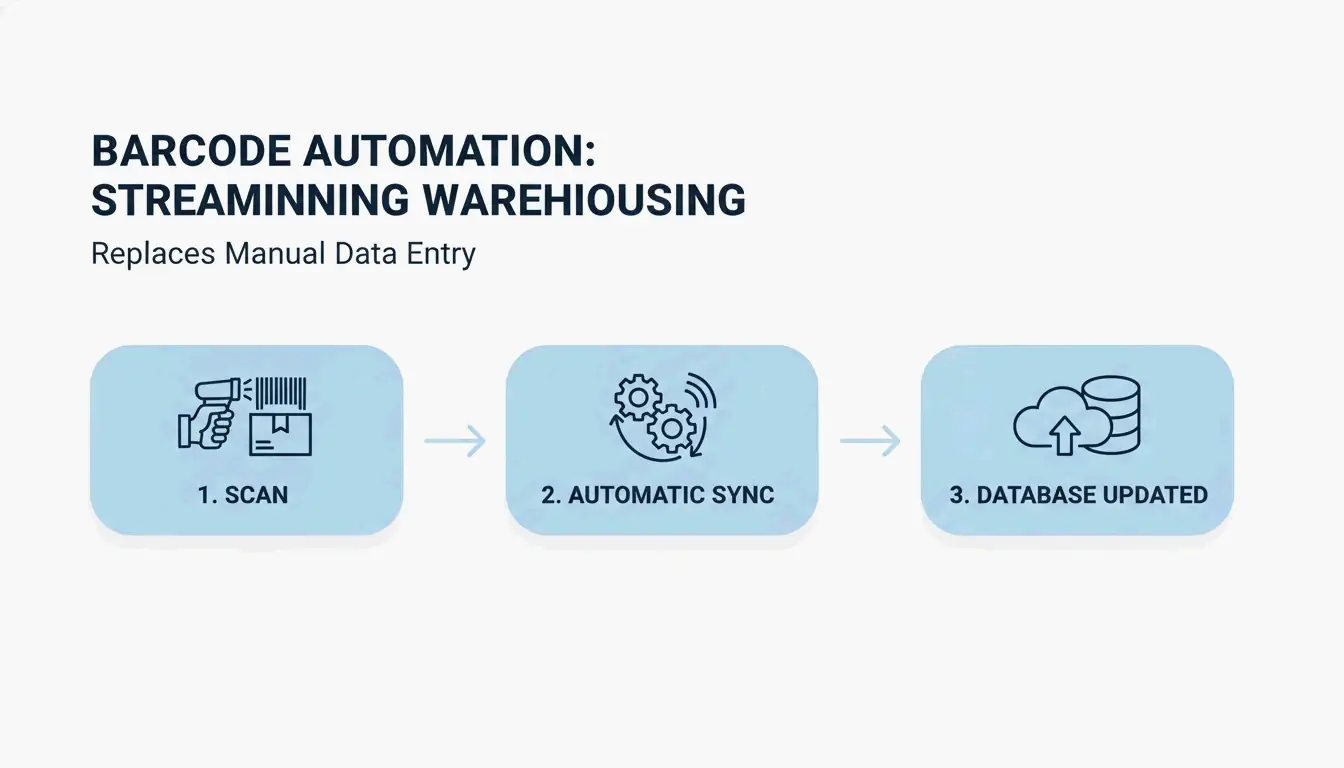
Inventory Management: Code 128 for Warehousing
For internal logistics, Code 128 is the go-to barcode format. It supports all 128 ASCII characters and packs high data density into a narrow label — ideal for storage bins, shipping pallets, and parts bins.
Wasp Barcode notes that Code 128 works with standard 1D scanners and drops error rates to approximately one error per several million characters, according to Wikipedia.
Asset Tracking: Lifecycle Management
Barcode generators also track fixed assets — laptops, power tools, machinery. By assigning every item a unique barcode, companies can:
- Assign equipment to specific employees or job sites
- Log check-in/check-out events in real time
- Track maintenance schedules and flag items before they fail
Wasp Barcode emphasizes that the real value comes from connecting codes to tracking software — giving every asset a full digital history without manual paperwork.
Retail: UPC-A and EAN-13 Standards
For products sold in North America, you need UPC-A (12-digit) codes. Globally, EAN-13 (13-digit) is the standard. Both follow GS1 standards, ensuring a product scanned in one store is recognized worldwide.
The first UPC scan happened in June 1974 at Marsh Supermarket — a pack of Wrigley’s Juicy Fruit gum. Today, GS1 compliance is a non-negotiable requirement for any brand entering retail shelves.
Printing Best Practices: DPI, Contrast, and Quiet Zones
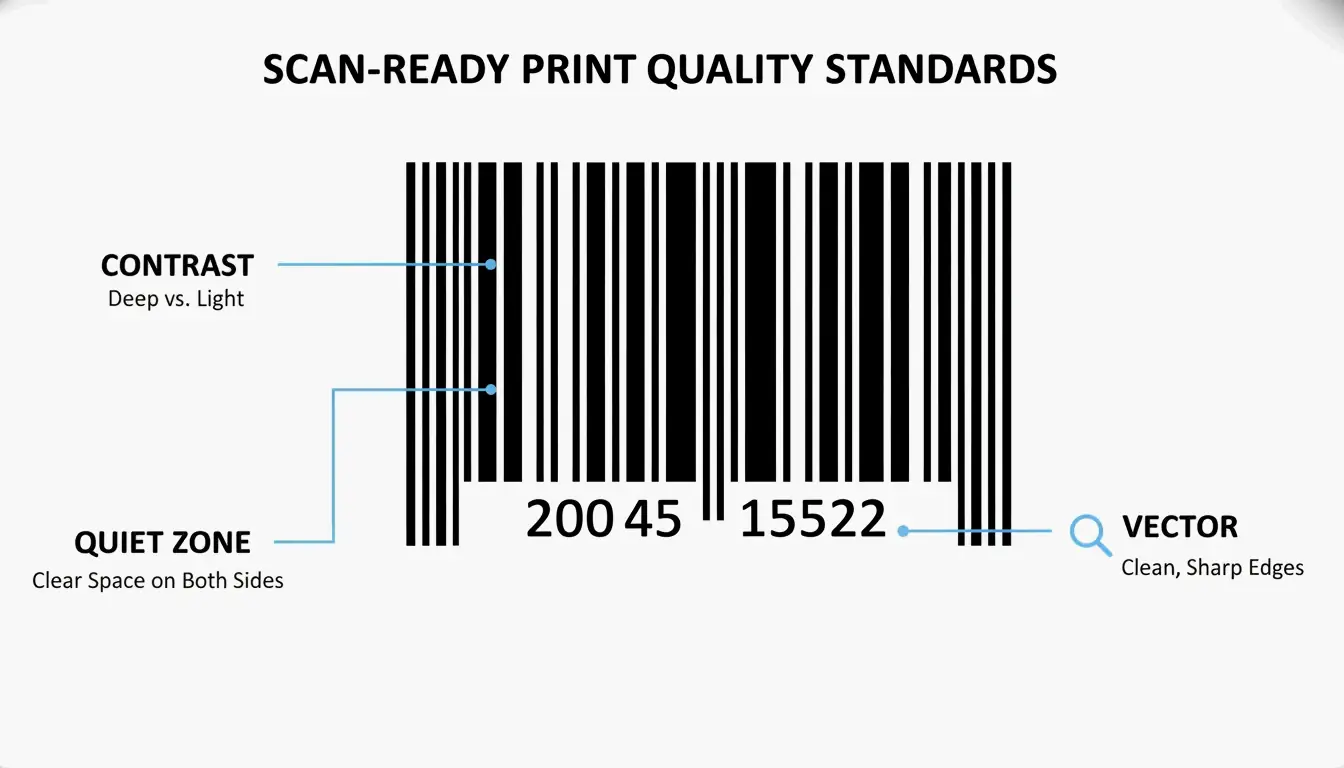
A barcode is only useful if it scans. CodeItBro recommends exporting codes as SVG (Scalable Vector Graphics) — they stay sharp at any size.
| Requirement | Why It Matters |
|---|---|
| High contrast | Bars must be significantly darker than the background for laser visibility |
| Quiet zones | Blank margins on both sides tell the scanner where the code starts and ends |
| Vector output | SVG stays crisp at any size; PNG only works for simple labels |
QR Code vs Barcode: Which One Do You Need?
The choice depends on data capacity and scanning context:
| Feature | Linear Barcode (1D) | QR Code (2D) |
|---|---|---|
| Data capacity | ~20 characters | Up to 7,089 numeric characters |
| Scanner | 1D laser scanner | Smartphone camera / 2D imager |
| Primary use | Inventory & retail (UPC/EAN) | Marketing, URLs, complex data |
| Customization | Limited | High — colors, logos, shapes |
| Error correction | Minimal | Up to 30% damage tolerance |
Source: QRStuff
Dynamic QR Codes for Marketing
Dynamic QR codes have become the marketing standard. Unlike static codes (data is locked in), dynamic codes use a redirect link — so you can change the destination URL even after printing 5,000 flyers. Tools like QR Code Generator also provide scan analytics, showing when and where people scan.
AI-Generated QR Codes: Scannable Art in 2026
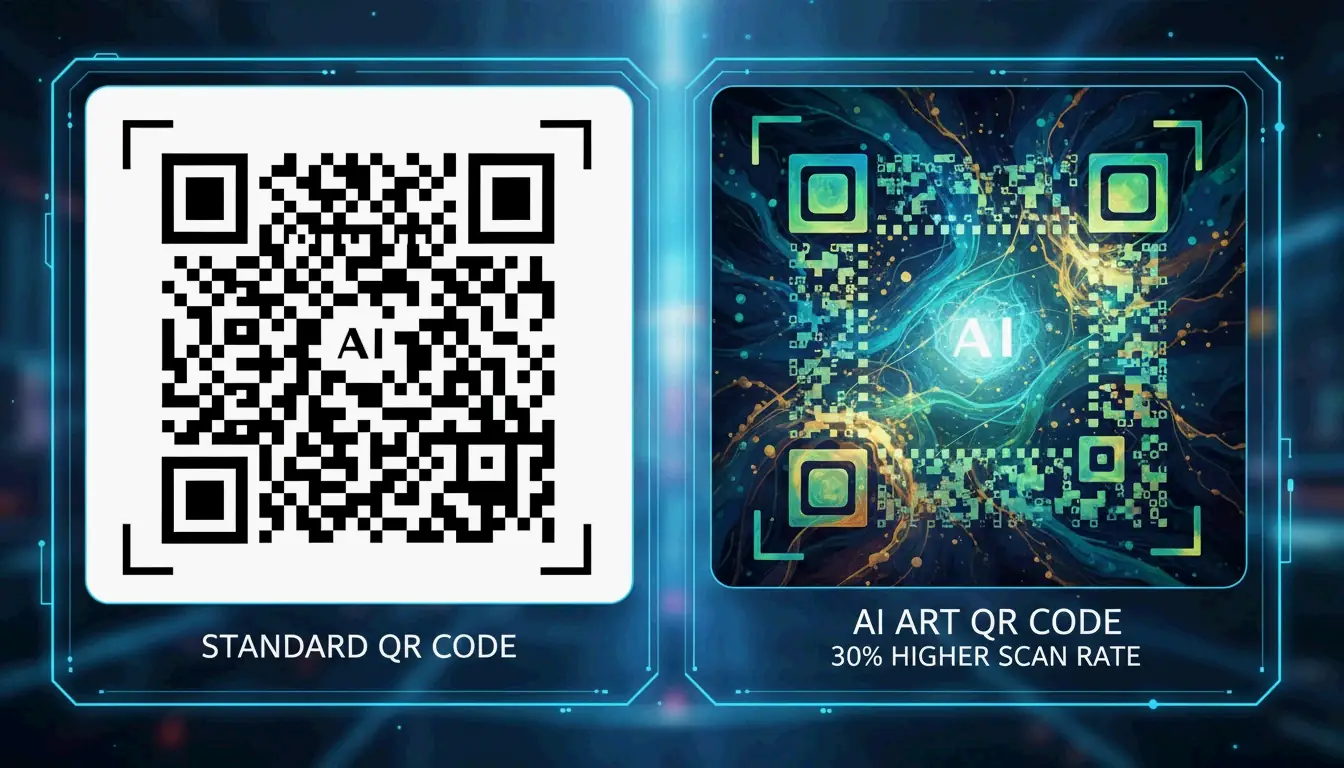
By 2026, barcode generators have moved beyond black-and-white squares. Generative AI blends brand logos and artistic patterns directly into functional QR codes — making the code part of the design rather than a visual afterthought.
Data from QR Code AI shows that branded, artistic QR codes get 30% more scans on average than traditional ones. This engagement boost is part of GEO (Generative Engine Optimization), sending high-quality traffic signals back to digital platforms.
Conclusion
A barcode generator is the bridge between physical products and digital data — whether you are organizing a warehouse with Code 128, meeting retail requirements with UPC-A, or running campaigns with AI-designed QR codes. Pick the format that fits your goal, export as SVG, and every scan will work the first time.
FAQ
Do QR codes expire or have a scan limit?
Static QR codes never expire — the data is embedded in the pattern. Dynamic QR codes depend on a service provider; if the redirect is deactivated or your subscription ends, the code stops working. Most professional generators like QR Code Generator offer unlimited scans on business accounts.
What is the minimum size for a printed barcode?
A standard UPC-A should be approximately 1.46″ x 1.02″. The minimum for retail scanning is about 80% of that (roughly 0.8″ wide). For QR codes, QR Code Generator recommends a minimum of 2 x 2 cm (0.8″ x 0.8″) for reliable smartphone scanning.
Can I edit a QR code destination after printing?
Only with a dynamic QR code. Static codes have the data baked in — if the URL changes, you need a new code. Dynamic codes use a short redirect link that you can update from your dashboard at any time, even after printing.
Frequently Asked Questions
QR Code vs Barcode: Which One Do You Need?
The choice depends on data capacity and scanning context: Feature Linear Barcode (1D) QR Code (2D) Data capacity ~20 characters Up to 7,089 numeric characters Scanner 1D laser scanner Smartphone camera / 2D imager Primary use Inventory & retail (UPC/EAN) Marketing, URLs, complex data Customization Limited High — colors, logos, shapes Error correction Minimal Up to 30% damage tolerance
Do QR codes expire or have a scan limit?
Static QR codes never expire — the data is embedded in the pattern. Dynamic QR codes depend on a service provider; if the redirect is deactivated or your subscription ends, the code stops working. Most professional generators like QR Code Generator offer unlimited scans on business accounts.
What is the minimum size for a printed barcode?
A standard UPC-A should be approximately 1.46″ x 1.02″. The minimum for retail scanning is about 80% of that (roughly 0.8″ wide). For QR codes, QR Code Generator recommends a minimum of 2 x 2 cm (0.8″ x 0.8″) for reliable smartphone scanning.
Can I edit a QR code destination after printing?
Only with a dynamic QR code. Static codes have the data baked in — if the URL changes, you need a new code. Dynamic codes use a short redirect link that you can update from your dashboard at any time, even after printing.
Related Posts
Font Generator: The Complete Map of Styled Text in 2026
Aesthetic Font Generator: The Ultimate Guide to Stylish Unicode Text
Calligraphy Font Generator: Free Online Tool for Elegant Text Styles