Gerador de códigos QR: crie links escaneáveis personalizados em minutos (2026)
Resumo rápido
- A forma mais rápida de criar links escaneáveis personalizados em minutos é usar um gerador de códigos QR profissional
- A forma mais rápida de criar links escaneáveis personalizados em minutos é usar um gerador de códigos QR profissional: cole sua URL, ative o modo Código QR Dinâmico , personalize com seu logo e exporte como SV.
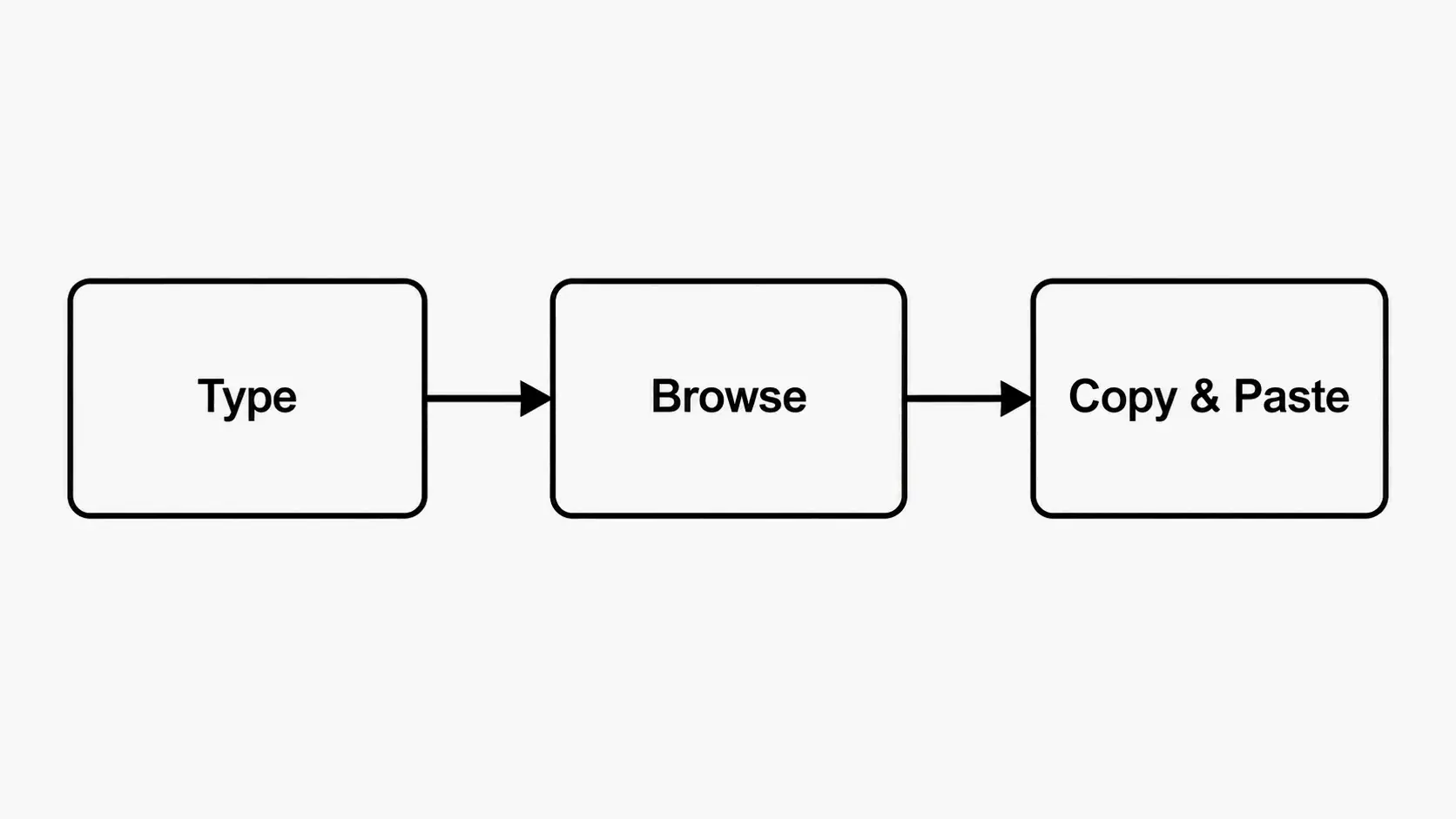
- A estrutura de 3 passos: criar links escaneáveis personalizados
Processo editorial
Revisado por SectoJoy e publicado em 15 de junho de 2026. Este artigo é atualizado quando os detalhes do produto, os exemplos ou as orientações da ferramenta são alterados. Última atualização em 15 de junho de 2026.
SectoJoy
Sou um hacker independente que cria aplicativos para iOS e web, com foco na criação de produtos SaaS práticos. Sou especialista em IA SEO e exploro constantemente como as tecnologias inteligentes podem impulsionar o crescimento sustentável e a eficiência.
A forma mais rápida de criar links escaneáveis personalizados em minutos é usar um gerador de códigos QR profissional: cole sua URL, ative o modo Código QR Dinâmico, personalize com seu logo e exporte como SVG para impressão. Em 2026, segundo a QR Code AI, quase 90% dos americanos já escanearam pelo menos um QR code, então a questão não é se usar QR codes — mas como torná-los profissionais, seguros e mensuráveis.
A estrutura de 3 passos: criar links escaneáveis personalizados
Como diz Jessica Lau, especialista sênior de conteúdo na Zapier: «Os QR codes estão praticamente forrando o mundo, do menu da sua cafeteria local àquele folheto vagamente condescendente da sua academia.»
Veja como fazer do jeito certo.
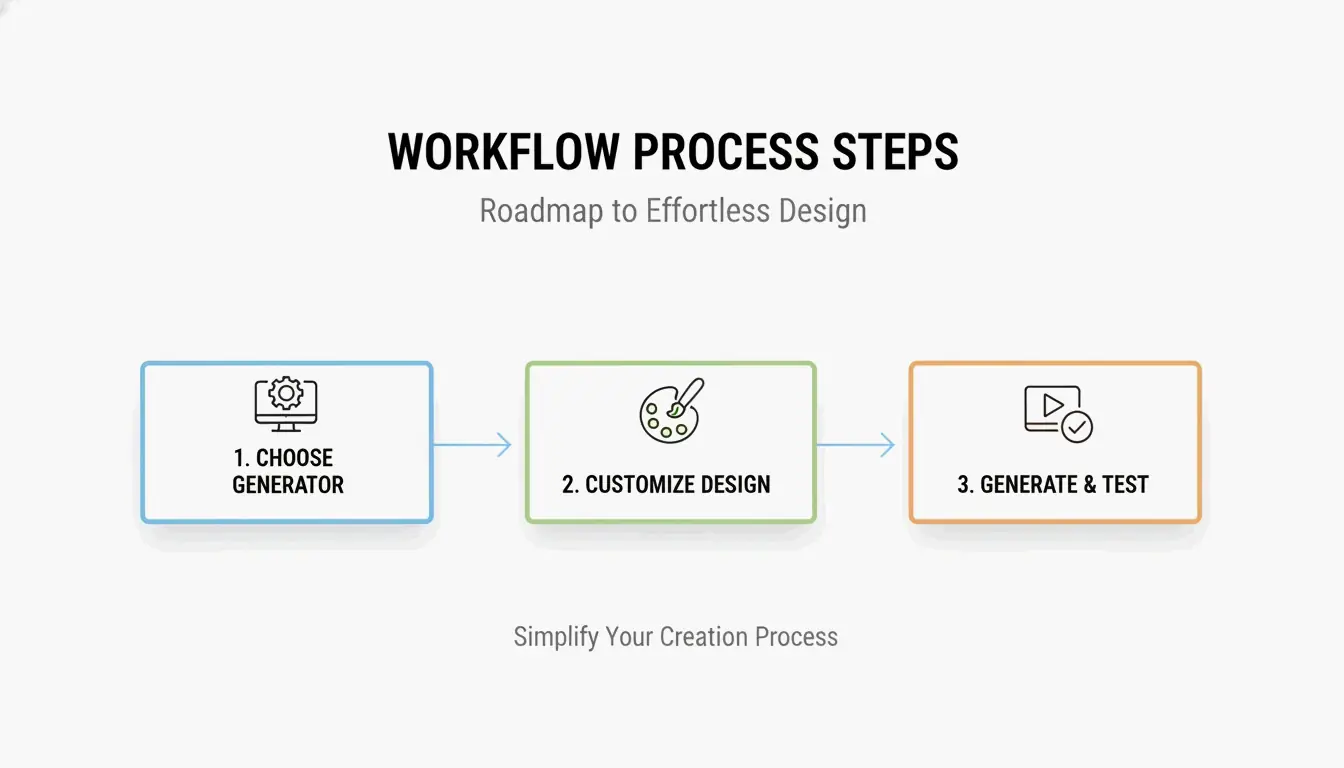
Passo 1: escolha seu gerador
| Caso de uso | Ferramenta recomendada | Recurso principal |
|---|---|---|
| Marketing empresarial | QR Code Generator da Bitly | Conformidade SOC 2 Type II, análise de scans |
| Link pessoal rápido | Gerador integrado do Chrome | Rápido, sem conta |
| Códigos artísticos / de marca | QR Code AI | Designs gerados por IA, mesclagem de logo |
| Econômico | Utlexia | Grátis, saída de alto contraste |
Para marketing profissional, escolha uma plataforma com certificação SOC 2 Type II — isso garante servidores criptografados e conformidade com a proteção de dados.
Passo 2: ative o modo dinâmico e personalize
Após inserir seu link (URL, PDF, credenciais WiFi, vCard), alterne para Código QR Dinâmico. Depois personalize:
- Cores da marca: use sua paleta, mas mantenha alto contraste — primeiro plano escuro sobre fundo claro para leitura confiável em qualquer iluminação
- Posicionamento do logo: adicione seu logo ao centro — a correção de erros mantém o código funcional
- Zona de silêncio: deixe espaço em branco ao redor de todas as quatro bordas; sem ela, os scanners não detectam o limite do código
Passo 3: exporte como SVG e teste
Exporte em formato SVG (vetorial) para qualquer uso impresso. Ao contrário de PNG/JPG, o SVG permanece perfeitamente nítido de um cartão de visitas a um outdoor. Faça sempre um teste de campo com pelo menos três modelos de telefone diferentes antes de publicar.
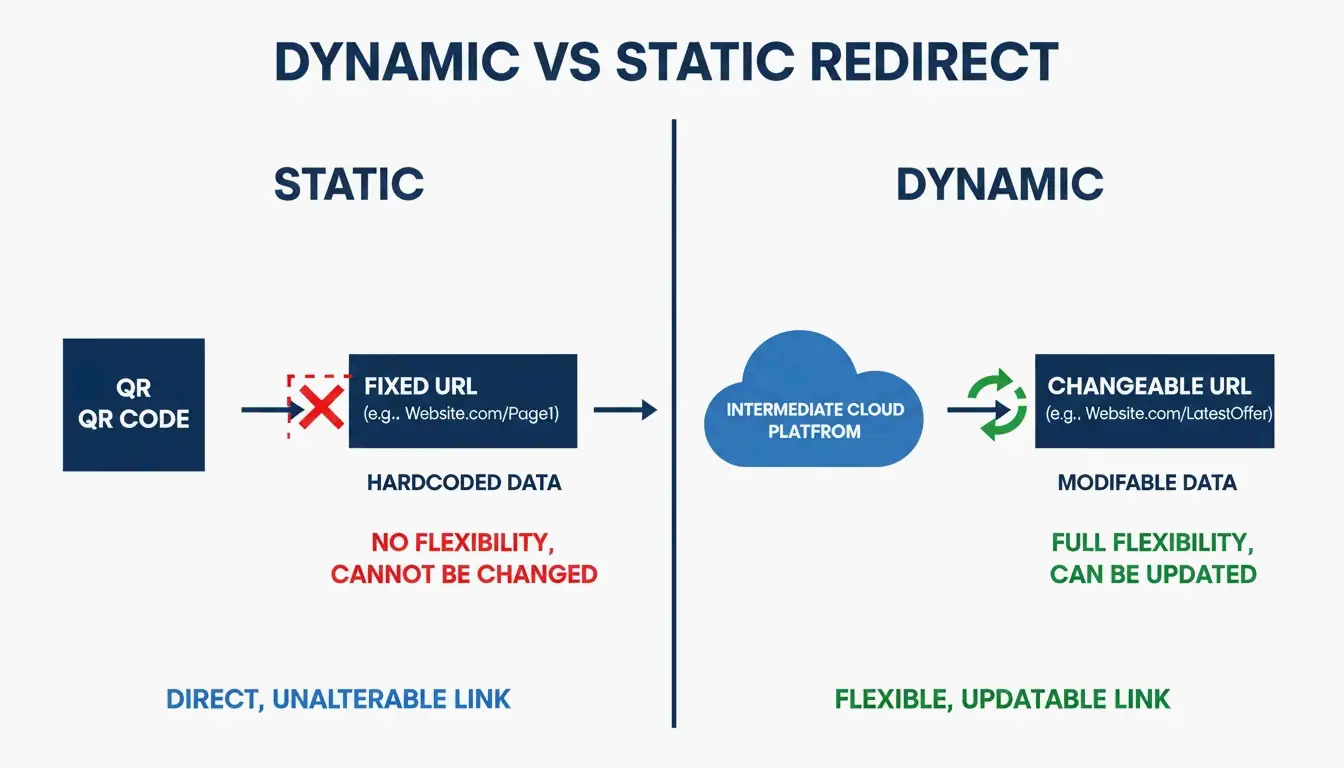
QR codes dinâmicos vs estáticos: por que o dinâmico vence
Esta é a decisão mais importante do processo.
| Propriedade | QR code estático | QR code dinâmico |
|---|---|---|
| Dados | Codificados no padrão | Usa um link de redirecionamento curto |
| Editável após impressão | Não — requer reimpressão | Sim — mude a URL pelo painel |
| Análise de scans | Não | Sim — scans, localizações, dispositivos |
| Custo | Grátis | Requer assinatura de serviço |
| Expiração | Nunca | Se a assinatura expirar |
Os códigos dinâmicos resolvem o problema do «link quebrado»: se sua URL muda, atualize o redirecionamento no seu painel — sem reimprimir 5.000 folhetos. Eles também fornecem Análise de scans: quantas pessoas escanearam, onde estavam e qual dispositivo usaram.
Correção de erros e SVG: fazendo os códigos funcionarem no mundo real
Os QR codes precisam sobreviver a superfícies curvas, pouca luz e danos físicos. A correção de erros Reed-Solomon mantém o código funcional mesmo se 30% de sua superfície estiver riscada ou coberta — isso também é o que permite colocar o logo no centro.
| Nível | Recuperação | Ideal para |
|---|---|---|
| L (Baixo) | 7 % | Maximizar a capacidade de dados |
| M (Médio) | 15 % | Marketing geral |
| Q (Quartil) | 25 % | Uso externo / industrial |
| H (Alto) | 30 % | Posicionamento de logo, ambientes severos |
Segundo a QR Code AI, designs de marca personalizados com logo geram 30% mais scans em comparação com padrões preto e branco simples. Use o nível H ao incorporar um logo.
Segurança: proteção contra quishing (phishing por QR)
Com a adoção crescente dos QR codes, cresce também o quishing — atacantes cobrem QR codes legítimos com adesivos maliciosos para roubar credenciais.
Lista de proteção
- Use geradores em conformidade com SOC 2 Type II — redirecionamento criptografado protege seus usuários
- Ative domínios personalizados — os usuários veem o nome da sua marca na prévia da URL antes de a página carregar
- Monitore os dados de scan — picos geográficos incomuns na análise podem indicar um código copiado
- Evite encurtadores de URL que você não controla — eles adicionam uma camada de redirecionamento não confiável
O mural da Taylor Swift em Chicago — um QR code gigante que antecipava o lançamento de um álbum — mostra como campanhas de alto perfil se tornam alvos. Use um domínio personalizado para que os usuários possam verificar o destino antes de escanear.
Automação em escala: integração com API e Zapier
Gerenciar centenas de ativos um por um não escala. Plataformas como Bitly e Uniqode oferecem integrações de API para geração em massa.
Fluxo de automação
- Gatilho: novo produto adicionado ao CRM, ou arquivo enviado ao Google Drive
- Ação: o Zapier gera um QR code dinâmico exclusivo via API
- Saída: o código é adicionado automaticamente ao seu painel de análise de scans
Isso elimina a criação manual e dá à sua equipe dados de scan em tempo real em todos os ativos.
Conclusão
Criar um QR code profissional em 2026 significa equilibrar design, flexibilidade e segurança. Use um código dinâmico para editabilidade e análise, mantenha alto contraste com uma zona de silêncio adequada, exporte como SVG para impressão e escolha um gerador em conformidade com SOC 2. Designs de marca personalizados com logo aumentam os scans em 30% — mas sempre faça testes de campo com vários dispositivos antes do lançamento.
Perguntas frequentes
QR codes gratuitos algum dia expiram?
Os QR codes estáticos nunca expiram — os dados estão codificados permanentemente no padrão. Os QR codes dinâmicos podem parar de funcionar se o período de teste do provedor terminar, a conta for excluída ou os limites de scan forem atingidos. Verifique os termos do serviço se precisar de funcionalidade dinâmica de longo prazo.
Qual é o tamanho mínimo de um QR code em um cartão de visitas?
0,8 × 0,8 polegadas (2 × 2 cm) é o mínimo recomendado para uma leitura confiável por smartphone. Mantenha uma zona de silêncio clara (preenchimento em branco) ao redor de todas as bordas para que os scanners detectem o limite do código.
Qual é a diferença entre PNG e SVG para impressão?
PNG é um formato raster (pixels) — fica desfocado quando ampliado. SVG é um formato vetorial (caminhos matemáticos) — permanece perfeitamente nítido em qualquer escala. Sempre use SVG para impressão profissional em folhetos, pôsteres e embalagens.
Perguntas frequentes
QR codes gratuitos algum dia expiram?
Os QR codes estáticos nunca expiram — os dados estão codificados permanentemente no padrão. Os QR codes dinâmicos podem parar de funcionar se o período de teste do provedor terminar, a conta for excluída ou os limites de scan forem atingidos. Verifique os termos do serviço se precisar de funcionalidade dinâmica de longo prazo.
Qual é o tamanho mínimo de um QR code em um cartão de visitas?
0,8 × 0,8 polegadas (2 × 2 cm) é o mínimo recomendado para uma leitura confiável por smartphone. Mantenha uma zona de silêncio clara (preenchimento em branco) ao redor de todas as bordas para que os scanners detectem o limite do código.
Qual é a diferença entre PNG e SVG para impressão?
PNG é um formato raster (pixels) — fica desfocado quando ampliado. SVG é um formato vetorial (caminhos matemáticos) — permanece perfeitamente nítido em qualquer escala. Sempre use SVG para impressão profissional em folhetos, pôsteres e embalagens.
Postagens relacionadas
Gerador de Fontes: O Mapa Completo de Textos Estilizados em 2026
Gerador de Fontes Estéticas: O Guia Definitivo para Textos Unicode Estilosos
Gerador de Fontes de Caligrafia: Ferramenta Online Gratuita para Estilos de Texto Elegantes