무료 폰트 생성기: 2026년 스타일리시 Unicode 텍스트 가이드
빠른 요약
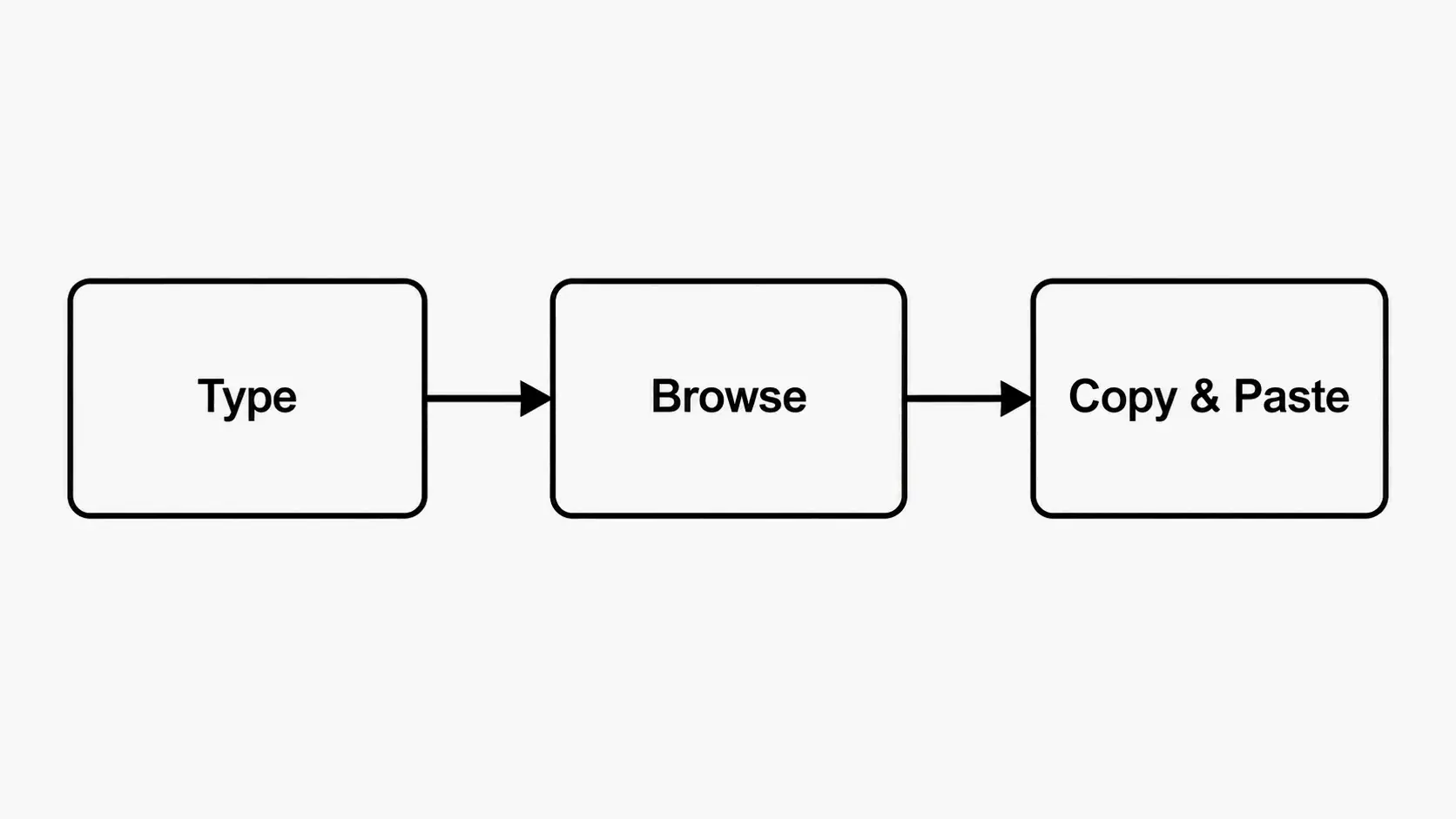
- 온라인 무료 폰트 생성기는 일반 텍스트를 Unicode 기반의 세련된 폰트로 변환해 줍니다. 입력하고, 스타일을 고르고, 복사해서 Instagram, Discord, TikTok 어디든 붙여넣기만 하면 됩니다.
- 온라인 폰트 생성기 무료 도구는 일반 텍스트를 Unicode 기반의 세련된 폰트로 변환해 줍니다. 아무것도 설치할 필요 없이 입력하고, 스타일을 고르고, 복사해서 원하는 곳(Instagram, Discord, TikTok)에 붙여넣기만 하면 됩니다. dogenerator.com에서 제공하는 도구를 쓰면 이 과정이 즉시, 모든 브라우저에서 가능합니다.
- 무료 폰트 생성기 도구의 실제 작동 원리 (Unicode 설명)
편집 과정
SectoJoy가 검토하고 2026년 6월 22일에 게시되었습니다. 이 글은 제품 세부 정보, 예제 또는 도구 가이드가 변경될 때 업데이트됩니다. 마지막 업데이트: 2026년 6월 22일.
SectoJoy
저는 iOS 및 웹 애플리케이션을 개발하는 인디 해커로, 실용적인 SaaS 제품 제작에 집중하고 있습니다. AI SEO를 전문으로 하며, 지능적인 기술이 지속 가능한 성장과 효율성을 어떻게 이끌 수 있는지 끊임없이 탐구하고 있습니다.
온라인 폰트 생성기 무료 도구는 일반 텍스트를 Unicode 기반의 세련된 폰트로 변환해 줍니다. 아무것도 설치할 필요 없이 입력하고, 스타일을 고르고, 복사해서 원하는 곳(Instagram, Discord, TikTok)에 붙여넣기만 하면 됩니다. dogenerator.com에서 제공하는 도구를 쓰면 이 과정이 즉시, 모든 브라우저에서 가능합니다.
무료 폰트 생성기 도구의 실제 작동 원리 (Unicode 설명)
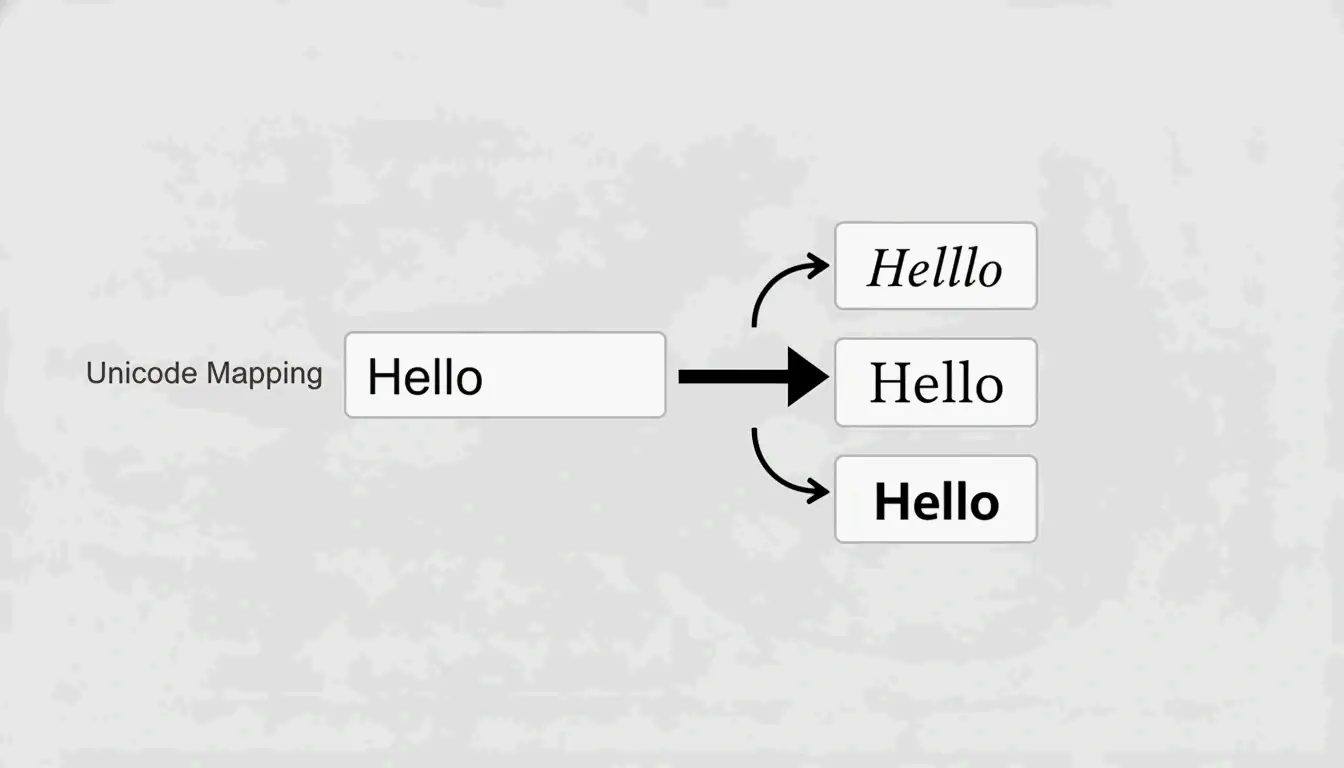
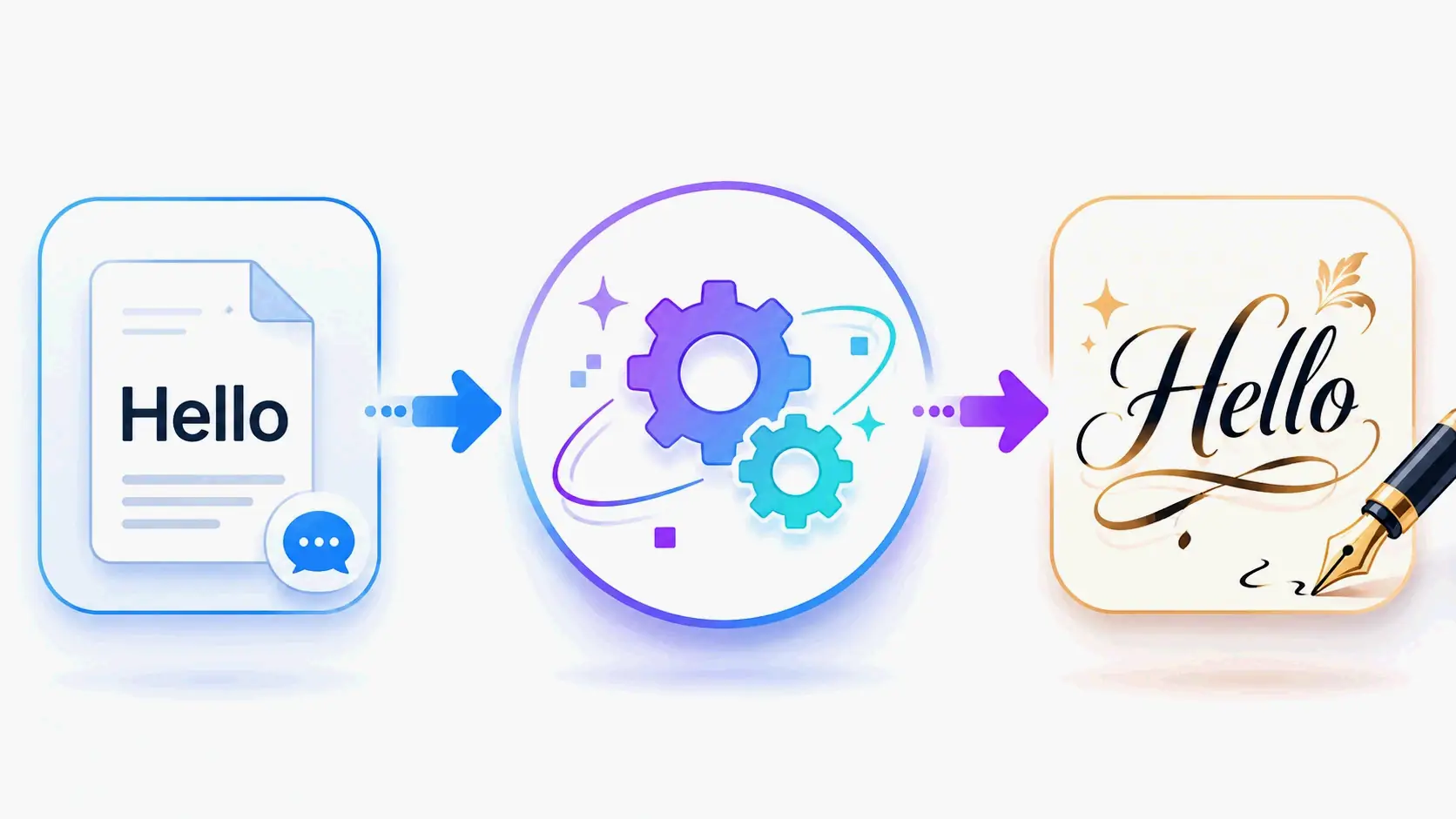
무료 폰트 생성기 도구는 전통적인 의미의 ‘진짜 폰트’를 만들어내지 않습니다. 대신, 입력한 글자 하나하나를 다른 폰트 스타일처럼 보이게 하는 특별한 Unicode 문자로 매핑합니다. Unicode 전문가들이 설명하듯, “이것들은 실제 폰트가 아닙니다. 이들은 서로 다른 폰트 스타일처럼 보이는 특별한 Unicode 문자입니다.”
변환 작동 방식: 도구는 입력값을 읽고, Unicode 라이브러리에서 표준 글자의 bold, cursive, italic 또는 장식용 버전과 시각적으로 유사한 문자를 검색합니다. “Hello”를 입력하면 𝓗𝓮𝓵𝓵𝓸(script), ℍ𝕖𝕝𝕝𝕠(double-struck), 또는 𝐇𝐞𝐥𝐥𝐨(bold serif) 같은 스타일이 결과로 나옵니다. 이를 dogenerator.com의 Fonts Generator 페이지에서 직접 체험해 볼 수 있습니다.
이 방식의 핵심 장점:
- 다운로드나 설치 불필요 – 모든 작업이 브라우저 안에서 바로 이루어집니다
- 크로스 플랫폼 호환성 – Unicode는 iPhone, Android, Windows, Mac, Linux에서 모두 지원되는 범용 표준입니다
- 즉시 복사-붙여넣기 – 스타일이 적용된 텍스트는 텍스트 입력을 지원하는 모든 플랫폼에서 일반 텍스트와 똑같이 동작합니다
Unicode: 모든 세련된 폰트 뒤의 비밀
Unicode는 모든 기기에서 100,000개 이상의 문자, 기호, 이모지에 고유한 번호를 부여하는 범용 문자 인코딩 표준입니다. 개발자들이 설명하듯, “각 ‘스타일이 적용된’ 글자는 고유한 Unicode 코드 포인트입니다. 이것이 독자의 기기에 커스텀 폰트를 설치하지 않고도 앱 간에 붙여넣을 수 있게 해주는 이유입니다.”
무료 폰트 생성기 도구가 텍스트를 “bold”로 변환할 때, 실제로는 서식을 통해 폰트를 바꾸는 것이 아닙니다. 각 일반 글자를 Mathematical Alphanumeric Symbols 블록의 다른 Unicode 문자로 교체합니다. 기기에는 이미 이 문자들이 들어 있으므로, 특별한 소프트웨어 없이도 올바르게 표시됩니다.
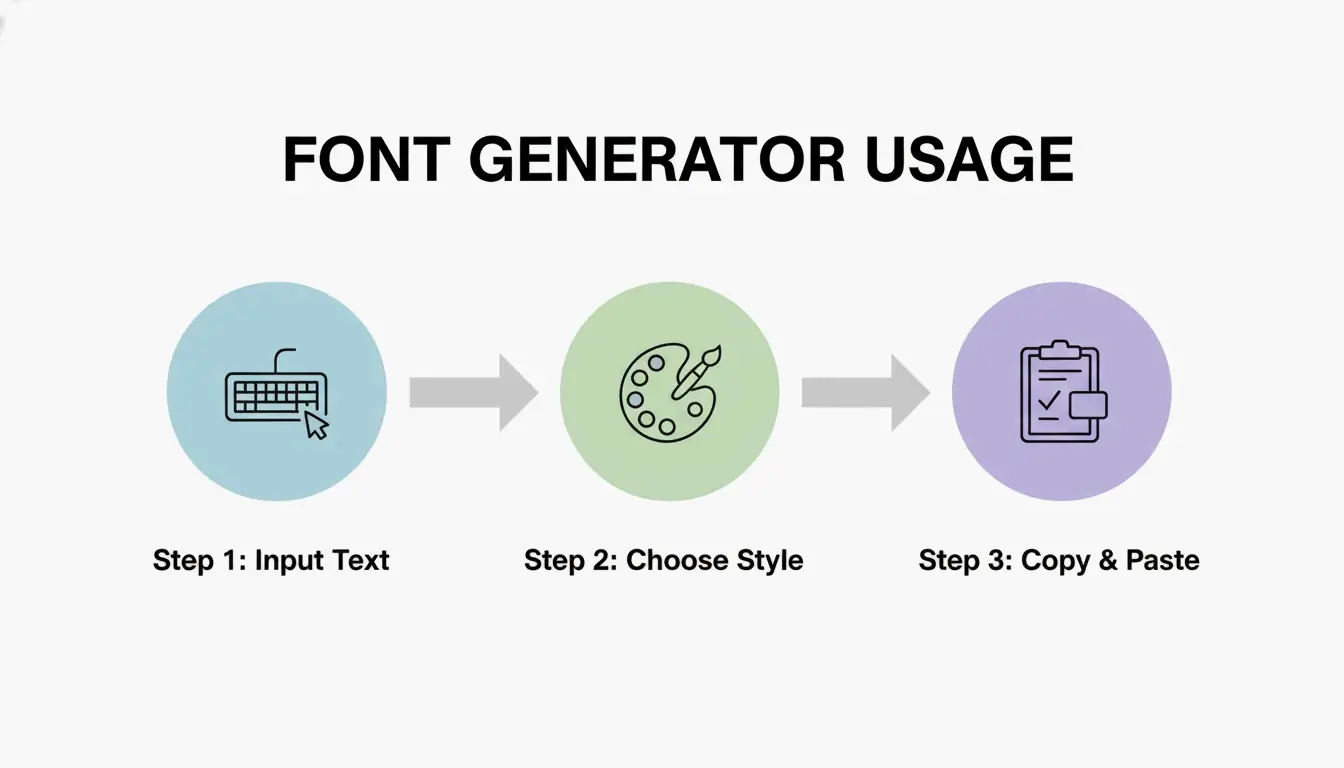
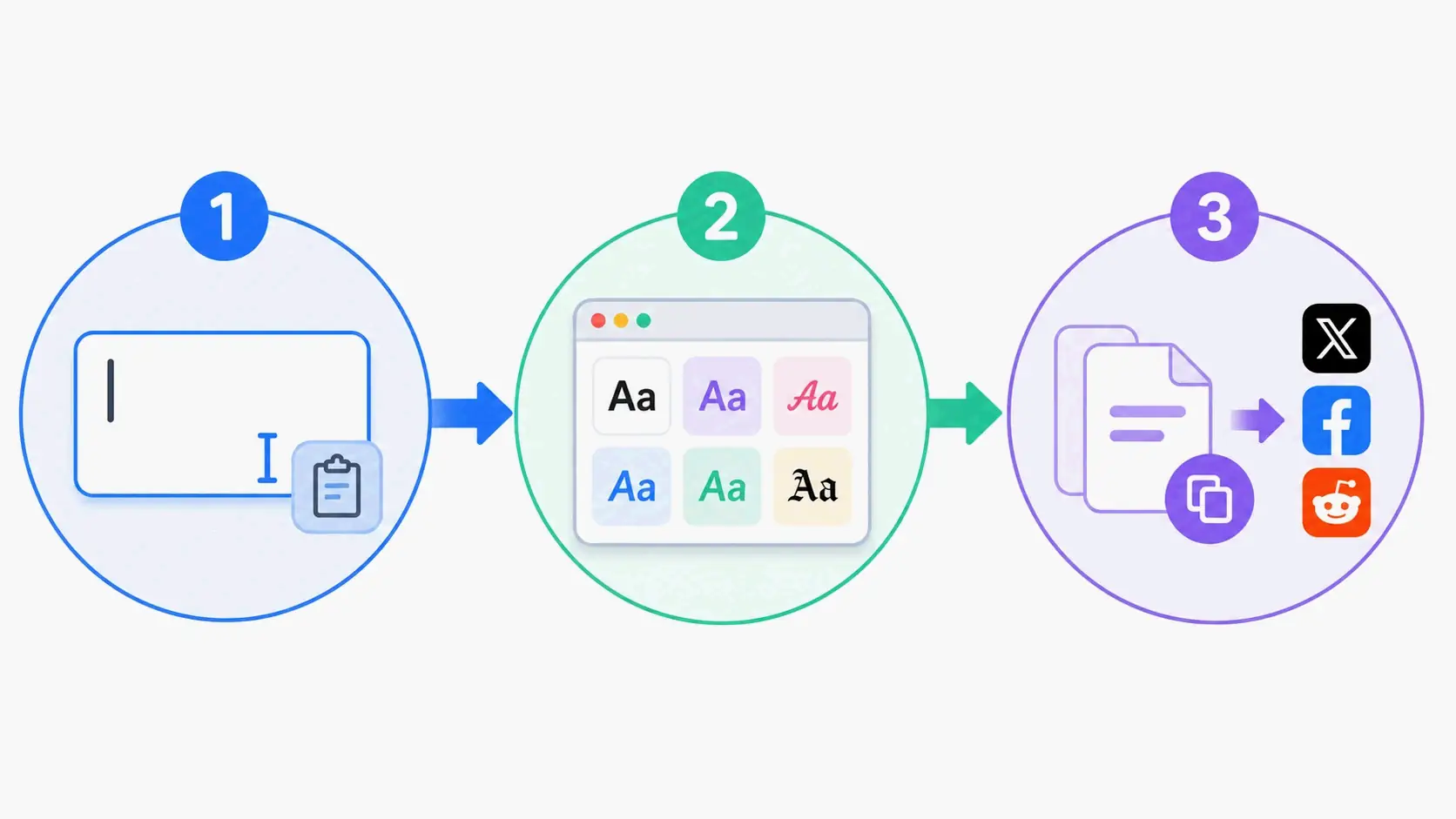
모든 플랫폼에서 무료 폰트 생성기를 사용하는 3단계
무료 폰트 생성기 도구를 사용하는 데는 약 30초가 걸립니다. 모든 주요 플랫폼에서의 작동 방식을 살펴보겠습니다.
1단계: 일반 텍스트 입력
아무 무료 폰트 생성기 웹사이트 — 예를 들어 dogenerator.com의 Fonts Generator(300개 이상의 스타일)나 장식용 스타일을 위한 Fancy Font Generator를 엽니다. 입력 상자에 텍스트를 입력하거나 붙여넣습니다. 대부분의 도구는 글자, 숫자, 기호, 이모지를 모두 지원합니다. 도구 자체에는 글자 수 제한이 없습니다(다만 붙여넣는 플랫폼 자체에 제한이 있을 수는 있습니다).
고려할 점: 더 긴 콘텐츠를 작업하기 전에 스타일을 빠르게 둘러볼 수 있도록, 이름이나 핵심 문구, 제목처럼 짧은 텍스트로 시작하세요.
2단계: 스타일 선택 – Bold, Cursive, Gothic 등
사용 가능한 스타일을 살펴봅니다. 각 생성기는 스타일을 서로 다르게 분류합니다. 예를 들어 dogenerator.com은 스타일을 Fancy, Cool, Cursive, Bold, Aesthetic, Gothic, Calligraphy, Bubble 등으로 묶습니다. 또한 Basic, Bold, Italic, Cursive, Old English, Medieval, Bubble, Squares, Tiny Text, Vaporwave, Glitch, Zalgo 같은 카테고리도 찾아볼 수 있습니다.
선택 기준: 목적에 맞는 스타일을 고르세요. Bold serif 폰트는 강조와 공지에 적합합니다. Cursive 스타일은 프로필 소개와 로맨틱한 캡션에 어울립니다. Gothic 폰트는 게임 프로필과 어두운 분위기에 잘 맞습니다. 결정하기 전에 실제 텍스트로 각 스타일을 미리 보세요.
3단계: 복사, 붙여넣기, 그리고 Instagram, Discord, TikTok에서 눈에 띄기
선택한 스타일 옆의 복사 버튼을 클릭합니다. 이제 텍스트가 클립보드에 있습니다. 사용하려는 플랫폼 — Instagram, Discord, TikTok, WhatsApp 또는 다른 앱 — 으로 이동한 뒤, Ctrl+V(Windows), Command+V(Mac) 또는 모바일에서 길게 눌러 붙여넣습니다.
검증 확인: 먼저 메모 앱에 스타일 텍스트를 붙여넣어 올바르게 복사되었는지 확인하세요. 그런 다음 대상 플랫폼에 붙여넣습니다. 스타일이 제대로 보인다면 게시할 준비가 된 것입니다.
Instagram, Discord, TikTok을 위한 최고의 폰트 스타일
플랫폼마다 보상하는 폰트 스타일이 다릅니다. 핵심은 스타일을 플랫폼의 시각 문화와 콘텐츠의 목적에 맞추는 것입니다.
Instagram 폰트: Bio, 캡션, Stories
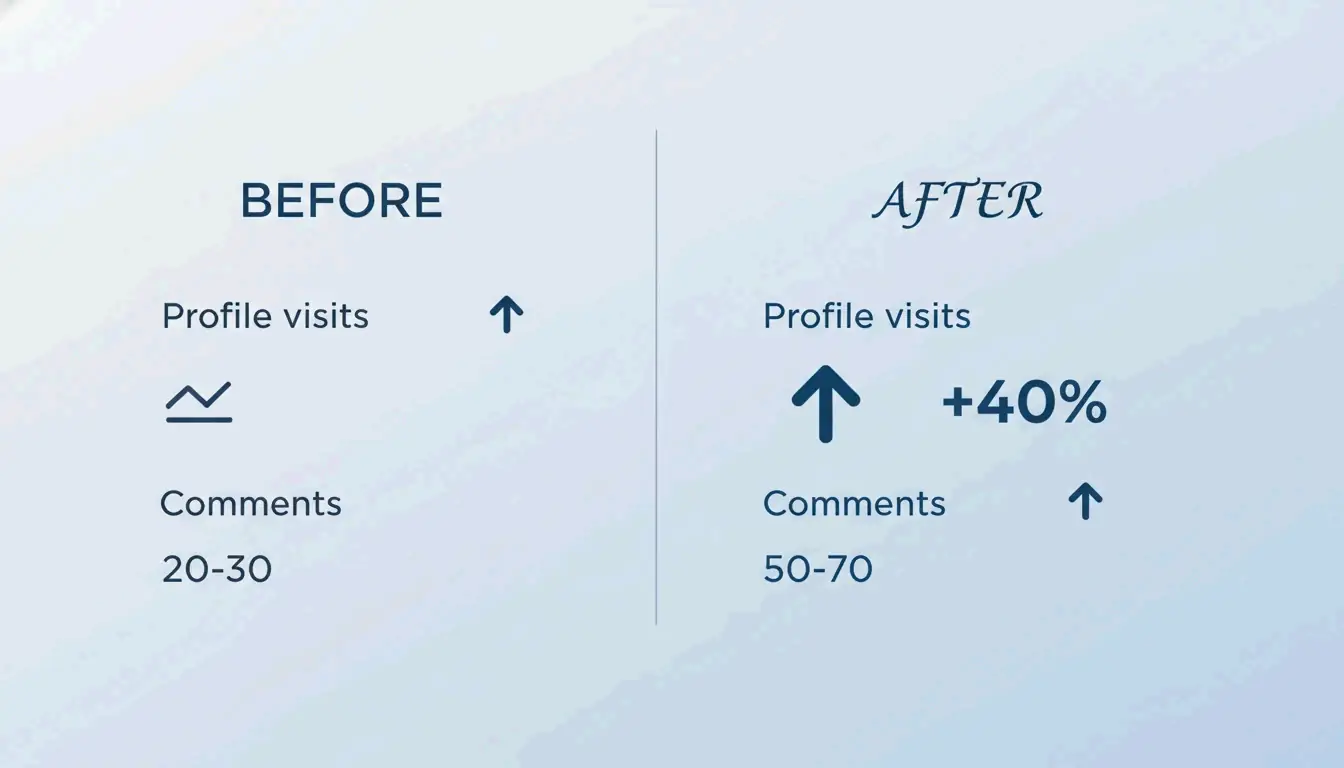
Fancy Font Generator 같은 도구로 Instagram bio에 스타일을 적용한 사용자들은 눈에 띄는 참여율 향상을 자주 경험합니다. 한 사용자는 “Unicode 스타일 폰트로 Instagram bio를 새로 디자인했더니 2주 만에 프로필 방문 수가 40% 증가했다”고 전했습니다. 또 다른 사용자는 “일반 캡션은 평균 20-30개의 댓글이 달렸지만, 전략적으로 스타일 폰트를 적용한 캡션은 50-70개의 댓글을 받았다”고 밝혔습니다.
Instagram 추천 스타일:
- Bio: Aesthetic이나 script 폰트는 강렬한 첫인상을 만듭니다. 이름과 핵심 설명 한 가지로만 제한하세요
- 캡션: 첫 줄이나 핵심 문구에 bold 또는 cursive 폰트를 사용하세요. 본문은 읽기 쉽게 유지하세요
- Stories: 사진 위의 스타일 텍스트가 기본 폰트보다 더 눈에 띄어 참여를 높입니다
플랫폼 참고: Instagram은 bio, 캡션, 댓글, stories에서 Unicode를 완전히 지원합니다.
Discord 폰트: 사용자 이름, 서버 이름, 채널
Discord 커뮤니티는 시각적 정체성으로 성장합니다. 스타일 폰트는 서버 안에서 개성과 위계를 세우는 데 도움을 줍니다.
Discord에서 통하는 것:
- 서버 이름: Gothic, bold 또는 aesthetic 폰트가 서버 목록에서 눈길을 끕니다
- 채널 이름: 일관된 스타일 폰트는 시각적 위계를 만들어 탐색을 직관적으로 만듭니다
- 닉네임: 많은 사용자가 서버 분위기에 맞춰 닉네임에 스타일을 적용합니다
- 상태 메시지: 상태 필드에서도 스타일 텍스트가 작동합니다
dogenerator.com의 폰트 도구는 Discord 커뮤니티가 독특한 스타일 텍스트로 정체성과 개성을 세울 때 자주 사용됩니다.
TikTok 폰트: 주목받는 표시 이름과 Bio
TikTok 표시 이름은 게시하는 모든 동영상에 나타납니다. 멋진 폰트는 시청자가 스크롤 사이사이에 당신을 기억하도록 돕습니다. TikTok 알고리즘은 참여를 우선시하며, 기억에 남는 이름은 인지도를 높입니다.
TikTok 최고의 스타일: Aesthetic, bold 또는 cursive 폰트가 표시 이름과 bio에 잘 어울립니다. 실제 @handle에는 특수 문자를 사용할 수 없지만, 표시 이름에는 가능합니다. 대부분의 TikTok 사용이 휴대폰에서 이루어지므로 각 스타일을 모바일에서 테스트하세요.
일부 폰트가 기기에서 네모 상자로 표시되는 이유 (그리고 해결 방법)
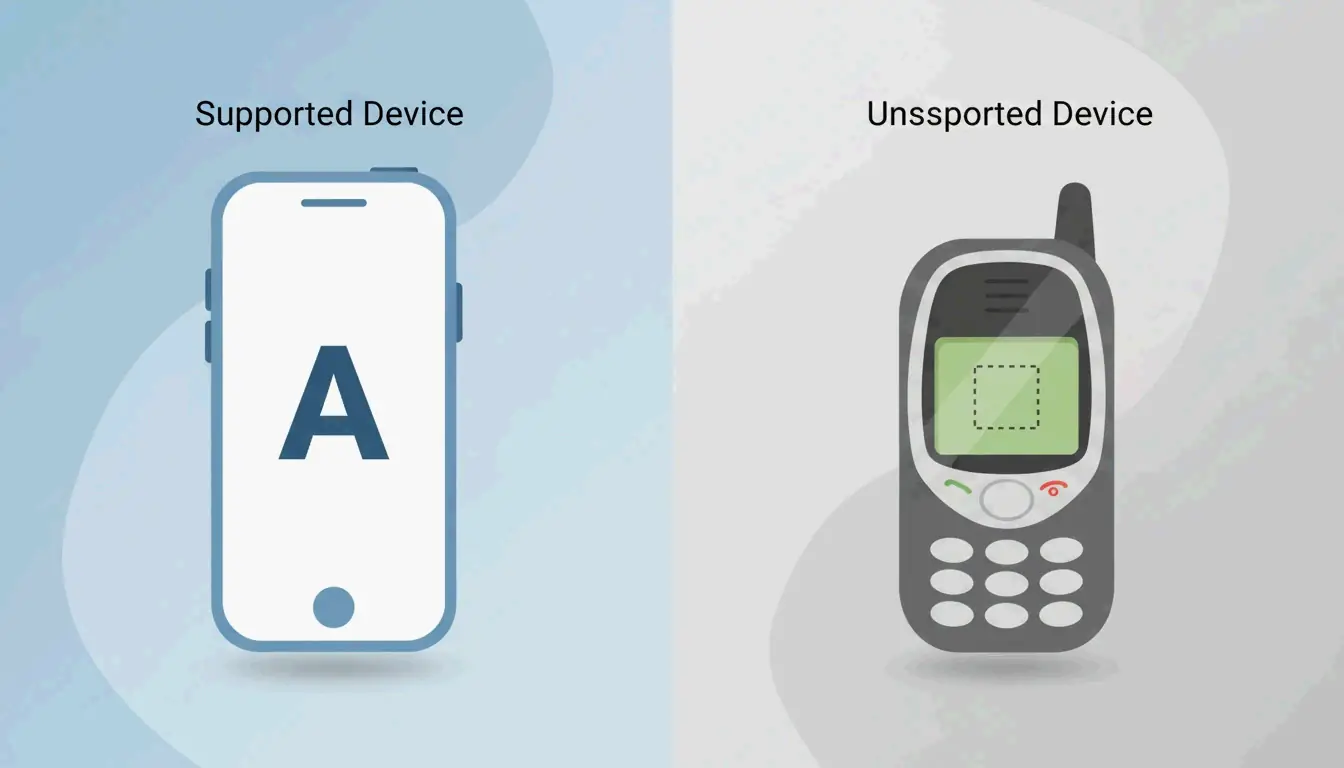
때로 스타일 텍스트를 붙여넣은 뒤 글자 대신 빈 네모 상자나 물음표가 보일 수 있습니다. 이는 플랫폼, 브라우저 또는 기기가 특정 Unicode 문자를 완전히 지원하지 않을 때 발생합니다.
Unicode 폴백 이해: 문자가 깨지는 이유
Unicode 문서에서 설명하듯, “네모 상자는 단순히 기기가 ‘이 기호를 인식할 수 없다’고 말하는 기본 방식입니다.” 이는 Unicode가 방대한 표준이기 때문에, 구형 기기나 특정 플랫폼에서는 희귀하거나 최근에 추가된 문자의 글리프가 없을 수 있기 때문입니다.
흔한 원인:
- 구형 기기 운영체제(2015년 이전)
- 오래된 브라우저
- Unicode 지원이 제한적인 특정 플랫폼
- 희귀하거나 특이한 Unicode 영역
안전한 스타일: 어디서나 작동하는 폰트는?
Bold, italic, serif, sans-serif 스타일은 Mathematical Alphanumeric Symbols 블록을 사용하기 때문에 호환성이 가장 넓습니다. 이 블록은 2000년대 초반부터 Unicode의 일부였습니다. 전문가들은 “가장 넓은 호환성을 위해 bold, italic, small caps 스타일을 고수하세요”라고 권장합니다. 이러한 안전한 스타일은 모두 dogenerator.com의 Fonts Generator에서 사용할 수 있습니다.
범용 지원 스타일:
- Bold(serif와 sans-serif 모두)
- Italic(serif와 sans-serif 모두)
- Monospace
- Small caps
구형 기기에서 실패할 수 있는 스타일:
- Zalgo(조합 문자)
- Glitch(조합 분음 부호)
- 매우 희귀한 장식용 Unicode 블록
기기별 문제 해결 가이드
iPhone/iPad: 뛰어난 Unicode 지원. 네모 상자가 나타나면 bold나 italic 같은 더 단순한 스타일을 시도해 보세요.
Android: 최신 Android 버전(5.0+)은 Unicode를 잘 처리합니다. 2015년 이전 구형 기기는 특이한 스타일에서 어려움을 겪을 수 있습니다.
Windows: 대부분의 애플리케이션에서 완전히 지원합니다. 일부 기업 이메일 시스템은 보안상의 이유로 희귀 Unicode 문자를 차단할 수 있습니다.
Mac: 모든 애플리케이션에서 뛰어난 지원을 제공합니다.
브라우저별: Chrome, Firefox, Safari, Edge 모두 Unicode를 올바르게 표시합니다. 문제가 나타나면 다른 브라우저를 시도해 보세요.
이메일 마케팅에 무료 폰트 생성기 활용하기 (전문가 가이드)
이메일 제목 줄에 Unicode 폰트를 사용하면, 붐비는 받은편지함에서 메시지가 눈에 띄어 오픈율을 높일 수 있습니다. 마케팅 전문가들이 말하듯, “눈길을 끄는 제목을 만들기 위해 fancy font generator를 사용해 붐비는 받은편지함에서 두드러지세요. 세련된 Unicode 텍스트는 즉시 주의를 끌어 오픈율, 참여, 전환을 개선하는 데 도움이 됩니다.”
이메일 제목 줄에 안전한 Unicode 폰트
Bold sans-serif와 monospace 스타일은 가독성이 높기 때문에 이메일에 가장 적합합니다. Fancy Font Generator로 만들 수 있는 효과적인 제목 스타일의 예시입니다:
- 🔥 𝙇𝙞𝙢𝙞𝙩𝙚𝙙 𝙊𝙛𝙛𝙚𝙧 – 긴급감을 위한 bold sans-serif
- ✨ 𝓢𝓹𝓮𝓬𝓲𝓪𝓵 𝓓𝓮𝓪𝓵 – 개인적인 느낌을 위한 script 스타일
- 🔥 🅑🅘🅖 🅢🅐🅛🅔 – 캐주얼 브랜드를 위한 bubble 스타일
- 💥 𝘽𝙧𝙚𝙖𝙠𝙞𝙣𝙜 𝘿𝙚𝙖𝙡 – 강조를 위한 bold
피해야 할 것: 제목 줄에서는 지나치게 장식적이거나 읽기 어려운 스타일을 피하세요. 짧고 임팩트 있는 문구로 제한하세요.
스팸 필터 피하기: 하지 말아야 할 것들
Unicode 문자 자체는 스팸 필터를 촉발하지 않습니다. 하지만 특정 행동은 전달률을 해칠 수 있습니다:
- 모두 대문자인 스타일 텍스트의 과도한 사용을 피하세요
- 한 줄에 너무 많은 기호나 특수 문자를 사용하지 마세요
- 스타일 텍스트는 제목 줄에만 사용하고, 본문의 핵심 정보는 일반 텍스트를 사용하세요
- 전체 목록에 보내기 전에 주요 이메일 클라이언트로 테스트하세요
실제 사례: 스타일 제목 줄로 오픈율 증가
Unicode 스타일 제목 줄을 적용한 마케터들은 오픈율과 참여에서 측정 가능한 개선을 보았습니다. 핵심은 스타일 텍스트를 전략적으로 사용하는 것이며, 모든 이메일에 적용하는 것이 아닙니다.
아름다운 텍스트를 위한 플랫폼별 글자 수 제한과 모범 사례
각 플랫폼은 글자 수 제한을 부과하며, 이는 스타일 폰트 사용 방식에 영향을 미칩니다. 이러한 제한을 이해하면 공간이 부족하지 않게 하면서 임팩트를 극대화할 수 있습니다.
모든 주요 플랫폼의 글자 수 치트 시트
| 플랫폼 | 글자 수 제한 | 스타일 폰트의 최적 용도 |
|---|---|---|
| Instagram Bio | 150자 | 이름 + 핵심 설명 한 가지 |
| Twitter/X Bio | 160자 | 표시 이름 + 태그라인 |
| Twitter/X Tweet | 280자 | 첫 줄 또는 핵심 문구 |
| TikTok Bio | 80자 | 표시 이름만 |
| Discord Username | 32자 | 짧고 기억에 남는 이름 |
| WhatsApp About | 139자 | 한 줄 성격 표현 |
| Facebook Bio | 101자 | 짧은 태그라인 |
글자 수 계산 참고: 스타일이 적용된 “a”는 플랫폼 제한에서 일반 “a”와 동일하게 계산됩니다. 스타일링으로 인해 추가 글자가 소모되지 않습니다.
타이포그래피 모범 사례: 가독성 vs 미적 매력
모두 대문자를 사용할 때: Small caps나 bold caps는 제목, 이름, 콜투액션 같은 짧은 텍스트에 강조용으로 작동합니다. 본문에는 모두 대문자를 피하세요. 가독성이 떨어집니다.
Small caps를 사용할 때: Small caps는 주변 텍스트를 압도하지 않고 이름과 제목에 우아함을 더합니다. 전문적인 bio와 공식 공지에 잘 어울립니다.
장식용 폰트를 피할 때: 더 긴 캡션, 설명 또는 주의 깊게 읽어야 하는 모든 텍스트에는 bold나 italic 스타일을 고수하세요. 장식용 폰트는 짧고 임팩트 있는 배치에서 빛을 발합니다.
10% 규칙: 전체 텍스트의 10%까지만 스타일을 적용하세요. 스타일 폰트는 메인이 아닌 포인트로 사용하세요.
접근성: 스크린 리더가 멋진 Unicode 폰트를 어려워하는 이유
스크린 리더는 Unicode 스타일 텍스트를 흐르는 단어가 아니라 개별 문자들의 연속으로 해석합니다. 접근성 전문가들이 말하듯, “일부 리더는 각 문자를 음소별로 발음하고, 다른 리더는 이를 완전히 건너뜁니다.”
기술적 문제
스크린 리더가 “𝓗𝓮𝓵𝓵𝓸”를 만나면, 이를 “Hello”라는 단어가 아닌 “mathematical bold script capital H, mathematical bold script small E, mathematical bold script small L, mathematical bold script small L, mathematical bold script small O”로 읽습니다. 이는 자연스러운 음성 흐름을 끊고 사용자를 혼란스럽게 할 수 있습니다.
플랫폼별 영향
- Instagram과 TikTok: 스크린 리더는 장식 텍스트를 개별 기호로 해석합니다
- Discord: 스크린 리더에 의존하는 사용자가 중요한 서버 정보를 놓칠 수 있습니다
- 이메일: 스타일 텍스트의 핵심 콜투액션이 완전히 누락될 수 있습니다
접근성을 위한 모범 사례
소셜 미디어 bio의 경우: 스타일 폰트는 외형적 요소에만 사용하세요. 실제 이름과 필수적인 전문 정보는 일반 텍스트로 유지하세요.
이메일 마케팅의 경우: 핵심 정보, 링크 또는 콜투액션을 스타일 텍스트에만 넣지 마세요. 항상 일반 텍스트 대안을 포함하세요.
Discord 서버의 경우: 장식용 채널 이름과 서버 설명에는 스타일 폰트를 사용하되, 중요한 공지와 규칙은 일반 텍스트로 유지하세요.
일반 규칙: 모든 사용자가 정보를 읽고 이해할 수 있도록 해야 한다면, 일반 텍스트로 유지하세요. 스타일 폰트는 시각적 강화용으로만 예약하세요.
결론
무료 폰트 생성기 도구를 사용하면 소셜 미디어, 게임, 심지어 이메일 마케팅까지 — 다운로드 없이 즉시 Unicode 기반의 세련된 텍스트를 만들 수 있습니다. 과정은 간단합니다: 텍스트를 입력하고, bold, cursive, gothic 같은 수백 가지 스타일을 둘러본 뒤, 선택을 복사해서 Instagram, Discord 또는 TikTok에 붙여넣으세요. 전문적으로 사용할 때는 기기 간 호환성을 테스트하고 접근성을 위해 일반 텍스트를 유지하는 것을 잊지 마세요. dogenerator.com의 Fonts Generator 같은 무료 생성기를 열고, 짧은 문구를 입력한 뒤, 플랫폼과 목적에 맞는 스타일로 실험해 보세요.
FAQ
이 무료 폰트 생성기는 상업적 용도로도 100% 무료인가요?
대부분의 도구는 개인 및 상업적 용도로 무료입니다. dogenerator.com 같은 생성기의 경우 저작자 표시가 필요하지 않습니다. 판매하는 제품에 생성된 텍스트를 사용하기 전에 각 도구의 약관을 확인하세요. 단, Unicode 문자 자체는 라이선스 제한이 없는 개방형 표준입니다.
일부 기기에서 문자가 네모 상자로 표시되는 이유는 무엇인가요?
해당 Unicode 문자가 그 기기나 운영체제에서 지원되지 않을 수 있습니다. 해결책은 bold, serif, sans-serif처럼 널리 지원되는 스타일을 고수하는 것입니다. 최종 확정 전에 항상 여러 기기에서 텍스트를 테스트하세요.
스크린 리더가 Unicode 스타일 텍스트를 읽을 수 있나요?
대부분의 스크린 리더는 각 문자를 개별적으로 읽어 자연스러운 음성 흐름을 끊습니다. 예를 들어, “𝓼𝓽𝔂𝓵𝓲𝓼𝓱”는 “s-t-y-l-i-s-h”가 됩니다. 접근성을 보장하기 위해 콜투액션과 중요한 메시지에는 항상 일반 텍스트 버전을 제공하세요.
이 폰트가 WhatsApp과 Facebook에서 작동하나요?
네, 두 플랫폼 모두 대부분의 Unicode 스타일을 지원합니다. WhatsApp은 메시지, 상태 업데이트, 소개(About) 섹션에서 스타일 텍스트를 허용합니다. Facebook은 게시물, 댓글, 페이지 이름에서 작동합니다.
스타일 폰트를 사용하면 계정이 정지되나요?
아니요, Unicode 폰트는 플랫폼 정책에 위배되지 않습니다. 표준 커뮤니티 가이드라인은 여전히 적용되므로, 괴롭힘이나 사칭 목적으로 스타일 텍스트를 사용하는 것은 피하세요.
자주 묻는 질문
안전한 스타일: 어디서나 작동하는 폰트는?
Bold, italic, serif, sans-serif 스타일은 Mathematical Alphanumeric Symbols 블록을 사용하기 때문에 호환성이 가장 넓습니다. 이 블록은 2000년대 초반부터 Unicode의 일부였습니다. 전문가들은 “가장 넓은 호환성을 위해 bold, italic, small caps 스타일을 고수하세요”라고 권장합니다. 이러한 안전한 스타일은 모두 dogenerator.com의 Fonts Generator에서 사용할 수 있습니다. 범용 지원 스타일:
이 무료 폰트 생성기는 상업적 용도로도 100% 무료인가요?
대부분의 도구는 개인 및 상업적 용도로 무료입니다. dogenerator.com 같은 생성기의 경우 저작자 표시가 필요하지 않습니다. 판매하는 제품에 생성된 텍스트를 사용하기 전에 각 도구의 약관을 확인하세요. 단, Unicode 문자 자체는 라이선스 제한이 없는 개방형 표준입니다.
일부 기기에서 문자가 네모 상자로 표시되는 이유는 무엇인가요?
해당 Unicode 문자가 그 기기나 운영체제에서 지원되지 않을 수 있습니다. 해결책은 bold, serif, sans-serif처럼 널리 지원되는 스타일을 고수하는 것입니다. 최종 확정 전에 항상 여러 기기에서 텍스트를 테스트하세요.
스크린 리더가 Unicode 스타일 텍스트를 읽을 수 있나요?
대부분의 스크린 리더는 각 문자를 개별적으로 읽어 자연스러운 음성 흐름을 끊습니다. 예를 들어, “𝓼𝓽𝔂𝓵𝓲𝓼𝓱”는 “s-t-y-l-i-s-h”가 됩니다. 접근성을 보장하기 위해 콜투액션과 중요한 메시지에는 항상 일반 텍스트 버전을 제공하세요.
이 폰트가 WhatsApp과 Facebook에서 작동하나요?
네, 두 플랫폼 모두 대부분의 Unicode 스타일을 지원합니다. WhatsApp은 메시지, 상태 업데이트, 소개(About) 섹션에서 스타일 텍스트를 허용합니다. Facebook은 게시물, 댓글, 페이지 이름에서 작동합니다.
관련 글
폰트 생성기: 2026년 스타일 텍스트의 완전한 지도
에스테틱 폰트 생성기: 스타일리시한 유니코드 텍스트에 대한 완벽한 가이드
캘리그래피 폰트 생성기: 우아한 텍스트 스타일을 위한 무료 온라인 도구