Générateur de polices gratuit : guide du texte Unicode stylisé en 2026
Résumé rapide
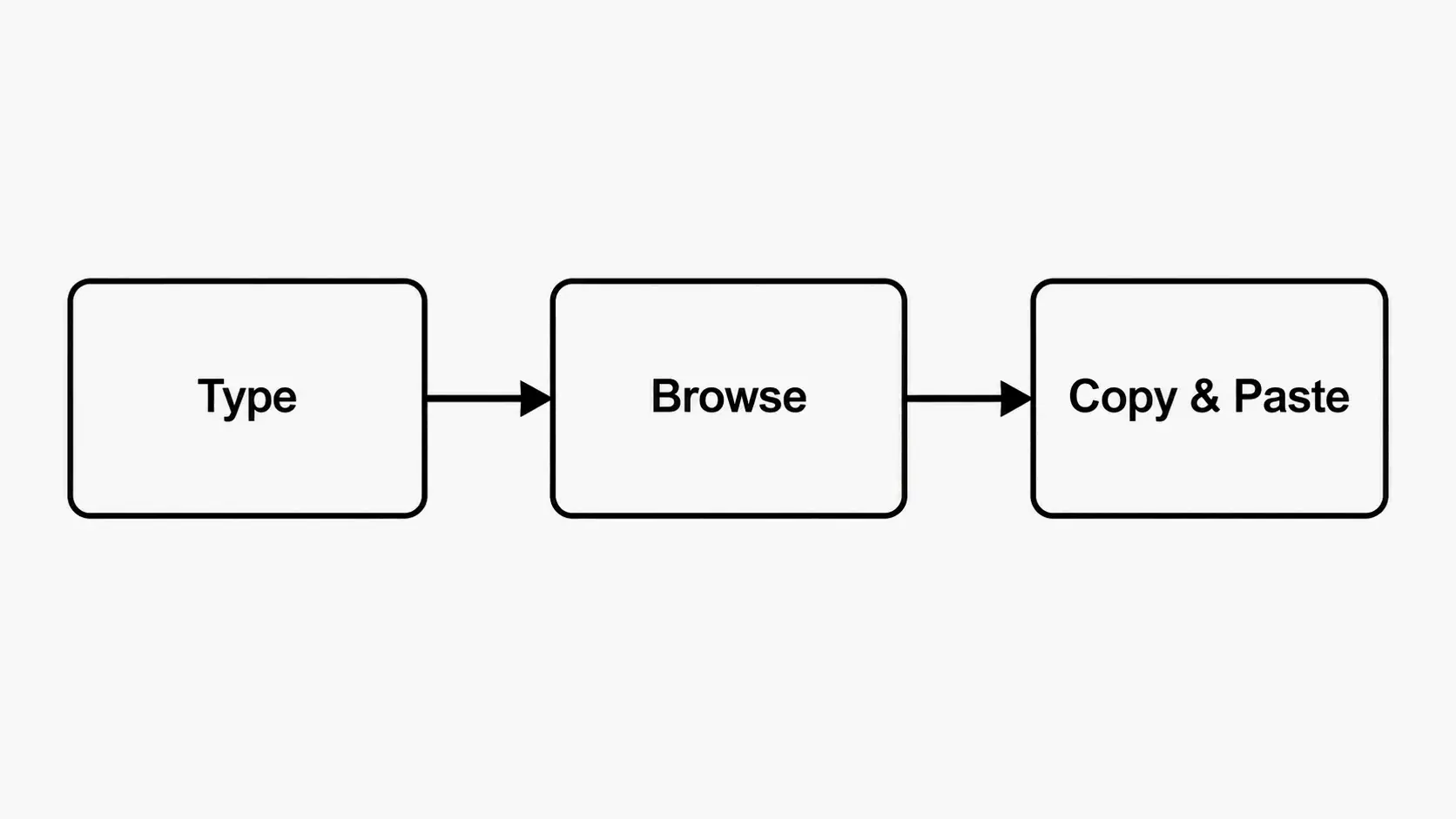
- Un générateur de polices gratuit en ligne convertit votre texte brut en polices stylisées basées sur Unicode : tapez, choisissez un style, copiez et collez partout (Instagram, Discord, TikTok) sans rien installer.
- Un générateur de polices gratuit en ligne convertit votre texte brut en polices stylisées basées sur Unicode : il vous suffit de taper, de choisir un style, de copier et de coller n’importe où (Instagram, Disc.
- Comment fonctionne réellement un générateur de polices gratuit (Unicode expliqué)
Processus éditorial
Relu par SectoJoy et publié le 22 juin 2026. Cet article est mis à jour lorsque les détails du produit, les exemples ou les consignes d'utilisation évoluent. Dernière mise à jour : 22 juin 2026.
SectoJoy
Je suis un développeur indépendant créant des applications iOS et web, avec un focus sur les produits SaaS pratiques. Je me spécialise en SEO basé sur l'IA, en explorant constamment comment les technologies intelligentes peuvent stimuler la croissance durable et l'efficacité.
Un générateur de polices gratuit en ligne convertit votre texte brut en polices stylisées basées sur Unicode : il vous suffit de taper, de choisir un style, de copier et de coller n’importe où (Instagram, Discord, TikTok) sans rien installer. Des outils comme celui disponible sur dogenerator.com rendent le processus instantané et accessible depuis n’importe quel navigateur.
Comment fonctionne réellement un générateur de polices gratuit (Unicode expliqué)
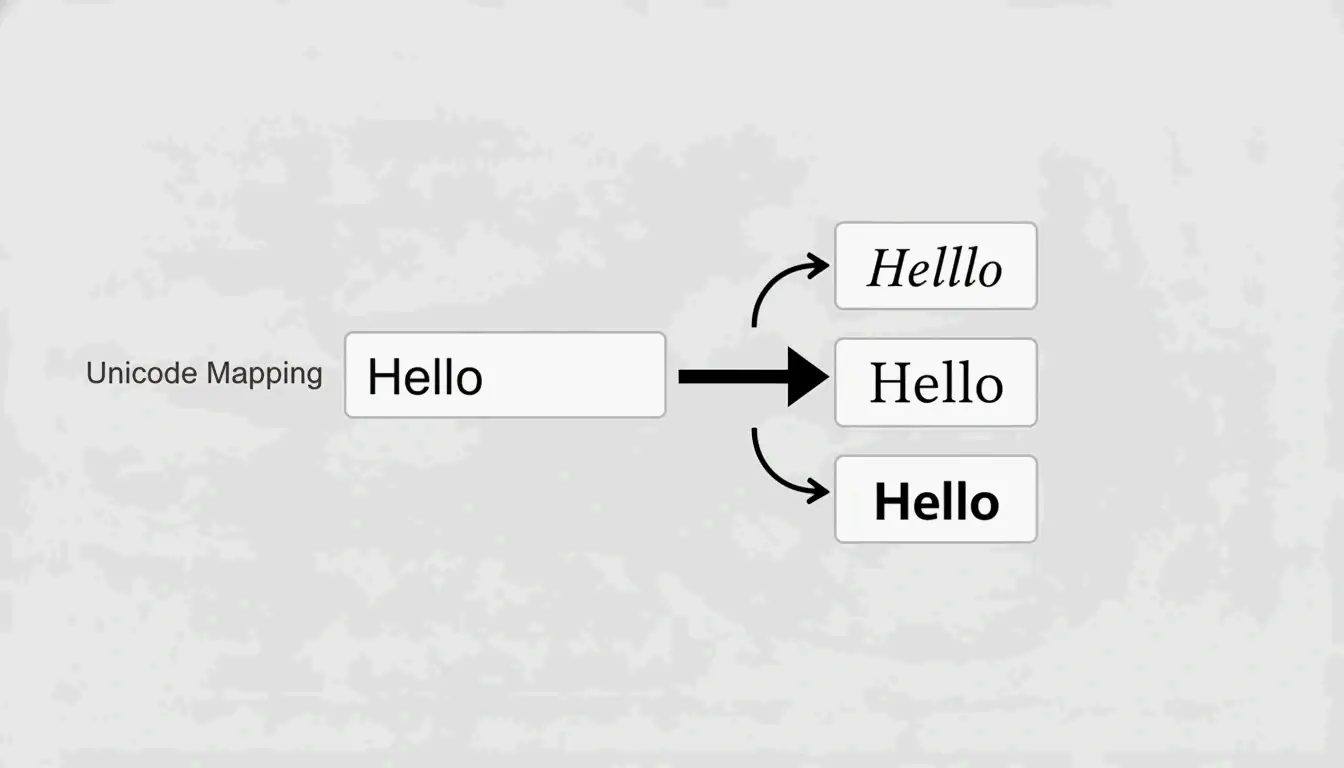
Un générateur de polices gratuit ne crée pas de vraies polices au sens traditionnel. Il associe plutôt chaque lettre que vous tapez à un caractère Unicode spécial qui ressemble à un style de police différent. Comme l’expliquent les experts d’Unicode, « ce ne sont pas de vraies polices. Ce sont des caractères Unicode spéciaux qui ressemblent à différents styles de police. »
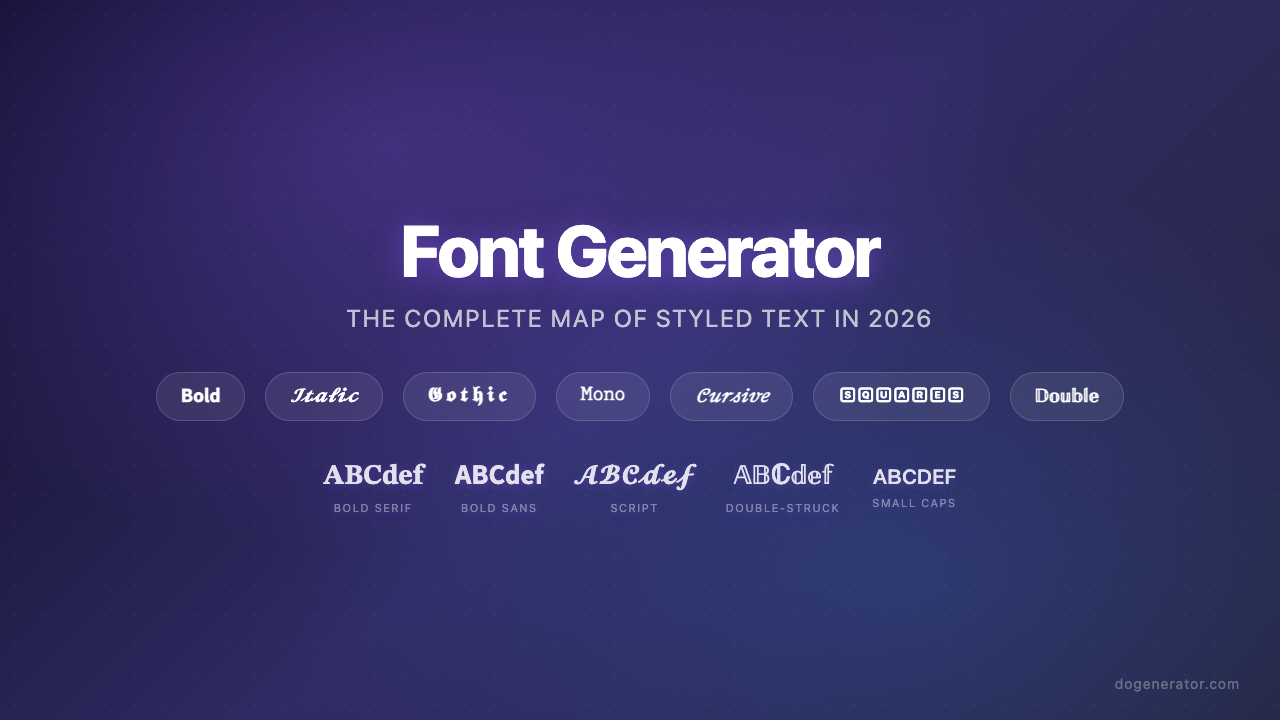
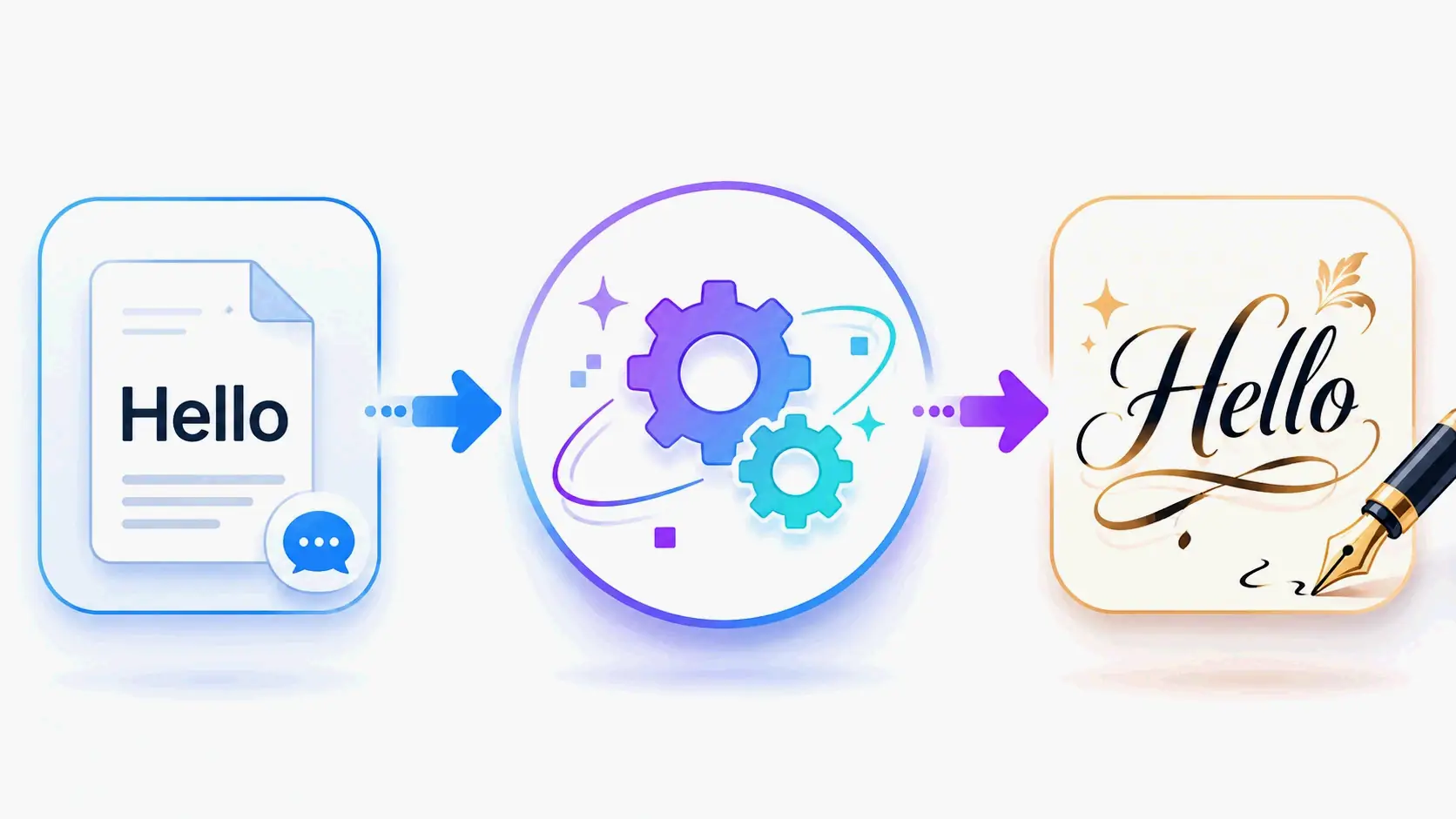
Comment fonctionne la conversion : L’outil lit votre saisie et parcourt la bibliothèque Unicode à la recherche de caractères qui ressemblent visuellement à des versions en gras, cursives, italiques ou décoratives des lettres standard. Tapez « Hello », et il produira des styles comme 𝓗𝓮𝓵𝓵𝓸 (script), ℍ𝕖𝕝𝕝𝕠 (double trait) ou 𝐇𝐞𝐥𝐥𝐨 (gras serif). Vous pouvez essayer cela en direct sur la page Fonts Generator de dogenerator.com.
Principaux avantages de cette approche :
- Aucun téléchargement ni installation – Tout se passe directement dans votre navigateur
- Compatibilité multiplateforme – Unicode est une norme universelle prise en charge sur iPhone, Android, Windows, Mac et Linux
- Copier-coller instantané – Le texte stylisé se comporte exactement comme du texte normal sur toute plateforme qui accepte la saisie de texte
Unicode : le secret derrière chaque police stylisée
Unicode est une norme universelle d’encodage de caractères qui attribue un numéro unique à plus de 100 000 caractères, symboles et emojis sur tous les appareils. Comme le notent les développeurs, « chaque lettre “stylisée” est un point de code Unicode distinct. C’est ce qui les rend collables d’une application à l’autre sans avoir besoin d’une police personnalisée installée sur l’appareil du lecteur. »
Lorsqu’un générateur de polices gratuit convertit votre texte en « gras », il ne modifie pas réellement la police par formatage. Il remplace chaque lettre normale par un caractère Unicode différent issu du bloc Mathematical Alphanumeric Symbols. Votre appareil possède déjà ces caractères, ils s’affichent donc correctement sans aucun logiciel spécial.
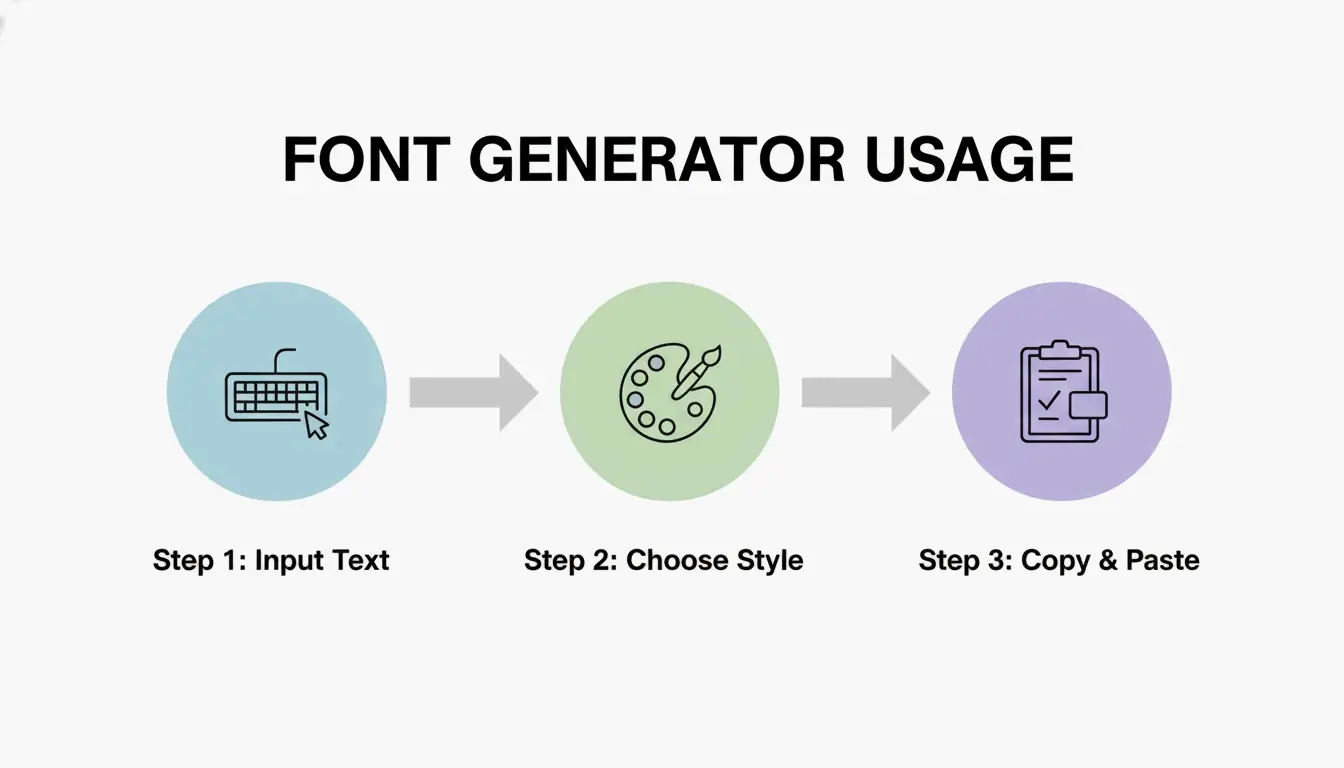
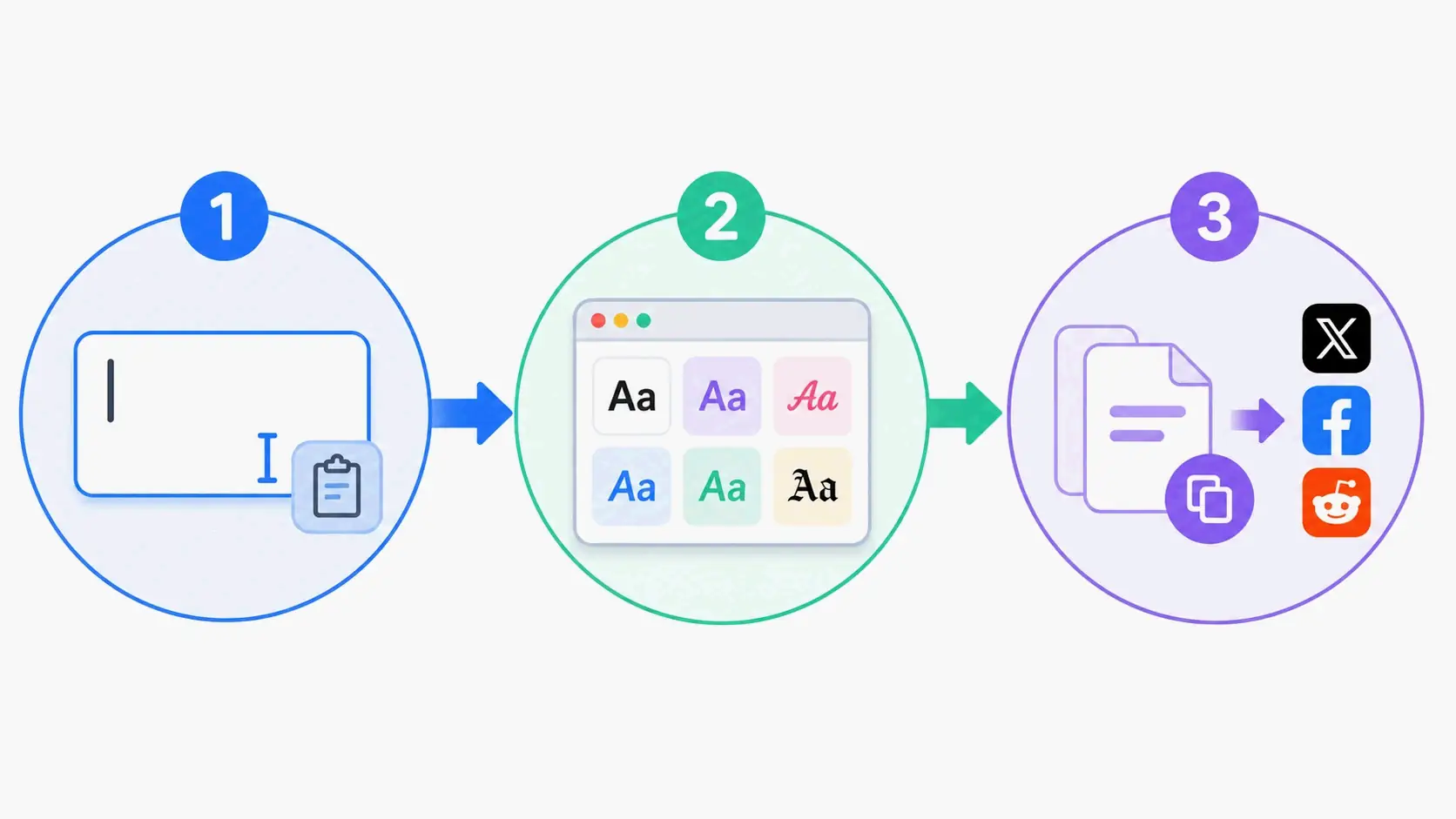
3 étapes pour utiliser un générateur de polices gratuit sur n’importe quelle plateforme
L’utilisation d’un générateur de polices gratuit prend environ 30 secondes. Voici comment cela fonctionne sur toutes les principales plateformes.
Étape 1 : saisissez votre texte brut
Ouvrez n’importe quel site de générateur de polices gratuit, comme le Fonts Generator de dogenerator.com (plus de 300 styles) ou le Fancy Font Generator pour les styles décoratifs. Tapez ou collez votre texte dans la zone de saisie. La plupart des outils acceptent les lettres, les chiffres, les symboles et les emojis. Il n’y a pas de limite de caractères côté outil (bien que la plateforme dans laquelle vous collez puisse avoir sa propre limite).
À prendre en compte : Commencez par un texte court (votre nom, une phrase clé ou un titre) afin de parcourir rapidement les styles avant de vous engager sur un contenu plus long.
Étape 2 : choisissez votre style – gras, cursif, gothique et plus
Parcourez les styles disponibles. Chaque générateur les organise différemment. Par exemple, dogenerator.com regroupe les styles en Fancy, Cool, Cursive, Bold, Aesthetic, Gothic, Calligraphy, Bubble et plus. Vous trouverez également des catégories comme Basic, Bold, Italic, Cursive, Old English, Medieval, Bubble, Squares, Tiny Text, Vaporwave, Glitch et Zalgo.
Critères de sélection : Adaptez le style à votre objectif. Les polices serif en gras conviennent pour l’accentuation et les annonces. Les styles cursifs s’accordent aux bios et aux légendes romantiques. Les polices gothiques correspondent aux profils de jeu et aux esthétiques sombres. Prévisualisez chaque style avec votre texte réel avant de décider.
Étape 3 : copiez, collez et faites-vous remarquer sur Instagram, Discord, TikTok
Cliquez sur le bouton copier à côté du style choisi. Le texte se trouve maintenant dans votre presse-papiers. Accédez à la plateforme où vous souhaitez l’utiliser (Instagram, Discord, TikTok, WhatsApp ou toute autre application) et collez-le avec Ctrl+V (Windows), Command+V (Mac), ou appui long et collage sur mobile.
Vérification : Collez d’abord votre texte stylisé dans une application de prise de notes pour confirmer qu’il a été copié correctement. Collez-le ensuite dans votre plateforme cible. Si le style vous convient, vous êtes prêt à publier.
Les meilleurs styles de polices pour Instagram, Discord et TikTok
Différentes plateformes récompensent différents styles de police. La clé est d’adapter le style à la culture visuelle de la plateforme et à l’objectif de votre contenu.
Polices Instagram : bio, légendes et stories
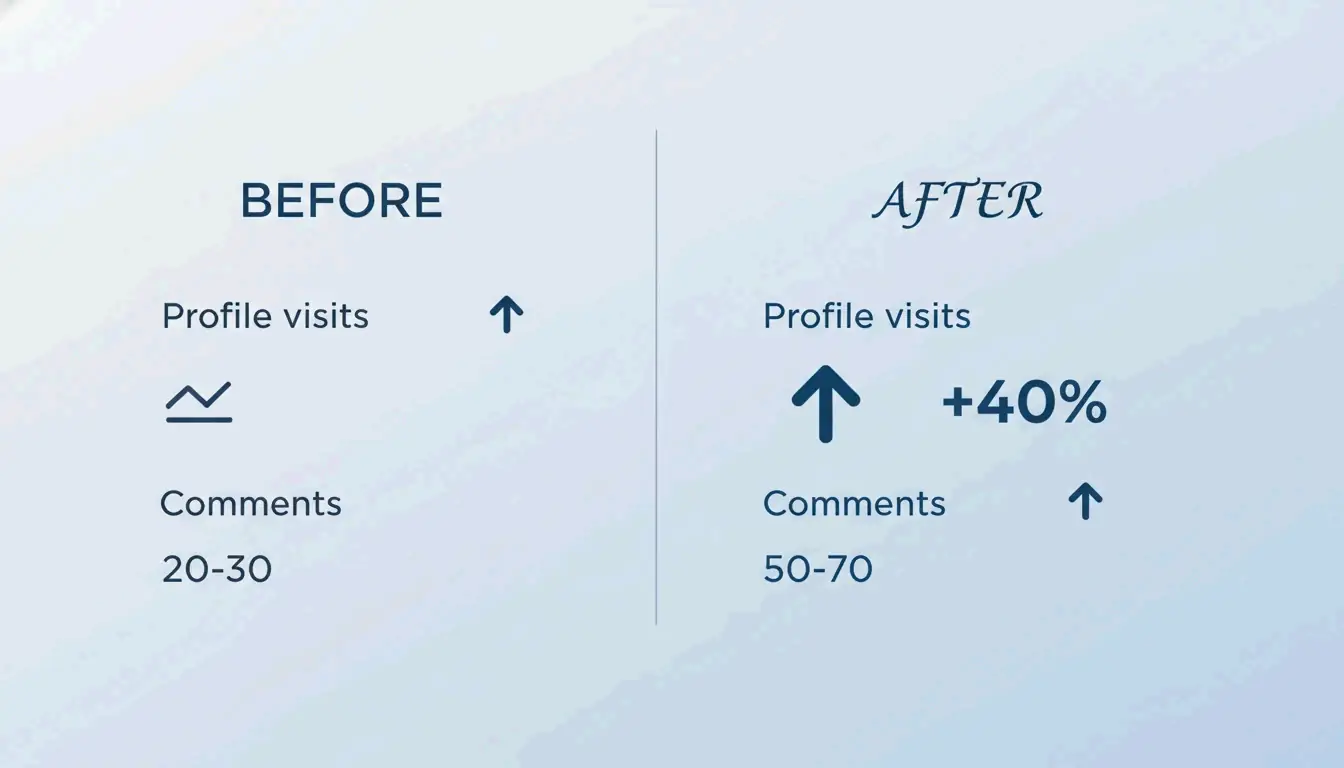
Les utilisateurs qui stylisent leurs bios Instagram avec des outils comme le Fancy Font Generator constatent souvent des gains d’engagement notables. Un utilisateur a rapporté que « la refonte de ma bio Instagram avec des polices Unicode stylisées a fait augmenter mes visites de profil de 40 % en deux semaines ». Un autre a constaté que « les légendes normales obtenaient en moyenne 20-30 commentaires » tandis que « les légendes avec des polices stylisées stratégiques en obtenaient 50-70 ».
Styles recommandés pour Instagram :
- Bio : Les polices aesthetic ou script font forte impression. Limitez-vous à votre nom et un descripteur clé
- Légendes : Polices gras ou cursives pour la première ligne ou les citations clés. Gardez le corps du texte lisible
- Stories : Le texte stylisé sur les photos ressort plus que les polices par défaut, augmentant l’engagement
Note de plateforme : Instagram prend en charge Unicode pleinement dans les bios, les légendes, les commentaires et les stories.
Polices Discord : noms d’utilisateur, noms de serveurs et canaux
Les communautés Discord prospèrent grâce à l’identité visuelle. Les polices stylisées aident à établir la personnalité et la hiérarchie au sein des serveurs.
Ce qui fonctionne sur Discord :
- Noms de serveurs : Les polices gothiques, gras ou aesthetic attirent le regard dans les listes de serveurs
- Noms de canaux : Des polices stylisées cohérentes créent une hiérarchie visuelle et rendent la navigation intuitive
- Surnoms : De nombreux utilisateurs stylisent leurs surnoms pour s’accorder à l’esthétique du serveur
- Messages de statut : Le texte stylisé fonctionne aussi dans les champs de statut
Les outils de polices de dogenerator.com sont fréquemment utilisés par les communautés Discord pour établir leur identité et leur personnalité grâce à un texte stylisé distinctif.
Polices TikTok : noms d’affichage et bios qui se font remarquer
Votre nom d’affichage TikTok apparaît sur chaque vidéo que vous publiez. Une police originale aide les spectateurs à se souvenir de vous entre les défilements. L’algorithme TikTok favorise l’engagement, et les noms mémorables boostent la reconnaissance.
Meilleurs styles TikTok : Les polices aesthetic, gras ou cursives fonctionnent bien pour les noms d’affichage et les bios. Votre @pseudo réel ne peut pas utiliser de caractères spéciaux, mais votre nom d’affichage le peut. Testez chaque style sur mobile, car la plupart de l’utilisation de TikTok se fait sur téléphone.
Pourquoi certaines polices s’affichent sous forme de carrés sur votre appareil (et comment y remédier)
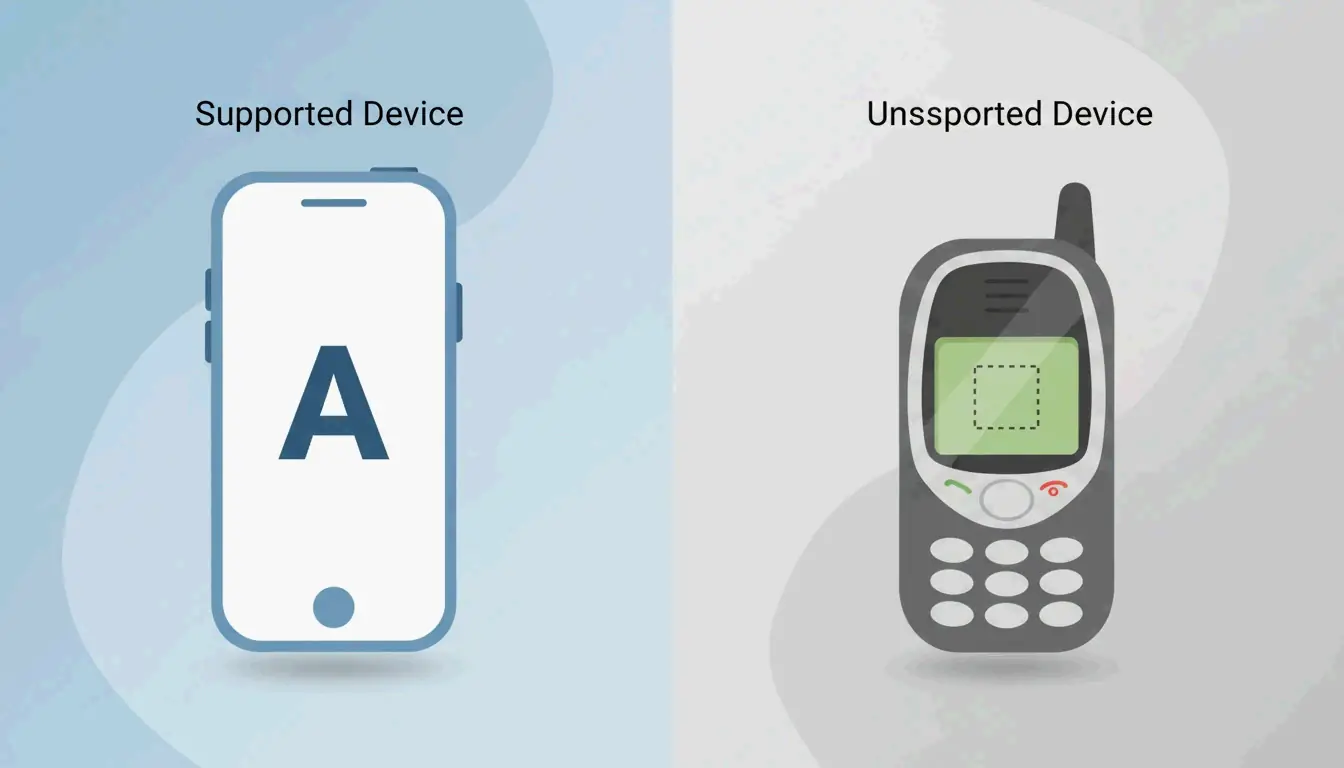
Parfois, après avoir collé du texte stylisé, vous pourriez voir des carrés vides ou des points d’interrogation à la place des lettres. Cela se produit lorsque la plateforme, le navigateur ou l’appareil ne prend pas pleinement en charge certains caractères Unicode.
Comprendre le repli Unicode : pourquoi les caractères se cassent
Comme l’explique la documentation Unicode, « le carré est simplement la façon par défaut dont votre appareil dit : “Je ne reconnais pas ce symbole.” » Cela se produit parce qu’Unicode est une norme massive, et les appareils plus anciens ou certaines plateformes peuvent manquer de glyphes pour les caractères rares ou récemment ajoutés.
Causes courantes :
- Systèmes d’exploitation d’appareils anciens (avant 2015)
- Navigateurs obsolètes
- Plateformes spécifiques avec une prise en charge Unicode limitée
- Plages Unicode rares ou exotiques
Styles sûrs : quelles polices fonctionnent partout ?
Les styles gras, italique, serif et sans-serif offrent la compatibilité la plus large car ils utilisent le bloc Mathematical Alphanumeric Symbols, qui fait partie d’Unicode depuis le début des années 2000. Les experts recommandent : « Tenez-vous-en aux styles gras, italique et small caps pour la compatibilité la plus large. » Tous ces styles sûrs sont disponibles sur le Fonts Generator de dogenerator.com.
Styles à prise en charge universelle :
- Gras (serif et sans-serif)
- Italique (serif et sans-serif)
- Monospace
- Small caps
Styles qui peuvent échouer sur les appareils anciens :
- Zalgo (caractères combinants)
- Glitch (signes diacritiques combinants)
- Blocs Unicode décoratifs très rares
Guide de dépannage par appareil
iPhone/iPad : Excellente prise en charge Unicode. Si des carrés apparaissent, essayez un style plus simple comme gras ou italique.
Android : Les versions modernes d’Android (5.0+) gèrent bien Unicode. Les appareils plus anciens d’avant 2015 peuvent avoir des difficultés avec les styles exotiques.
Windows : Prise en charge complète dans la plupart des applications. Certains systèmes de messagerie d’entreprise peuvent bloquer les caractères Unicode rares pour des raisons de sécurité.
Mac : Prise en charge remarquable dans toutes les applications.
Spécifique au navigateur : Chrome, Firefox, Safari et Edge affichent tous Unicode correctement. Si des problèmes apparaissent, essayez un autre navigateur.
Utiliser des générateurs de polices gratuits pour le marketing par email (guide professionnel)
Les polices Unicode dans les objets d’email peuvent augmenter les taux d’ouverture en faisant ressortir votre message dans des boîtes de réception saturées. Comme le notent les experts en marketing, « Utilisez un générateur de polices fantaisie pour créer des objets accrocheurs qui se démarquent dans des boîtes de réception saturées. Le texte Unicode stylisé capte l’attention instantanément, aidant à améliorer les taux d’ouverture, l’engagement et les conversions. »
Polices Unicode sûres pour les objets d’email
Les styles gras sans-serif et monospace fonctionnent le mieux pour l’email car ils conservent une grande lisibilité. Voici des exemples de styles d’objet efficaces que vous pouvez créer avec le Fancy Font Generator :
- 🔥 𝙇𝙞𝙢𝙞𝙩𝙚𝙙 𝙊𝙛𝙛𝙚𝙧 – Gras sans-serif pour l’urgence
- ✨ 𝓢𝓹𝓮𝓬𝓲𝓪𝓵 𝓓𝓮𝓪𝓵 – Style script pour une touche personnelle
- 🔥 🅑🅘🅖 🅢🅐🅛🅔 – Style bubble pour les marques décontractées
- 💥 𝘽𝙧𝙚𝙖𝙠𝙞𝙣𝙜 𝘿𝙚𝙖𝙡 – Gras pour l’accentuation
À éviter : Évitez les styles trop décoratifs ou difficiles à lire dans les objets. Limitez-vous à des phrases courtes et percutantes.
Éviter les filtres anti-spam : ce qu’il ne faut pas faire
Les caractères Unicode eux-mêmes ne déclenchent pas les filtres anti-spam. Cependant, certains comportements peuvent nuire à la délivrabilité :
- Évitez l’usage excessif de texte stylisé en majuscules
- N’utilisez pas trop de symboles ou de caractères spéciaux sur une seule ligne
- Réservez le texte stylisé à l’objet ; utilisez du texte brut dans le corps pour les informations critiques
- Testez avec un client de messagerie majeur avant d’envoyer à toute votre liste
Cas réel : taux d’ouverture accrus avec des objets stylisés
Les marketeurs qui ont implémenté des objets stylisés Unicode ont constaté des améliorations mesurables des taux d’ouverture et de l’engagement. La clé est d’utiliser le texte stylisé stratégiquement plutôt que de l’appliquer à chaque email.
Limites de caractères par plateforme et bonnes pratiques pour un beau texte
Chaque plateforme impose des limites de caractères qui affectent la façon dont vous utilisez les polices stylisées. Comprendre ces limites vous aide à maximiser l’impact sans manquer d’espace.
Aide-mémoire des limites de caractères pour chaque grande plateforme
| Plateforme | Limite de caractères | Meilleur usage pour les polices stylisées |
|---|---|---|
| Instagram Bio | 150 caractères | Nom + un descripteur clé |
| Twitter/X Bio | 160 caractères | Nom d’affichage + slogan |
| Twitter/X Tweet | 280 caractères | Première ligne ou phrase clé |
| TikTok Bio | 80 caractères | Nom d’affichage uniquement |
| Discord Username | 32 caractères | Nom court et mémorable |
| WhatsApp About | 139 caractères | Phrase de personnalité en une ligne |
| Facebook Bio | 101 caractères | Slogan court |
Note sur le comptage des caractères : Un « a » stylisé compte comme un « a » normal dans les limites de la plateforme. Aucun caractère supplémentaire n’est gaspillé par le style.
Bonnes pratiques typographiques : lisibilité contre attrait esthétique
Quand utiliser les majuscules : Les small caps ou majuscules en gras fonctionnent pour souligner un texte court comme les titres, les noms ou les appels à l’action. Évitez les majuscules pour le corps du texte car cela réduit la lisibilité.
Quand utiliser les small caps : Les small caps ajoutent de l’élégance aux noms et aux titres sans écraser le texte environnant. Elles fonctionnent bien pour les bios professionnelles et les annonces formelles.
Quand éviter les polices décoratives : Pour les légendes plus longues, les descriptions ou tout texte qui nécessite une lecture attentive, tenez-vous-en aux styles gras ou italique. Les polices décoratives brillent dans les emplacements courts et percutants.
La règle des 10 % : Ne stylez pas plus de 10 % de votre texte total. Utilisez les polices stylisées comme des accents, pas comme l’événement principal.
Accessibilité : pourquoi les lecteurs d’écran peinent avec les polices Unicode fantaisie
Les lecteurs d’écran interprètent le texte stylisé Unicode comme une série de caractères individuels plutôt que comme des mots fluides. Comme le notent les experts en accessibilité, « Certains lecteurs prononcent chaque caractère phonétiquement, d’autres les ignorent complètement. »
Le problème technique
Lorsqu’un lecteur d’écran rencontre « 𝓗𝓮𝓵𝓵𝓸 », il le lit comme « mathematical bold script capital H, mathematical bold script small E, mathematical bold script small L, mathematical bold script small L, mathematical bold script small O » et non comme le mot « Hello ». Cela casse le flux naturel de la parole et peut désorienter les utilisateurs.
Impact spécifique à la plateforme
- Instagram et TikTok : Les lecteurs d’écran interprètent le texte décoratif comme des symboles individuels
- Discord : Les utilisateurs dépendant des lecteurs d’écran peuvent manquer des informations importantes du serveur
- Email : Les appels à l’action critiques en texte stylisé peuvent être entièrement manqués
Bonnes pratiques pour l’accessibilité
Pour les bios de réseaux sociaux : Utilisez les polices stylisées uniquement pour les éléments cosmétiques. Gardez votre nom réel et les informations professionnelles essentielles en texte brut.
Pour le marketing par email : Ne placez jamais d’informations critiques, de liens ou d’appels à l’action exclusivement en texte stylisé. Incluez toujours une alternative en texte brut.
Pour les serveurs Discord : Utilisez les polices stylisées pour les noms de canaux décoratifs et les descriptions de serveur, mais gardez les annonces importantes et les règles en texte brut.
Règle générale : Si vous avez besoin que l’information soit lue et comprise par tous les utilisateurs, gardez-la en texte brut. Réservez les polices stylisées à l’enrichissement visuel uniquement.
Conclusion
Un générateur de polices gratuit vous permet de créer instantanément du texte stylisé basé sur Unicode pour les réseaux sociaux, le jeu et même le marketing par email, sans aucun téléchargement. Le processus est simple : tapez votre texte, parcourez des centaines de styles comme gras, cursif ou gothique, copiez votre sélection et collez-la sur Instagram, Discord ou TikTok. Pour un usage professionnel, testez la compatibilité entre appareils et n’oubliez pas de garder du texte brut pour l’accessibilité. Commencez par ouvrir un générateur gratuit comme le Fonts Generator de dogenerator.com, tapez une courte phrase et expérimentez avec des styles adaptés à votre plateforme et à votre objectif.
FAQ
Ces générateurs de polices gratuits sont-ils 100 % gratuits pour un usage commercial ?
La plupart des outils sont gratuits pour un usage personnel et commercial. Pour les générateurs comme dogenerator.com, aucune attribution n’est requise. Vérifiez les conditions de chaque outil avant d’utiliser le texte généré dans des produits que vous vendez, bien que les caractères Unicode eux-mêmes soient des standards ouverts sans restriction de licence.
Pourquoi certains caractères apparaissent-ils sous forme de carrés sur certains appareils ?
Le caractère Unicode peut ne pas être pris en charge sur cet appareil ou ce système d’exploitation. La solution est de s’en tenir à des styles largement pris en charge comme gras, serif et sans-serif. Testez toujours votre texte sur plusieurs appareils avant de finaliser.
Les lecteurs d’écran peuvent-ils lire le texte stylisé Unicode ?
La plupart des lecteurs d’écran lisent chaque caractère individuellement, ce qui casse le flux naturel de la parole. Par exemple, « 𝓼𝓽𝔂𝓵𝓲𝓼𝓱 » devient « s-t-y-l-i-s-h ». Fournissez toujours une version en texte brut pour les appels à l’action et les messages importants afin de garantir l’accessibilité.
Ces polices fonctionnent-elles sur WhatsApp et Facebook ?
Oui, les deux plateformes prennent en charge la plupart des styles Unicode. WhatsApp autorise le texte stylisé dans les messages, les mises à jour de statut et votre section À propos. Facebook fonctionne dans les publications, les commentaires et les noms de page.
L’utilisation de polices stylisées fera-t-elle bannir mon compte ?
Non, les polices Unicode ne sont pas contraires aux politiques des plateformes. Les directives communautaires standard s’appliquent toujours, donc évitez d’utiliser le texte stylisé pour le harcèlement ou l’usurpation d’identité.
Questions fréquentes
Styles sûrs : quelles polices fonctionnent partout ?
Les styles gras, italique, serif et sans-serif offrent la compatibilité la plus large car ils utilisent le bloc Mathematical Alphanumeric Symbols, qui fait partie d’Unicode depuis le début des années 2000. Les experts recommandent : « Tenez-vous-en aux styles gras, italique et small caps pour la compatibilité la plus large. » Tous ces styles sûrs sont disponibles sur le Fonts Generator de dogenerator.com. Styles à prise en charge universelle :
Ces générateurs de polices gratuits sont-ils 100 % gratuits pour un usage commercial ?
La plupart des outils sont gratuits pour un usage personnel et commercial. Pour les générateurs comme dogenerator.com, aucune attribution n’est requise. Vérifiez les conditions de chaque outil avant d’utiliser le texte généré dans des produits que vous vendez, bien que les caractères Unicode eux-mêmes soient des standards ouverts sans restriction de licence.
Pourquoi certains caractères apparaissent-ils sous forme de carrés sur certains appareils ?
Le caractère Unicode peut ne pas être pris en charge sur cet appareil ou ce système d’exploitation. La solution est de s’en tenir à des styles largement pris en charge comme gras, serif et sans-serif. Testez toujours votre texte sur plusieurs appareils avant de finaliser.
Les lecteurs d’écran peuvent-ils lire le texte stylisé Unicode ?
La plupart des lecteurs d’écran lisent chaque caractère individuellement, ce qui casse le flux naturel de la parole. Par exemple, « 𝓼𝓽𝔂𝓵𝓲𝓼𝓱 » devient « s-t-y-l-i-s-h ». Fournissez toujours une version en texte brut pour les appels à l’action et les messages importants afin de garantir l’accessibilité.
Ces polices fonctionnent-elles sur WhatsApp et Facebook ?
Oui, les deux plateformes prennent en charge la plupart des styles Unicode. WhatsApp autorise le texte stylisé dans les messages, les mises à jour de statut et votre section À propos. Facebook fonctionne dans les publications, les commentaires et les noms de page.
Articles associés
Générateur de polices : la carte complète du texte stylé en 2026
Générateur de polices esthétiques : le guide ultime du texte Unicode stylé
Générateur de polices calligraphiques : outil en ligne gratuit pour des styles de texte élégants