टैटू फ़ॉन्ट जनरेटर: 2026 में सर्वश्रेष्ठ मुफ़्त टूल्स को प्रीव्यू, चुनने और उपयोग करने का तरीका
त्वरित सारांश
- टैटू फ़ॉन्ट जनरेटर एक मुफ़्त ऑनलाइन टूल है जो आपको अपना नाम, क्वोट या वाक्यांश दर्जनों शैलियों में प्रीव्यू करने देता है, ताकि आप प्रतिबद्ध होने से पहले सही डिज़ाइन चुन सकें।
- एक टैटू फ़ॉन्ट जनरेटर मुफ़्त ऑनलाइन टूल है जो आपको प्रतिबद्ध होने से पहले अपना नाम, क्वोट या वाक्यांश दर्जनों शैलियों में प्रीव्यू करने देता है। चाहे आप स्क्रिप्ट्स एक्सप्लोर कर रहे हों, पढ़ने योग्यता टेस्ट कर.
- 1. शब्दों से ज़्यादा आपके फ़ॉन्ट के चुनाव का क्यों मायने रखता है
संपादकीय प्रक्रिया
SectoJoy द्वारा समीक्षित और 22 जून 2026 को प्रकाशित। यह लेख तब रीफ़्रेश किया जाता है जब उत्पाद विवरण, उदाहरण या टूल मार्गदर्शन बदलता है। अंतिम अपडेट 22 जून 2026।
SectoJoy
मैं एक इंडी हैकर हूं जो iOS और वेब एप्लिकेशन बनाता है, व्यावहारिक SaaS उत्पाद बनाने पर ध्यान केंद्रित करता हूं। मैं AI SEO में विशेषज्ञता रखता हूं और लगातार यह पता लगाता हूं कि बुद्धिमान तकनीकें टिकाऊ विकास और दक्षता को कैसे बढ़ा सकती हैं।
एक टैटू फ़ॉन्ट जनरेटर मुफ़्त ऑनलाइन टूल है जो आपको प्रतिबद्ध होने से पहले अपना नाम, क्वोट या वाक्यांश दर्जनों शैलियों में प्रीव्यू करने देता है। चाहे आप स्क्रिप्ट्स एक्सप्लोर कर रहे हों, पढ़ने योग्यता टेस्ट कर रहे हों, या अपने टैटू कलाकार के साथ कोई विज़ुअल संदर्भ साझा कर रहे हों, dogenerator.com जैसा कोई भरोसेमंद फ़ॉन्ट जनरेटर इस प्रक्रिया को सहज — और पूरी तरह मुफ़्त — बना देता है।
1. शब्दों से ज़्यादा आपके फ़ॉन्ट के चुनाव का क्यों मायने रखता है
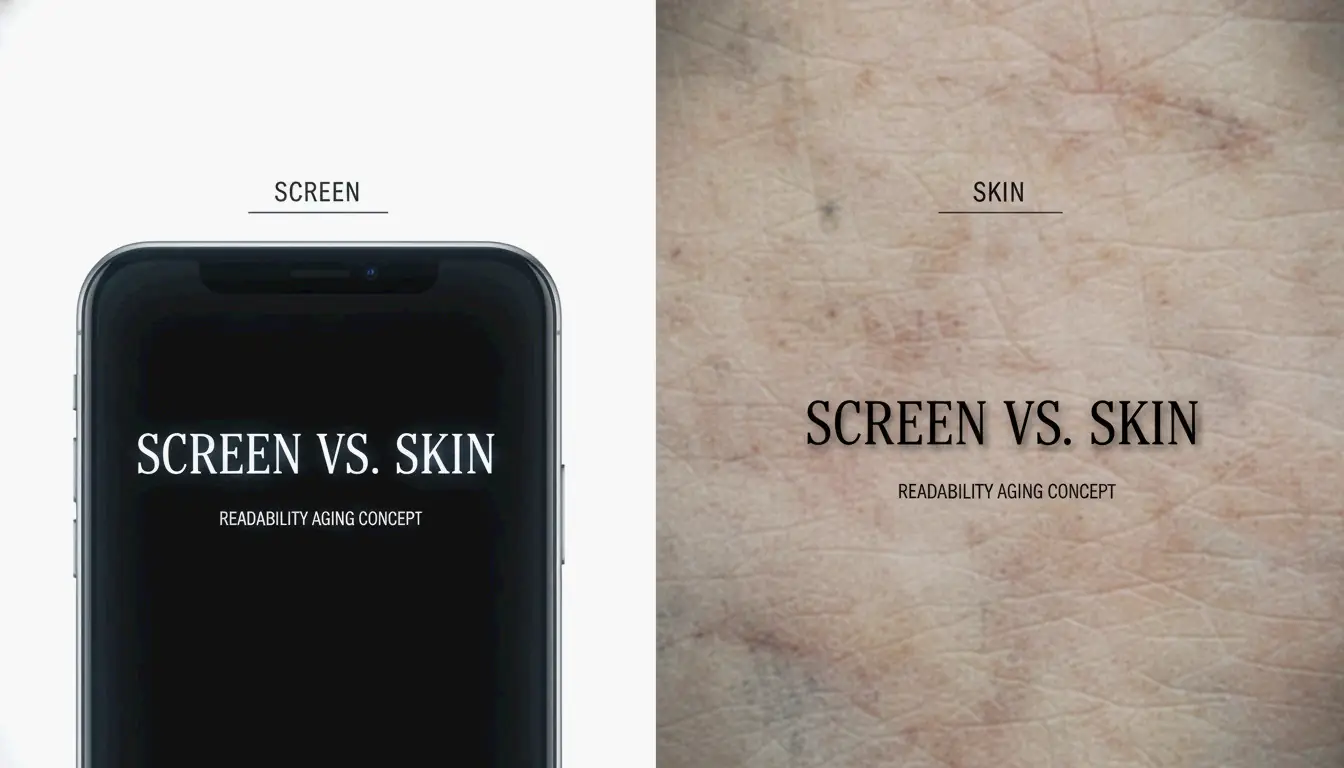
टैटू फ़ॉन्ट जनरेटर किसी स्थायी डिज़ाइन को बनाने का पहला कदम है — यह आपको यह विज़ुअलाइज़ करने में मदद करता है कि सुई आपकी त्वचा को छूने से पहले टेक्स्ट त्वचा पर कैसा दिखेगा। ग़लत फ़ॉन्ट चुनना लोगों द्वारा की जाने वाली सबसे आम और महँगी ग़लतियों में से एक है, और सही तैयारी के साथ इसे पूरी तरह टाला जा सकता है।
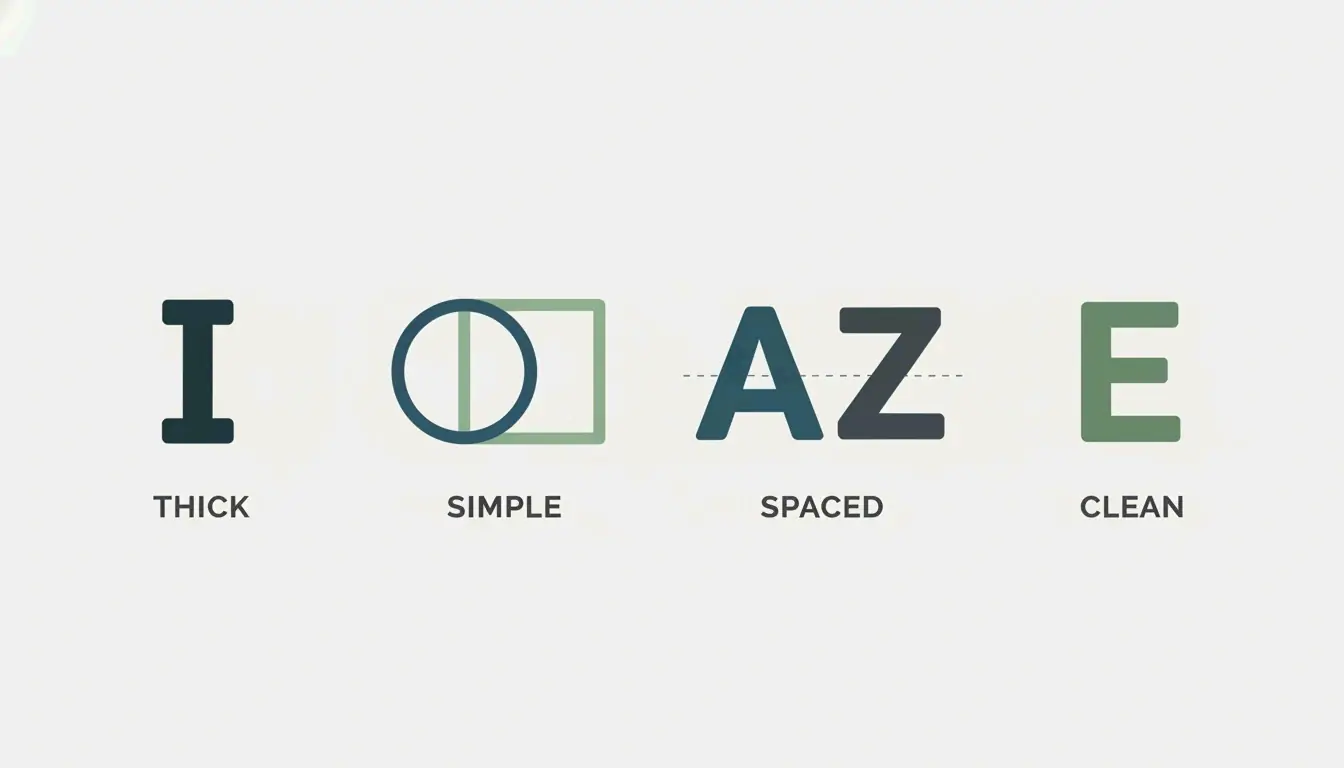
सही फ़ॉन्ट दशकों तक पढ़ने योग्यता सुनिश्चित करता है, जबकि ग़लत फ़ॉन्ट कुछ ही वर्षों में एक अस्पष्ट धब्बे में बदल सकता है। जैसा कि Creative Market Blog नोट करता है: “Skin is not paper… fonts that age well have thicker strokes, simple shapes, good spacing, low detail.” यह मूल भेद — स्क्रीन पर जो अच्छा दिखता है बनाम त्वचा पर जो टिकता है — हर समझदार फ़ॉन्ट निर्णय को प्रेरित करता है।
सोशल मीडिया पोस्ट से फ़ॉन्ट चुनने का जोखिम
Instagram पोस्ट या TikTok वीडियो से फ़ॉन्ट उठाना लुभावना होता है, लेकिन यह एक जुआ है। वह नाज़ुक स्क्रिप्ट जिसे आपने पसंद किया, शायद उसी दिन की गई फोटो हो जिस दिन टैटू बनाया गया। आप यह नहीं जान सकते कि पाँच वर्षों के हीलिंग, सूर्य की रोशनी और स्याही के प्राकृतिक फैलाव के बाद वह कैसा दिखेगा। एक टैटू फ़ॉन्ट जनरेटर आपको प्रतिबद्ध होने से पहले इन चरों को नियंत्रित करने देता है।
2. शीर्ष टैटू फ़ॉन्ट जनरेटर्स की तुलना: पारंपरिक लाइब्रेरी बनाम AI-संचालित टूल्स
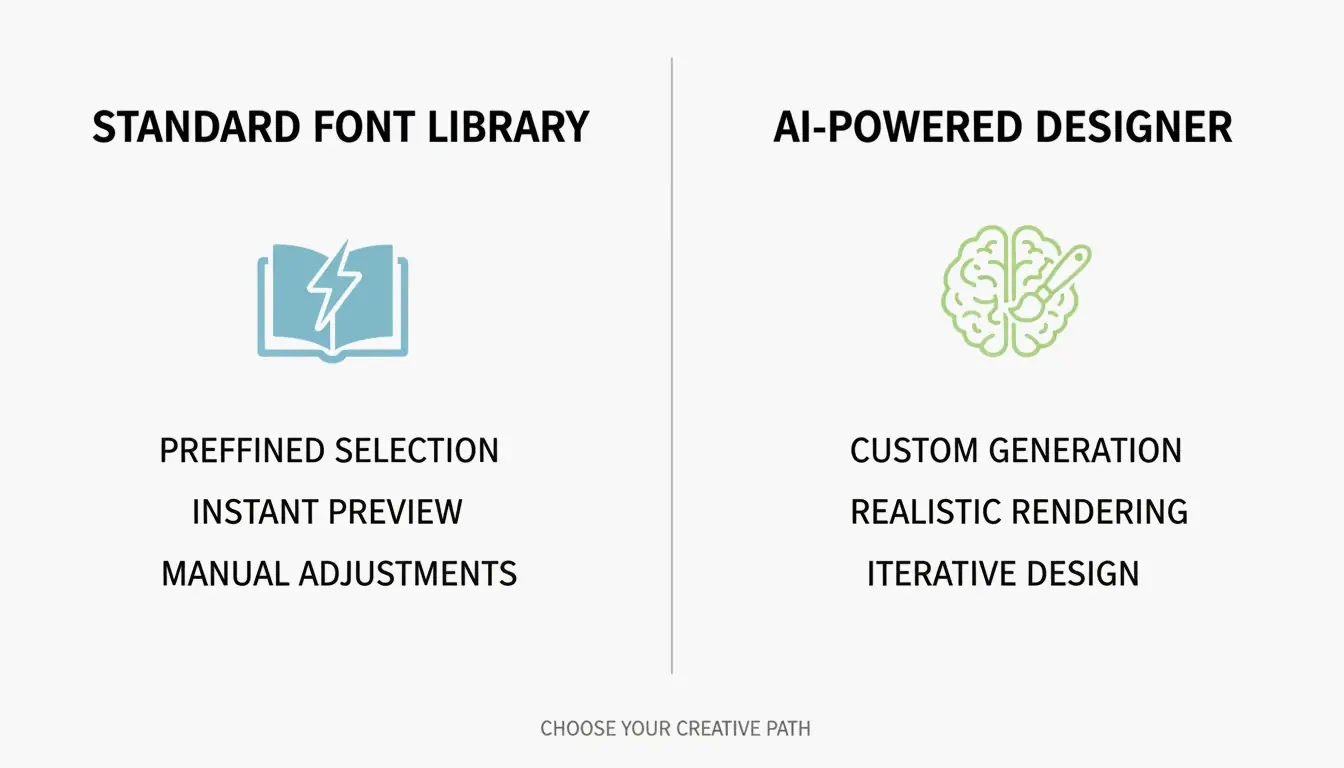
सभी टैटू फ़ॉन्ट जनरेटर एक ही तरह काम नहीं करते। मानक कॉपी-पेस्ट टूल्स और AI-संचालित डिज़ाइन प्लेटफ़ॉर्म के बीच का अंतर समझना आपको अपनी ज़रूरत के अनुसार सही चुनाव करने में मदद करता है।
| टूल प्रकार | कैसे काम करता है | किसके लिए सर्वश्रेष्ठ | प्रमुख मज़बूती |
|---|---|---|---|
| मानक फ़ॉन्ट लाइब्रेरी (कॉपी और पेस्ट) | यूनिकोड अक्षरों का उपयोग कर टेक्स्ट बदलता है; स्क्रीन पर तुरंत प्रीव्यू | त्वरित शैली एक्सप्लोरेशन, सोशल मीडिया बायो, प्रारंभिक प्रेरणा | तुरंत, कोई डाउनलोड आवश्यक नहीं, कहीं भी काम करता है |
| AI-संचालित डिज़ाइनर (जैसे xCanvas) | यथार्थवादी स्याही रेंडरिंग के साथ अद्वितीय अक्षर-रूप और पूर्ण टैटू रचनाएँ बनाता है | कस्टम डिज़ाइन, क्लाइंट परामर्श, स्टैंसिल-तैयार आउटपुट | यथार्थवादी प्रीव्यू, शरीर-विशिष्ट प्लेसमेंट, स्टैंसिल एक्सपोर्ट |
निर्णय ढाँचा: यदि आप व्यक्तिगत प्रेरणा के लिए शैलियाँ देख रहे कोई क्लाइंट हैं, तो dogenerator.com का टैटू फ़ॉन्ट जनरेटर जैसा मानक कॉपी-पेस्ट जनरेटर आपको दर्जनों टैटू-तैयार शैलियों के साथ तेज़, मुफ़्त परिणाम देता है। यदि आप कोई कलाकार या परामर्श के लिए तैयारी कर रहे क्लाइंट हैं, तो xCanvas जैसा AI-संचालित टूल — जिसे टैटू कलाकार स्वयं अपने पास रखते हैं — वह यथार्थवादिता और एक्सपोर्ट गुणवत्ता प्रदान करता है जो पेशेवर परिणामों के लिए ज़रूरी है।
xCanvas — Tattoo Font Designer Google Play Store पर 113K समीक्षाओं से 4.7-स्टार रेटिंग रखता है, जो क्लाइंट और पेशेवर दोनों के बीच इसकी प्रतिष्ठा को दर्शाता है।
यूनिकोड ‘कॉपी और पेस्ट’ फ़ॉन्ट जनरेटर्स को कैसे शक्ति देता है
मानक टैटू फ़ॉन्ट जनरेटर आपके टाइप किए अक्षरों को यूनिकोड अक्षरों से मैप करके काम करते हैं। ये विशेष प्रतीक हैं जो पहले से हर आधुनिक डिवाइस और प्लेटफ़ॉर्म में निर्मित हैं। जब आप “hello” टाइप करते हैं और 𝓱𝓮𝓵𝓵𝓸 देखते हैं, तो आप यूनिकोड ग्लिफ़्स देख रहे हैं जो Instagram, Discord, WhatsApp और अधिकांश ऐप्स पर समान रूप से रेंडर होते हैं। कोई फ़ॉन्ट फ़ाइलें इंस्टॉल नहीं होतीं। किसी डाउनलोड की आवश्यकता नहीं। यही कारण है कि dogenerator.com जैसे कॉपी-पेस्ट जनरेटर दर्जनों शैलियों के साथ प्रयोग करने का सबसे तेज़ तरीका हैं।
AI टैटू जनरेटर: जब आपको वाक़ई कोई अद्वितीय डिज़ाइन चाहिए
xCanvas जैसे AI-संचालित टूल फ़ॉन्ट लाइब्रेरी से कहीं आगे जाते हैं। वे आपके विशिष्ट नाम या वाक्यांश के अनुरूप अद्वितीय अक्षर-रूप बनाते हैं, फिर आपको शरीर की रूपरेखाओं — जैसे रीढ़, पसली, अग्रभुज या कॉलरबोन — के साथ टेक्स्ट को मोड़ने देते हैं। Google Play Store पर xCanvas के विवरण के अनुसार, टूल “true object layering for full tattoo composition” और “high-resolution stencil-ready export” प्रदान करता है। इसका अर्थ है कि आप या आपके कलाकार परामर्श में सटीक, प्लेसमेंट-विशिष्ट विज़ुअल संदर्भ के साथ जा सकते हैं, न कि केवल किसी फ़ॉन्ट नाम के स्क्रीनशॉट के साथ।
3. आवश्यक टैटू फ़ॉन्ट शैलियाँ: स्क्रिप्ट का व्यक्ति से मिलान
हर टैटू फ़ॉन्ट शैली अपनी स्वयं की व्यक्तित्व और भावनात्मक गहराई रखती है। सही शैली का चुनाव इस बात पर निर्भर करता है कि आप क्या संदेश देना चाहते हैं, आपके शरीर पर प्लेसमेंट कहाँ है, और समय के साथ फ़ॉन्ट कैसा रहेगा। नीचे सबसे आम शैलियाँ और उनके सर्वश्रेष्ठ उपयोग के मामले दिए गए हैं।
| फ़ॉन्ट शैली | व्यक्तित्व | किसके लिए सर्वश्रेष्ठ | समय के साथ पढ़ने योग्यता |
|---|---|---|---|
| Gothic / Blackletter | सशक्त, नाटकीय, मध्यकालीन | नाम, प्रभावशाली क्वोट, उपनाम | मोटे स्ट्रोक के साथ अच्छा |
| Script / Cursive | सुरुचिपूर्ण, व्यक्तिगत, प्रवाहमयी | रोमांटिक क्वोट, प्रियजनों के नाम | मध्यम; पतले स्ट्रोक से बचें |
| Old English | कालातीत, औपचारिक, पारंपरिक | स्मारक डिज़ाइन, क्लासिक रचनाएँ | संतुलित अंतर के साथ अच्छा |
| Chicano Lettering | स्क्रिप्ट-प्रधान, अलंकृत, सांस्कृतिक | स्लीव्स, जीवनी-संबंधी डिज़ाइन | मध्यम; विस्तार स्तर पर निर्भर |
| Traditional / Sailor | सशक्त रूपरेखाएँ, उच्च कंट्रास्ट | छोटे कथन, क्लासिक फ़्लैश | उत्कृष्ट; मोटी लाइनें समय के साथ टिकती हैं |
| Minimalist / Sans-Serif | साफ़, आधुनिक, संयमित | एकल शब्द, निर्देशांक | बड़े आकार पर अच्छा |
Gothic और Blackletter: सशक्त कथन
Gothic और blackletter फ़ॉन्ट मध्यकालीन पांडुलिपि लेखन में निहित सशक्त, नाटकीय ऊर्जा रखते हैं। वे नामों, उपनामों और प्रभावशाली कथनों के लिए विशेष रूप से अच्छी तरह काम करते हैं। Creative Market की 15-फ़ॉन्ट सिफ़ारिश सूची Black Valentine को दीर्घकालिक पढ़ने योग्यता के लिए एक समझदार विकल्प बताती है — इसकी सशक्त blackletter संरचना और मज़बूत कंट्रास्ट डिज़ाइन के समय के साथ पुराना होने पर भी स्पष्टता बनाए रखते हैं। आप प्रतिबद्ध होने से पहले dogenerator.com के फ़ैंसी फ़ॉन्ट जनरेटर का उपयोग करके समान blackletter शैलियों को तुरंत प्रीव्यू कर सकते हैं, ताकि देख सकें कि आपका टेक्स्ट नाटकीय Gothic अक्षरों में कैसा दिखता है।
Script और Cursive: व्यक्तिगत स्पर्श
Script फ़ॉन्ट व्यक्तिगत और सुरुचिपूर्ण महसूस होते हैं, जिससे वे रोमांटिक क्वोट, प्रियजनों के नाम या अर्थपूर्ण वाक्यांशों के लिए आदर्श बनते हैं। Script लेटरिंग प्राकृतिक रूप से प्रवाहित होती है, जो टैटू को हाथ से लिखा हुआ, अंतरंग गुण देती है। हालाँकि, FontMirror चेतावनी देता है: “Very small script tattoos may lose readability over time.” यदि आपको कोई Script शैली पसंद है, तो मोटे, सशक्त स्ट्रोक और अक्षरों के बीच भरपूर अंतर वाला संस्करण ढूँढें।
Old English: एक कालातीत क्लासिक
Old English फ़ॉन्ट अनिवार्य रूप से blackletter टाइपफ़ेस हैं जो मध्यकालीन दिखते हैं। इनका वास्तविक Old English भाषा से कोई संबंध नहीं है, लेकिन ये क्लासिक टैटू लेटरिंग के पर्याय बन गए हैं। ये स्मारक डिज़ाइनों और पारंपरिक रचनाओं के लिए विशेष रूप से लोकप्रिय हैं। सघन, कोणीय अक्षर वह गंभीरता प्रदान करते हैं जो साधारण आधुनिक फ़ॉन्ट मैच नहीं कर सकते।
4. अंतिम वर्कफ़्लो: जनरेटर से टैटू शॉप तक (5-स्टेप चेकलिस्ट के साथ)
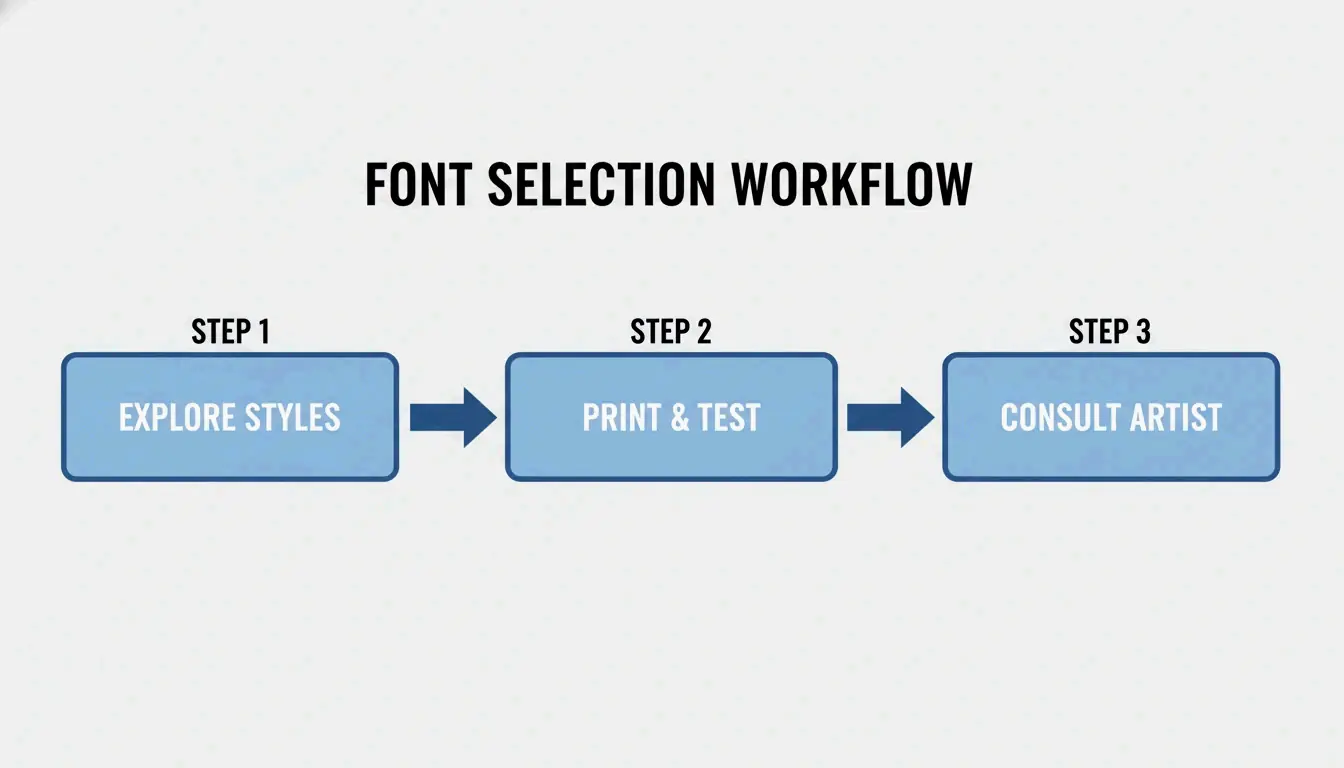
स्क्रीन पर अच्छा दिखने वाले फ़ॉन्ट और त्वचा पर काम करने वाले फ़ॉन्ट के बीच का अंतर अधिकांश लोगों की उम्मीद से बड़ा होता है। यह पाँच-स्टेप वर्कफ़्लो उस अंतर को पाटता है, आपको प्रारंभिक ब्रेनस्टॉर्मिंग से लेकर परामर्श-तैयार संदर्भ तक ले जाता है।
स्टेप 1: जनरेटर के साथ ब्रेनस्टॉर्मिंग
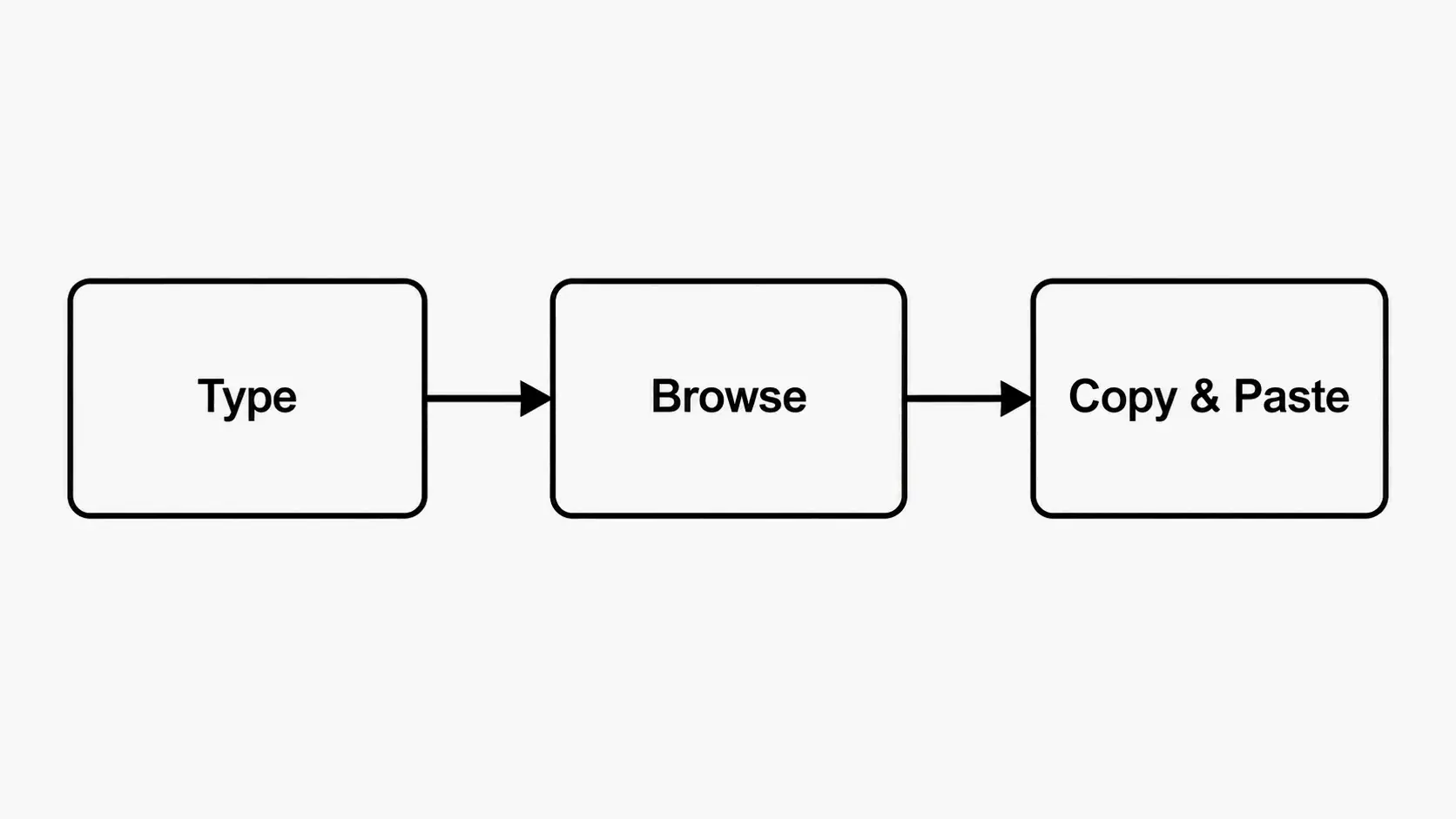
अपना वास्तविक नाम, क्वोट या वाक्यांश टैटू फ़ॉन्ट जनरेटर में टाइप करें। प्लेसहोल्डर टेक्स्ट का उपयोग न करें। आपके वास्तविक शब्दों को विभिन्न शैलियों में रेंडर करके देखना निर्णय को ठोस महसूस कराता है। Gothic, Script, Cursive और Traditional श्रेणियों में ब्राउज़ करें। सीमित करने से पहले कम से कम 10-15 वेरिएशन बनाएँ।
स्टेप 2: बॉडी मॉकअप पर डिजिटल टेस्ट
xCanvas जैसे टूल या किसी फ़ोटो-एडिटिंग ऐप का उपयोग करके अपने चुने हुए फ़ॉन्ट को अपने शरीर के अंग की फ़ोटो पर रखें। यह दिखाता है कि फ़ॉन्ट आपके शरीर के कर्व्स, मसल लाइनों और मौजूदा टैटू के साथ कैसे इंटरैक्ट करता है। कोई फ़ॉन्ट जो पेज पर सीधा और साफ़ दिखता है, अग्रभुज या कॉलरबोन के चारों ओर मोड़े जाने पर विकृत दिख सकता है।
स्टेप 3: ‘प्रिंट टेस्ट’ (अनिवार्य)
अपनी शीर्ष 3 फ़ॉन्ट पसंद को उसी सटीक आकार में प्रिंट करें जिस आकार में आप उन्हें टैटू करवाना चाहते हैं। स्क्रीन पर आकार छोटा न करें। काग़ज़ को अपने शरीर से सटाकर रखें और दर्पण में देखें। यह अंतर की समस्याएँ, स्ट्रोक मोटाई की समस्याएँ और अक्षर ब्लीड को प्रकट करता है जो फ़ोन स्क्रीन पर अदृश्य होते हैं। FontMirror इस पर ज़ोर देता है: “Print your generated design at actual size to check proportions before your appointment.”
स्टेप 4: ‘फ़ोन स्क्रीन टेस्ट’
अपने प्रिंट किए हुए फ़ॉन्ट के चुनाव को किसी मेज़ पर रखें और 3-4 फ़ीट पीछे जाएँ। यदि आप बातचीत की दूरी से इसे स्पष्ट रूप से नहीं पढ़ सकते, तो फ़ॉन्ट बहुत पतला, बहुत विस्तृत या बहुत कसकर रखा गया है। अति-सजाए गए फ़ॉन्ट्स में लंबे वाक्यांश पढ़ने के लिए कठिन हो जाते हैं, विशेष रूप से छोटे आकारों में।
स्टेप 5: कलाकार समीक्षा
अपने प्रिंटआउट और डिजिटल फ़ाइलें परामर्श में ले जाएँ। आपका टैटू कलाकार आपको बता सकता है कि फ़ॉन्ट आपके इच्छित आकार पर त्वचा पर अच्छी तरह अनुवादित होता है या नहीं। वे सुई आपको छूने से पहले मामूली समायोजन सुझा सकते हैं। जैसा FontMirror गाइड सलाह देता है: “Avoid making last-minute font changes on the day of your appointment.”
‘प्रिंट टेस्ट’ क्यों अनिवार्य है
रेटिना डिस्प्ले पर क्रिस्प दिखने वाली चीज़ वास्तविक टैटू आकार में स्केल किए जाने पर संकुचित और मटमैली दिख सकती है। प्रिंट करना आपको अपने डिज़ाइन के वास्तविक अनुपात का सामना करने पर मजबूर करता है। यह उन फ़ॉन्ट चुनावों को पकड़ने का सबसे प्रभावी तरीका है जो कसे हुए कर्निंग या अति-बारीक स्ट्रोक के कारण समय के साथ धुंधले होंगे।
5. पढ़ने योग्यता और दीर्घायु को अधिकतम करना: पेशेवर डिज़ाइनर क्या जानते हैं
स्याही त्वचा के नीचे कैसा व्यवहार करती है, इसे समझना उस फ़ॉन्ट को चुनने की कुंजी है जो दशकों तक पढ़ने योग्य बना रहे। जैसा Creative Market Blog कहता है: “Skin is not paper. Over time, ink naturally expands under the skin, which changes how your tattoo looks.”
अच्छी तरह समय के साथ टिकने वाले फ़ॉन्ट्स की चार विशिष्ट विशेषताएँ होती हैं:
- मोटे स्ट्रोक जो फेड या अदृश्य नहीं होते
- सरल आकार जो स्याही फैलने पर भी पहचानने योग्य रहते हैं
- अच्छा अंतर अक्षरों के बीच जो धुंधलेपन को रोकता है
- कम विवरण जो टैटू के हील होने पर विकृति से बचता है
Creative Market Blog सारांश देता है: “Ultra-thin script fonts fade fast and lose definition. Overly decorative lettering looks great at first, becomes messy later. Tight spacing causes letters to blend together as ink spreads.”
अच्छे एजिंग की भविष्यवाणी करने वाली फ़ॉन्ट विशेषताएँ: स्ट्रोक आकार और अंतर
संतुलित अंतर वाले सशक्त फ़ॉन्ट अत्यधिक सजाए गए शैलियों की तुलना में कहीं बेहतर समय के साथ टिकते हैं। फ़ाइन-लाइन स्क्रिप्ट्स और जटिल Gothic शैलियाँ समय के साथ धुंधली हो सकती हैं, इसलिए लंबे समय तक रहने वाले टैटू के लिए सावधानीपूर्वक चयन आवश्यक है। टैटू फ़ॉन्ट जनरेटर का उपयोग करते समय, ऐसी शैलियाँ ढूँढें जो प्रीव्यू को छोटा किए जाने पर भी स्पष्ट अक्षर आकार बनाए रखती हैं। यदि आप इसे अपनी स्क्रीन पर 50% आकार पर नहीं पढ़ सकते, तो आप इसे 10 वर्षों में अपनी त्वचा पर नहीं पढ़ पाएँगे।
6. टैटू कलाकारों के लिए प्रो-टिप: जनरेटर का उपयोग करके अधिक परामर्श कैसे बंद करें
टैटू कलाकारों के लिए, फ़ॉन्ट जनरेटर केवल डिज़ाइन टूल नहीं है — यह एक परामर्श-त्वरक है। xCanvas जैसे ऐप का उपयोग करना, जो 113K समीक्षाओं से 4.7-स्टार रेटिंग रखता है और जिसे “the tattoo font designer that tattoo artists keep on their phone” के रूप में वर्णित किया गया है, कलाकारों को क्लाइंट के लिए तुरंत कई विज़ुअल प्रूफ़ बनाने की क्षमता देता है।
किसी फ़ॉन्ट का अमूर्त विवरण देने के बजाय — ”कुछ Script जैसा लेकिन ज़्यादा सजावटी नहीं” — कलाकार क्लाइंट को 500+ फ़ॉन्ट्स में उनके नाम या क्वोट का सटीक रेंडरिंग दिखा सकते हैं। टूल की “stencil-ready export” क्षमता का अर्थ है कि विज़ुअल संदर्भ को बिना किसी अतिरिक्त सॉफ़्टवेयर के उपयोगी स्टैंसिल में बदला जा सकता है।
यह क्षमता आपसी संचार को कम करती है और क्लाइंट के आत्मविश्वास को बढ़ाती है। xCanvas की लिस्टिंग के अनुसार, ऐप कलाकारों को “curve and layer for any body placement” करने और “high-resolution stencil-ready export” प्रदान करने देता है। कलाकारों के लिए, इसका अर्थ है कम नो-शो, तेज़ बुकिंग, और ऐसे क्लाइंट जो शॉप में पहले से ही किसी डिज़ाइन के प्रति प्रतिबद्ध आते हैं।
निष्कर्ष
सही टैटू फ़ॉन्ट जनरेटर स्थायी स्याही का कोई डिज़ाइन बनाने का आपका पहला और सबसे महत्वपूर्ण टूल है। यह आपको शैलियों का पता लगाने, पढ़ने योग्यता टेस्ट करने और एक सटीक विज़ुअल संदर्भ बनाने देता है जो आपके विचार और आपके कलाकार की सुई के बीच की खाई को पाटता है।
अपनी अपॉइंटमेंट बुक करने से पहले, इस गाइड के 5-स्टेप वर्कफ़्लो का उपयोग करें। dogenerator.com जैसे मुफ़्त जनरेटर से शुरू करके कम से कम 10-15 शैलियाँ एक्सप्लोर करें। अपनी शीर्ष तीन पसंद को वास्तविक आकार में प्रिंट करें और दूर से पढ़ने योग्यता टेस्ट करें। उन प्रिंटआउट को अपने परामर्श में ले जाएँ। तैयारी का यह एक घंटा उस टैटू (जिसे आप जीवन भर प्यार करेंगे) और उस टैटू (जिसके प्रति आप हमेशा तटस्थ महसूस करेंगे) के बीच का अंतर है।
अक्सर पूछे जाने वाले प्रश्न
क्या टैटू फ़ॉन्ट जनरेटर उपयोग करने के लिए मुफ़्त हैं?
हाँ, अधिकांश बेसिक टैटू फ़ॉन्ट जनरेटर ऑनलाइन मुफ़्त उपयोग करने के लिए उपलब्ध हैं। dogenerator.com जैसे टूल्स कोई लागत नहीं लगाकर असीमित टैटू फ़ॉन्ट प्रीव्यू प्रदान करते हैं। प्रीमियम विशेषताएँ, जैसे AI कस्टम जनरेशन, स्टैंसिल-तैयार एक्सपोर्ट या वॉटरमार्क हटाना, किसी सदस्यता या एकमुश्त ख़रीद की माँग कर सकती हैं।
क्या मैं किसी जनरेट किए गए टैटू फ़ॉन्ट का उपयोग लोगो जैसे वाणिज्यिक प्रोजेक्ट्स के लिए कर सकता हूँ?
नहीं, स्वतः नहीं। अधिकांश मुफ़्त जनरेटर्स की सेवा की शर्तें व्यक्तिगत, गैर-वाणिज्यिक उपयोग के लिए हैं। किसी जनरेट किए गए डिज़ाइन का उपयोग लोगो या उत्पाद के लिए करना कॉपीराइट उल्लंघन का जोखिम उठाता है। हमेशा लाइसेंस जाँचें या फ़ॉन्ट के लिए वाणिज्यिक लाइसेंस ख़रीदें।
क्या पतला, Cursive टैटू फ़ॉन्ट समय के साथ पढ़ने योग्य बना रहेगा?
आम तौर पर, नहीं। पतले Cursive फ़ॉन्ट्स में बहुत बारीक स्ट्रोक होते हैं। जैसे-जैसे स्याही 5-10 वर्षों में स्वाभाविक रूप से त्वचा के नीचे फैलती है, वे बारीक लाइनें एक साथ धुंधली हो सकती हैं, जिससे टेक्स्ट पढ़ने योग्य नहीं रहता। यदि आपको कोई Script शैली पसंद है, तो मोटे, सशक्त स्ट्रोक और अक्षरों के बीच भरपूर अंतर वाला संस्करण ढूँढें।
अक्सर पूछे जाने वाले प्रश्न
क्या टैटू फ़ॉन्ट जनरेटर उपयोग करने के लिए मुफ़्त हैं?
हाँ, अधिकांश बेसिक टैटू फ़ॉन्ट जनरेटर ऑनलाइन मुफ़्त उपयोग करने के लिए उपलब्ध हैं। dogenerator.com जैसे टूल्स कोई लागत नहीं लगाकर असीमित टैटू फ़ॉन्ट प्रीव्यू प्रदान करते हैं। प्रीमियम विशेषताएँ, जैसे AI कस्टम जनरेशन, स्टैंसिल-तैयार एक्सपोर्ट या वॉटरमार्क हटाना, किसी सदस्यता या एकमुश्त ख़रीद की माँग कर सकती हैं।
क्या मैं किसी जनरेट किए गए टैटू फ़ॉन्ट का उपयोग लोगो जैसे वाणिज्यिक प्रोजेक्ट्स के लिए कर सकता हूँ?
नहीं, स्वतः नहीं। अधिकांश मुफ़्त जनरेटर्स की सेवा की शर्तें व्यक्तिगत, गैर-वाणिज्यिक उपयोग के लिए हैं। किसी जनरेट किए गए डिज़ाइन का उपयोग लोगो या उत्पाद के लिए करना कॉपीराइट उल्लंघन का जोखिम उठाता है। हमेशा लाइसेंस जाँचें या फ़ॉन्ट के लिए वाणिज्यिक लाइसेंस ख़रीदें।
क्या पतला, Cursive टैटू फ़ॉन्ट समय के साथ पढ़ने योग्य बना रहेगा?
आम तौर पर, नहीं। पतले Cursive फ़ॉन्ट्स में बहुत बारीक स्ट्रोक होते हैं। जैसे-जैसे स्याही 5-10 वर्षों में स्वाभाविक रूप से त्वचा के नीचे फैलती है, वे बारीक लाइनें एक साथ धुंधली हो सकती हैं, जिससे टेक्स्ट पढ़ने योग्य नहीं रहता। यदि आपको कोई Script शैली पसंद है, तो मोटे, सशक्त स्ट्रोक और अक्षरों के बीच भरपूर अंतर वाला संस्करण ढूँढें।
संबंधित पोस्ट
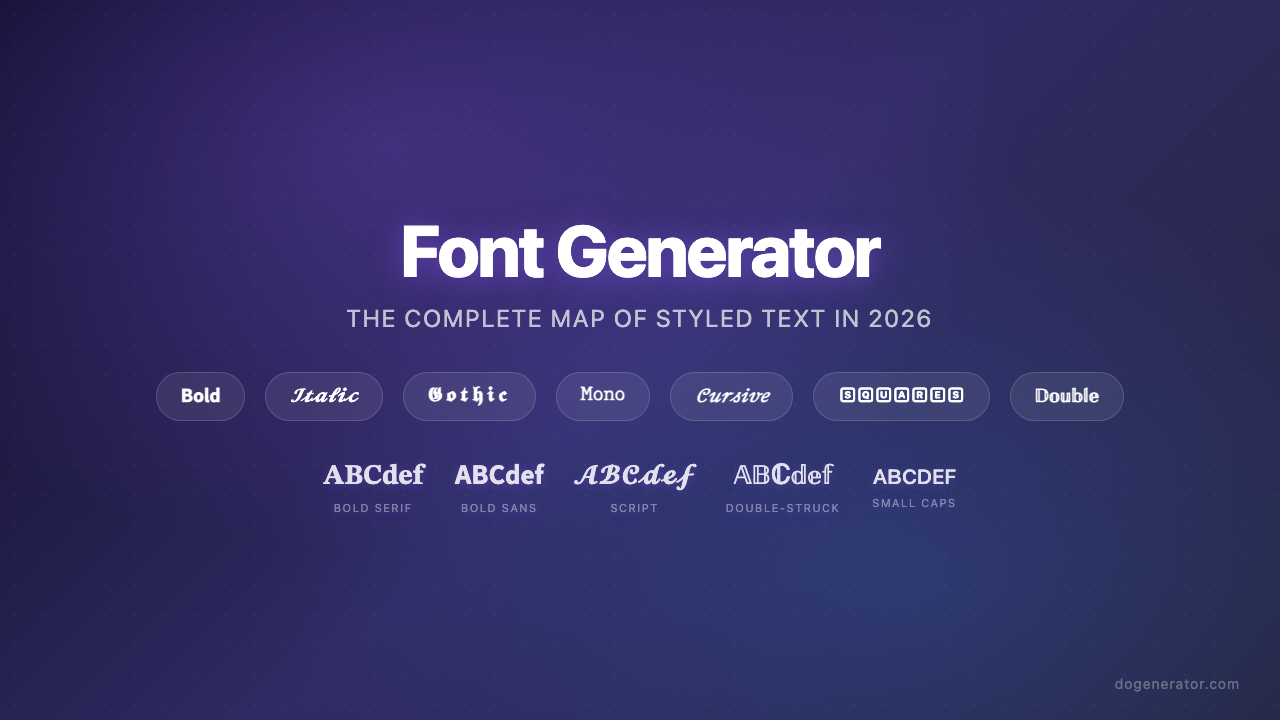
फ़ॉन्ट जनरेटर: 2026 में स्टाइल किए गए टेक्स्ट का संपूर्ण मानचित्र
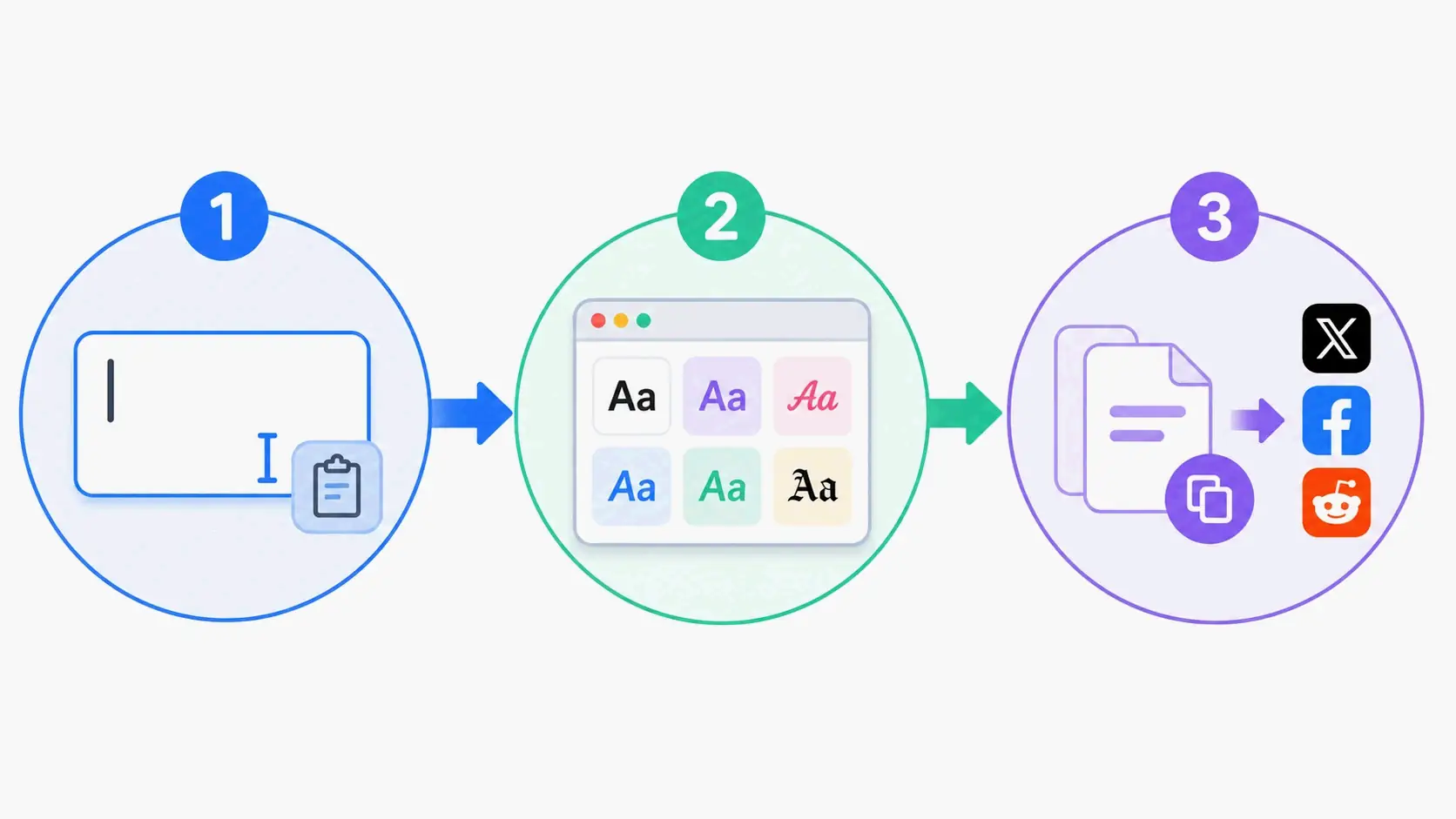
एस्थेटिक फ़ॉन्ट जनरेटर: स्टाइलिश यूनिकोड टेक्स्ट के लिए संपूर्ण गाइड
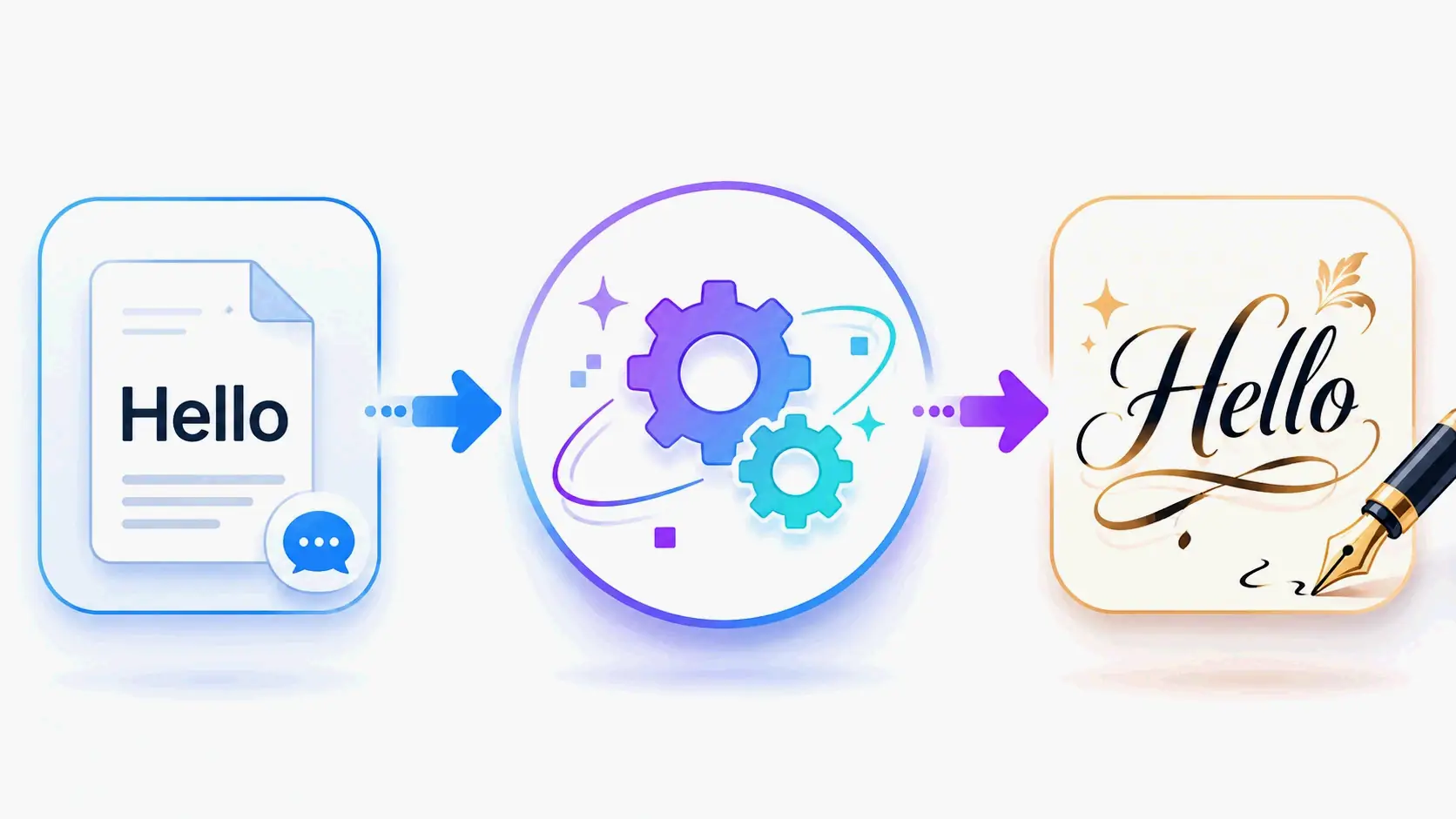
कैलिग्राफी फ़ॉन्ट जनरेटर: सुरुचिपूर्ण टेक्स्ट शैलियों के लिए फ्री ऑनलाइन टूल