वैकल्पिक फ़ॉन्ट जनरेटर: कॉपी-पेस्ट के लिए तत्काल Unicode शैलियाँ (2026 गाइड)
त्वरित सारांश
- वैकल्पिक फ़ॉन्ट जनरेटर आपको सामान्य टेक्स्ट को बोल्ड, कर्सिव, गॉथिक, ज़ाल्गो, बबल जैसी सैकड़ों विशिष्ट Unicode शैलियों में बदलने देता है, जिन्हें आप सोशल मीडिया, गेमिंग प्रोफ़ाइल और मैसेजिंग ऐप्स में कॉपी-पेस्ट कर सकते हैं।
- एक वैकल्पिक फ़ॉन्ट जनरेटर आपको सामान्य टेक्स्ट को सैकड़ों विशिष्ट Unicode शैलियों में बदलने देता है—बोल्ड, कर्सिव, गॉथिक, ज़ाल्गो, बबल और बहुत कुछ—जिन्हें आप सोशल मीडिया, गेमिंग प्रोफ़ाइल और मैसेजिंग ऐप्स में.
- परिचय
संपादकीय प्रक्रिया
SectoJoy द्वारा समीक्षित और 22 जून 2026 को प्रकाशित। यह लेख तब रीफ़्रेश किया जाता है जब उत्पाद विवरण, उदाहरण या टूल मार्गदर्शन बदलता है। अंतिम अपडेट 22 जून 2026।
SectoJoy
मैं एक इंडी हैकर हूं जो iOS और वेब एप्लिकेशन बनाता है, व्यावहारिक SaaS उत्पाद बनाने पर ध्यान केंद्रित करता हूं। मैं AI SEO में विशेषज्ञता रखता हूं और लगातार यह पता लगाता हूं कि बुद्धिमान तकनीकें टिकाऊ विकास और दक्षता को कैसे बढ़ा सकती हैं।
एक वैकल्पिक फ़ॉन्ट जनरेटर आपको सामान्य टेक्स्ट को सैकड़ों विशिष्ट Unicode शैलियों में बदलने देता है—बोल्ड, कर्सिव, गॉथिक, ज़ाल्गो, बबल और बहुत कुछ—जिन्हें आप सोशल मीडिया, गेमिंग प्रोफ़ाइल और मैसेजिंग ऐप्स में कॉपी और पेस्ट कर सकते हैं। कोई डाउनलोड नहीं, कोई पंजीकरण नहीं, किसी डिज़ाइन कौशल की आवश्यकता नहीं। यदि आप शुरू करने के लिए एक भरोसेमंद फ़ॉन्ट जनरेटर ढूँढ रहे हैं, तो dogenerator.com एक मुफ़्त, तत्काल टूल प्रदान करता है जो इन सभी शैलियों और बहुत कुछ को कवर करता है।
परिचय
क्या कभी चाहा है कि आपका Instagram बायो, Discord उपयोगकर्ता नाम या TikTok प्रदर्शन नाम बाकी सबसे अलग दिखे? एक वैकल्पिक फ़ॉन्ट जनरेटर इसे संभव बनाने का सबसे आसान तरीका है। ये मुफ़्त ब्राउज़र टूल आपको साधारण टेक्स्ट टाइप करने और उसे वास्तविक समय में दर्जनों शैलियों में बदलने देते हैं। आउटपुट मानक Unicode अक्षरों का उपयोग करता है, इसलिए यह लगभग हर आधुनिक प्लेटफ़ॉर्म पर बिना किसी कस्टम फ़ॉन्ट या सॉफ़्टवेयर इंस्टॉल किए काम करता है।
30 सेकंड में वैकल्पिक फ़ॉन्ट जनरेटर का उपयोग कैसे करें
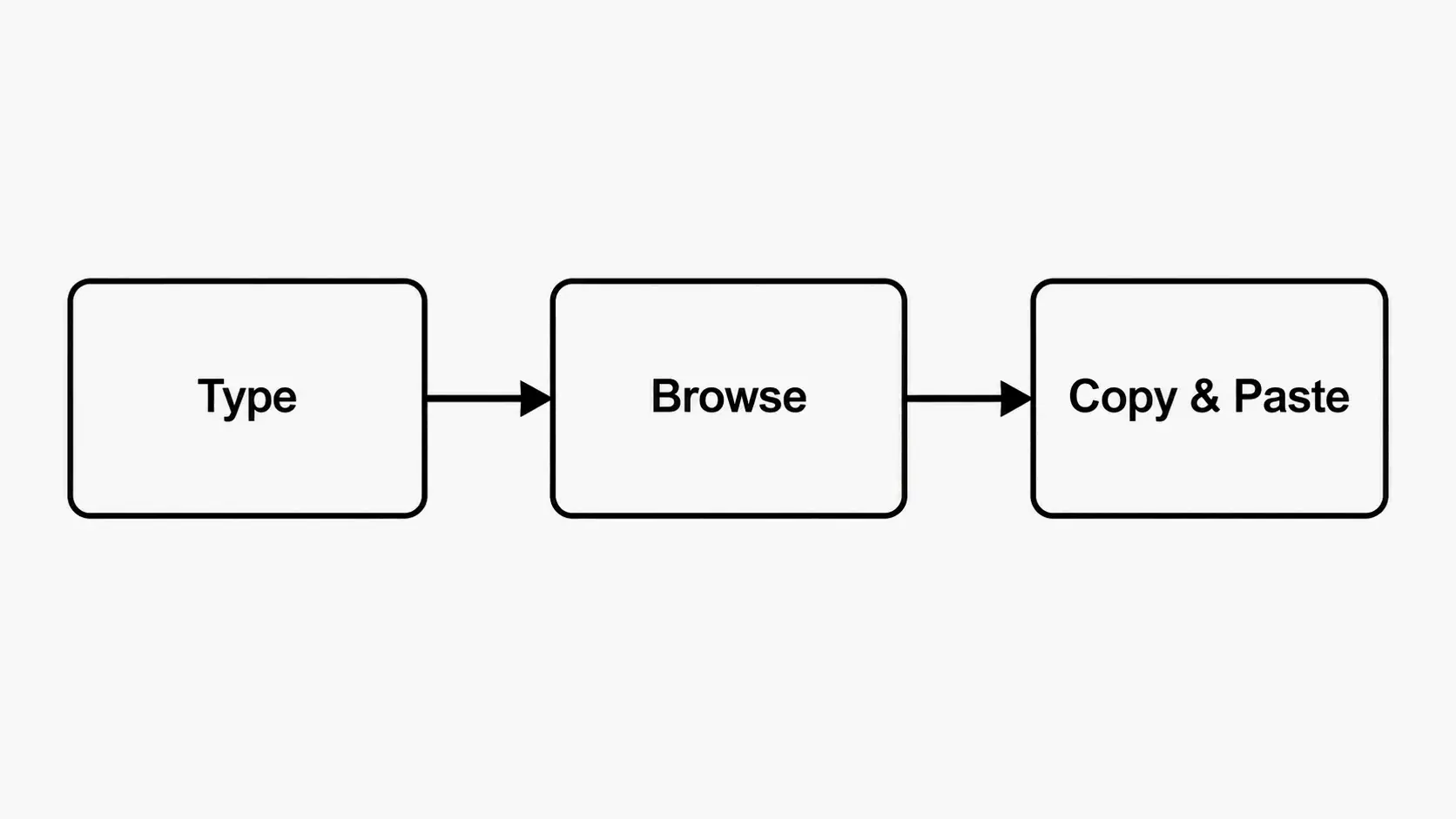
इसका उपयोग करने में तीन सरल चरण लगते हैं, और पूरी प्रक्रिया आधे मिनट से भी कम में पूरी हो जाती है।
चरण 1: अपना टेक्स्ट इनपुट बॉक्स में टाइप या पेस्ट करें। अधिकांश जनरेटर में ऊपर एक स्पष्ट टेक्स्ट फ़ील्ड होता है। एक नाम, एक छोटी बायो, एक उपयोगकर्ता नाम, एक कैप्शन, या जो कुछ भी आप स्टाइल करना चाहते हैं, दर्ज करें।
चरण 2: उपलब्ध Unicode शैलियों को ब्राउज़ करें। जैसे ही आप टाइप करते हैं, जनरेटर तुरंत आपके टेक्स्ट को दर्जनों या सैकड़ों शैलियों में दिखाता है—बोल्ड सैंस, इटैलिक सेरिफ़, कर्सिव स्क्रिप्ट, गॉथिक ब्लैकलेटर, डबल-स्ट्रक, बबल अक्षर, ज़ाल्गो ग्लिच, वेपरवेव, टिनी कैप्स, और बहुत कुछ। अपने लिए उपयुक्त एक शैली खोजने के लिए प्रीव्यू कार्ड्स को स्क्रॉल करें। dogenerator.com पर fonts generator जैसे टूल इस ब्राउज़िंग अनुभव को विशेष रूप से सहज बनाते हैं।
चरण 3: अपनी पसंदीदा शैली के बगल में Copy बटन पर क्लिक करें, फिर इसे कहीं भी पेस्ट करें। अधिकांश जनरेटर प्रत्येक स्टाइल कार्ड पर एक “Copy” बटन रखते हैं। इस पर क्लिक करें, और स्टाइल किया गया टेक्स्ट आपके क्लिपबोर्ड में चला जाता है। इसे अपने Instagram बायो, Discord उपनाम, TikTok प्रदर्शन नाम, WhatsApp परिचय अनुभाग, गेमिंग प्रोफ़ाइल, या किसी भी अन्य टेक्स्ट फ़ील्ड में पेस्ट करें।
किसी सॉफ़्टवेयर डाउनलोड की आवश्यकता नहीं है। पूरा टूल आपके ब्राउज़र में चलता है और डेस्कटॉप तथा मोबाइल दोनों डिवाइस पर समान रूप से काम करता है।
वैकल्पिक फ़ॉन्ट जनरेटर वास्तव में क्या है?
एक वैकल्पिक फ़ॉन्ट जनरेटर एक वेब-आधारित टूल है जो आपके द्वारा टाइप किए गए अक्षरों को ऐसे वैकल्पिक Unicode अक्षरों से मैप करता है जो दृष्टि से भिन्न फ़ॉन्ट शैलियों से मिलते-जुलते हैं। यह वास्तविक फ़ॉन्ट फ़ाइलें (जैसे .ttf या .otf) नहीं बनाता। इसके बजाय, यह प्रत्येक मानक अक्षर को एक Unicode glyph से प्रतिस्थापित करता है जो अलग दिखता है लेकिन फिर भी शुद्ध टेक्स्ट है।
चूंकि आउटपुट मानक Unicode टेक्स्ट है, यह लगभग हर आधुनिक वेबसाइट, ऐप और ऑपरेटिंग सिस्टम के साथ संगत है। कोई पंजीकरण नहीं, कोई अनुमति नहीं, और इसका उपयोग करने की कोई क़ीमत नहीं। dogenerator.com जैसी साइटें यह सुविधा पूरी तरह से मुफ़्त में, सीधे आपके ब्राउज़र में प्रदान करती हैं।
Unicode: हर जगह काम करने का कारण
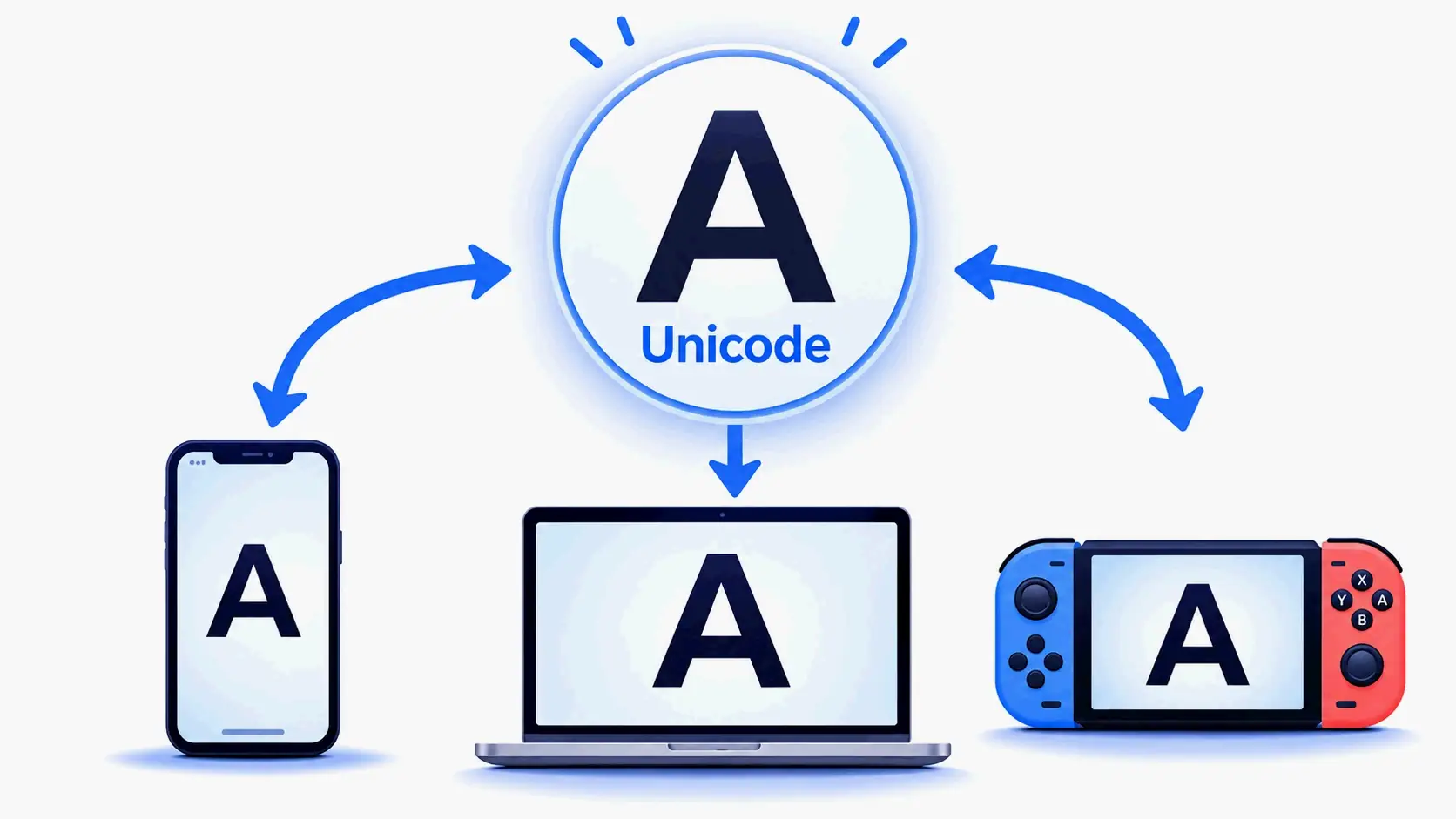
Unicode एक सार्वभौमिक अक्षर एन्कोडिंग मानक है जो सभी कंप्यूटिंग प्लेटफ़ॉर्म पर लाखों अक्षरों, प्रतीकों और इमोजी को एक विशिष्ट संख्यात्मक पहचानकर्ता प्रदान करता है। मानक के भीतर समर्पित ब्लॉक हैं—जैसे Mathematical Alphanumeric Symbols—जिनमें बोल्ड, इटैलिक, स्क्रिप्ट, गॉथिक, डबल-स्ट्रक और मोनोस्पेस के रूप में स्टाइल किए गए अक्षर और संख्याएँ होते हैं। जब आप इन्हें Instagram, Discord, या TikTok पर पेस्ट करते हैं, तो प्लेटफ़ॉर्म उन्हें सामान्य टेक्स्ट के रूप में पढ़ता है और उन Unicode श्रेणियों के लिए जो भी फ़ॉन्ट डिवाइस में इंस्टॉल हैं, उनका उपयोग करके प्रदर्शित करता है। इसीलिए स्टाइल किया गया टेक्स्ट प्राप्तकर्ता के अंत पर किसी विशेष सॉफ़्टवेयर या फ़ॉन्ट इंस्टॉलेशन के बिना सही ढंग से दिखाई देता है।
किसी भी वैकल्पिक फ़ॉन्ट जनरेटर में मिलने वाली शीर्ष 5 फ़ॉन्ट शैलियाँ
भिन्न जनरेटर भिन्न संग्रह प्रदान करते हैं, लेकिन ये पाँच शैली श्रेणियाँ लगभग हर उस जनरेटर में दिखाई देती हैं जो आपको 2026 में मिलेगा।
1. कर्सिव / स्क्रिप्ट फ़ॉन्ट
कर्सिव और स्क्रिप्ट शैलियाँ बहती हुई हस्तलिखित कैलिग्राफ़ी की नकल करती हैं। ये Instagram बायो, लक्ज़री ब्रांडिंग, शादी की घोषणाओं, और किसी भी संदर्भ के लिए सबसे लोकप्रिय में से हैं जहाँ आप एक सुरुचिपूर्ण, व्यक्तिगत स्पर्श चाहते हैं। कई जनरेटर नियमित और बोल्ड कर्सिव दोनों वेरिएंट प्रदान करते हैं। dogenerator.com पर fancy font generator में कर्सिव और स्क्रिप्ट विकल्पों का विशेष रूप से विस्तृत चयन शामिल है।
2. गॉथिक / पुरानी अंग्रेज़ी फ़ॉन्ट
गॉथिक या पुरानी अंग्रेज़ी शैलियाँ मध्ययुगीन पांडुलिपि परंपराओं पर आधारित भारी ब्लैकलेटर स्ट्रोक का उपयोग करती हैं। इनका व्यापक रूप से गेमिंग उपयोगकर्ता नामों, फ़ैंटसी-थीम वाली प्रोफ़ाइलों, हेवी मेटल सौंदर्यशास्त्र और स्ट्रीटवियर ब्रांडिंग में उपयोग किया जाता है। ये शैलियाँ एक नाटकीय, प्रामाणिक या पुरानी वाइब देती हैं।
3. ज़ाल्गो / ग्लिच टेक्स्ट
ज़ाल्गो टेक्स्ट—जिसे ग्लिच, दूषित, या शापित टेक्स्ट भी कहा जाता है—प्रत्येक अक्षर पर कई संयोजी विराम चिह्नों को जोड़ता है, जिससे एक विकृत, अराजक रूप बनता है। यह हॉरर-थीम वाली सामग्री, वेपरवेव सौंदर्यशास्त्र और किसी भी प्रोफ़ाइल के लिए लोकप्रिय है जहाँ आप अशांतिपूर्ण या हैक दिखाई देना चाहते हैं। अधिकांश जनरेटर कम, मध्यम और उच्च स्तर के ज़ाल्गो भ्रष्टाचार की पेशकश करते हैं।
4. बोल्ड / इटैलिक / डबल-स्ट्रक वेरिएशन
ये सबसे अधिक संगत शैलियाँ हैं क्योंकि वे लगभग हर डिवाइस और प्लेटफ़ॉर्म द्वारा समर्थित Unicode श्रेणियों से आती हैं। बोल्ड सैंस, बोल्ड सेरिफ़, इटैलिक सैंस, इटैलिक सेरिफ़, और डबल-स्ट्रक (रेखाचित्र जैसा) पढ़ने की क्षमता का त्याग किए बिना सूक्ष्म दृश्य जोर देते हैं। ये शीर्षकों, कैप्शन में जोर और पेशेवर प्रोफ़ाइलों के लिए अच्छी तरह से काम करते हैं।
5. घेरे हुए / वर्गाकार / क्षेत्रीय सूचक सजावट
प्रत्येक अक्षर को एक वृत्त, वर्ग, या अन्य आकृति में समाहित करने वाली सजावटी शैलियाँ एक चंचल या व्यवस्थित रूप जोड़ती हैं। घेरे हुए और वर्गाकार अक्षर सोशल मीडिया बायो और ग्रुप चैट नामों में आम हैं। क्षेत्रीय सूचक प्रतीकों (अक्षर-आधारित देश ध्वज इमोजी) का भी सजावटी रूप से उपयोग किया जा सकता है, हालाँकि अधिकांश प्लेटफ़ॉर्म पर वे ध्वज के बजाय एकल-रंग के अक्षरों के रूप में प्रदर्शित होते हैं।
वैकल्पिक फ़ॉन्ट जनरेटर के लिए सर्वोत्तम उपयोग के मामले
एक वैकल्पिक फ़ॉन्ट जनरेटर इस पर निर्भर करता है कि आप कहाँ और क्यों चाहते हैं कि आपका टेक्स्ट अलग दिखे, अलग-अलग उद्देश्यों की पूर्ति करता है।
सोशल मीडिया बायो (Instagram, TikTok, X)
आपकी बायो या प्रदर्शन नाम अक्सर नए आगंतुकों द्वारा देखी गई पहली चीज़ होती है। एक स्टाइल किए गए फ़ॉन्ट का उपयोग उस पहली छाप को अधिक यादगार बनाता है। Instagram पर, एक कर्सिव या बोल्ड प्रदर्शन नाम आपकी प्रोफ़ाइल को स्क्रॉल रोकने में मदद कर सकता है। TikTok पर, आपका प्रदर्शन नाम आपके द्वारा पोस्ट किए गए हर वीडियो पर दिखाई देता है, इसलिए एक विशिष्ट शैली पोस्ट के बीच दर्शकों को आपको याद रखने में मदद करती है। X (पूर्व में Twitter) प्रदर्शन नाम भी Unicode शैलियों का समर्थन करते हैं, और एक अनोखा फ़ॉन्ट आपके उत्तरों को भीड़भाड़ वाले थ्रेड्स में अलग बना सकता है।
गेमिंग प्रोफ़ाइल और चैट (Discord, Steam, PlayStation)
गेमर अक्सर अनोखे उपयोगकर्ता नाम और क्लैन टैग बनाने के लिए वैकल्पिक फ़ॉन्ट का उपयोग करते हैं। Discord सर्वर नामों, चैनल नामों, उपनामों और स्थिति संदेशों में Unicode का समर्थन करता है। Steam प्रदर्शन नाम और प्रोफ़ाइल अनुभाग भी स्टाइल किए गए टेक्स्ट स्वीकार करते हैं। एक विशिष्ट गेमिंग उपयोगकर्ता नाम आपको लॉबी और लीडरबोर्ड में अधिक पहचानने योग्य बना सकता है।
रचनात्मक सामग्री (YouTube थंबनेल, मीम्स, वीडियो शीर्षक)
सामग्री निर्माता वीडियो शीर्षकों, थंबनेल ओवरले और मीम टेक्स्ट में दृश्य आकर्षण जोड़ने के लिए वैकल्पिक फ़ॉन्ट का उपयोग करते हैं। चूँकि टेक्स्ट छवि के बजाय शुद्ध Unicode है, यह प्लेटफ़ॉर्म पर संपादन योग्य और स्केलेबल बना रहता है। हॉरर गेम थंबनेल के लिए गॉथिक या ग्लिच फ़ॉन्ट, या सौंदर्यपरक उद्धरण वीडियो के लिए कर्सिव फ़ॉन्ट का उपयोग सामग्री के मूड को सुदृढ़ कर सकता है।
मैसेजिंग ऐप्स (WhatsApp, Telegram, iMessage)
अधिकांश मैसेजिंग ऐप्स में अंतर्निहित फ़ॉन्ट स्टाइलिंग नहीं होती है, लेकिन Unicode-आधारित वैकल्पिक फ़ॉन्ट WhatsApp परिचय अनुभागों, Telegram बायो और iMessage ग्रुप नामों में निर्बाध रूप से काम करते हैं। अपने प्रदर्शन नाम या स्थिति संदेश को स्टाइल करना स्टिकर या छवियों का उपयोग किए बिना व्यक्तित्व जोड़ता है।
आपके उपयोग के मामले के लिए शैली चयनकर्ता गाइड
| उपयोग का मामला | अनुशंसित शैलियाँ | क्यों |
|---|---|---|
| Instagram बायो | कर्सिव, बोल्ड सैंस, बबल | सीमित अक्षर स्थान में सुरुचिपूर्ण और आकर्षक |
| Discord उपनाम | गॉथिक, बोल्ड, वेपरवेव | सर्वर सदस्यों के बीच विशिष्ट |
| गेमिंग उपयोगकर्ता नाम (Steam, PUBG) | गॉथिक, बोल्ड फ़्रैक्चर, ज़ाल्गो | प्रतिस्पर्धी सेटिंग में तीखा और यादगार |
| TikTok प्रदर्शन नाम | कर्सिव, डबल-स्ट्रक, सौंदर्यपरक | For You फ़ीड में स्क्रॉल रोकता है |
| WhatsApp परिचय अनुभाग | स्क्रिप्ट, टिनी कैप्स, प्रतीक-सजावटी | अति किए बिना आपकी प्रोफ़ाइल को निजीकृत करता है |
Unicode फ़ॉन्ट जनरेटर बनाम AI फ़ॉन्ट क्रिएटर: वास्तविक अंतर क्या है?
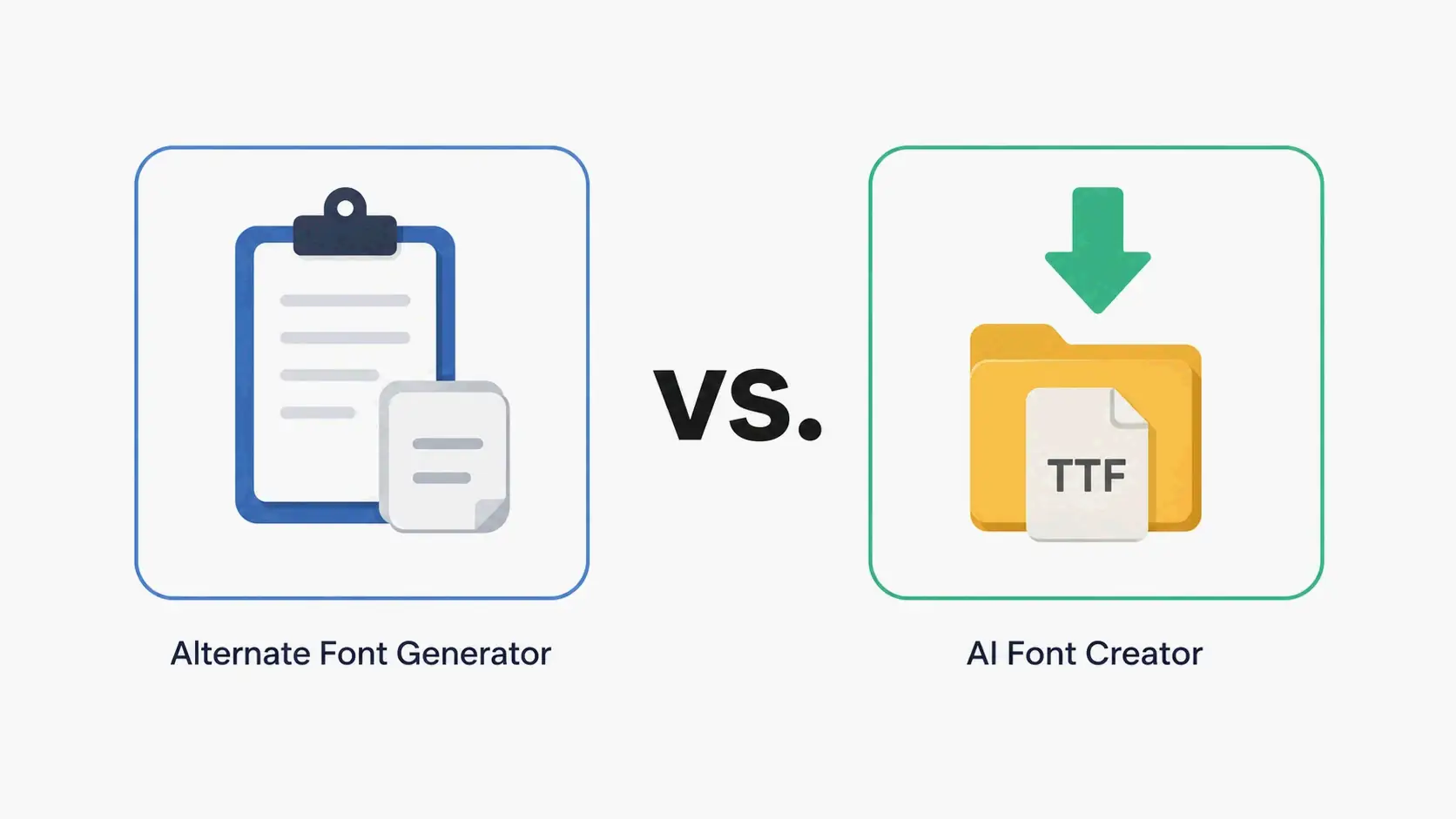
“फ़ॉन्ट जनरेटर” और “AI फ़ॉन्ट जनरेटर” शब्दों का अक्सर पर्यायवाची रूप से उपयोग किया जाता है, लेकिन वे मौलिक रूप से भिन्न टूल को संदर्भित करते हैं जो अलग-अलग उद्देश्यों की पूर्ति करते हैं। अंतर को जानना आपको अपनी परियोजना के लिए सही चुनाव करने में मदद करता है।
Unicode जनरेटर
एक वैकल्पिक फ़ॉन्ट जनरेटर (जिसे Unicode टेक्स्ट कन्वर्टर या फ़ैंसी टेक्स्ट जनरेटर भी कहा जाता है) आपके टाइप किए गए अक्षरों को मौजूदा Unicode glyph में मैप करता है। यह नई फ़ॉन्ट फ़ाइलें नहीं बनाता; यह केवल प्रत्येक अक्षर को Unicode मानक से एक दृश्यतः भिन्न अक्षर से प्रतिस्थापित करता है। आउटपुट शुद्ध टेक्स्ट है जिसे आप किसी भी टेक्स्ट फ़ील्ड में कॉपी और पेस्ट कर सकते हैं जो Unicode का समर्थन करता है। ये टूल आमतौर पर ब्राउज़र में तुरंत लोड होते हैं, किसी पंजीकरण की आवश्यकता नहीं होती, और उपयोग करने के लिए मुफ़्त होते हैं। dogenerator.com fonts generator एक विस्तृत शैली लाइब्रेरी के साथ एक तेज़, मुफ़्त Unicode जनरेटर का अच्छा उदाहरण है।
AI फ़ॉन्ट क्रिएटर
AI फ़ॉन्ट क्रिएटर—जैसे Fontish, Lipi.ai, या FontCreator—शुरुआत से मूल टाइपफ़ेस फ़ाइलें उत्पन्न करने के लिए मशीन लर्निंग या मैनुअल वेक्टर संपादन का उपयोग करते हैं। आउटपुट एक डाउनलोड करने योग्य फ़ॉन्ट फ़ाइल (TTF, OTF, WOFF, WOFF2) है जिसे आप अपने कंप्यूटर पर इंस्टॉल कर सकते हैं और डिज़ाइन सॉफ़्टवेयर में उपयोग कर सकते हैं। Fontish के अर्ली एक्सेस पृष्ठ के अनुसार, प्लेटफ़ॉर्म ने लॉन्च के बाद से 0 से अधिक डिज़ाइनरों के लिए 0 से अधिक फ़ॉन्ट उत्पन्न किए हैं, जिसमें WOFF/WOFF2 निर्यात रोडमैप पर है। FontCreator version 16.0.0.3064, 18 मई, 2026 को जारी, OpenType लेआउट सुविधाओं और वेरिएबल फ़ॉन्ट समर्थन सहित पेशेवर-ग्रेड फ़ॉन्ट संपादन प्रदान करता है।
कब किसका उपयोग करें
एक वैकल्पिक फ़ॉन्ट जनरेटर का उपयोग तब करें जब आपको सोशल मीडिया बायो, गेमिंग उपयोगकर्ता नाम, या मैसेजिंग ऐप के लिए टेक्स्ट को जल्दी से स्टाइल करने की आवश्यकता हो—किसी भी ऐसी स्थिति में जहाँ आपको बिना कुछ भी इंस्टॉल किए टेक्स्ट को कॉपी-पेस्ट तैयार और प्लेटफ़ॉर्म-संगत चाहिए।
एक AI फ़ॉन्ट क्रिएटर का उपयोग तब करें जब आपको ब्रांडिंग, लोगो डिज़ाइन, गेम UI, वेब परियोजनाओं, या प्रिंट सामग्री के लिए एक पूरी तरह से मूल, इंस्टॉल करने योग्य टाइपफ़ेस की आवश्यकता हो जहाँ आपको kerning, OpenType सुविधाओं और वेरिएबल फ़ॉन्ट अक्षों सहित पूर्ण टाइपोग्राफ़िक नियंत्रण की आवश्यकता है।
आपके वर्कफ़्लो के लिए यह अंतर क्यों मायने रखता है
यदि आप कस्टम टाइपफ़ेस बनाने की उम्मीद में “फ़ॉन्ट जनरेटर” खोजते हैं, तो आप एक ऐसे Unicode टूल से निराश हो सकते हैं जो केवल प्रीसेट शैलियाँ प्रदान करता है। इसके विपरीत, यदि आपको एक त्वरित स्टाइल किए गए उपयोगकर्ता नाम की आवश्यकता है, तो आपको फ़ॉन्ट संपादन सॉफ़्टवेयर सीखने की आवश्यकता नहीं है। यह जानना कि कौन सा टूल किस कार्य से मैप होता है, समय बचाता है और भ्रम को रोकता है। अधिकांश सोशल मीडिया और आकस्मिक टेक्स्ट स्टाइलिंग आवश्यकताओं के लिए, एक वैकल्पिक फ़ॉन्ट जनरेटर सही विकल्प है। पेशेवर ग्राफ़िक डिज़ाइन और ब्रांड पहचान कार्य के लिए, एक AI फ़ॉन्ट क्रिएटर या FontCreator जैसा कोई समर्पित फ़ॉन्ट संपादक उपयुक्त टूल है।
कुछ प्लेटफ़ॉर्म मेरे वैकल्पिक फ़ॉन्ट को बॉक्स या प्रश्न चिह्न क्यों दिखाते हैं?
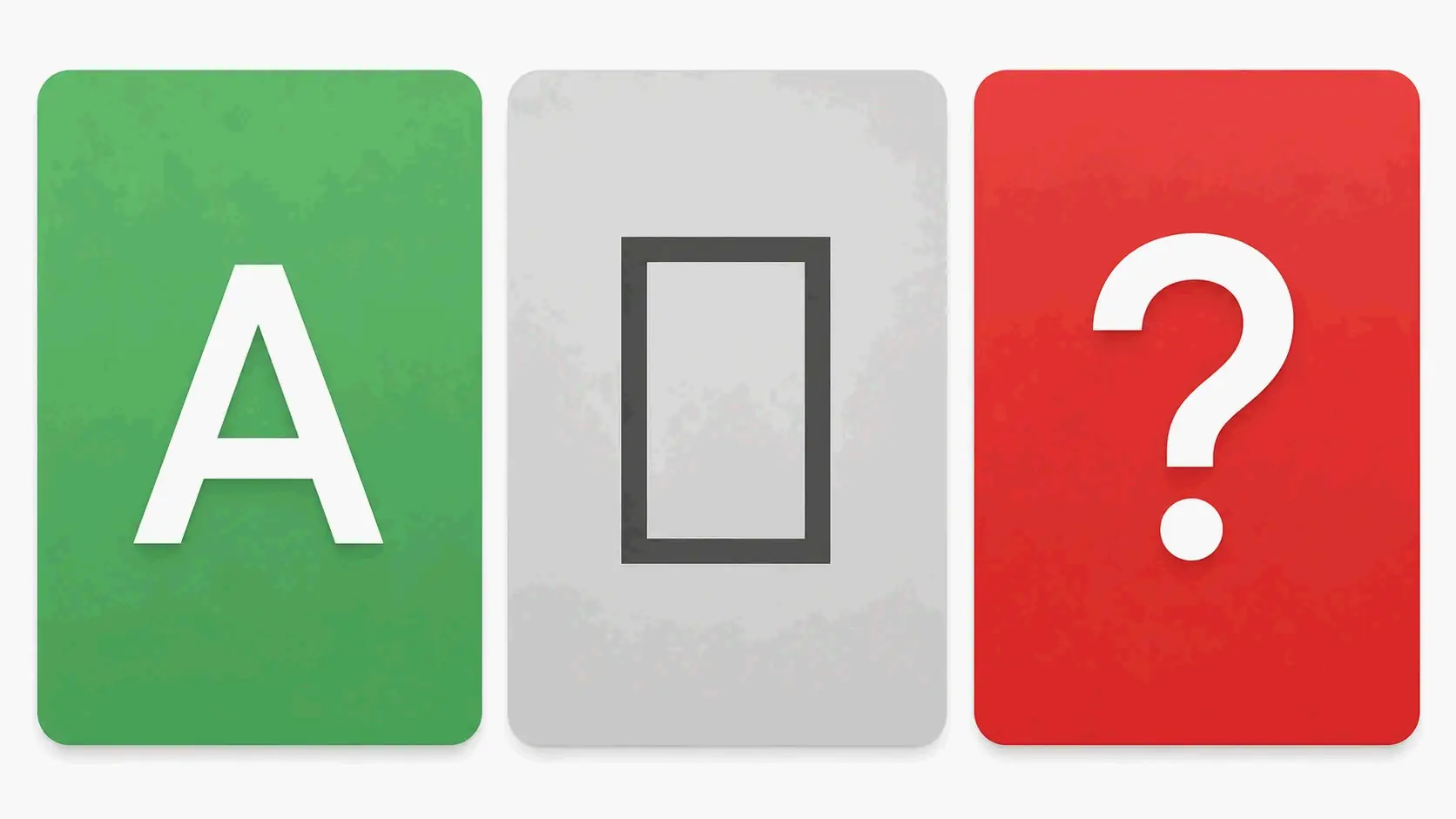
यदि आप किसी जनरेटर से स्टाइल किए गए फ़ॉन्ट को कॉपी करते हैं और किसी ऐप में पेस्ट करने पर केवल खाली बॉक्स (▯) या प्रश्न चिह्न (�) देखते हैं, तो समस्या डिवाइस या प्लेटफ़ॉर्म संगतता है, न कि जनरेटर में कोई समस्या।
कारण
प्रत्येक Unicode अक्षर का एक संख्यात्मक कोड पॉइंट होता है। किसी डिवाइस के लिए उस अक्षर को सही ढंग से प्रदर्शित करने हेतु, उसमें एक ऐसा फ़ॉन्ट इंस्टॉल होना चाहिए जिसमें उस विशिष्ट कोड पॉइंट के लिए glyph शामिल हो। यदि डिवाइस में वह glyph नहीं है—जो पुराने फ़ोन, कुछ गेमिंग कंसोल, या किसी आला ऐप पर आम है—तो यह एक प्लेसहोल्डर प्रतीक से प्रतिस्थापित कर देता है। Mathematical Alphanumeric Symbols ब्लॉक (बोल्ड, इटैलिक, डबल-स्ट्रक) के अक्षर लगभग सभी आधुनिक डिवाइस द्वारा समर्थित हैं, जबकि कम उपयोग की जाने वाली Unicode श्रेणियों के अधिक विदेशी अक्षर नहीं हो सकते हैं।
समाधान
सबसे व्यापक रूप से समर्थित Unicode श्रेणियों पर टिके रहें। कई वैकल्पिक फ़ॉन्ट जनरेटर पहले से ही अपने शैली आउटपुट को Basic Multilingual Plane (BMP) में अक्षरों तक सीमित करते हैं, जो आधुनिक डिवाइसों के विशाल बहुमत को कवर करता है। यदि आप किसी विशिष्ट प्लेटफ़ॉर्म को लक्षित कर रहे हैं—एक पुराना गेमिंग कंसोल, एक लीगेसी ऐप, या एक पुराना ऑपरेटिंग सिस्टम चलाने वाला डिवाइस—तो अपने उपयोगकर्ता नाम या बायो को अंतिम रूप देने से पहले उस प्लेटफ़ॉर्म पर अपनी चुनी हुई शैली का परीक्षण करें।
निष्कर्ष
एक वैकल्पिक फ़ॉन्ट जनरेटर Unicode अक्षरों का उपयोग करके सोशल मीडिया, गेमिंग और मैसेजिंग प्लेटफ़ॉर्म पर अपने टेक्स्ट को निजीकृत करने का एक तत्काल, मुफ़्त और व्यापक रूप से संगत तरीका प्रदान करता है। उन AI फ़ॉन्ट क्रिएटर्स के विपरीत जो इंस्टॉल करने योग्य टाइपफ़ेस फ़ाइलें उत्पन्न करते हैं, ये टूल कॉपी-पेस्ट सुविधा के लिए डिज़ाइन किए गए हैं: आप टाइप करते हैं, ब्राउज़ करते हैं, क्लिक करते हैं और पेस्ट करते हैं। कोई भी वैकल्पिक फ़ॉन्ट जनरेटर खोलें—जैसे dogenerator.com पर मौजूद—टेक्स्ट दर्ज करें जिसे आप स्टाइल करना चाहते हैं, एक रूप चुनें जो आपकी प्रोफ़ाइल या परियोजना के अनुरूप हो, और इसे सीधे अपने बायो, उपयोगकर्ता नाम या कैप्शन में पेस्ट करें। कस्टम, इंस्टॉल करने योग्य टाइपफ़ेस के लिए, Fontish या FontCreator जैसे समर्पित AI फ़ॉन्ट टूल का पता लगाएँ।
FAQ
पेस्ट किया गया फ़ॉन्ट जनरेटर में प्रीव्यू से अलग क्यों दिखता है?
प्रीव्यू हमेशा अक्षरों को सही ढंग से प्रदर्शित करता है क्योंकि आपके ब्राउज़र में आवश्यक Unicode फ़ॉन्ट इंस्टॉल हैं। जब आप किसी अन्य ऐप में पेस्ट करते हैं, तो हो सकता है कि वह ऐप जनरेटर द्वारा प्रदान किए गए हर Unicode अक्षर का समर्थन न करे। अधिकतम संगतता के लिए Mathematical Alphanumeric Symbols जैसी सामान्य श्रेणियों पर टिके रहें।
क्या ये वैकल्पिक फ़ॉन्ट हर वेबसाइट और ऐप पर काम करेंगे?
आमतौर पर हाँ, क्योंकि वे छवियों या कस्टम फ़ॉन्ट के बजाय मानक Unicode अक्षर हैं। हालाँकि, पुराने सिस्टम या विशेष टेक्स्ट फ़ील्ड—जैसे लीगेसी कंसोल पर इन-गेम चैट—खाली बॉक्स प्रदर्शित कर सकते हैं। अधिकांश जनरेटर लगभग-सार्वभौमिक समर्थन वाली शैलियों को चिह्नित करते हैं; प्रतिबद्ध होने से पहले हमेशा लक्षित प्लेटफ़ॉर्म पर परीक्षण करें।
क्या प्लेटफ़ॉर्म सेवा की शर्तें वैकल्पिक फ़ॉन्ट जनरेटर के उपयोग को मना करती हैं?
कोई भी प्रमुख प्लेटफ़ॉर्म—Instagram, Discord, TikTok, और Steam सहित—Unicode-आधारित टेक्स्ट स्टाइलिंग के उपयोग को स्पष्ट रूप से प्रतिबंधित नहीं करता है। अन्य उपयोगकर्ताओं की नकल करने या मॉडरेशन टूल को दरकिनार करने के लिए स्टाइल किए गए फ़ॉन्ट का उपयोग प्लेटफ़ॉर्म नीतियों का उल्लंघन कर सकता है, लेकिन सौंदर्यपरक उद्देश्यों के लिए अपने स्वयं के उपयोगकर्ता नाम या बायो को स्टाइल करना आमतौर पर अनुमत है।
अक्सर पूछे जाने वाले प्रश्न
वैकल्पिक फ़ॉन्ट जनरेटर वास्तव में क्या है?
एक वैकल्पिक फ़ॉन्ट जनरेटर एक वेब-आधारित टूल है जो आपके द्वारा टाइप किए गए अक्षरों को ऐसे वैकल्पिक Unicode अक्षरों से मैप करता है जो दृष्टि से भिन्न फ़ॉन्ट शैलियों से मिलते-जुलते हैं। यह वास्तविक फ़ॉन्ट फ़ाइलें (जैसे .ttf या .otf) नहीं बनाता। इसके बजाय, यह प्रत्येक मानक अक्षर को एक Unicode glyph से प्रतिस्थापित करता है जो अलग दिखता है लेकिन फिर भी शुद्ध टेक्स्ट है। चूंकि आउटपुट मानक Unicode टेक्स्ट है, यह लगभग हर आधुनिक वेबसाइट, ऐप और ऑपरेटिंग सिस्टम के साथ संगत है। कोई पंजीकरण नहीं, कोई अनुमति नहीं, और इसका उपयोग करने की कोई क़ीमत नहीं। dogenerator.com जैसी साइटें यह सुविधा पूरी तरह से मुफ़्त में, सीधे आपके ब्राउज़र में प्रदान करती हैं।
Unicode फ़ॉन्ट जनरेटर बनाम AI फ़ॉन्ट क्रिएटर: वास्तविक अंतर क्या है?
“फ़ॉन्ट जनरेटर” और “AI फ़ॉन्ट जनरेटर” शब्दों का अक्सर पर्यायवाची रूप से उपयोग किया जाता है, लेकिन वे मौलिक रूप से भिन्न टूल को संदर्भित करते हैं जो अलग-अलग उद्देश्यों की पूर्ति करते हैं। अंतर को जानना आपको अपनी परियोजना के लिए सही चुनाव करने में मदद करता है।
कुछ प्लेटफ़ॉर्म मेरे वैकल्पिक फ़ॉन्ट को बॉक्स या प्रश्न चिह्न क्यों दिखाते हैं?
यदि आप किसी जनरेटर से स्टाइल किए गए फ़ॉन्ट को कॉपी करते हैं और किसी ऐप में पेस्ट करने पर केवल खाली बॉक्स (▯) या प्रश्न चिह्न (�) देखते हैं, तो समस्या डिवाइस या प्लेटफ़ॉर्म संगतता है, न कि जनरेटर में कोई समस्या।
पेस्ट किया गया फ़ॉन्ट जनरेटर में प्रीव्यू से अलग क्यों दिखता है?
प्रीव्यू हमेशा अक्षरों को सही ढंग से प्रदर्शित करता है क्योंकि आपके ब्राउज़र में आवश्यक Unicode फ़ॉन्ट इंस्टॉल हैं। जब आप किसी अन्य ऐप में पेस्ट करते हैं, तो हो सकता है कि वह ऐप जनरेटर द्वारा प्रदान किए गए हर Unicode अक्षर का समर्थन न करे। अधिकतम संगतता के लिए Mathematical Alphanumeric Symbols जैसी सामान्य श्रेणियों पर टिके रहें।
क्या ये वैकल्पिक फ़ॉन्ट हर वेबसाइट और ऐप पर काम करेंगे?
आमतौर पर हाँ, क्योंकि वे छवियों या कस्टम फ़ॉन्ट के बजाय मानक Unicode अक्षर हैं। हालाँकि, पुराने सिस्टम या विशेष टेक्स्ट फ़ील्ड—जैसे लीगेसी कंसोल पर इन-गेम चैट—खाली बॉक्स प्रदर्शित कर सकते हैं। अधिकांश जनरेटर लगभग-सार्वभौमिक समर्थन वाली शैलियों को चिह्नित करते हैं; प्रतिबद्ध होने से पहले हमेशा लक्षित प्लेटफ़ॉर्म पर परीक्षण करें।
संबंधित पोस्ट
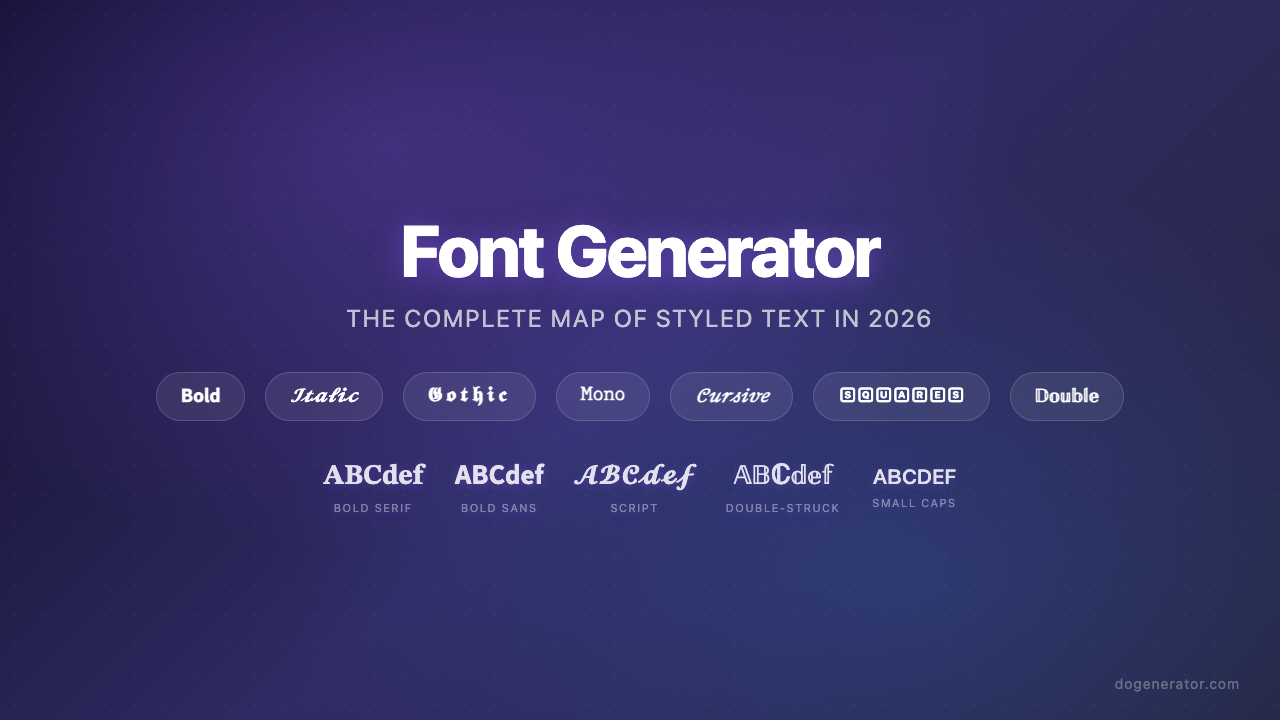
फ़ॉन्ट जनरेटर: 2026 में स्टाइल किए गए टेक्स्ट का संपूर्ण मानचित्र
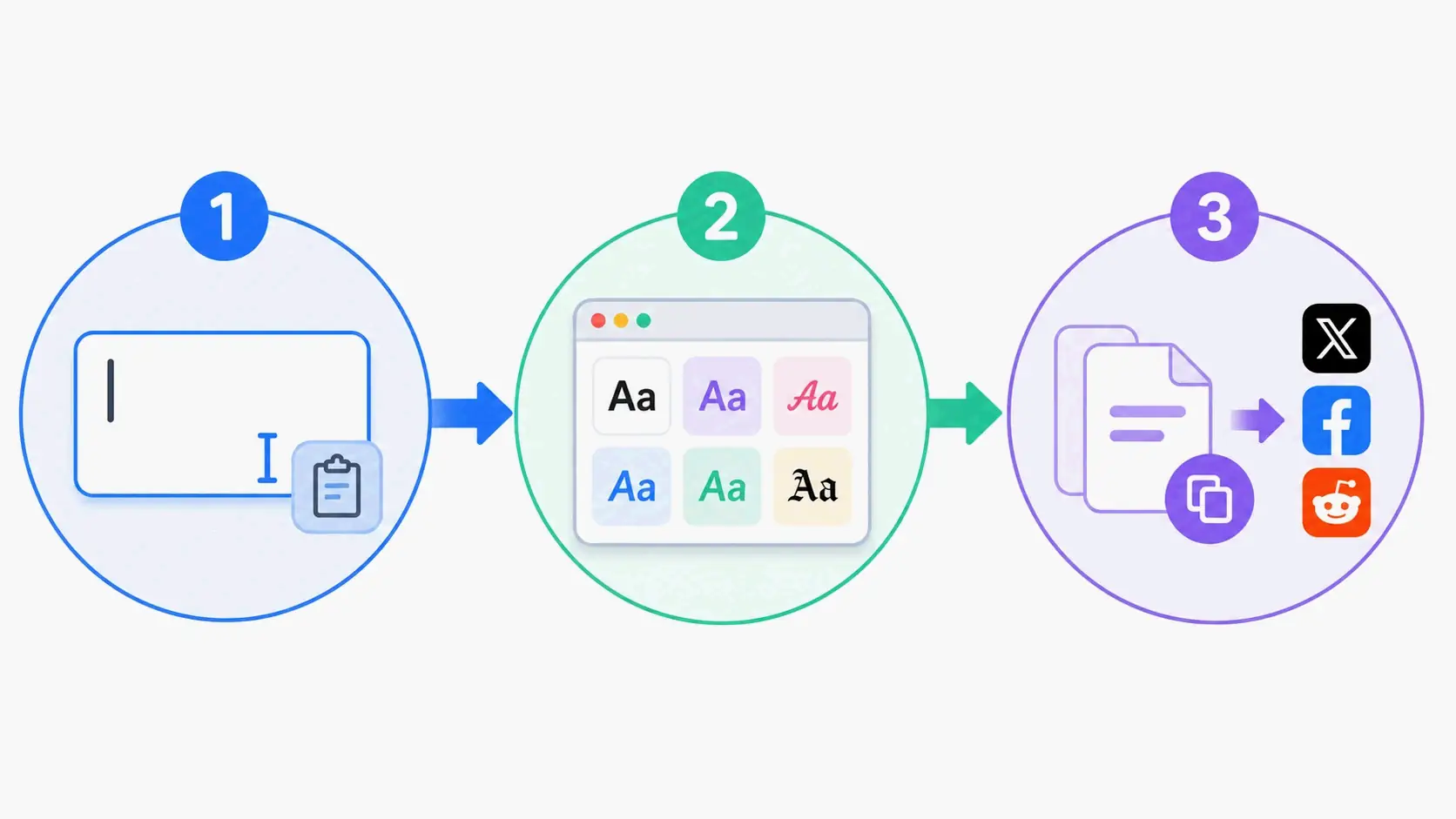
एस्थेटिक फ़ॉन्ट जनरेटर: स्टाइलिश यूनिकोड टेक्स्ट के लिए संपूर्ण गाइड
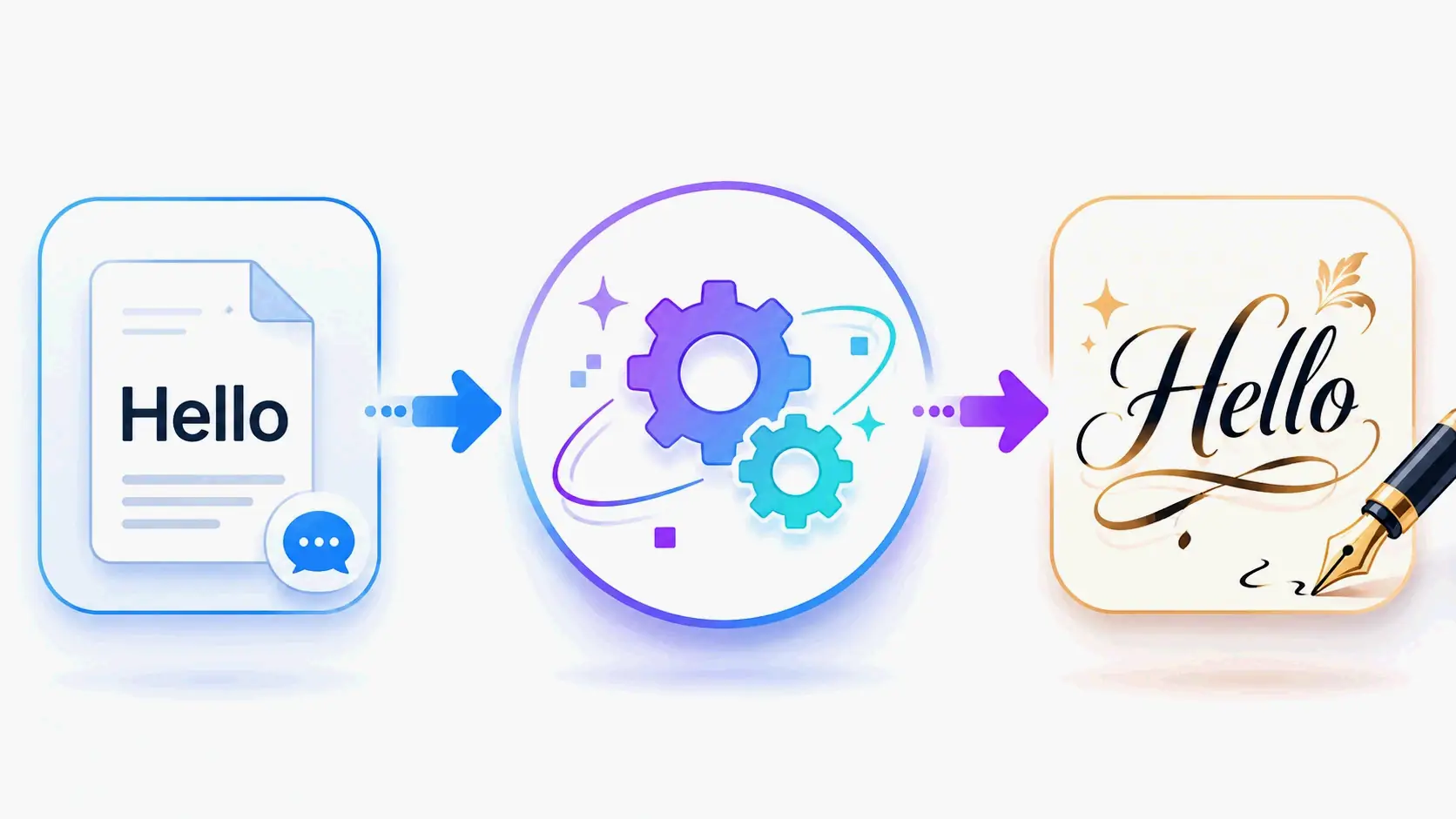
कैलिग्राफी फ़ॉन्ट जनरेटर: सुरुचिपूर्ण टेक्स्ट शैलियों के लिए फ्री ऑनलाइन टूल