ब्यूटीफुल फ़ॉन्ट जनरेटर – 200+ फैंसी Unicode स्टाइल्स, किसी भी प्लेटफ़ॉर्म के लिए कॉपी और पेस्ट
त्वरित सारांश
- ब्यूटीफुल फ़ॉन्ट जनरेटर सादे टेक्स्ट को तुरंत फैंसी Unicode स्टाइल्स में बदल देता है—200 से अधिक cursive, bold, gothic और aesthetic रूप जिन्हें आप बिना साइन-अप के Instagram, Discord, TikTok या WhatsApp पर कॉपी-पेस्ट कर सकते हैं।
- ब्यूटीफुल फ़ॉन्ट जनरेटर सादे टेक्स्ट को तुरंत फैंसी Unicode स्टाइल्स में बदल देता है—200 से अधिक cursive, bold, gothic और aesthetic रूप, जिन्हें आप बिना किसी साइन-अप के Instagram, Discord, TikTok या WhatsApp प.
- ब्यूटीफुल फ़ॉन्ट जनरेटर क्या है और यह कैसे काम करता है?
संपादकीय प्रक्रिया
SectoJoy द्वारा समीक्षित और 22 जून 2026 को प्रकाशित। यह लेख तब रीफ़्रेश किया जाता है जब उत्पाद विवरण, उदाहरण या टूल मार्गदर्शन बदलता है। अंतिम अपडेट 22 जून 2026।
SectoJoy
मैं एक इंडी हैकर हूं जो iOS और वेब एप्लिकेशन बनाता है, व्यावहारिक SaaS उत्पाद बनाने पर ध्यान केंद्रित करता हूं। मैं AI SEO में विशेषज्ञता रखता हूं और लगातार यह पता लगाता हूं कि बुद्धिमान तकनीकें टिकाऊ विकास और दक्षता को कैसे बढ़ा सकती हैं।
ब्यूटीफुल फ़ॉन्ट जनरेटर सादे टेक्स्ट को तुरंत फैंसी Unicode स्टाइल्स में बदल देता है—200 से अधिक cursive, bold, gothic और aesthetic रूप, जिन्हें आप बिना किसी साइन-अप के Instagram, Discord, TikTok या WhatsApp पर कॉपी और पेस्ट कर सकते हैं। यदि आप एक भरोसेमंद फ़ॉन्ट जनरेटर ढूँढ रहे हैं, तो dogenerator.com एक मुफ़्त, ब्राउज़र-आधारित टूल देता है जो पूरी प्रक्रिया को सहज बनाता है।
ब्यूटीफुल फ़ॉन्ट जनरेटर क्या है और यह कैसे काम करता है?
ब्यूटीफुल फ़ॉन्ट जनरेटर एक मुफ़्त ऑनलाइन टूल है जो सामान्य टेक्स्ट को सजावटी Unicode प्रतीकों में बदलता है—असली फ़ॉन्ट फ़ाइलों में नहीं। जब आप मानक अक्षर टाइप करते हैं, तो जनरेटर हर अक्षर को Unicode mathematical alphanumeric ब्लॉक के वैकल्पिक glyphs पर मैप करता है। नतीजे में आपको ऐसे स्टाइल्स मिलते हैं जो cursive, bold, gothic या double-struck टेक्स्ट जैसे दिखते हैं।
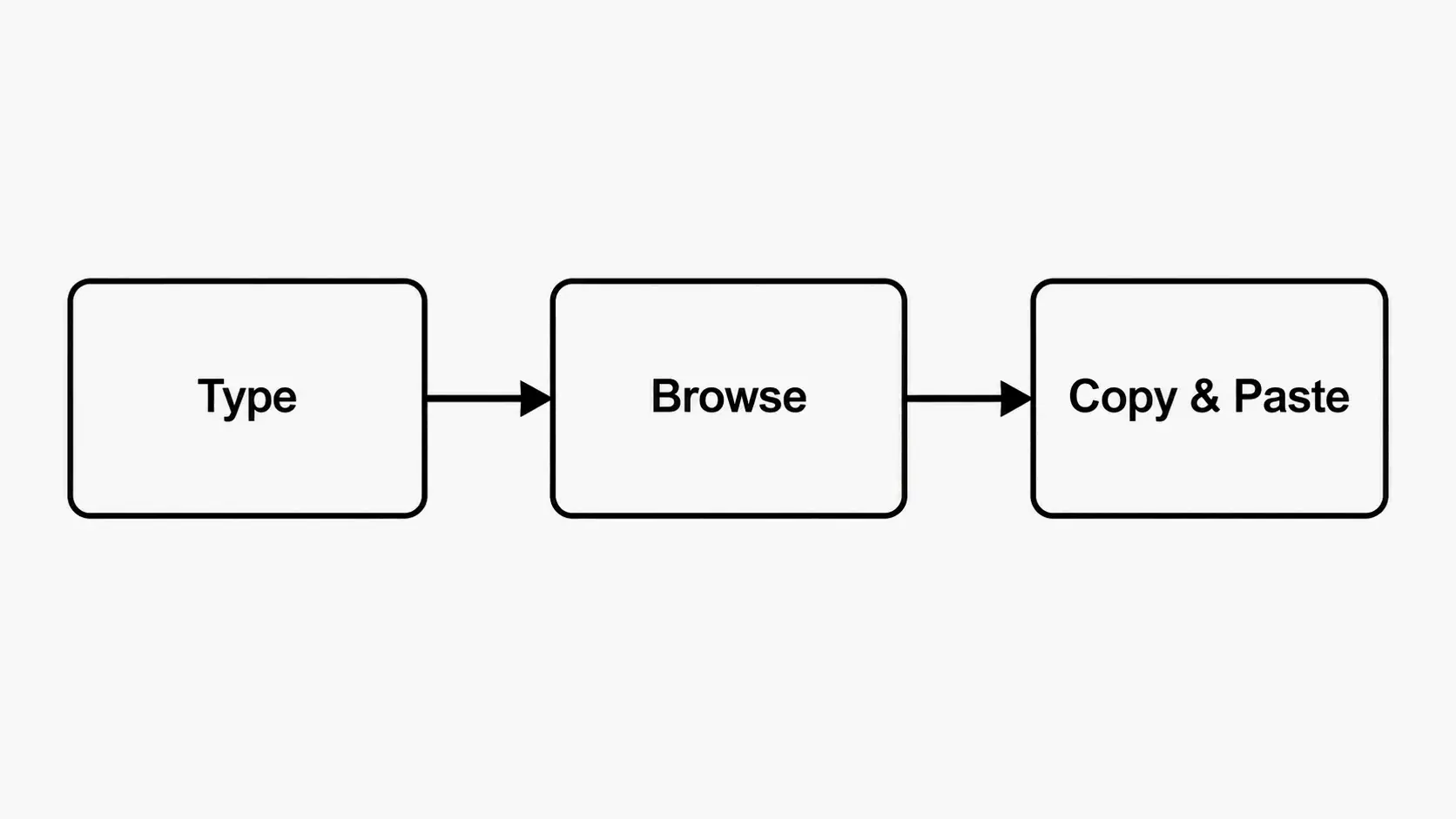
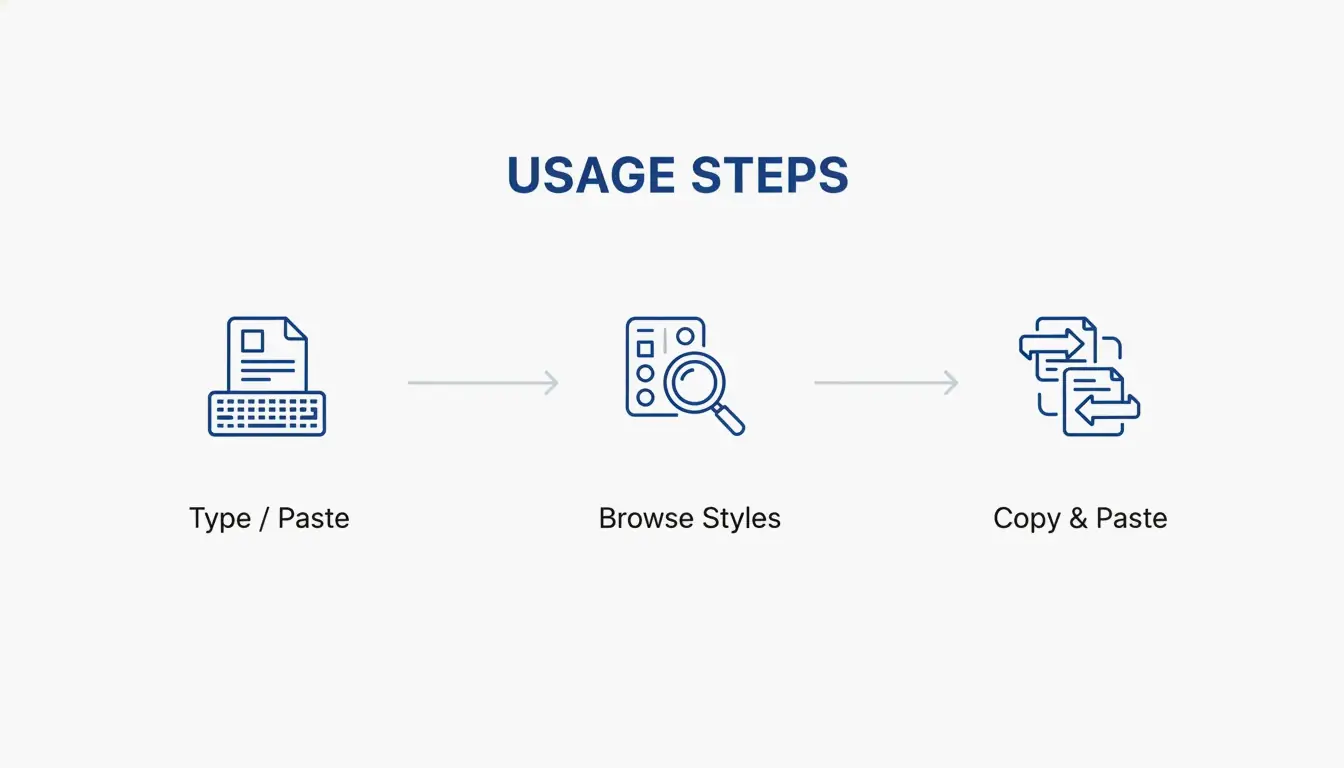
कार्यप्रवाह काफ़ी सरल है: अपना टेक्स्ट टाइप या पेस्ट करें, उपलब्ध स्टाइल्स देखें, अपनी पसंद के वर्ज़न को कॉपी करने के लिए क्लिक करें, और फिर उसे किसी भी ऐसे प्लेटफ़ॉर्म पर पेस्ट करें जो Unicode अक्षरों को सपोर्ट करता हो। पारंपरिक फ़ॉन्ट्स के विपरीत, जिन्हें सॉफ़्टवेयर इंस्टॉलेशन की ज़रूरत होती है और जो विशिष्ट प्रोग्रामों में ही बंद रहते हैं, ये अक्षर सार्वभौमिक टेक्स्ट हैं—वे आपके कंटेंट के साथ वहीं चलते हैं जहाँ आप उन्हें पेस्ट करते हैं।
Font Generator Art, जो अग्रणी जनरेटर्स में से एक है, मुख्य मूल्य को इस तरह रखता है: “no downloads, no design skills required।” इसी तरह, dogenerator.com का fonts जनरेटर इस बात पर ज़ोर देता है कि ये फैंसी फ़ॉन्ट्स हर प्लेटफ़ॉर्म पर काम करते हैं—Instagram, WhatsApp, Discord, Facebook, हर जगह—और केवल 30 सेकंड लेते हैं।
फैंसी फ़ॉन्ट्स के पीछे का Unicode जादू
Unicode वह सार्वभौमिक अक्षर एन्कोडिंग मानक है जो सभी लेखन प्रणालियों, emojis और प्रतीकों में 140,000 से अधिक अक्षरों को एक अद्वितीय संख्या देता है। उस विशाल लाइब्रेरी में छिपे हुए हैं mathematical alphanumeric प्रतीक—विशेष रूप से डिज़ाइन किए गए अक्षर ब्लॉक जो दृश्यतः cursive, bold, blackletter और अन्य सजावटी टाइपफ़ेस जैसे दिखते हैं।
जब आप ब्यूटीफुल फ़ॉन्ट जनरेटर का उपयोग करते हैं, तो यह नए अक्षर नहीं बनाता। यह आपके द्वारा टाइप किए गए हर अक्षर के लिए Unicode समतुल्य को खोजता है। उदाहरण के लिए, लैटिन अक्षर “A” “𝐀” (MATHEMATICAL BOLD CAPITAL A, U+1D400) या “𝔄” (MATHEMATICAL FRAKTUR CAPITAL A, U+1D504) में मैप हो सकता है। चूँकि ये मानक एन्कोडेड अक्षर हैं जो हर आधुनिक ऑपरेटिंग सिस्टम में बने होते हैं, इसलिए बिना किसी अतिरिक्त सॉफ़्टवेयर के वे प्लेटफ़ॉर्म्स पर लगातार प्रदर्शित होते हैं।
3 आसान चरणों में ब्यूटीफुल फ़ॉन्ट जनरेटर का उपयोग कैसे करें
ब्यूटीफुल फ़ॉन्ट जनरेटर का उपयोग करने में लगभग 30 सेकंड लगते हैं। यहाँ बताया गया है कैसे:
चरण 1: अपना टेक्स्ट जनरेटर के इनपुट बॉक्स में टाइप या पेस्ट करें। आप अपना नाम, कोई क्वोट, अपना Instagram बायो, अपना Discord यूज़रनेम, या अधिकांश जनरेटर्स पर 200 अक्षरों तक कोई भी टेक्स्ट दर्ज कर सकते हैं।
चरण 2: 200+ उपलब्ध स्टाइल्स देखें। cursive/script फ़ॉन्ट्स एक सुंदर हाथ से लिखे दिखने के लिए, bold फ़ॉन्ट्स ज़ोर और प्रभाव के लिए, gothic/blackletter फ़ॉन्ट्स एक नाटकीय मध्ययुगीन aesthetic के लिए, या vaporwave/fullwidth स्टाइल्स एक retro-modern अनुभूति के लिए श्रेणियों को देखें।
चरण 3: अपने चुने हुए स्टाइल के आगे “Copy” बटन पर क्लिक करें। आपका टेक्स्ट स्वचालित रूप से आपके क्लिपबोर्ड पर सहेज लिया जाता है। अब Instagram, Discord, TikTok, WhatsApp या किसी भी अन्य प्लेटफ़ॉर्म पर जाएँ और इसे पेस्ट करें—फैंसी अक्षर बिल्कुल वैसे ही दिखेंगे जैसे आपने चुना था।
प्रो टिप: विभिन्न बैकग्राउंड पर हर फ़ॉन्ट कैसा दिखता है पहले देखें
कुछ ब्यूटीफुल फ़ॉन्ट स्टाइल्स—विशेष रूप से bold और gothic वेरिएंट्स—हल्के बनाम गहरे बैकग्राउंड पर अलग दिखते हैं। अपने Instagram बायो या Discord सर्वर नाम के लिए कोई स्टाइल चुनने से पहले, टेक्स्ट को नोट्स ऐप में पेस्ट करके और हल्के तथा गहरे मोड के बीच स्विच करके जाँच करें। जो एक बैकग्राउंड पर क्रिस्प दिखता है वह दूसरे पर स्पष्टता खो सकता है। यह पहले जाँच लेना आपको ऐसे स्टाइल चुनने से बचाता है जो आपके डिवाइस पर तो सुंदर दिखता है पर दर्शकों को धुंधला लगता है। आप इसे dogenerator.com के fancy फ़ॉन्ट जनरेटर के साथ आज़मा सकते हैं, जो आपको कॉपी करने से पहले स्टाइल्स को आसानी से साथ-साथ देखने देता है।
Instagram के लिए सर्वश्रेष्ठ ब्यूटीफुल फ़ॉन्ट्स – Bio, Captions और Stories
Instagram अधिकांश Unicode अक्षरों को सपोर्ट करता है, जो इसे ब्यूटीफुल फ़ॉन्ट्स का उपयोग करने के लिए सर्वश्रेष्ठ प्लेटफ़ॉर्म्स में से एक बनाता है। सही स्टाइल चुनाव से आपका बायो और captions तुरंत अलग उभर सकते हैं।
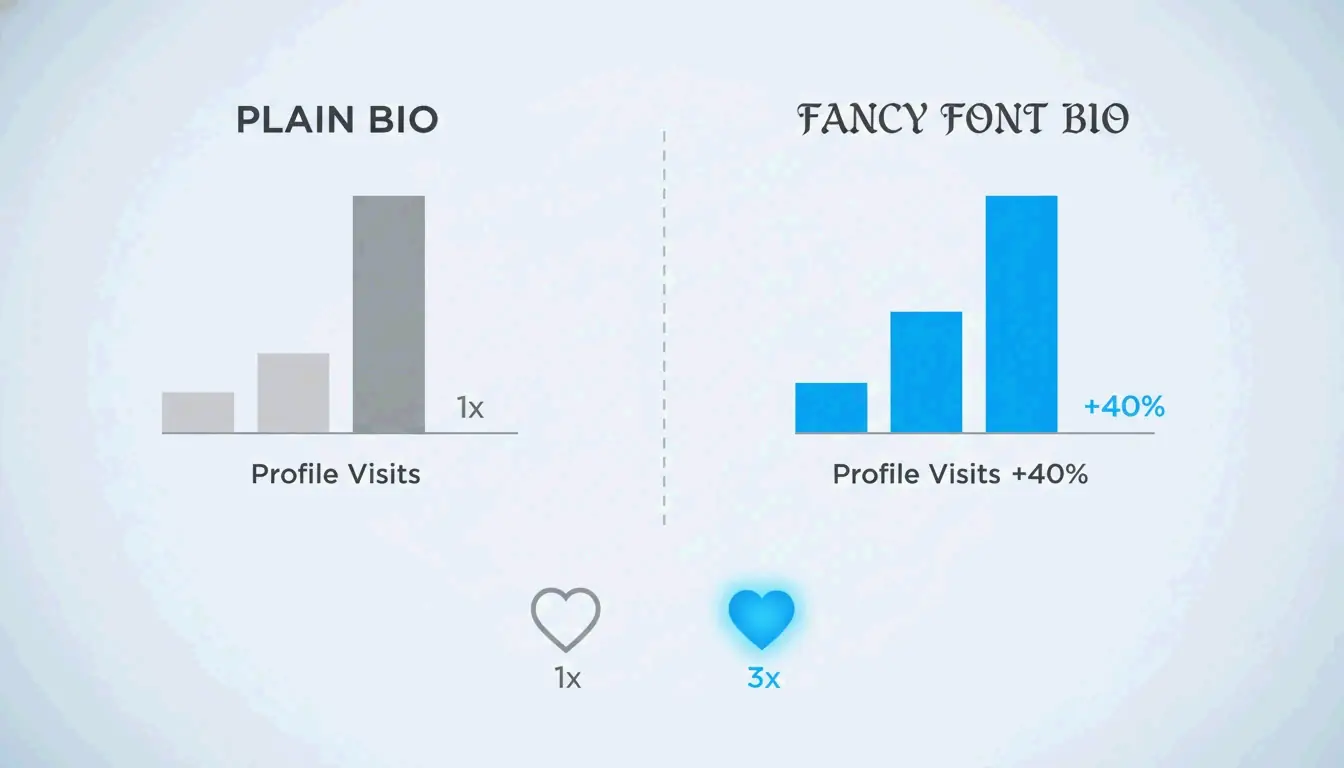
उपयोगकर्ता फैंसी फ़ॉन्ट्स में बदलने के बाद महत्वपूर्ण एंगेजमेंट लाभ बताते हैं—एक प्रोफ़ाइल मालिक जिसने अपने Instagram बायो में cursive Unicode स्टाइल्स शामिल करने के लिए बदला, उसने दो सप्ताह में प्रोफ़ाइल विज़िट में लगभग 40% की वृद्धि देखी। script-स्टाइल फैंसी फ़ॉन्ट्स का उपयोग करने वाले एक शादी की घोषणा को उसी अकाउंट की सामान्य पोस्ट्स की तुलना में 3x अधिक लाइक्स मिले।
Instagram के लिए अनुशंसित स्टाइल्स:
- Cursive / Script फ़ॉन्ट्स: सुंदरता और रोमांस के लिए सर्वश्रेष्ठ। अपने बायो नाम, शादी की घोषणाओं, या हार्दिक captions के लिए उपयोग करें। उदाहरण:
𝒞𝓊𝓇𝓈𝒾𝓋𝑒 𝒮𝓉𝓎𝓁𝑒 - Bold फ़ॉन्ट्स: ज़ोर और कॉल-टू-एक्शन के लिए सर्वश्रेष्ठ। घोषणाओं, सीमित-समय के ऑफ़र, या प्रमुख वाक्यांशों के लिए उपयोग करें। उदाहरण:
𝗕𝗼𝗹𝗱 𝗦𝘁𝘆𝗹𝗲 - Aesthetic फ़ॉन्ट्स: आधुनिक, ट्रेंडी कंटेंट के लिए सर्वश्रेष्ठ। क्वोट्स, प्रेरक पोस्ट्स, या मिनिमलिस्ट बायो के लिए उपयोग करें। उदाहरण:
ᴀᴇsᴛʜᴇᴛɪᴄ ᴛᴇxᴛ
अपने Instagram निच के लिए सही फ़ॉन्ट कैसे चुनें
अपने फ़ॉन्ट स्टाइल को अपने कंटेंट थीम से मिलाएँ। फ़ैशन और ब्यूटी अकाउंट्स सुंदर cursive फ़ॉन्ट्स से लाभान्वित होते हैं जो प्रीमियम और व्यक्तिगत महसूस होते हैं। फ़ूड और लाइफ़स्टाइल पेजों को चंचल bubble या rounded स्टाइल्स से लाभ होता है जो दोस्ताना और सुलभ महसूस होते हैं। बिज़नेस और पेशेवर प्रोफ़ाइलों को सूक्ष्म cursive या light serif फ़ॉन्ट्स पर टिके रहना चाहिए—विश्वसनीयता से समझौता किए बिना अलग दिखने के लिए पर्याप्त। सामान्य नियम: अपने नाम, हेडलाइन, और प्रमुख captions के लिए फैंसी फ़ॉन्ट्स का उपयोग करें, पर बॉडी टेक्स्ट को पढ़ने योग्य सादे अक्षरों में रखें।
Discord पर ब्यूटीफुल फ़ॉन्ट्स का उपयोग – Clan Tags, Usernames और Messages
Discord nicknames, सर्वर नाम, चैनल नाम, और messages में Unicode अक्षरों को सपोर्ट करता है। ब्यूटीफुल फ़ॉन्ट्स विशेष रूप से गेमिंग समुदायों में लोकप्रिय हैं क्योंकि वहाँ दृश्य पहचान मायने रखती है। एक उपयोगकर्ता जिसने अपना Discord नाम एक कूल फ़ॉन्ट स्टाइल में बदला, उसके फ़्रेंड रिक्वेस्ट तीन गुना हो गए क्योंकि लोग उस अद्वितीय नाम स्टाइलिंग को याद रखते थे।
गेमिंग clans के लिए प्रभाव और भी अधिक मापनीय है। एक clan ने अपना tag [APEX] से [⚔️ΛPΞX⚔️] में बदला और आवेदन तीन गुना हो गए। प्रतिस्पर्धी खेलों में, एक स्टाइल किया हुआ clan tag मैच शुरू होने से पहले ही संगठन, अनुभव और पेशेवरता का संकेत देता है।
Discord के लिए सर्वश्रेष्ठ स्टाइल्स:
- Bold फ़ॉन्ट्स: घोषणाओं और सर्वर नामों के लिए। व्यस्त चैनलों में ध्यान आकर्षित करते हैं।
- Gothic / Blackletter फ़ॉन्ट्स: मध्ययुगीन fantasy गेम सर्वर, RPG समुदायों, और dark aesthetic थीम्स के लिए। उदाहरण:
𝔊𝔬𝔱𝔥𝔦𝔠 𝔖𝔢𝔯𝔳𝔢𝔯 - Small Caps: स्वच्छ, व्यवस्थित role नाम और श्रेणी हेडर के लिए। दृश्य पदानुक्रम बनाता है।
Discord फ़ॉर्मेटिंग टकराव से बचना (Markdown बनाम Unicode)
Discord Markdown फ़ॉर्मेटिंग प्रतीकों का उपयोग करता है जैसे asterisks (*), underscores (_), और backticks (“`) ताकि bold, italic, और code-block टेक्स्ट बनाया जा सके। कुछ Unicode अक्षर अपने सजावटी डिज़ाइनों में इन प्रतीकों को शामिल करते हैं, जो गलती से Markdown फ़ॉर्मेटिंग को ट्रिगर कर सकते हैं और दृश्य प्रभाव को तोड़ सकते हैं। यदि आपका पेस्ट किया हुआ फैंसी टेक्स्ट आपकी मर्ज़ी के बिना आंशिक रूप से bold या italic दिखता है, तो एक अलग स्टाइल वेरिएंट आज़माएँ—अधिकांश जनरेटर्स, dogenerator.com के fonts जनरेटर सहित, हर फ़ॉन्ट फ़ैमिली के कई वर्ज़न देते हैं, और किसी विकल्प पर स्विच करने से टकराव तुरंत ठीक हो जाता है।
TikTok, WhatsApp और अन्य प्लेटफ़ॉर्म्स के लिए ब्यूटीफुल फ़ॉन्ट्स
TikTok: पूर्ण Unicode सपोर्ट का अर्थ है कि फैंसी फ़ॉन्ट्स आपके display नाम, बायो, और वीडियो विवरणों में काम करते हैं। आपका display नाम (@handle नहीं) कोई भी ब्यूटीफुल स्टाइल उपयोग कर सकता है, जिससे स्क्रॉलिंग फ़ीड में आपकी प्रोफ़ाइल यादगार बनती है। comments के लिए, स्टाइल किया हुआ टेक्स्ट अलग उभरता है और creators द्वारा pin किया जा सकता है। ध्यान दें कि कुछ बहुत अलंकृत या दुर्लभ Unicode अक्षर TikTok के कंटेंट मॉडरेशन सिस्टम द्वारा फ़िल्टर किए जा सकते हैं—विश्वसनीय रेंडरिंग के लिए bold, cursive, और aesthetic स्टाइल्स पर टिके रहें।
WhatsApp: WhatsApp कोई नेटिव फ़ॉन्ट अनुकूलन नहीं देता, पर Unicode अक्षर स्टेटस अपडेट्स, ग्रुप नामों, about सेक्शन, और messages में पूरी तरह काम करते हैं। ब्यूटीफुल फ़ॉन्ट्स आपके messages को व्यस्त ग्रुप चैट्स में अलग उभरने में मदद करते हैं। फैंसी टेक्स्ट वाले स्टेटस अपडेट्स कथित तौर पर अधिक व्यूज प्राप्त करते हैं, क्योंकि दृश्य अंतर प्राप्तकर्ताओं की नज़र पकड़ लेता है।
Facebook: Facebook प्रोफ़ाइल, पेज, पोस्ट्स, और comments में Unicode सपोर्ट करता है। बिज़नेस पेज विशेष रूप से घोषणाओं और इवेंट निमंत्रणों के लिए फैंसी फ़ॉन्ट्स से लाभान्वित होते हैं, क्योंकि स्टाइल किया हुआ टेक्स्ट ब्रांडिंग देखभाल का संकेत देता है।
Twitter/X: Unicode टेक्स्ट आपके display नाम, बायो, और tweets के लिए काम करता है। अक्षर सीमा सामान्य रूप से लागू होती है—एक फैंसी अक्षर एक अक्षर के रूप में गिना जाता है। स्टाइल किए गए फ़ॉन्ट्स को पूरी पोस्ट्स के बजाय ज़ोर के लिए संयम से उपयोग करें।
गहराई से: Unicode वर्ज़न फ़ॉन्ट प्रदर्शन को कैसे प्रभावित करते हैं (2026 अपडेट)
Unicode अपडेट समय-समय पर होते हैं, और हर नया वर्ज़न अक्षर ब्लॉक जोड़ता या परिष्कृत करता है। Unicode 14.0 (2021 में रिलीज़) और 15.0 (2022) ने Mathematical Alphanumeric Symbols ब्लॉक का विस्तार किया, bold, italic, script, और double-struck अक्षरों के लिए अधिक स्टाइलिस्टिक वेरिएंट्स जोड़े। 2025 में रिलीज़ Unicode 16.0 ने आगे प्रतीक और ब्लॉक पेश किए जिन्हें कुछ जनरेटर्स अब शामिल करते हैं।
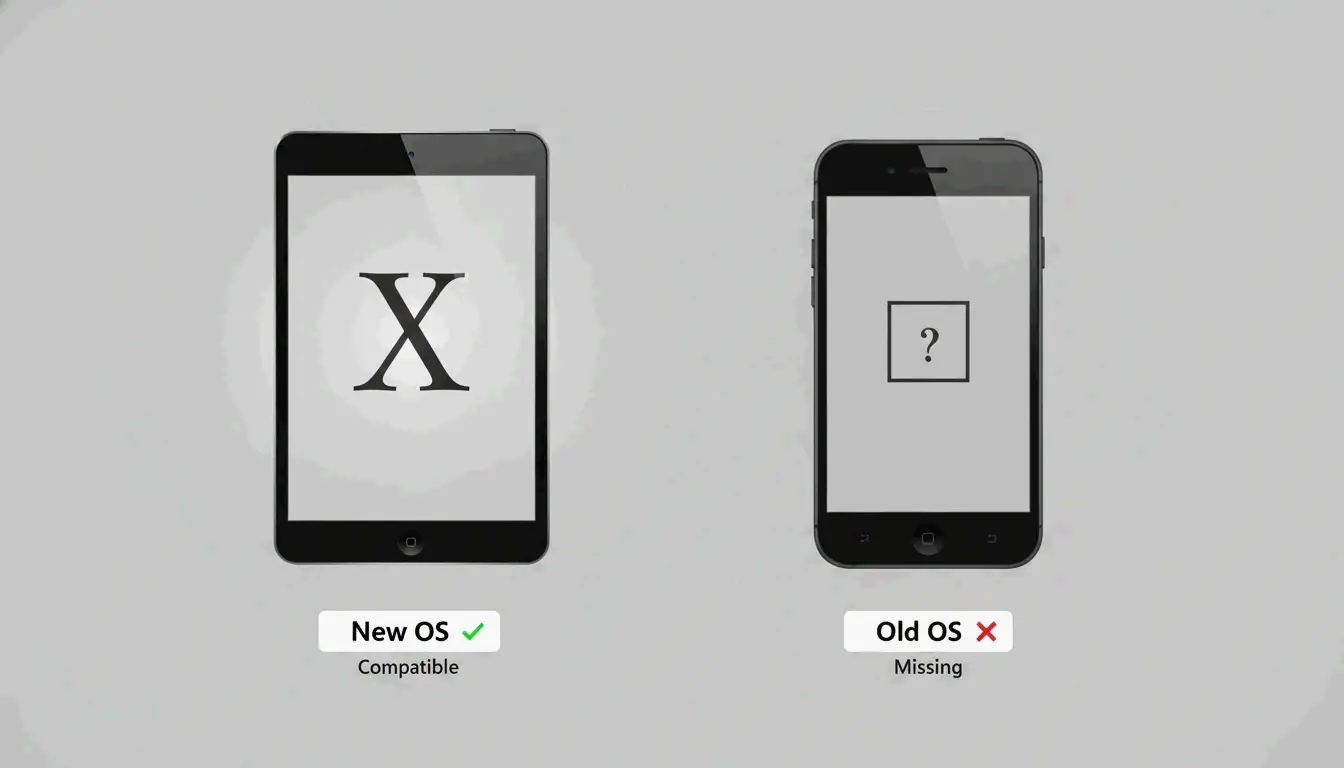
उपयोगकर्ताओं के लिए व्यावहारिक प्रभाव: नए Unicode अक्षर केवल उन डिवाइस और ऑपरेटिंग सिस्टम पर ही सही दिखते हैं जिनमें आवश्यक font fallback chains हों। Font Generator Art समझाता है कि “the square box is simply your device’s default way of saying, ‘I don’t recognize this symbol.'”
2026 में सर्वश्रेष्ठ प्रदर्शन अनुभव सुनिश्चित करने के लिए:
- अपना ऑपरेटिंग सिस्टम अपडेट करें: Windows 11, iOS 18, Android 15, और macOS Ventura या बाद के वर्ज़न अपडेटेड सिस्टम फ़ॉन्ट्स के साथ व्यापक Unicode सपोर्ट शामिल करते हैं।
- व्यापक संगतता के लिए सामान्य स्टाइल्स का उपयोग करें: Bold (Mathematical Bold), Italic (Mathematical Italic), और Script (Mathematical Script) ब्लॉक Unicode 3.1 (2001) से स्थिर रहे हैं और लगभग सभी आधुनिक डिवाइस पर काम करते हैं।
- प्रतिबद्ध होने से पहले टेस्ट करें: यदि आपके दर्शक पुराने डिवाइस या पुराने हार्डवेयर वाले बाज़ारों में उपयोगकर्ताओं को शामिल करते हैं, तो अपने चुने हुए स्टाइल को पुराने OS वाले डिवाइस पर टेस्ट करें ताकि सत्यापित हो सके कि यह सही रेंडर होता है।
किसी फ़ॉन्ट के square या question mark के रूप में दिखने का निदान कैसे करें
जब कोई ब्यूटीफुल फ़ॉन्ट अक्षर खाली square या question mark के रूप में दिखता है, तो डिवाइस के ऑपरेटिंग सिस्टम में उस विशिष्ट Unicode अक्षर को रेंडर करने के लिए आवश्यक फ़ॉन्ट फ़ाइल नहीं है। इसे “font fallback failure” कहा जाता है। सिस्टम अक्षर के लिए glyph खोजने का प्रयास करता है, विफल होता है, और इसके बदले एक प्रतिस्थापन glyph प्रदर्शित करता है। निदान के लिए: अक्षर के code point की पुष्टि करने हेतु उसे किसी Unicode अक्षर पहचान टूल में पेस्ट करें। यदि अक्षर किसी नए Unicode ब्लॉक या दुर्लभ वेरिएंट से संबंधित है, तो एक अधिक सामान्य अक्षर स्टाइल पर स्विच करें। डिवाइस के सिस्टम फ़ॉन्ट्स या ऑपरेटिंग सिस्टम को अपडेट करना आमतौर पर समस्या हल कर देता है।
पेशेवर और बिज़नेस उपयोग के लिए ब्यूटीफुल फ़ॉन्ट्स
ब्यूटीफुल फ़ॉन्ट्स केवल सोशल मीडिया मनोरंजन तक सीमित नहीं हैं—रणनीतिक रूप से उपयोग करने पर ये वैध पेशेवर उद्देश्यों की पूर्ति करते हैं। कुंजी सूक्ष्मता और संदर्भ है।
ईमेल हस्ताक्षरों के लिए, अपने नाम के लिए सूक्ष्म cursive या light script फ़ॉन्ट अप्रोफेशनल क्षेत्र में जाए बिना व्यक्तिगत गर्मजोशी जोड़ता है। शादी के निमंत्रण और इवेंट घोषणाओं के लिए, फैंसी फ़ॉन्ट्स प्रतिक्रिया दर में नाटकीय रूप से सुधार करते हैं। एक शादी के निमंत्रण के फैंसी वर्ज़न ने कथित तौर पर सादे वर्ज़न की तुलना में 30% अधिक yes प्रतिक्रियाएँ प्राप्त कीं।
ब्रांड सामग्री के लिए—बिज़नेस कार्ड, उत्पाद नाम, मार्केटिंग हेडर—ब्यूटीफुल फ़ॉन्ट्स का संयम से उपयोग करें। अपने ब्रांड नाम या प्रमुख हेडलाइन को एक सुंदर script में स्टाइल करें, पर बॉडी टेक्स्ट और संपर्क विवरणों को स्वच्छ, पढ़ने योग्य फ़ॉन्ट्स में रखें। फैंसी और सादे के बीच विरोधाभास दृश्य पदानुक्रम बनाता है: फैंसी तत्व “यह मायने रखता है” का संकेत देता है जबकि पढ़ने योग्य टेक्स्ट जानकारी देता है।
वाणिज्यिक लाइसेंसिंग: Unicode अक्षर स्वयं कोई कॉपीराइट प्रतिबंध रहित खुले मानक हैं। आप जेनरेट किए गए फैंसी टेक्स्ट का उपयोग किसी भी वाणिज्यिक उद्देश्य के लिए—बिज़नेस प्रोफ़ाइल, मार्केटिंग सामग्री, वाणिज्यिक पोस्ट्स—बिना लाइसेंसिंग मुद्दों के कर सकते हैं। यदि आप AI फ़ॉन्ट जनरेटर्स से वास्तविक फ़ॉन्ट फ़ाइलें (TTF/OTF) बनाते हैं, तो creator की लाइसेंस शर्तें जाँचें।
शीर्ष 5 बिज़नेस-उपयुक्त फैंसी फ़ॉन्ट्स
- Script/Cursive (
𝒮𝒸𝓇𝒾𝓅𝓉) – सुंदर और व्यक्तिगत, नामों और हस्ताक्षर जैसे टेक्स्ट के लिए आदर्श - Light Serif (
𝐿𝑖𝑔ℎ𝑡 𝑆𝑒𝑟𝑖𝑓) – परिष्कार के स्पर्श के साथ पेशेवर - Small Caps (
ꜱᴍᴀʟʟ ᴄᴀᴘꜱ) – स्वच्छ और संरचित, acronyms और हेडर के लिए पूर्ण - Double Struck (
𝔻𝕠𝕦𝕓𝕝𝕖 𝕊𝕥𝕣𝕦𝕔𝕜) – विशिष्ट और अकादमिक, औपचारिक प्रमाणपत्रों के लिए काम करता है - Monospace (
𝙼𝚘𝚗𝚘𝚜𝚙𝚊𝚌𝚎) – तकनीकी और स्वच्छ, कोड नमूनों या व्यवस्थित लेआउट के लिए उपयुक्त
फ़ॉन्ट चयन मैट्रिक्स: कौन-सा स्टाइल आपके ब्रांड या इवेंट के अनुकूल है?
सही ब्यूटीफुल फ़ॉन्ट स्टाइल चुनना मायने रखता है। यहाँ उद्देश्य आधारित एक निर्णय ढाँचा है:
| उद्देश्य / ब्रांड प्रकार | अनुशंसित फ़ॉन्ट स्टाइल | यह क्यों काम करता है |
|---|---|---|
| Instagram बायो / सोशल प्रोफ़ाइल | Cursive / Script | सुंदरता और व्यक्तित्व जोड़ता है; यादगार पहली छाप |
| गेमिंग Clan / Discord सर्वर | Bold / Gothic | ध्यान आकर्षित करता है; संगठन और अनुभव का संकेत |
| शादी का निमंत्रण | Calligraphy / Script | रोमांटिक और कालातीत; औपचारिक अवसर से मेल खाता है |
| लक्ज़री ब्रांड / प्रीमियम कंटेंट | Decorative / Double Struck | गुणवत्ता और exclusivity संवाद करता है |
| Tech / Modern ब्रांड | Monospace / Sans Bold | स्वच्छ, आगे की ओर देखता; minimalist डिज़ाइन के अनुकूल |
| Fantasy / Medieval कंटेंट | Gothic / Blackletter | थीम से मेल खाता है; immersive वातावरण बनाता है |
| Cute / Kawaii Aesthetic | Bubble / Rounded | दोस्ताना और सुलभ; संदेश को मुलायम करता है |
| बिज़नेस कार्ड / पेशेवर | Subtle Cursive / Small Caps | व्यक्तिगत पर non-formal नहीं; पेशेवर रूप से अलग उभरता है |
| संगीत / फेस्टिवल कंटेंट | Vaporwave / Fullwidth | Retro, energetic; creative उद्योगों से मेल खाता है |
फैंसी फ़ॉन्ट्स को Emojis और Kaomoji के साथ मिलाना
ब्यूटीफुल फ़ॉन्ट्स को emojis या kaomoji (जैसे (。♥‿♥。) जैसे जापानी emoticons) के साथ मिलाना आपके दृश्य messages में गहराई जोड़ता है। emojis को अपने स्टाइल किए टेक्स्ट के चारों ओर सजावटी bookends के रूप में उपयोग करें—उदाहरण के लिए, 🌸 𝒞𝓊𝓉𝑒 𝒯𝑒𝓍𝓉 🌸 या ⚔️ 𝔾𝔬𝔱𝔥𝔦𝔠 ℂ𝔩𝔞𝔫 ⚔️। Kaomoji विशेष रूप से aesthetic और kawaii स्टाइल्स के लिए अच्छी तरह काम करता है, एक कलात्मक स्पर्श जोड़ता है जो सादे टेक्स्ट से प्राप्त नहीं हो सकता। सिद्धांत: फ़ॉन्ट स्टाइल को message ज़ोर वहन करने दें, और प्रतीकों को आंतरिक अक्षर संरचना को प्रतिस्थापित करने के बजाय framing accents के रूप में उपयोग करें।
ब्यूटीफुल फ़ॉन्ट्स का भविष्य: AI फ़ॉन्ट जनरेटर्स और Unicode 16.0
ब्यूटीफुल फ़ॉन्ट्स का परिदृश्य सरल Unicode mapping से परे विकसित हो रहा है। AI फ़ॉन्ट जनरेटर्स जैसे Lipi.ai अब उपयोगकर्ताओं को टेक्स्ट विवरणों से कस्टम typefaces बनाने की अनुमति देते हैं। मौजूदा Unicode अक्षरों में से चुनने के बजाय, आप अपनी इच्छित स्टाइल का वर्णन करें—”a bold condensed sans-serif with sharp geometric angles”—और AI एक संपूर्ण, मौलिक फ़ॉन्ट फ़ाइल (TTF, OTF, WOFF, WOFF2) बनाता है जो पहले मौजूद नहीं थी।
Lipi.ai समझाता है कि पारंपरिक फ़ॉन्ट डिज़ाइन में “took months: sketching letterforms by hand, digitizing them, adjusting spacing and kerning across hundreds of glyph pairs” लगते थे। उनका AI फ़ॉन्ट जनरेटर उस प्रक्रिया को “to about 60 seconds” तक संकुचित करता है। प्रत्येक जेनरेट किए गए फ़ॉन्ट के साथ एक वाणिज्यिक लाइसेंस प्रमाणपत्र और एक अद्वितीय Font ID आता है।
AI कैसे Unicode जनरेटर्स के पूरक के रूप में काम करता है: Unicode जनरेटर्स तत्काल, मुफ़्त हैं, और इंस्टॉलेशन की आवश्यकता नहीं—त्वरित सोशल मीडिया उपयोग के लिए पूर्ण। AI फ़ॉन्ट जनरेटर्स ब्रांडिंग, उत्पाद डिज़ाइन, और उन परियोजनाओं के लिए अद्वितीय, मौलिक typefaces बनाते हैं जहाँ exclusivity मायने रखती है। ये दोनों दृष्टिकोण अलग-अलग आवश्यकताओं की पूर्ति करते हैं, और कई उपयोगकर्ता दोनों से लाभ उठाएँगे।
Unicode 16.0 (2025) ने नए mathematical alphanumeric प्रतीक और अक्षर ब्लॉक जोड़े। इन्हें अभी उपयोग करने के लिए: जाँचें कि आपका ऑपरेटिंग सिस्टम अपडेटेड है (Windows 11 24H2+, iOS 18+, Android 15+), फिर ऐसे जनरेटर्स की तलाश करें जिन्होंने अपनी अक्षर लाइब्रेरी अपडेट की है। नए ब्लॉकों के अक्षर पुराने डिवाइस पर प्रदर्शित नहीं हो सकते।
Accessibility नोट: Screen readers और text-to-speech प्रोग्राम अक्सर Unicode सजावटी अक्षरों को गलत समझते हैं, उन्हें अक्षरों के बजाय व्यक्तिगत प्रतीकों के रूप में पढ़ते हैं, या पूरी तरह छोड़ देते हैं। फैंसी फ़ॉन्ट्स text-to-speech प्रोग्राम को भ्रमित करते हैं क्योंकि वे तकनीकी रूप से भिन्न अक्षर हैं। महत्वपूर्ण जानकारी के लिए—नियम, निर्देश, महत्वपूर्ण घोषणाएँ—हमेशा एक सादा टेक्स्ट विकल्प शामिल करें।
Unicode 16.0 में फैंसी फ़ॉन्ट प्रेमियों के लिए नया क्या है
Unicode 16.0 ने mathematical alphanumeric प्रतीकों के लिए विस्तारित कवरेज पेश किया, जिसमें अतिरिक्त bold italic sans-serif अक्षर और नए gothic-स्टाइल अक्षर वेरिएंट्स शामिल हैं। ये जोड़ जनरेटर्स को पूर्ण अक्षर सेटों में सुसंगत, उच्च-गुणवत्ता वाले सजावटी टेक्स्ट बनाने के लिए अधिक विकल्प देते हैं। यदि आप देखते हैं कि कोई विशेष स्टाइल अब उसी aesthetic में अधिक अक्षर प्रदर्शित करता है (दुर्लभ अक्षरों के लिए सादे अक्षरों में लौटने के बजाय), तो इसकी संभावना इसलिए है क्योंकि Unicode 16.0 ने मानक में उन अंतरालों को भर दिया।
निष्कर्ष
ब्यूटीफुल फ़ॉन्ट जनरेटर आपको सोशल मीडिया, गेमिंग प्लेटफ़ॉर्म्स, और यहाँ तक कि पेशेवर पत्राचार पर अलग उभरने का एक मुफ़्त, तत्काल तरीका देता है—सब कुछ Unicode द्वारा संचालित। जनरेटर में कोई छोटा शब्द या वाक्यांश टाइप करके शुरू करें, cursive और bold स्टाइल्स आज़माएँ, और इसे आज ही अपने Instagram बायो या Discord यूज़रनेम में पेस्ट करें। सर्वश्रेष्ठ परिणामों के लिए, ऐसा स्टाइल चुनें जो आपके व्यक्तित्व या ब्रांड से मेल खाता हो, और हमेशा जाँचें कि यह आपके लक्षित प्लेटफ़ॉर्म पर कैसे प्रदर्शित होता है। फैंसी फ़ॉन्ट्स को छोटे highlights के लिए रखें—हेडलाइन, यूज़रनेम, या प्रमुख शब्द—और बाकी सब के लिए सादे टेक्स्ट के साथ पढ़ने की क्षमता बनाए रखें।
अक्सर पूछे जाने वाले प्रश्न
क्या ब्यूटीफुल फ़ॉन्ट जनरेटर मुफ़्त है?
हाँ, जनरेटर उपयोग के लिए पूरी तरह मुफ़्त है—कोई पंजीकरण नहीं, कोई छिपी फ़ीस नहीं। सभी Unicode अक्षर कॉपी और पेस्ट करने के लिए मुफ़्त हैं, पर यदि आप वाणिज्यिक परियोजनाओं के लिए वास्तविक फ़ॉन्ट फ़ाइलों में परिवर्तित करते हैं, तो लाइसेंस की आवश्यकता हो सकती है।
कॉपी करने के बाद कुछ फ़ॉन्ट boxes या question marks क्यों दिखते हैं?
जिस डिवाइस या ऐप में आप पेस्ट करते हैं उसमें वह Unicode अक्षर अपनी font fallback chain में नहीं है। समाधान: अपना ऑपरेटिंग सिस्टम अपडेट करें, एक अलग फ़ॉन्ट स्टाइल उपयोग करें, या ऐसे प्लेटफ़ॉर्म पर स्विच करें जो पूर्ण Unicode ब्लॉक को सपोर्ट करता हो।
क्या मैं इन फ़ॉन्ट्स का उपयोग वाणिज्यिक परियोजनाओं के लिए कर सकता हूँ?
Unicode अक्षर स्वयं कॉपीराइट योग्य नहीं हैं और स्वतंत्र रूप से उपयोग किए जा सकते हैं। हालाँकि, यदि आप वास्तविक फ़ॉन्ट फ़ाइलें (TTF/OTF) बनाते हैं, तो creator का लाइसेंस जाँचें; कई मुफ़्त फ़ॉन्ट जनरेटर्स केवल Unicode टेक्स्ट देते हैं, फ़ॉन्ट फ़ाइलें नहीं।
ये फ़ॉन्ट्स Instagram पर कैसे दिखते हैं?
Instagram अधिकांतर Unicode फैंसी फ़ॉन्ट्स को बायो, captions, comments, और stories में अच्छी तरह रेंडर करता है। case study में cursive फ़ॉन्ट में बायो बदलने के बाद प्रोफ़ाइल विज़िट में 40% की वृद्धि दिखाई गई। पोस्ट करने से पहले हमेशा जाँचें कि फ़ॉन्ट Instagram ऐप में कैसा दिखता है।
क्या जनरेटर का उपयोग करने के लिए मुझे कोई ऐप डाउनलोड करना होगा?
नहीं, जनरेटर डेस्कटॉप और मोबाइल दोनों पर सीधे आपके वेब ब्राउज़र में काम करता है। कोई डाउनलोड या इंस्टॉलेशन की आवश्यकता नहीं—बस टाइप करें, कॉपी करें, और पेस्ट करें।
मैं सर्वश्रेष्ठ प्रभाव के लिए फैंसी फ़ॉन्ट्स को सामान्य टेक्स्ट के साथ कैसे मिला सकता हूँ?
छोटे highlights के लिए फैंसी फ़ॉन्ट्स का उपयोग करें—हेडलाइन, यूज़रनेम, या प्रमुख शब्द। पढ़ने की क्षमता बनाए रखने के लिए बॉडी टेक्स्ट को स्पष्ट, सरल फ़ॉन्ट में रखें। हमारा जनरेटर आपको कॉपी करने से पहले स्टाइल्स को साथ-साथ जोड़ने देता है।
अक्सर पूछे जाने वाले प्रश्न
ब्यूटीफुल फ़ॉन्ट जनरेटर क्या है और यह कैसे काम करता है?
ब्यूटीफुल फ़ॉन्ट जनरेटर एक मुफ़्त ऑनलाइन टूल है जो सामान्य टेक्स्ट को सजावटी Unicode प्रतीकों में बदलता है—असली फ़ॉन्ट फ़ाइलों में नहीं। जब आप मानक अक्षर टाइप करते हैं, तो जनरेटर हर अक्षर को Unicode mathematical alphanumeric ब्लॉक के वैकल्पिक glyphs पर मैप करता है। नतीजे में आपको ऐसे स्टाइल्स मिलते हैं जो cursive, bold, gothic या double-struck टेक्स्ट जैसे दिखते हैं। कार्यप्रवाह काफ़ी सरल है: अपना टेक्स्ट टाइप या पेस्ट करें, उपलब्ध स्टाइल्स देखें, अपनी पसंद के वर्ज़न को कॉपी करने के लिए क्लिक करें, और फिर उसे किसी भी ऐसे प्लेटफ़ॉर्म पर पेस्ट करें जो Unicode अक्षरों को सपोर्ट करता हो। पारंपरिक फ़ॉन्ट्स के विपरीत, जिन्हें सॉफ़्टवेयर इंस्टॉलेशन की ज़रूरत होती है और जो विशिष्ट प्रोग्रामों में ही बंद रहते हैं, ये अक्षर सार्वभौमिक टेक्स्ट हैं—वे आपके कंटेंट के साथ वहीं चलते हैं जहाँ आप उन्हें पेस्ट करते हैं।
फ़ॉन्ट चयन मैट्रिक्स: कौन-सा स्टाइल आपके ब्रांड या इवेंट के अनुकूल है?
सही ब्यूटीफुल फ़ॉन्ट स्टाइल चुनना मायने रखता है। यहाँ उद्देश्य आधारित एक निर्णय ढाँचा है: उद्देश्य / ब्रांड प्रकार अनुशंसित फ़ॉन्ट स्टाइल यह क्यों काम करता है Instagram बायो / सोशल प्रोफ़ाइल Cursive / Script सुंदरता और व्यक्तित्व जोड़ता है; यादगार पहली छाप गेमिंग Clan / Discord सर्वर Bold / Gothic ध्यान आकर्षित करता है; संगठन और अनुभव का संकेत शादी का निमंत्रण Calligraphy / Script रोमांटिक और कालातीत; औपचारिक अवसर से मेल खाता है लक्ज़री ब्रांड / प्रीमियम कंटेंट Decorative / Double Struck गुणवत्ता और exclusivity संवाद करता है Tech / Modern ब्रांड Monospace / Sans Bold स्वच्छ, आगे की ओर देखता; minimalist डिज़ाइन के अनुकूल Fantasy / Medieval कंटेंट Gothic / Blackletter थीम से मेल खाता है; immersive वातावरण बनाता है Cute / Kawaii Aesthetic Bubble / Rounded दोस्ताना और सुलभ; संदेश को मुलायम करता है बिज़नेस कार्ड / पेशेवर Subtle Cursive / Small Caps व्यक्तिगत पर non-formal नहीं; पेशेवर रूप से अलग उभरता है संगीत / फेस्टिवल कंटेंट Vaporwave / Fullwidth Retro, energetic; creative उद्योगों से मेल खाता है
क्या ब्यूटीफुल फ़ॉन्ट जनरेटर मुफ़्त है?
हाँ, जनरेटर उपयोग के लिए पूरी तरह मुफ़्त है—कोई पंजीकरण नहीं, कोई छिपी फ़ीस नहीं। सभी Unicode अक्षर कॉपी और पेस्ट करने के लिए मुफ़्त हैं, पर यदि आप वाणिज्यिक परियोजनाओं के लिए वास्तविक फ़ॉन्ट फ़ाइलों में परिवर्तित करते हैं, तो लाइसेंस की आवश्यकता हो सकती है।
कॉपी करने के बाद कुछ फ़ॉन्ट boxes या question marks क्यों दिखते हैं?
जिस डिवाइस या ऐप में आप पेस्ट करते हैं उसमें वह Unicode अक्षर अपनी font fallback chain में नहीं है। समाधान: अपना ऑपरेटिंग सिस्टम अपडेट करें, एक अलग फ़ॉन्ट स्टाइल उपयोग करें, या ऐसे प्लेटफ़ॉर्म पर स्विच करें जो पूर्ण Unicode ब्लॉक को सपोर्ट करता हो।
क्या मैं इन फ़ॉन्ट्स का उपयोग वाणिज्यिक परियोजनाओं के लिए कर सकता हूँ?
Unicode अक्षर स्वयं कॉपीराइट योग्य नहीं हैं और स्वतंत्र रूप से उपयोग किए जा सकते हैं। हालाँकि, यदि आप वास्तविक फ़ॉन्ट फ़ाइलें (TTF/OTF) बनाते हैं, तो creator का लाइसेंस जाँचें; कई मुफ़्त फ़ॉन्ट जनरेटर्स केवल Unicode टेक्स्ट देते हैं, फ़ॉन्ट फ़ाइलें नहीं।
संबंधित पोस्ट
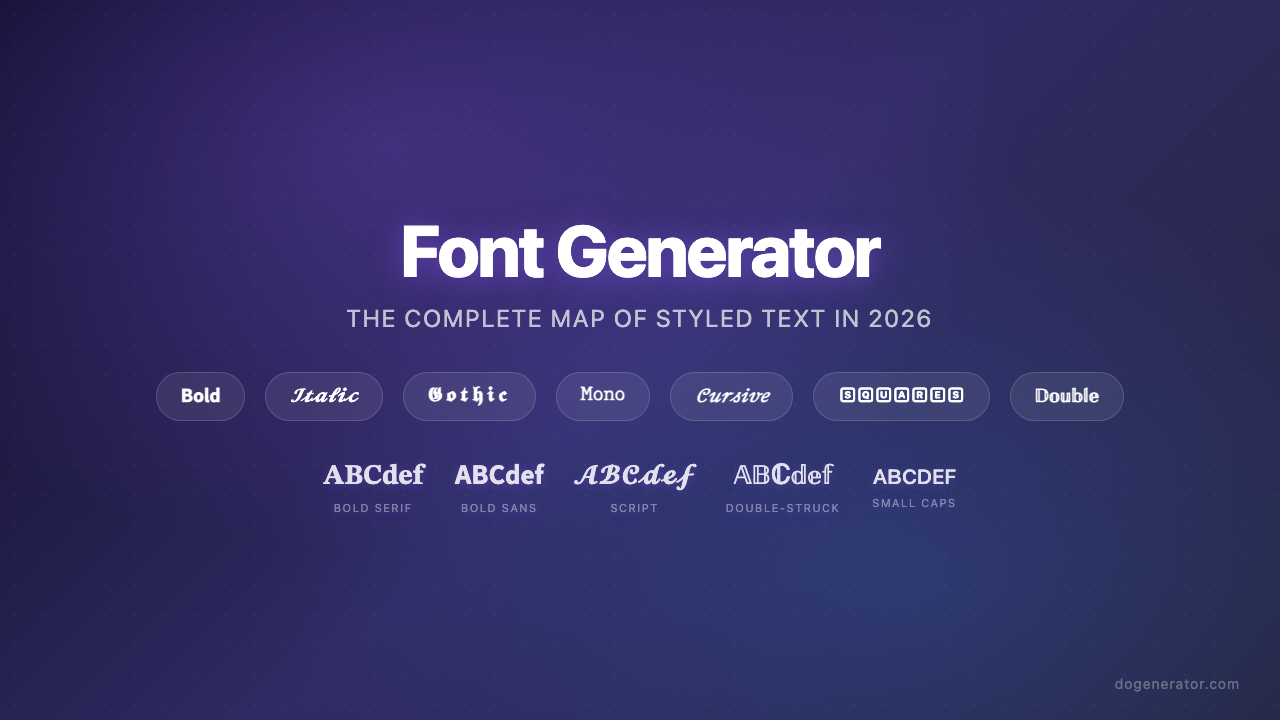
फ़ॉन्ट जनरेटर: 2026 में स्टाइल किए गए टेक्स्ट का संपूर्ण मानचित्र
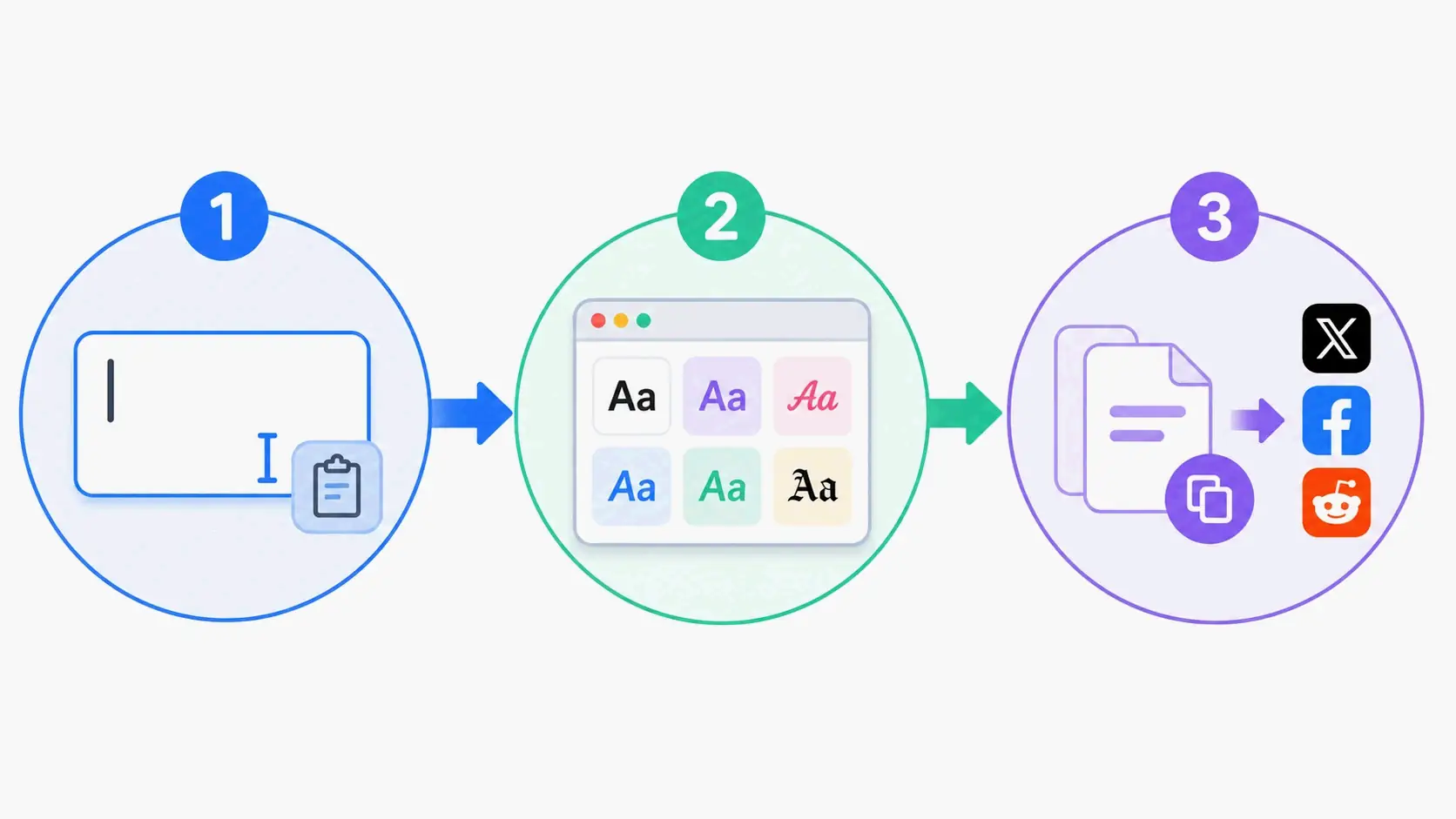
एस्थेटिक फ़ॉन्ट जनरेटर: स्टाइलिश यूनिकोड टेक्स्ट के लिए संपूर्ण गाइड
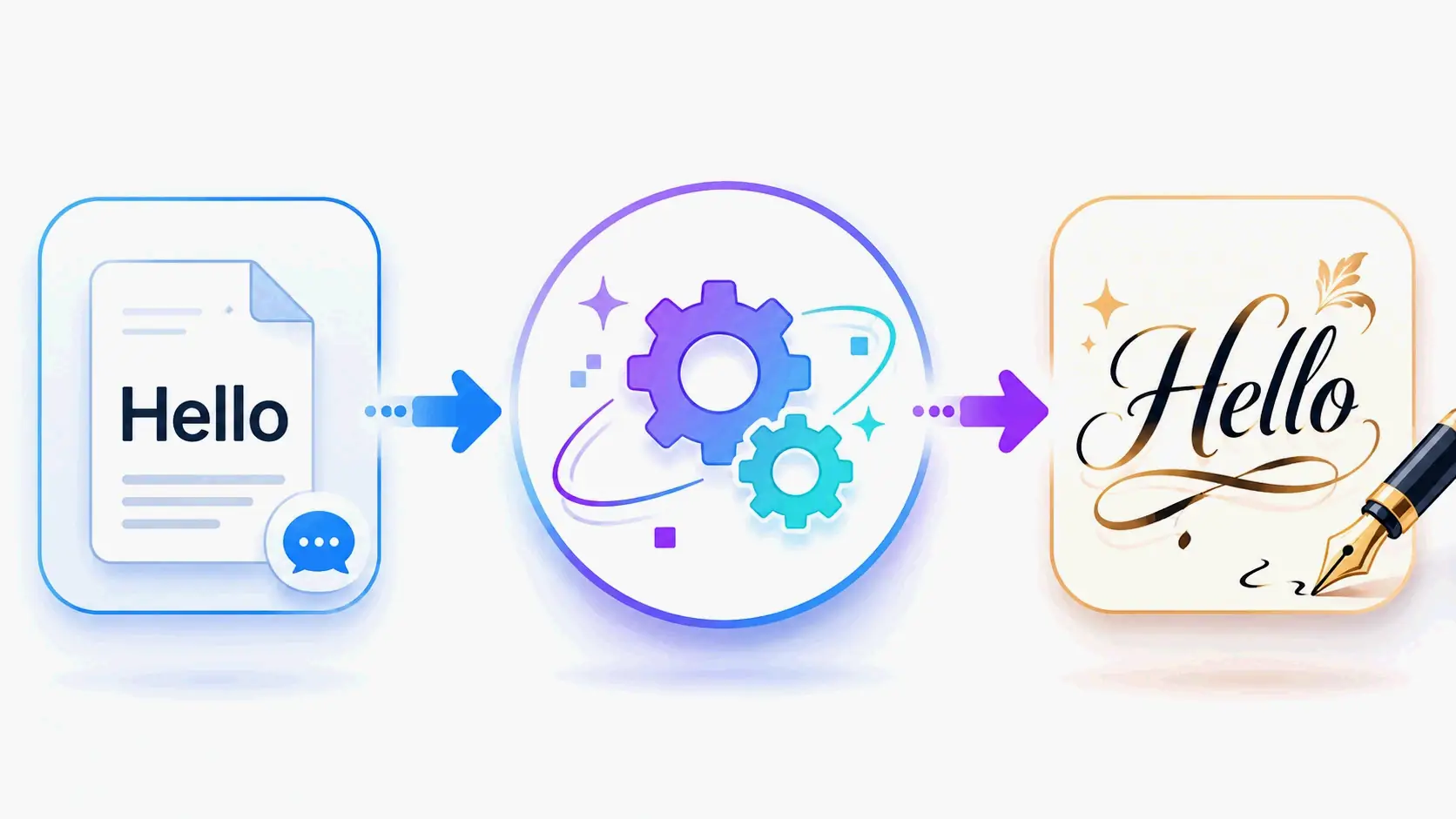
कैलिग्राफी फ़ॉन्ट जनरेटर: सुरुचिपूर्ण टेक्स्ट शैलियों के लिए फ्री ऑनलाइन टूल