Gerador de Fonte Negrito – Crie Texto Negrito para Copiar e Colar com Estilos Unicode
Resumo rápido
- Um gerador de fonte negrito transforma seu texto comum em caracteres Unicode em negrito que você pode copiar e colar em qualquer lugar — Instagram, Discord, TikTok e muito mais.
- Um gerador de fonte negrito transforma seu texto comum em caracteres Unicode em negrito que você pode copiar e colar em qualquer lugar — Instagram, Discord, TikTok, você escolhe.
- O Que É um Gerador de Fonte Negrito e Como Funciona?
Processo editorial
Revisado por SectoJoy e publicado em 22 de junho de 2026. Atualizamos este artigo quando os detalhes do produto, exemplos ou guia da ferramenta mudam. Última atualização: 22 de junho de 2026.
SectoJoy
Sou um desenvolvedor independente que cria aplicativos iOS e web, focado em produtos SaaS práticos. Tenho especialização em SEO com IA, explorando constantemente como tecnologias inteligentes podem impulsionar crescimento sustentável e eficiência.
Um gerador de fonte negrito transforma seu texto comum em caracteres Unicode em negrito que você pode copiar e colar em qualquer lugar — Instagram, Discord, TikTok, você escolhe. Nenhum app oferece formatação em negrito nativamente? Sem problema. Essa ferramenta mapeia cada letra para um caractere Unicode especial que parece negrito, então o efeito permanece mesmo quando a plataforma não tem um botão de negrito. Se você procura uma variedade maior de estilos de texto além do negrito, confira nosso guia completo de gerador de fontes que cobre dezenas de efeitos de texto em Unicode.
O Que É um Gerador de Fonte Negrito e Como Funciona?
Um gerador de fonte negrito é basicamente um conversor de texto Unicode gratuito. Você digita um texto comum e ele gera instantaneamente versões como 𝐁𝐨𝐥𝐝 𝐒𝐞𝐫𝐢𝐟 , 𝗕𝗼𝗹𝗱 𝗦𝗮𝗻𝘀 ou 𝕭𝖔𝖑𝖉 𝕲𝖔𝖙𝖍𝖎𝖈 — sem necessidade de instalar nenhum software.
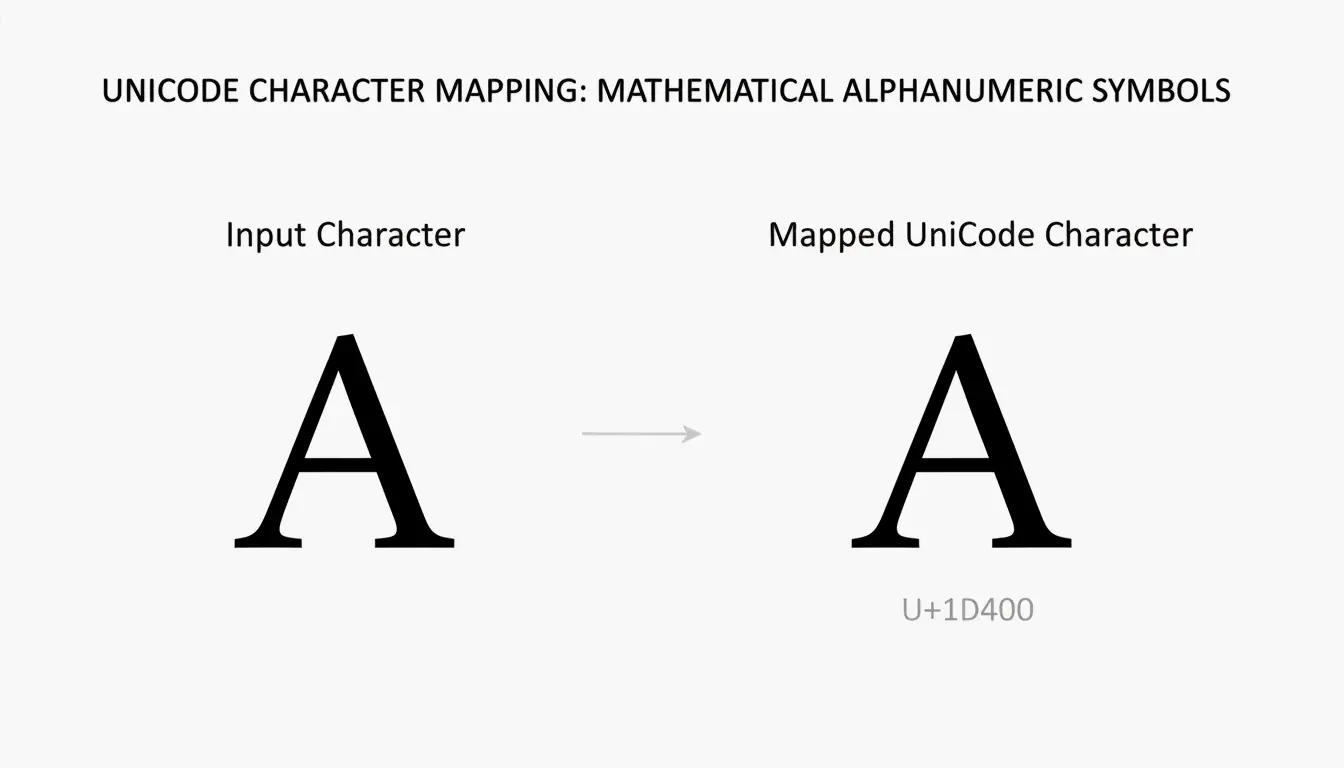
A mágica vem do bloco Unicode Mathematical Alphanumeric Symbols. De acordo com o fontsgeneratorpro.com, eles não são realmente fontes no sentido tradicional. Cada letra em “negrito” é, na verdade, um caractere Unicode distinto que simplesmente parece grosso. Quando você copia texto em negrito de um gerador, você está copiando códigos de caracteres exclusivos — e não um estilo como o negrito do Microsoft Word.
Isso importa porque o efeito de negrito sobrevive ao copiar e colar em qualquer plataforma que ofereça suporte a Unicode. Instagram, Discord, TikTok, Facebook e Twitter renderizam esses caracteres corretamente, já que o estilo está embutido nos próprios caracteres, não nas opções de formatação do app.
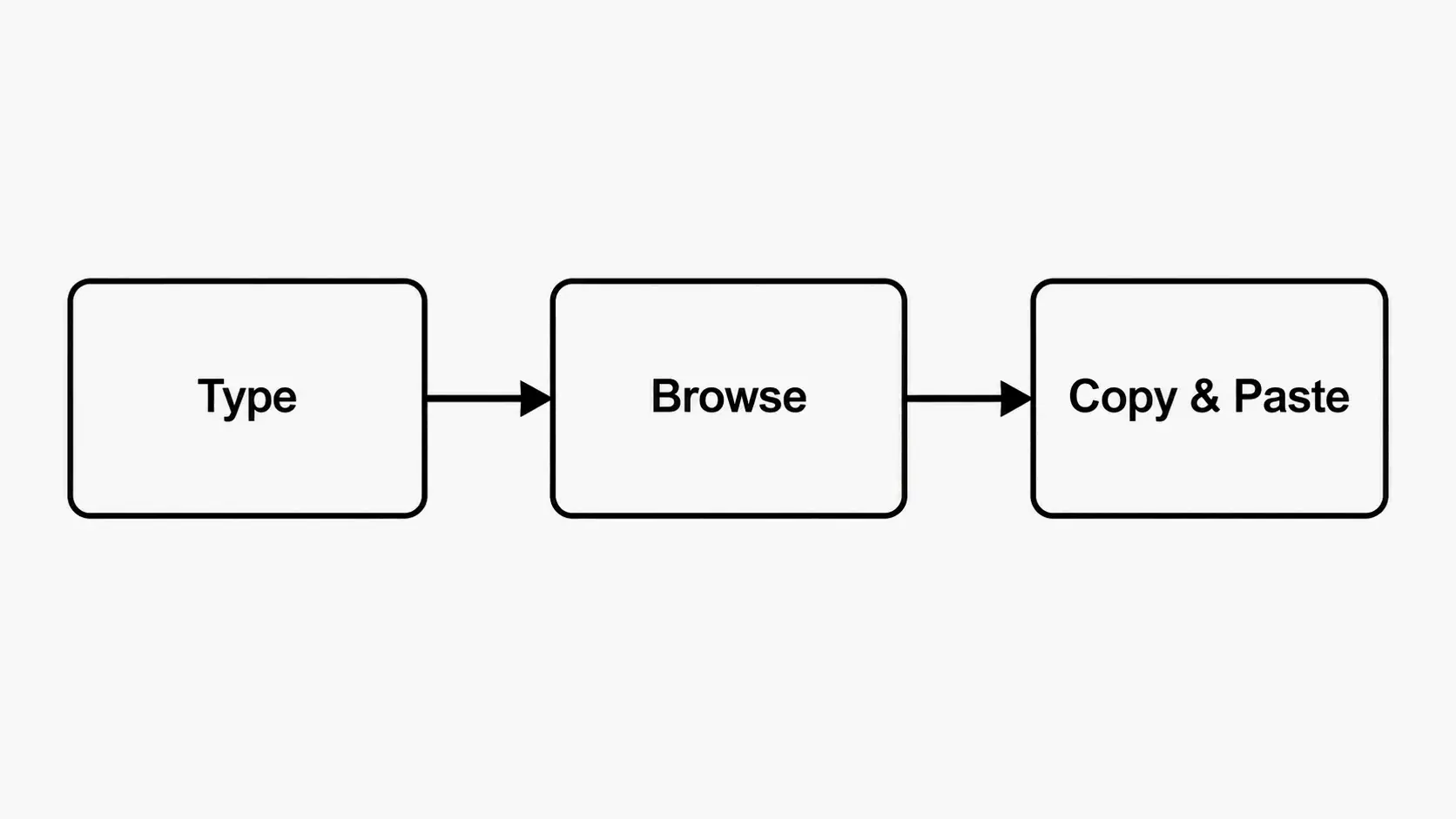
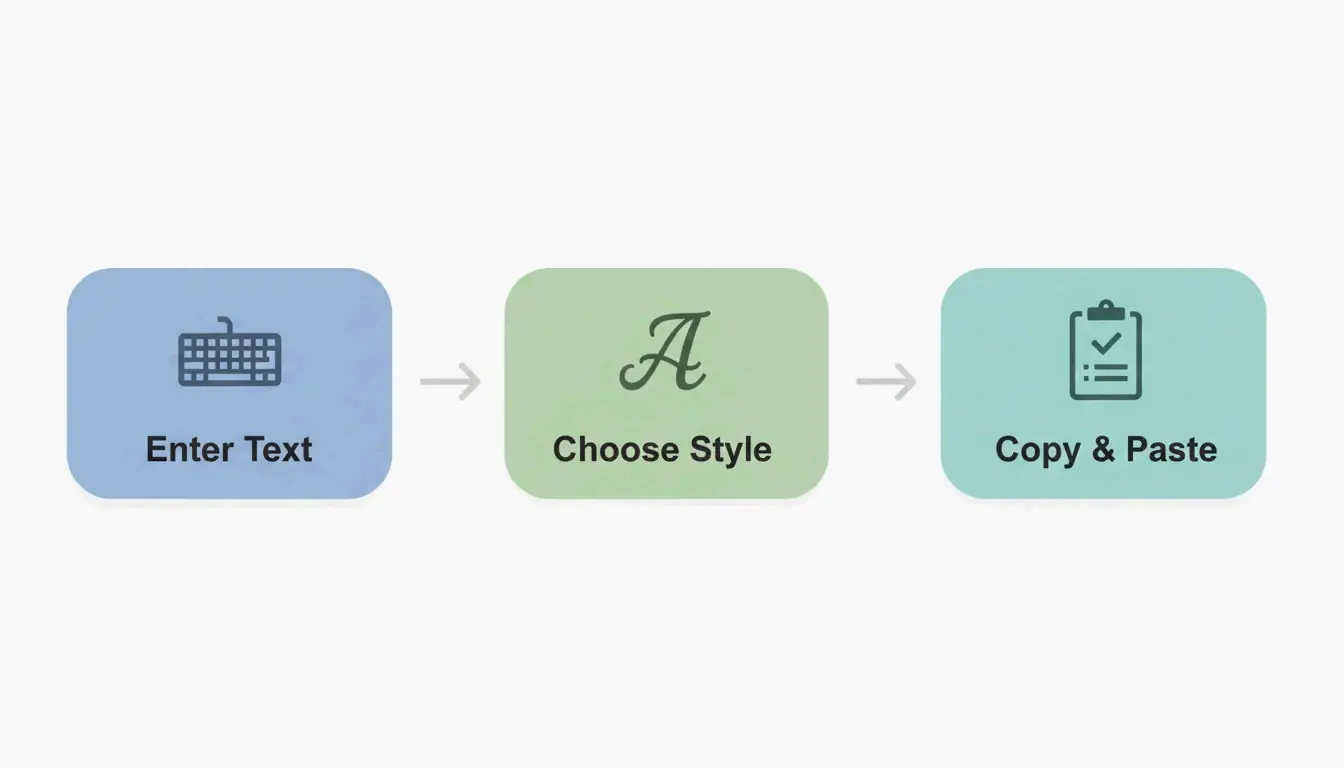
Como Usar um Gerador de Fonte Negrito (Passo a Passo)
Você consegue fazer isso em menos de 30 segundos. Sem cadastro, sem downloads e todos os estilos são gratuitos para usar quantas vezes quiser.
Passo 1 – Digite Seu Texto
Acesse um gerador de fonte negrito como o dogenerator.com e digite seu texto na caixa de entrada. Pode ser um nome de usuário, um título, uma legenda ou um call-to-action — qualquer coisa que você queira colocar em negrito. O gerador atualiza em tempo real conforme você digita, então você vê seu texto em todos os estilos disponíveis instantaneamente.
Passo 2 – Escolha um Estilo de Negrito
Navegue pelas variações em negrito. A maioria dos geradores oferece de 10 a mais de 100 estilos de negrito, incluindo Bold Serif, Bold Sans-Serif, Bold Italic, Bold Script, Bold Fraktur (Gothic) e Monospace Bold. Cada um mostra seu texto exato, para que você possa compará-los lado a lado.
Dica rápida: Escolha um estilo que combine com o tom da sua mensagem. Bold Sans-Serif parece profissional. Bold Serif transmite autoridade. Bold Fraktur passa intensidade ou uma vibração medieval.
Passo 3 – Copie e Cole em Qualquer Lugar
Clique no botão de copiar ao lado do estilo escolhido. O texto em negrito vai para a área de transferência instantaneamente. Em seguida, abra o destino — bio do Instagram, apelido do Discord, legenda do TikTok, linha de assunto do e-mail ou post do LinkedIn — e cole com Ctrl+V (Windows) ou Command+V (Mac). Os caracteres em negrito aparecem corretamente para qualquer pessoa que visualize seu conteúdo.
A Ciência por Trás do Texto em Negrito: Por Que Funciona
O texto em negrito não é apenas uma escolha estilística — ele afeta diretamente como os leitores interagem com o seu conteúdo. Conhecer a ciência ajuda a usá-lo de forma mais estratégica.
A Neurociência do Texto em Negrito (Peso Visual e Contraste)
Nosso sistema visual processa o “peso” antes de ler as palavras. Quando seus olhos percorrem uma página ou feed, caracteres grossos e pesados são registrados como importantes antes mesmo de o cérebro decidir conscientemente olhar para eles. Isso é chamado de pré-atenção — seu cérebro direciona automaticamente a atenção para elementos de alto contraste antes mesmo de você pensar nisso.
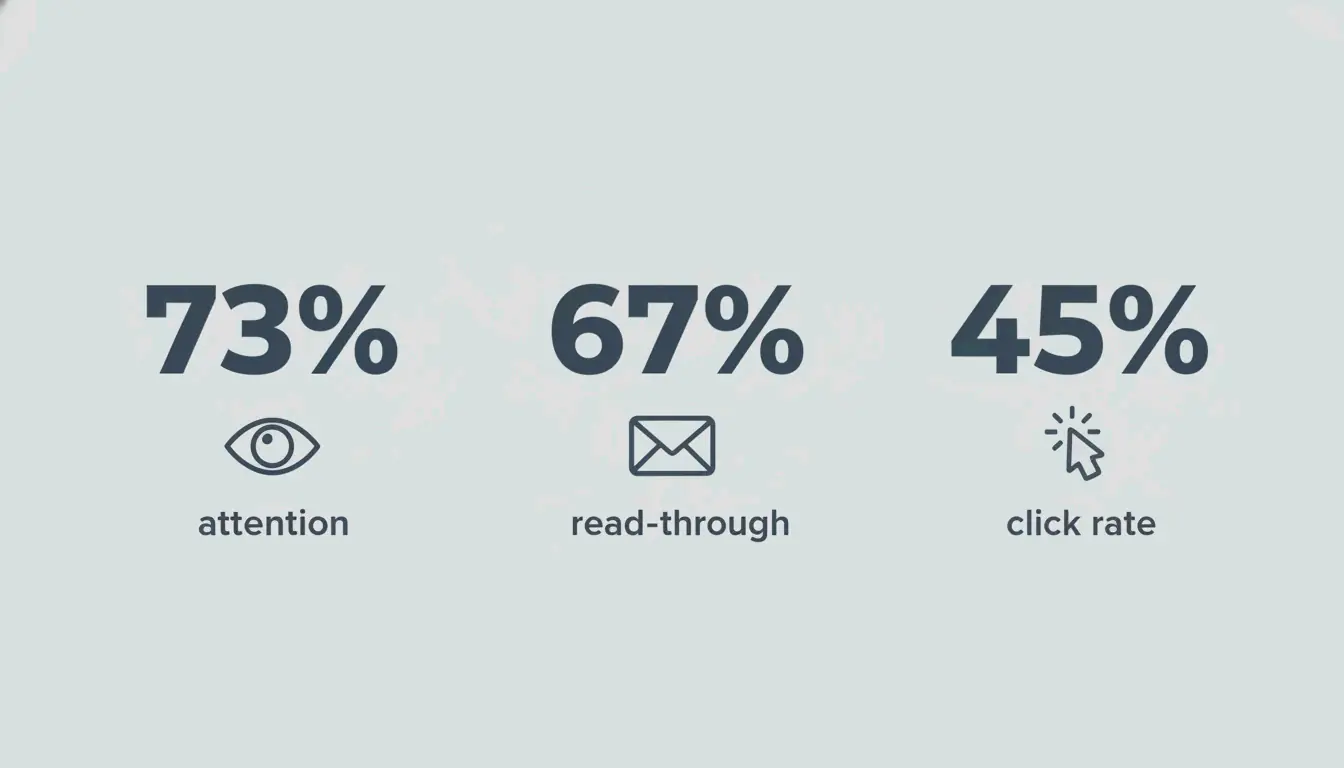
O texto em negrito cria hierarquia visual destacando-se do texto de peso normal. De acordo com o fontsgeneratorpro.com, estudos de rastreamento ocular mostram que títulos em negrito recebem 73% mais atenção em comparação a títulos de peso normal. Os leitores não decidem olhar para o texto em negrito — os olhos vão até ele primeiro, automaticamente.
Dados Reais: Títulos em Negrito vs. Texto Comum
A diferença de desempenho aparece em diferentes canais de conteúdo:
- Newsletters por e-mail: Testes A/B citados pelo fontsgeneratorpro.com descobriram que títulos de e-mail em fontes negrito tiveram 67% mais taxa de leitura em comparação aos mesmos títulos em peso normal.
- Calls-to-action: Mudar os CTAs de e-mail para fontes negrito sans-serif aumentou as taxas de clique em 45% nesses mesmos testes. O gatilho é direto: negrito = importante = ação necessária.
- Engajamento em redes sociais: Perfis do Instagram que colocaram em negrito elementos-chave da bio (cargos, CTAs, nomes de marca) tiveram um aumento de visitas ao perfil de até 40% , com base em resultados anecdóticos de experiências de gestão de redes sociais compartilhados no fontsgeneratorpro.com.
Esses resultados apontam para um padrão consistente: o texto em negrito atrai mais atenção em todos os formatos, mas apenas quando usado com moderação para dar ênfase, em vez de cobrir tudo de negrito.
Melhores Estilos de Fonte Negrito para Instagram, Discord e Mais
Estilos diferentes de negrito comunicam tons diferentes. Escolher o certo para sua plataforma e público causa o maior impacto. Ferramentas como o Fancy Font Generator no dogenerator.com permitem que você visualize todos esses estilos lado a lado antes de se decidir.
Bold Serif – Clássico e Formal
Aparência: Letras tradicionais com traços decorativos (serifas).
Exemplos: 𝐁𝐨𝐥𝐝 𝐒𝐞𝐫𝐢𝐟, 𝑩𝒐𝒍𝒅 𝑰𝒕𝒂𝒍𝒊𝒄
Melhor para: Bios do Instagram, anúncios formais, convites, posts com estética “Old Money”.
Por que funciona: Fontes serifadas carregam credibilidade histórica — elas parecem tipografia de jornal e livro. Adicionar peso negrito as torna autoritárias sem parecer agressivas.
Bold Sans-Serif – Limpo e Moderno
Aparência: Linhas limpas, sem traços decorativos.
Exemplos: 𝗕𝗼𝗹𝗱 𝗦𝗮𝗻𝘀, 𝗕𝗢𝗟𝗗 (All Caps)
Melhor para: Títulos do LinkedIn, CTAs de e-mail, anúncios de marketing, bios profissionais.
Por que funciona: O negrito sans-serif parece contemporâneo e direto. De acordo com o fontsgeneratorpro.com, é o estilo mais versátil e a escolha mais segura para legibilidade em dispositivos móveis.
Gothic / Fraktur Bold – Ousado e Medieval
Aparência: Caracteres pesados, ornamentados e angulares inspirados em manuscritos medievais.
Exemplos: 𝕭𝖔𝖑𝖉 𝕲𝖔𝖙𝖍𝖎𝖈, 𝔅𝔬𝔩𝔡 𝔉𝔯𝔞𝔨𝔱𝔲𝔯
Melhor para: Perfis de jogos (Discord, Steam), logos de bandas de metal, conteúdo com tema de fantasia, estéticas sombrias.
Por que funciona: O Gothic negrito comunica intensidade e poder. Como observado no fontsgeneratorpro.com, um clã de jogos que mudou para tags de clã em Gothic negrito viu um aumento de 40% no recrutamento de membros — o estilo mais ousado os fez parecer mais estabelecidos nos lobbies dos jogos.
Monospace Bold – Tech e Retrô
Aparência: Cada caractere ocupa a mesma largura, criando uma estética de máquina de escrever ou terminal.
Exemplos: 𝙱𝚘𝚕𝚍 𝙼𝚘𝚗𝚘, 𝚌𝚘𝚍𝚎 𝚋𝚘𝚕𝚍
Melhor para: Conteúdo para desenvolvedores, blogs de tecnologia, bios estéticas no Twitter/X, trechos de código em posts de redes sociais.
Por que funciona: Monospace sinaliza especialização técnica e design intencional. Destaca-se porque rompe com o padrão de espaçamento proporcional das fontes padrão.
Outros Estilos Criativos (Calligraphy, Double-struck, Negative Squared)
Estilos de negrito menos comuns, mas visualmente distintos, incluem:
- Bold Calligraphy:
𝓑𝓸𝓵𝓭 𝓒𝓪𝓵𝓵𝓲𝓰𝓻𝓪𝓹𝓱𝔂— elegante e artístico, ideal para portfólios criativos ou referências de design de tatuagem. - Double-Struck Bold:
𝔹𝕠𝕝𝕕 𝔻𝕠𝕦𝕓𝕝𝕖— letras contornadas que carregam peso visual sem a plenitude do preto sólido. Funciona bem para projetos criativos e contextos matemáticos. - Negative Squared:
🅑🅞🅛🅓— letras dentro de quadrados brancos sobre fundo preto. Popular para tags de jogos e ícones de perfil compactos.
Todos esses estilos estão disponíveis no gerador de fontes do dogenerator.com e usam o mesmo mecanismo Unicode de copiar e colar.
Compatibilidade de Fontes Negrito entre Plataformas (Dados Testados)
Nem toda plataforma lida com todos os estilos Unicode em negrito da mesma forma. Com base em testes relatados por várias fontes, esta é a matriz de compatibilidade real:
| Plataforma | Compatibilidade | Observações |
|---|---|---|
| ✅ ~100% | Funciona em bios, legendas, comentários, stories | |
| Discord | ✅ ~100% | Funciona em apelidos, nomes de canal, mensagens, nomes de servidor |
| TikTok | ✅ ~100% | Funciona em nomes de exibição, bios, legendas de vídeo |
| Twitter / X | ✅ ~100% | Funciona em nomes de exibição, bios, tweets |
| ✅ ~100% | Funciona em perfis, posts, comentários | |
| ❌ ~85% | Alguns estilos (Gothic, Fraktur) são removidos; Bold Sans-Serif e Bold Serif são mais confiáveis | |
| ✅ ~100% | Funciona na seção Sobre, nomes de grupo, atualizações de status | |
| YouTube | ✅ ~100% | Funciona em nomes de canal, descrições de vídeo, posts da comunidade |
Algumas limitações de plataforma a ter em mente:
- Limites de caracteres: As bios do Instagram têm no máximo 150 caracteres. Os caracteres Unicode em negrito contam como um caractere cada, mas a densidade visual de certos estilos (como o Gothic) pode fazer textos mais longos parecerem apertados.
- Renderização móvel vs. desktop: Alguns estilos elaborados de negrito (Gothic Fraktur, Calligraphy) podem ser mais difíceis de ler em telas móveis menores. O fontsgeneratorpro.com recomenda testar em um celular antes de publicar.
- Comportamento do LinkedIn: O parser de texto do LinkedIn remove certas faixas Unicode. Bold Sans-Serif (
𝗕𝗼𝗹𝗱) e Bold Serif (𝐁𝐨𝐥𝐝) passam de forma consistente. Estilos góticos e cursivos costumam aparecer como texto comum ou quadradinhos.
Fontes Negrito para Negócios e Acessibilidade: O Que Você Precisa Saber
Geradores de fonte negrito são poderosos para ênfase visual, mas exigem cuidado em contextos profissionais e de acessibilidade crítica.
Quando Evitar Texto Unicode em Negrito
Caracteres Unicode em negrito não são a melhor escolha nestas situações:
- Conteúdo crítico para SEO dentro do corpo do blog: Os rastreadores de mecanismos de busca podem não interpretar todos os caracteres Unicode da mesma forma que letras padrão. De acordo com o fontsgeneratorpro.com, endereços, números de telefone e palavras-chave essenciais devem permanecer em texto simples para que os bots possam lê-los corretamente.
- Documentos jurídicos e informações financeiras: Alguns dispositivos mais antigos ou sistemas de análise podem exibir quadradinhos (□□□) em vez de caracteres estilizados. Dados vitais como contratos, avisos legais e faturas devem usar fontes padrão do sistema.
- Campos de formulário e credenciais de login: Você não consegue digitar caracteres Unicode em negrito na maioria dos teclados, então usá-los em nomes de usuário ou senhas cria atrito no login.
WCAG e Melhores Práticas com Fontes Negrito
As Web Content Accessibility Guidelines (WCAG) enfatizam a legibilidade para todos os usuários, incluindo aqueles que usam leitores de tela. Ao usar texto Unicode em negrito:
- Use o negrito com moderação. A WCAG recomenda limitar o texto em negrito a menos de 10% do conteúdo total. Se todas as palavras estiverem em negrito, a hierarquia visual desmorona.
- Mantenha o contraste. Os caracteres em negrito precisam de contraste de cor suficiente em relação ao fundo. A proporção mínima de contraste da WCAG é 4.5:1 para texto normal e 3:1 para texto grande.
- Forneça alternativas em texto simples. O coddy.tech observa que os leitores de tela podem pronunciar cada caractere Unicode em negrito individualmente (“Mathematical Bold Capital A”) em vez de ler a palavra. Mantenha informações essenciais em texto padrão.
- Teste com tecnologia assistiva. Use um leitor de tela (como NVDA ou VoiceOver) para garantir que seu texto em negrito faça sentido quando falado em voz alta.
Caso Real: Depoimentos em Negrito Aumentaram as Conversões em 25%
De acordo com resultados anecdóticos compartilhados no fontsgeneratorpro.com, um site que mudou os depoimentos de clientes de peso normal para serif negrito viu as taxas de conversão aumentarem 25%. A ênfase visual fez a prova social se destacar mais, atraindo os olhos dos visitantes para os depoimentos antes que eles continuassem rolando a página. Esse caso mostra que até mesmo uma formatação sutil em negrito — quando aplicada ao conteúdo certo — pode produzir resultados reais de negócios.
Guia de Hierarquia Visual: Combinando Negrito com Itálico e Sublinhado
O texto em negrito é apenas uma parte do quebra-cabeça da hierarquia visual. Cada opção de formatação tem um propósito psicológico diferente:
| Estilo | Propósito | Melhores Casos de Uso |
|---|---|---|
| Bold | Importância / ação | Títulos, prazos, CTAs, preços, avisos |
| Italic | Ênfase sem agressão | Títulos de livros, palavras estrangeiras, leve destaque em termos específicos |
| Underline | Indicação de link / ênfase especial | Links clicáveis, marcas de correção, avisos legais |
Exemplo — Bio de rede social:
𝐅𝐫𝐨𝐧𝐭‑𝐄𝐧𝐝 𝐃𝐞𝐯𝐞𝐥𝐨𝐩𝐞𝐫 | *React, TypeScript* | Click below 👇
Use negrito para o cargo (importância), itálico para o conjunto de habilidades (contexto) e sublinhado para o link de CTA.
Exemplo — Linha de assunto de e-mail:
𝐅𝐢𝐧𝐚𝐥 𝐑𝐞𝐦𝐢𝐧𝐝𝐞𝐫: *Your free trial ends tomorrow*
O negrito sinaliza urgência; o itálico fornece contexto de prazo.
Quando combinar negrito + itálico: Use 𝑩𝒐𝒍𝒅 𝑰𝒕𝒂𝒍𝒊𝒄 apenas para a mensagem mais crítica — um prazo final, uma estatística-chave ou um aviso. O uso excessivo da combinação dilui os dois efeitos.
Gerador de Fonte Negrito — Crie Texto Negrito para Copiar e Colar com Estilos Unicode
Resumindo: um gerador de fonte negrito é uma ferramenta gratuita e instantânea que transforma texto digitado comum em caracteres Unicode em negrito usando o bloco Mathematical Alphanumeric Symbols. Diferente da formatação dentro de um editor de texto, esses caracteres em negrito são símbolos Unicode reais que sobrevivem ao copiar e colar em plataformas onde a formatação padrão de negrito não está disponível.
Seja para destacar um cargo na bio do Instagram, fazer um CTA se destacar numa newsletter por e-mail ou criar um nome de usuário memorável para jogos, o texto em negrito traz melhorias mensuráveis em atenção e engajamento — mas apenas quando usado de forma estratégica. Limite o negrito a frases-chave, teste a legibilidade no celular e siga as melhores práticas de acessibilidade para garantir que seu conteúdo seja, ao mesmo tempo, impactante e inclusivo.
Experimente o gerador de fonte negrito no dogenerator.com para testar diferentes estilos. Comece pelo seu título ou call-to-action mais importante, escolha o estilo que combine com o tom da sua marca e cole-o no seu próximo post, bio ou mensagem.
Perguntas Frequentes
Os geradores de fonte negrito são gratuitos?
Sim, todos os principais geradores de fonte negrito são totalmente gratuitos e não exigem cadastro. Você pode usá-los quantas vezes quiser para conteúdo pessoal ou comercial.
As fontes negrito funcionam no Instagram e no TikTok?
Sim, os caracteres Unicode em negrito são exibidos corretamente em bios, legendas e comentários do Instagram, e em bios e descrições de vídeo do TikTok. O suporte da plataforma é de quase 100% para a maioria dos estilos comuns.
As fontes negrito afetam o SEO ou a acessibilidade para leitores de tela?
O texto Unicode em negrito não altera as letras subjacentes para os mecanismos de busca, então o impacto no SEO é neutro. Os leitores de tela podem ler os caracteres em negrito como letras normais, mas algumas variantes de símbolo (por exemplo, Gothic) podem ser interpretadas incorretamente. Evite usar fontes negrito em todo o corpo do texto — use-as com moderação para dar ênfase.
Posso usar texto em negrito no meu apelido do Discord?
Sim, o Discord oferece suporte a caracteres Unicode em negrito em apelidos, nomes de servidor, nomes de canal e mensagens. Basta copiar o texto em negrito de um gerador e colá-lo no campo de apelido.
Qual é a diferença entre os estilos bold serif e bold sans-serif?
O bold serif tem pequenos traços decorativos nas extremidades dos caracteres, dando um visual clássico e formal. O bold sans-serif não tem esses traços, oferecendo uma aparência limpa e moderna. Escolha serif para bios e títulos do Instagram, e sans-serif para LinkedIn e CTAs de e-mail.
Perguntas frequentes
O Que É um Gerador de Fonte Negrito e Como Funciona?
Um gerador de fonte negrito é basicamente um conversor de texto Unicode gratuito. Você digita um texto comum e ele gera instantaneamente versões como 𝐁𝐨𝐥𝐝 𝐒𝐞𝐫𝐢𝐟 , 𝗕𝗼𝗹𝗱 𝗦𝗮𝗻𝘀 ou 𝕭𝖔𝖑𝖉 𝕲𝖔𝖙𝖍𝖎𝖈 — sem necessidade de instalar nenhum software. A mágica vem do bloco Unicode Mathematical Alphanumeric Symbols. De acordo com o fontsgeneratorpro.com, eles não são realmente fontes no sentido tradicional. Cada letra em “negrito” é, na verdade, um caractere Unicode distinto que simplesmente parece grosso. Quando você copia texto em negrito de um gerador, você está copiando códigos de caracteres exclusivos — e não um estilo como o negrito do Microsoft Word.
Os geradores de fonte negrito são gratuitos?
Sim, todos os principais geradores de fonte negrito são totalmente gratuitos e não exigem cadastro. Você pode usá-los quantas vezes quiser para conteúdo pessoal ou comercial.
As fontes negrito funcionam no Instagram e no TikTok?
Sim, os caracteres Unicode em negrito são exibidos corretamente em bios, legendas e comentários do Instagram, e em bios e descrições de vídeo do TikTok. O suporte da plataforma é de quase 100% para a maioria dos estilos comuns.
As fontes negrito afetam o SEO ou a acessibilidade para leitores de tela?
O texto Unicode em negrito não altera as letras subjacentes para os mecanismos de busca, então o impacto no SEO é neutro. Os leitores de tela podem ler os caracteres em negrito como letras normais, mas algumas variantes de símbolo (por exemplo, Gothic) podem ser interpretadas incorretamente. Evite usar fontes negrito em todo o corpo do texto — use-as com moderação para dar ênfase.
Posso usar texto em negrito no meu apelido do Discord?
Sim, o Discord oferece suporte a caracteres Unicode em negrito em apelidos, nomes de servidor, nomes de canal e mensagens. Basta copiar o texto em negrito de um gerador e colá-lo no campo de apelido.
Artigos Relacionados
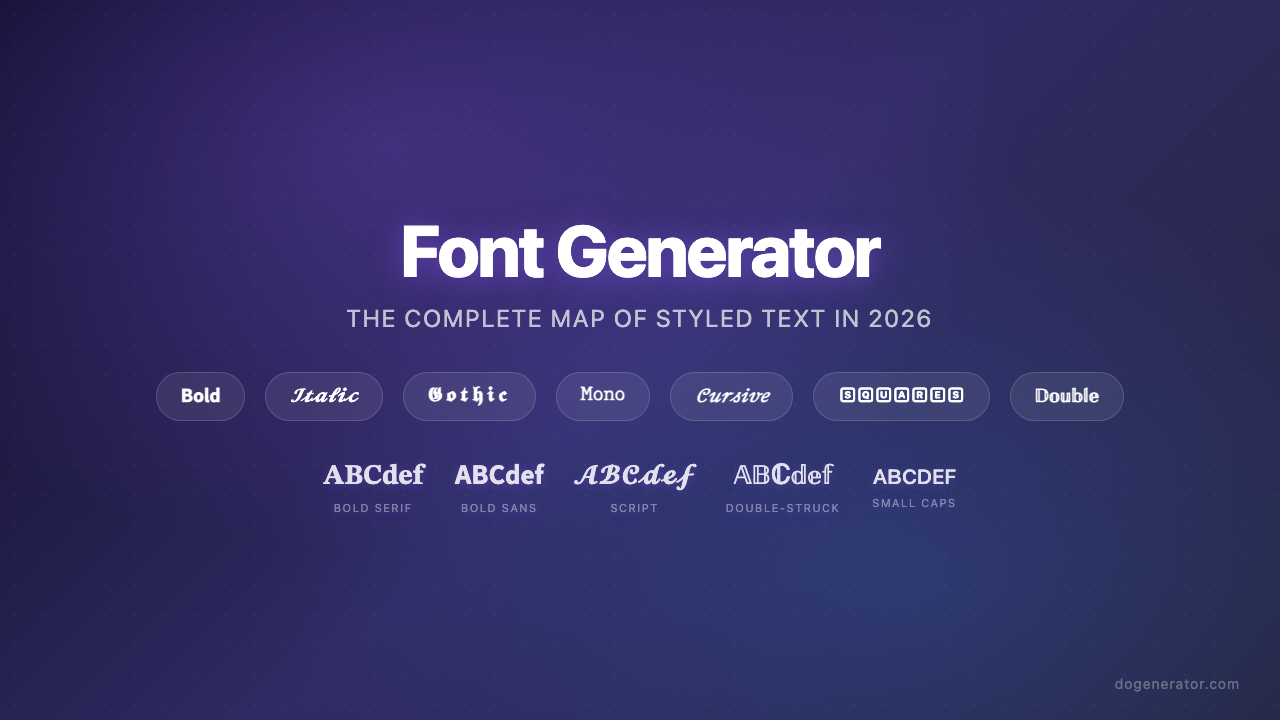
Gerador de Fontes: O Mapa Completo de Textos Estilizados em 2026
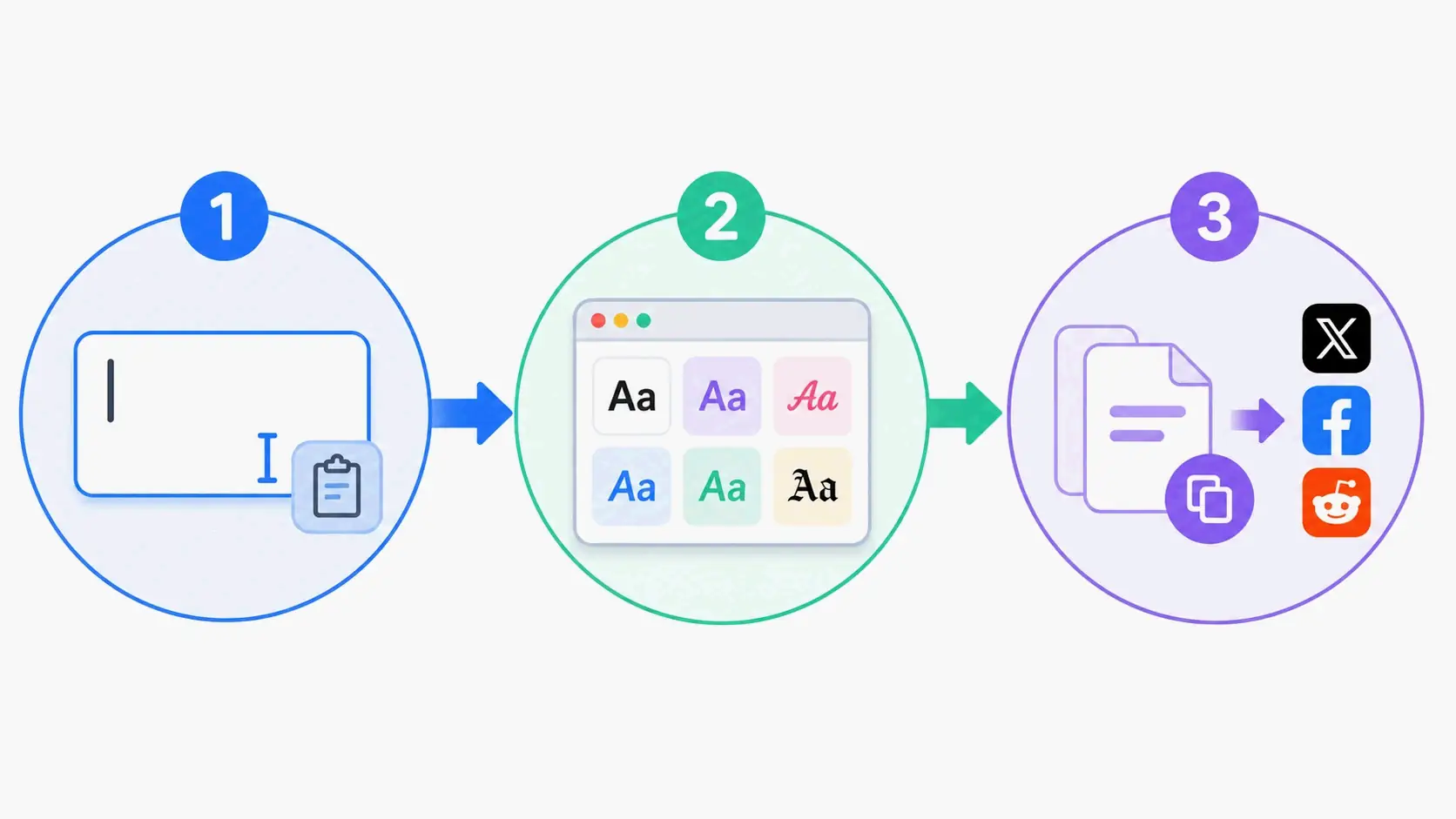
Gerador de Fontes Estéticas: O Guia Definitivo para Textos Unicode Estilosos
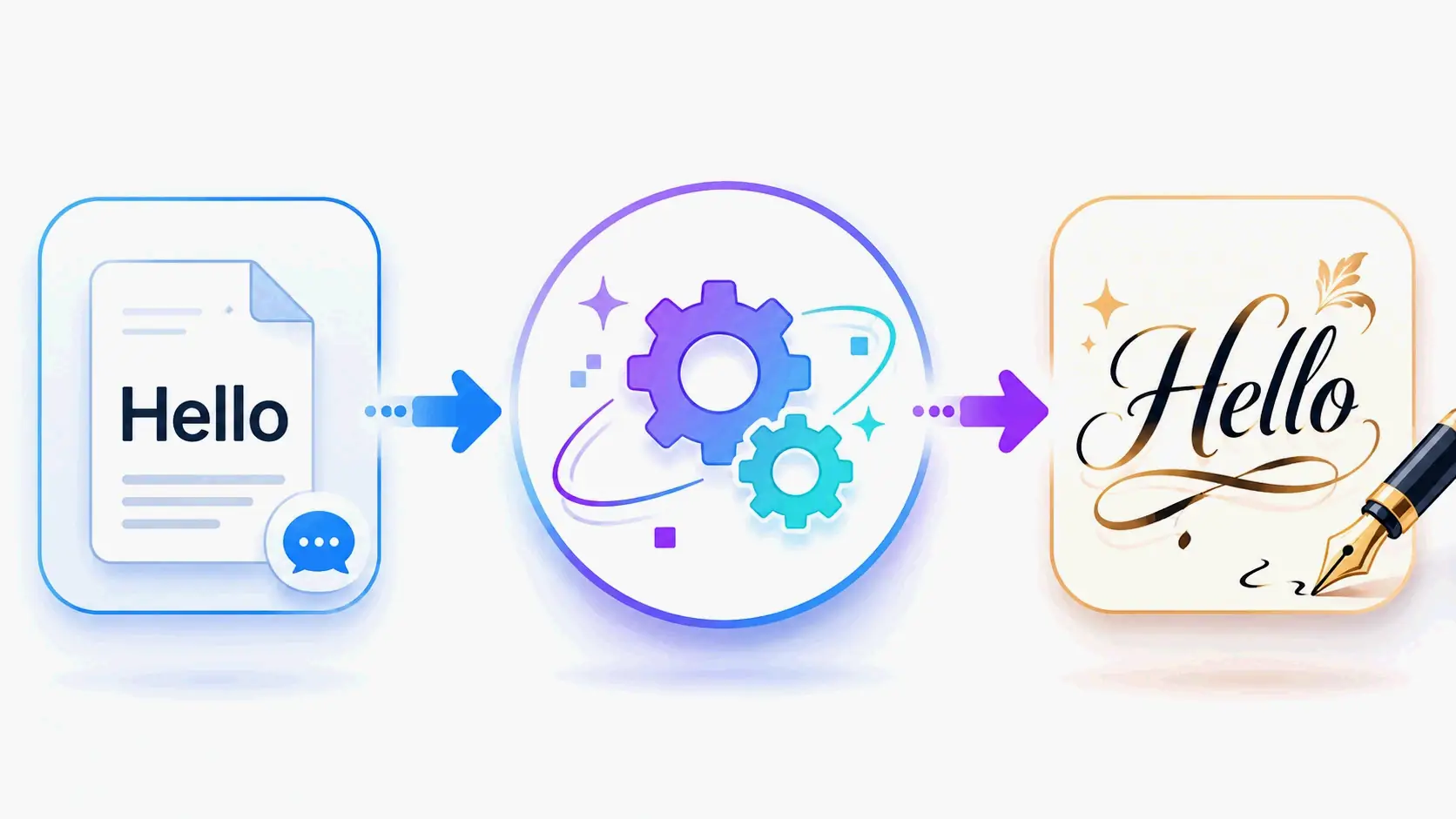
Gerador de Fontes de Caligrafia: Ferramenta Online Gratuita para Estilos de Texto Elegantes