Number Font Generator – Free Stylish Digits for Social Media & Design

Number Font Generator – Free Stylish Digits for Social Media & Design

S 著者:SectoJoy
読了時間:約11分
TL;DR

クイックサマリー

  • A number font generator is a free online tool that lets
  • A number font generator is a free online tool that lets you turn plain digits into stylish Unicode symbols you can copy and paste into bios, captions, game names, and design projects.
  • What Is a Number Font Generator and How Does It Work?

編集方針

SectoJoy が確認し、2026年5月25日 に公開しました。製品の詳細、例、ツールの使い方が変わった場合はこの記事を更新します。最終更新日: 2026年5月25日。

SectoJoy

私はiOS・Webアプリケーションを開発するインディーハッカーで、実用的なSaaS製品の開発に注力しています。AI SEOを専門とし、インテリジェント技術が持続可能な成長と効率をどう促進できるかを常に探求しています。

A number font generator is a free online tool that lets you turn plain digits into stylish Unicode symbols you can copy and paste into bios, captions, game names, and design projects. No installation, no login required—it works on Instagram, Discord, TikTok, and anywhere else that accepts text. If you need a reliable starting point, try the font generator at dogenerator.com, which also offers a dedicated fancy font generator for more decorative styles.

What Is a Number Font Generator and How Does It Work?

A number font generator is a web-based tool that takes ordinary digits (0–9) and converts them into decorative Unicode characters that look like different font styles. The big difference from traditional fonts: with generators, you don’t download or install anything. Everything happens in your browser.

Here’s the key thing: these aren’t real fonts. As dogenerator.com explains, “These aren’t actual fonts. They’re special Unicode characters that look like different font styles.” The generator maps each digit you type to a pre-set Unicode symbol that visually matches bold, cursive, monospace, or other styled versions of that digit.

The result? Instant copy-paste. Type your digits, see them change in real-time, pick a style, and paste the output anywhere. No rendering delays. No platform restrictions. It’s pure text that works wherever Unicode is supported.

Why Unicode Matters for Number Styles

Unicode is the universal character encoding standard that assigns a unique number to every character across all devices and platforms. It includes thousands of special characters—mathematical bold, double-struck, monospace, and circled digits are just a few. As dogenerator.com notes, these are “already built into your device.” When you copy styled digits from a generator and paste them into an app, you’re really copying the underlying Unicode code points, not the visual look. That’s why the style sticks even on platforms that don’t support custom fonts.

How to Use a Number Font Generator (Step by Step)

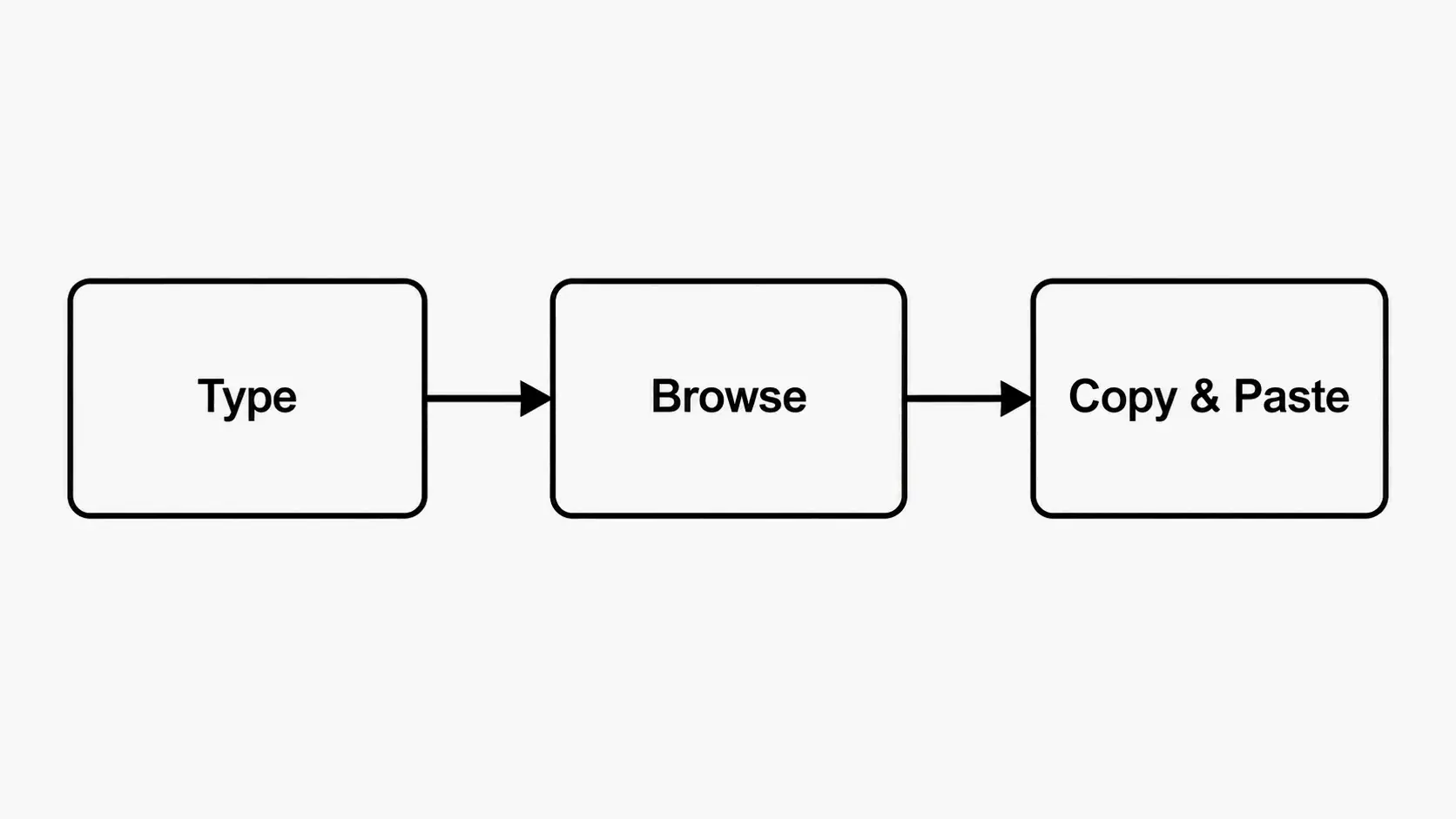
Using one of these takes about 30 seconds. Here’s how it works:

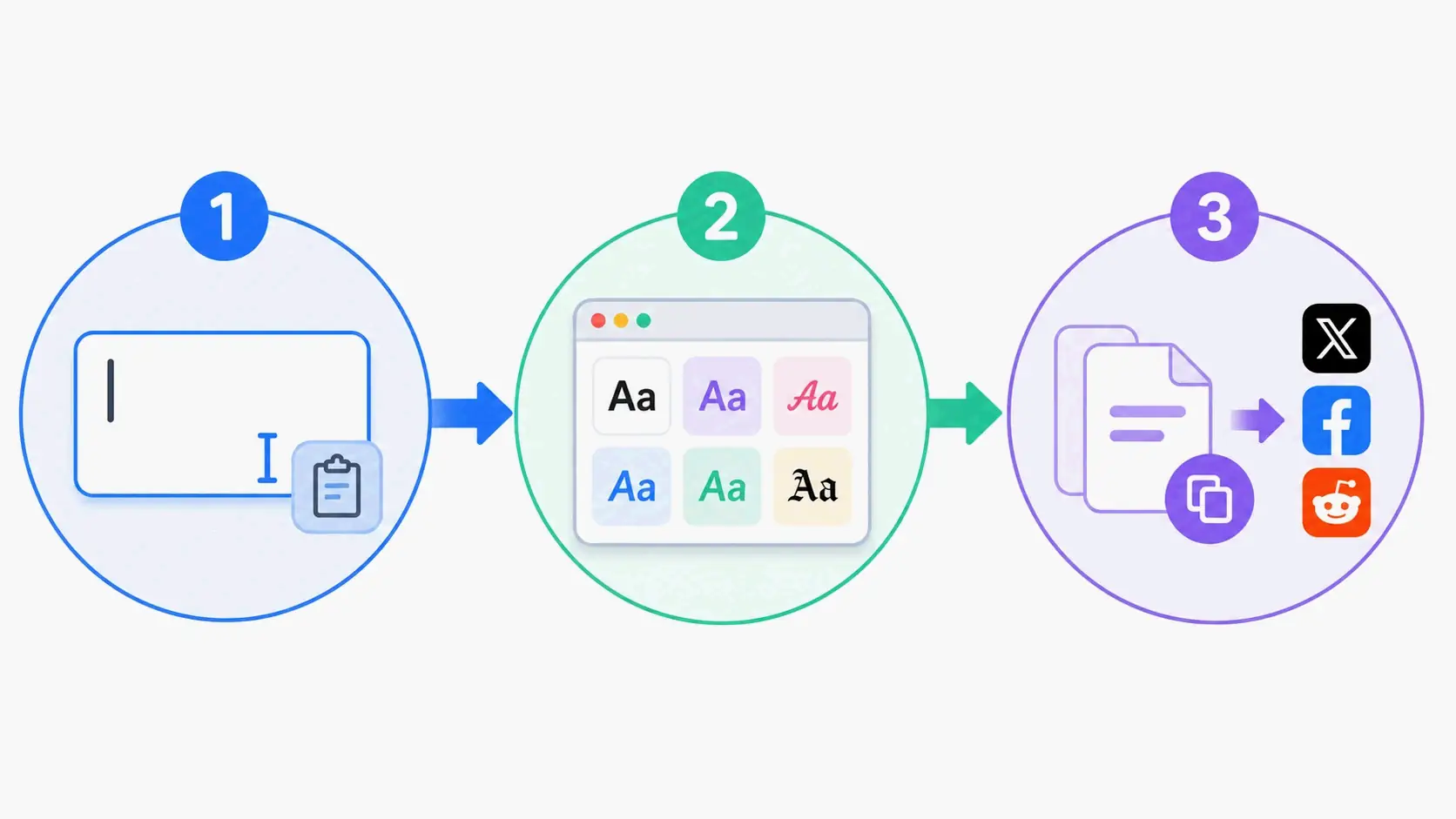
Step 1: Type or paste your digits
Head to a number font generator like the fonts generator on dogenerator.com. Type the digits you want to style—a phone number, price, date, score, or any numerical string. Most generators accept both numbers and text, so you can mix them (like “2026” or “Level 99”).

Step 2: Choose a style from the options
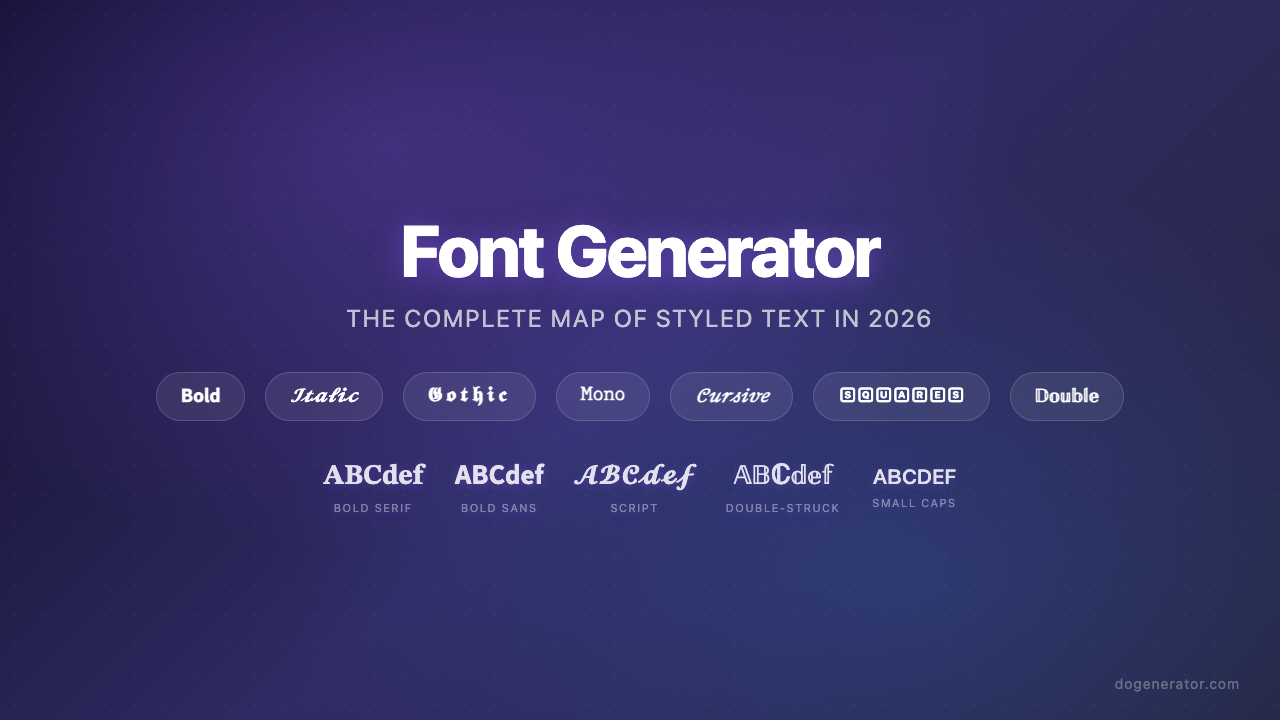
Scroll through the generated previews. Common categories include:

  • Bold numbers (𝐏𝐫𝐢𝐜𝐞: $𝟐𝟗.𝟗𝟗): High contrast and easy to scan. Best for headings, prices, and announcements.
  • Monospace numbers (𝙸𝙳: 𝟶𝟶𝟶𝟿𝟾𝟽𝟼𝟻): Even character width. Great for serial numbers, codes, and technical data.
  • Cursive/script numbers (𝒟𝒶𝓉𝑒: 𝟤𝟢𝟤𝟨): Flowing, elegant digits. Perfect for dates, invitations, and aesthetic posts.
  • Small caps numbers (ᴠᴇʀꜱɪᴏɴ 𝟸.𝟶): Minimal and subtle. Works well in bios and secondary text.
  • Double-struck/outline numbers (𝟘𝟙𝟚𝟛𝟜): Bold, distinct characters. Popular for math-related or “cool” profile text.

Step 3: Copy the preview
Click the copy button next to your chosen style, or manually select and copy the previewed text. The Unicode characters are now on your clipboard.

Step 4: Paste into your target platform
Go to Instagram, Discord, TikTok, your bio field, or any text input. Paste using Ctrl+V (Windows) or Cmd+V (Mac). The styled digits will display exactly as they appeared in the generator preview.

Most generators are 100% free and don’t require an account or login.

Pasting on Instagram, Discord, and TikTok

  • Instagram: Works in bios, captions, comments, and direct messages. Instagram fully supports Unicode, so styled numbers render correctly across the platform.
  • Discord: Full support in nicknames, messages, server names, and channel names. Discord’s tech-savvy user base commonly uses styled text for personalization.
  • TikTok: Works in display names, bios, and video descriptions. Some TikTok users on older devices might see slightly different rendering, so test before you finalize.

Best Number Font Styles for Every Use Case

Different situations call for different visual styles. Matching your number font to the purpose makes things look better and easier to read.

Bold numbers are the safest bet for critical info. Prices ($𝟤𝟫.𝟫𝟫), headlines (𝐓𝐎𝐏 𝟏𝟎 𝐋𝐢𝐬𝐭), and notifications (𝐘𝐨𝐮 𝐇𝐚𝐯𝐞 𝟓 𝐍𝐞𝐰 𝐌𝐞𝐬𝐬𝐚𝐠𝐞𝐬) benefit from the high contrast and legibility of bold digits. They stay readable on busy backgrounds, in thumbnails, and at small sizes. A 2026 analysis by dogenerator.com found that captions using styled fonts got 50–70 comments compared to 20–30 for plain text—a direct result of the visibility boost bold styling provides.

Monospace numbers shine in technical and organizational contexts. Serial numbers (SN-𝟶𝟶𝟶𝟷𝟸𝟹), product codes (𝙱𝙰𝚃𝙲𝙷-𝟸𝟺-𝟶𝟽), and ID numbers gain clarity from the uniform character width. Each digit takes up the same horizontal space, preventing the visual misalignment that happens with proportional fonts. This matters a lot for multi-digit codes where consistent spacing helps scanning and reduces errors.

Cursive/script numbers add elegance to aesthetic content. Wedding dates (𝟣𝟦/𝟢𝟤/𝟤𝟢𝟤𝟨), anniversary years, award numbers (𝒩𝑜. 𝟣), and romantic captions benefit from the flowing, hand-lettered look. Keep cursive sequences short—2 to 4 digits max—because the decorative strokes can make longer strings harder to read.

Small caps numbers are the minimalist’s choice. Version numbers (ᴠ𝟸.𝟶), secondary dates (ᴇꜱᴛ. 𝟤𝟢𝟤𝟢), and bio counters (#𝟩 𝘀𝘁𝗿𝗲𝗮𝗸) benefit from the subtle, compact appearance. They blend into text without overpowering the visual hierarchy, making them ideal for secondary information.

dogenerator.com documented a case where an Instagram bio change using styled fonts increased profile visits by 40% in two weeks. The improvement came from strategic, not blanket, styling—one key element using styled text while the rest stayed readable.

Bold vs. Monospace: Which One Grabs Attention?

Choose bold numbers when you need immediate visual impact. Bold digits create a strong focal point that draws the eye first. They work best for call-to-action elements, sale prices, and any number that must be noticed instantly.

Choose monospace numbers when clarity and precision come first. Monospace digits eliminate the confusion between “0” and “O” and between “1” and “I” that can happen with proportional fonts. They’re the safest pick for codes, IDs, and technical data where a single misread character causes problems.

The rule of thumb: bold for attention, monospace for accuracy.

When to Use Cursive Numbers for an Elegant Look

Cursive numbers bring a human, handcrafted feel to digital text. They work best for:

  • Event dates on invitations (𝟣𝟦 𝙵𝚎𝚋𝚛𝚞𝚊𝚛𝚢 𝟤𝟢𝟤𝟨)
  • Milestone celebrations (𝐻𝒶𝓅𝓅𝓎 𝟣𝟪𝓉𝒽 𝐵𝒾𝓇𝓉𝒽𝒹𝒶𝓎)
  • Anniversary or memorial dedications
  • Elegant social media captions with short dates

Keep cursive to 2–4 digits. Longer strings become tough to read, especially on mobile screens where the decorative strokes might look compressed.

Platform Compatibility: Where Do Number Font Generators Work?

Number font generators produce Unicode characters, which work on virtually all modern platforms. Here’s the breakdown for major platforms:

Instagram – Excellent compatibility. Styled digits work in bios, captions, comments, stories, and direct messages. Instagram’s Unicode support is solid on both iOS and Android. The character limit in bios (150 characters) applies equally to styled and plain text.

Discord – Full support. Unicode displays correctly in nicknames, server names, channel names, messages, and status updates. Discord’s user base actively embraces text styling, making it one of the most generator-friendly platforms.

TikTok – Broad support. Styled numbers render correctly in display names, bios, and video descriptions. The actual @handle can’t use special characters, but your display name can. Some older devices might swap in fallback characters for less common Unicode ranges.

Other platforms with strong support: Facebook, Twitter/X, WhatsApp, YouTube (channel names and descriptions), Reddit, Steam, and most gaming platforms.

General advice: Always test your chosen style on the target platform before finalizing. Paste the styled text, view it on both mobile and desktop, and check for any character substitution or spacing issues.

Readability & Accessibility: Choosing Number Fonts That Work for Everyone

Not all styled numbers are equally readable. The aesthetic appeal of a decorative style needs to be weighed against how it affects users with visual impairments, screen reader dependency, or those viewing on small screens.

Monospace and bold styles are the most screen-reader friendly. Screen readers interpret each Unicode character individually. Because monospace and bold digits use standard mathematical alphanumeric Unicode ranges, most screen readers handle them correctly—though speed and accuracy vary by device and software.

Fraktur and blackletter styles (𝔉𝔯𝔞𝔨𝔱𝔲𝔯) create significant readability problems. The ornate, angular strokes that make these styles visually striking also make them hard to parse quickly. Skip them for phone numbers, addresses, or any data where accuracy matters.

Double-struck numbers (𝟘𝟙𝟚𝟛𝟜) land in the middle. They’re bold and distinct enough to be readable at medium sizes, but the outline effect can reduce contrast against light backgrounds. Use them for short decorative text—not critical information.

Readability test tips: Preview your styled text on a mobile screen at actual display size. Show it to someone unfamiliar with the content and ask them to read it aloud. If they hesitate, misread a digit, or squint, pick a clearer style.

Why Monospace Numbers Are Safer for Serial Codes

Serial numbers, batch codes, and ID numbers demand absolute clarity. Monospace numbers provide uniform character width, which eliminates the visual confusion that happens when proportional fonts compress digits like “1” and expand digits like “0.” This consistency matters a lot when codes include both numbers and letters—monospace formatting helps tell apart “0” (zero) from “O” (letter), and “1” (one) from “l” (lowercase L).

For serial formats like “SN-000123” or “LOT-24-07-15,” monospace styling ensures that every digit takes up the same space, making the whole code easier to scan, transcribe, and verify.

Number Font Generators for Developers and Designers: Beyond Copy-Paste

Developers and designers benefit from understanding the technical foundation behind number font generators.

Generated numbers are Unicode characters, not true fonts. When you see bold digits like 𝟙𝟚𝟛, you’re looking at Unicode code points from the Mathematical Alphanumeric Symbols block (U+1D7D8–U+1D7E1 for digits). These are separate from the actual bold or regular weight of your device’s default font. They’ll look different on different operating systems depending on each system’s Unicode font support.

Implications for SEO: Search engines treat styled digits as normal text characters. There’s no ranking benefit or penalty for using Unicode-styled numbers versus plain digits. Search engines index the Unicode code points, not their visual appearance. So a price shown as $𝟤𝟫.𝟫𝟫 will be indexed and understood as “29.99.”

Best practices for brand consistency: For official brand materials—logos, product names, packaging—use actual web fonts (like Google Fonts or self-hosted typefaces) rather than Unicode generators. True fonts give you precise control over spacing, kerning, and cross-platform consistency. Save Unicode generators like the fancy font generator for social media text where portability matters more than exact rendering.

Accessibility consideration: Screen readers may interpret styled characters differently. While bold and monospace digits generally work fine, some screen readers might announce each character individually or skip certain Unicode ranges entirely. For content that must be accessible—phone numbers on a business website, for example—use genuine web fonts with proper semantic markup instead of copy-paste Unicode.

Frequently Asked Questions About Number Font Generators

Do these number fonts work on Instagram and TikTok?

Yes, most Unicode-based numbers render correctly in Instagram bios, captions, and comments. On TikTok they work in the bio and description, but test on your device because some phones substitute fallback characters for less common Unicode ranges.

Why does the pasted text look different from the preview?

The preview uses the font installed on your device; the target app may have a different default font. Some platforms (like older iOS versions) lack full Unicode support, so certain symbols show as boxes or plain digits.

Can I use generated number fonts for commercial projects?

Because they are Unicode characters (not copyrighted fonts), you can use them freely. However, for brand materials like logos or packaging, use a proper font license to guarantee consistent rendering and legal safety.

Conclusion

A number font generator is a free, instant way to make your digits look stylish, but readability and platform compatibility matter more than visual flair. For important numbers—phone numbers, prices, serial codes—choose bold or monospace styles that put clarity first and work better with screen readers. For aesthetic purposes, feel free to experiment with cursive, double-struck, or small caps digits on short strings. Always test the output on your target platform before publishing, and check that pasted text renders correctly on both mobile and desktop. Used strategically, styled numbers can help your content stand out without sacrificing accessibility or accuracy.

よくある質問

What Is a Number Font Generator and How Does It Work?

A number font generator is a web-based tool that takes ordinary digits (0–9) and converts them into decorative Unicode characters that look like different font styles. The big difference from traditional fonts: with generators, you don’t download or install anything. Everything happens in your browser. Here’s the key thing: these aren’t real fonts. As dogenerator.com explains, “These aren’t actual fonts. They’re special Unicode characters that look like different font styles.” The generator maps each digit you type to a pre-set Unicode symbol that visually matches bold, cursive, monospace, or other styled versions of that digit.

Bold vs. Monospace: Which One Grabs Attention?

Choose bold numbers when you need immediate visual impact. Bold digits create a strong focal point that draws the eye first. They work best for call-to-action elements, sale prices, and any number that must be noticed instantly. Choose monospace numbers when clarity and precision come first. Monospace digits eliminate the confusion between “0” and “O” and between “1” and “I” that can happen with proportional fonts. They’re the safest pick for codes, IDs, and technical data where a single misread character causes problems.

Platform Compatibility: Where Do Number Font Generators Work?

Number font generators produce Unicode characters, which work on virtually all modern platforms. Here’s the breakdown for major platforms: Instagram – Excellent compatibility. Styled digits work in bios, captions, comments, stories, and direct messages. Instagram’s Unicode support is solid on both iOS and Android. The character limit in bios (150 characters) applies equally to styled and plain text.

Do these number fonts work on Instagram and TikTok?

Yes, most Unicode-based numbers render correctly in Instagram bios, captions, and comments. On TikTok they work in the bio and description, but test on your device because some phones substitute fallback characters for less common Unicode ranges.

Why does the pasted text look different from the preview?

The preview uses the font installed on your device; the target app may have a different default font. Some platforms (like older iOS versions) lack full Unicode support, so certain symbols show as boxes or plain digits.

この記事を共有する

関連記事