SME Inventory Management: Build a Low-Cost Fixed Asset Barcode System in 2026
Quick Summary
- Building a low-cost fixed asset barcode system for your
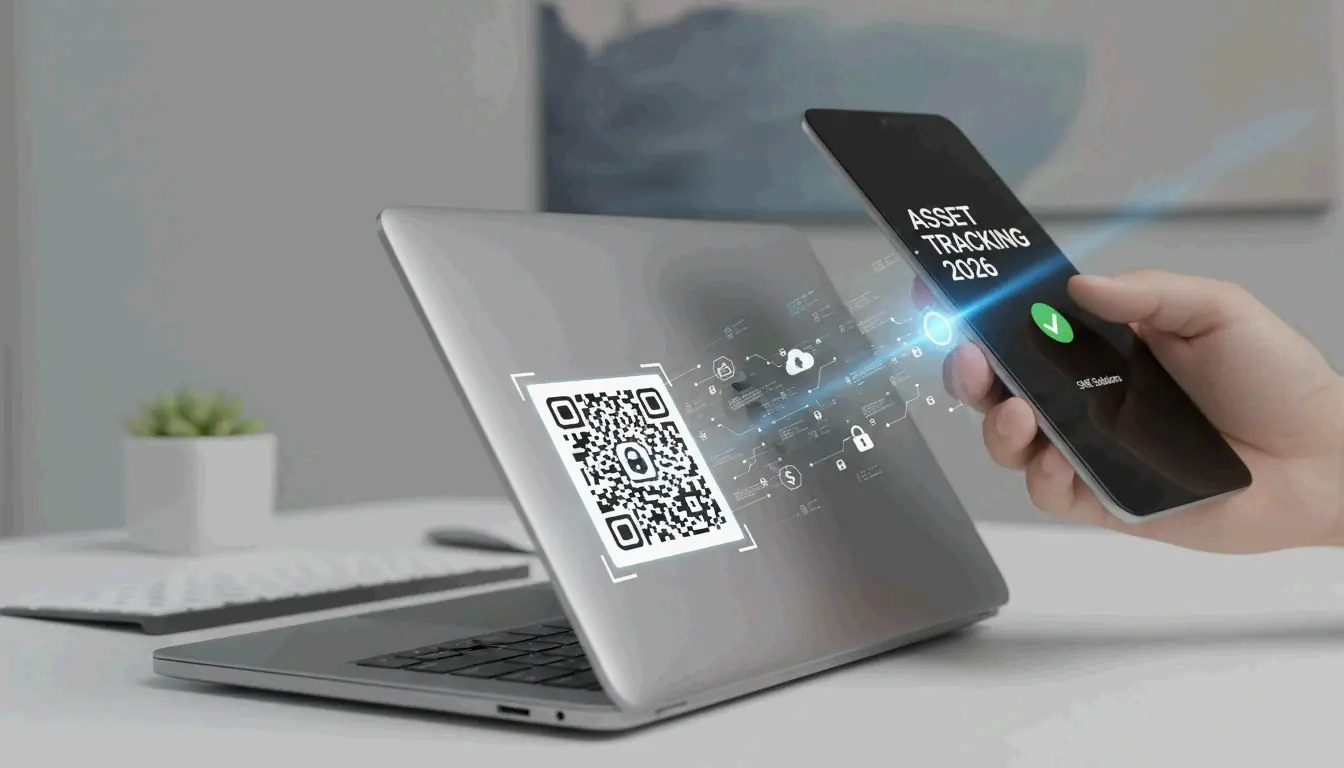
- Building a low-cost fixed asset barcode system for your SME in 2026 means cataloging assets in a cloud platform, generating unique QR codes for each item, printing durable labels, and scanning with smartphones.
- 5 Steps to Build a Low-Cost Fixed Asset Barcode System
Editorial Process
Reviewed by SectoJoy and published on 7 May 2026. This article is refreshed when product details, examples, or tool guidance change. Last updated 15 May 2026.
SectoJoy
I'm an indie hacker building iOS and web applications, with a focus on creating practical SaaS products. I specialise in AI SEO, constantly exploring how intelligent technologies can drive sustainable growth and efficiency.
Building a low-cost fixed asset barcode system for your SME in 2026 means cataloging assets in a cloud platform, generating unique QR codes for each item, printing durable labels, and scanning with smartphones or AI-powered devices. The payoff: inventory accuracy jumps from 63% to 99%, according to Team Unicommerce.
Here is a practical five-step blueprint to get there without an enterprise budget.
5 Steps to Build a Low-Cost Fixed Asset Barcode System
Step 1: Define Your SKU Architecture
Every fixed asset — a laptop, a drill press, a company vehicle — needs its own unique identifier so you can track its full history (purchase date, maintenance log, depreciation). Standard inventory items, by contrast, can share a common SKU for bulk tracking.
As QuickBooks explains, a logical SKU system (like TS-WHITE-S for a small white T-shirt) is the foundation for every automation layer you add later.
| Asset Type | Labeling Strategy | Example SKU |
|---|---|---|
| Fixed asset (unique) | One QR code per unit | LAPTOP-2026-0042 |
| Inventory (bulk) | One barcode per product variant | TS-WHITE-S |
Step 2: Pick Low-Cost Cloud Software
You do not need enterprise ERP. These cloud platforms cover SME needs:
| Platform | Best For | Free Tier |
|---|---|---|
| Zoho Inventory | Beginners, multi-channel selling | Up to 50 orders/month |
| inFlow Inventory | Custom label printing + mobile scanning | Limited free plan |
| Sortly | Visual tracking with photo attachments | Free for small teams |
Step 3: Internal vs. GS1 Barcodes
For internal asset tracking, generate barcodes for free using Code 128 or QR codes from your software. You only need GS1-registered barcodes (about $30 each in small batches) if you sell through major retailers like Amazon or Walmart, notes inFlow Inventory.
Recommendation for most SMEs: Standard QR codes generated by your inventory software are the most flexible and cost-effective choice.
Step 4: Choose Your Hardware
| Option | Cost | Best For |
|---|---|---|
| Smartphone + AI scanning app | $0 extra | Low-to-medium volume, mobile teams |
| USB barcode scanner | $50–$150 | Desktop checkout or receiving dock |
| Bluetooth wearable scanner | $150–$300 | Warehouse workers needing hands-free operation |
Step 5: Build a Scanning Workflow
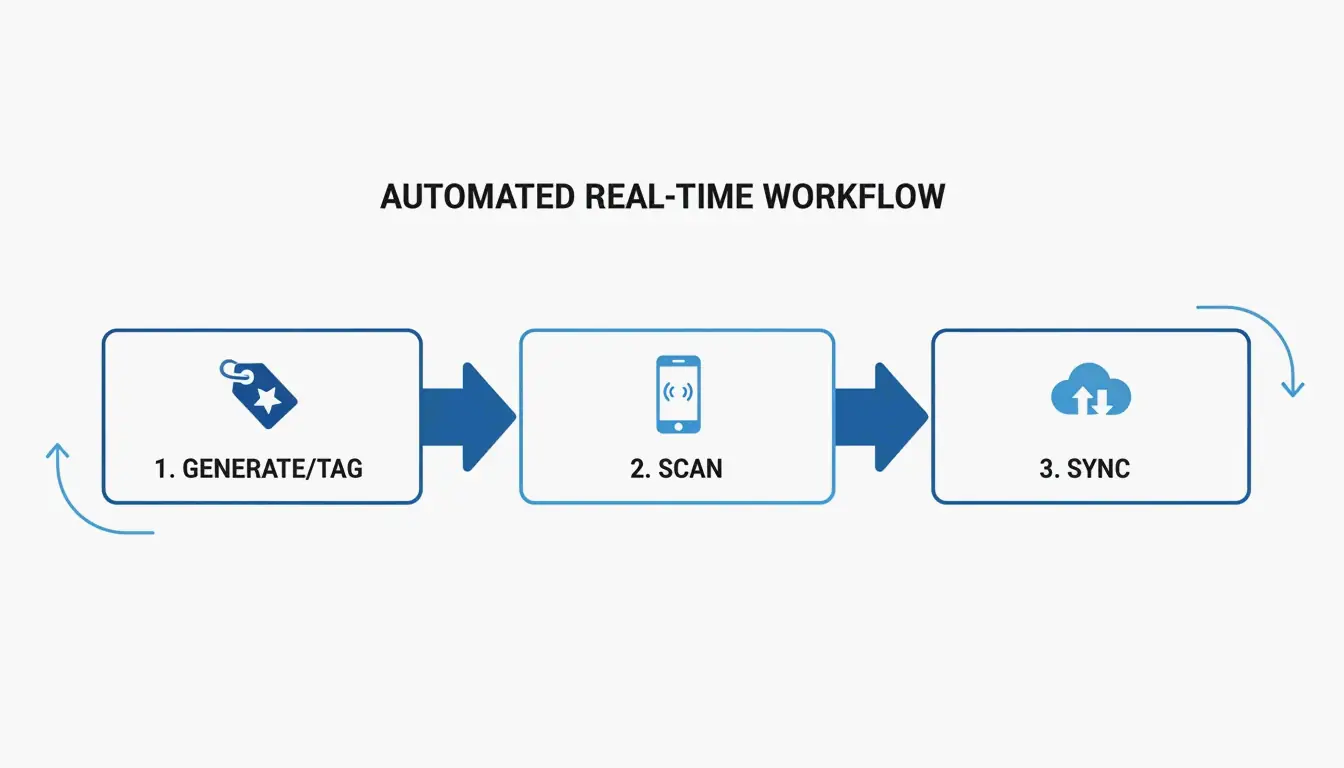
Make scanning part of daily operations — every receive, move, and dispose event gets logged instantly. This creates real-time visibility across all locations. A basic professional setup (scanner + label printer + software subscription) typically costs $200–$800, according to inFlow Inventory.
1D vs 2D Barcodes: Which One for Fixed Assets?
The choice comes down to data capacity:
- 1D barcodes (classic black stripes) work for basic SKU identification — 20–80 characters.
- 2D QR codes store up to 4,000 characters and can embed maintenance links, batch data, and serial numbers.
QuickBooks recommends 2D codes for fixed assets because they support richer data that stays useful throughout the asset’s full lifecycle.
Fixed Assets vs. Inventory: Different Labeling Strategies
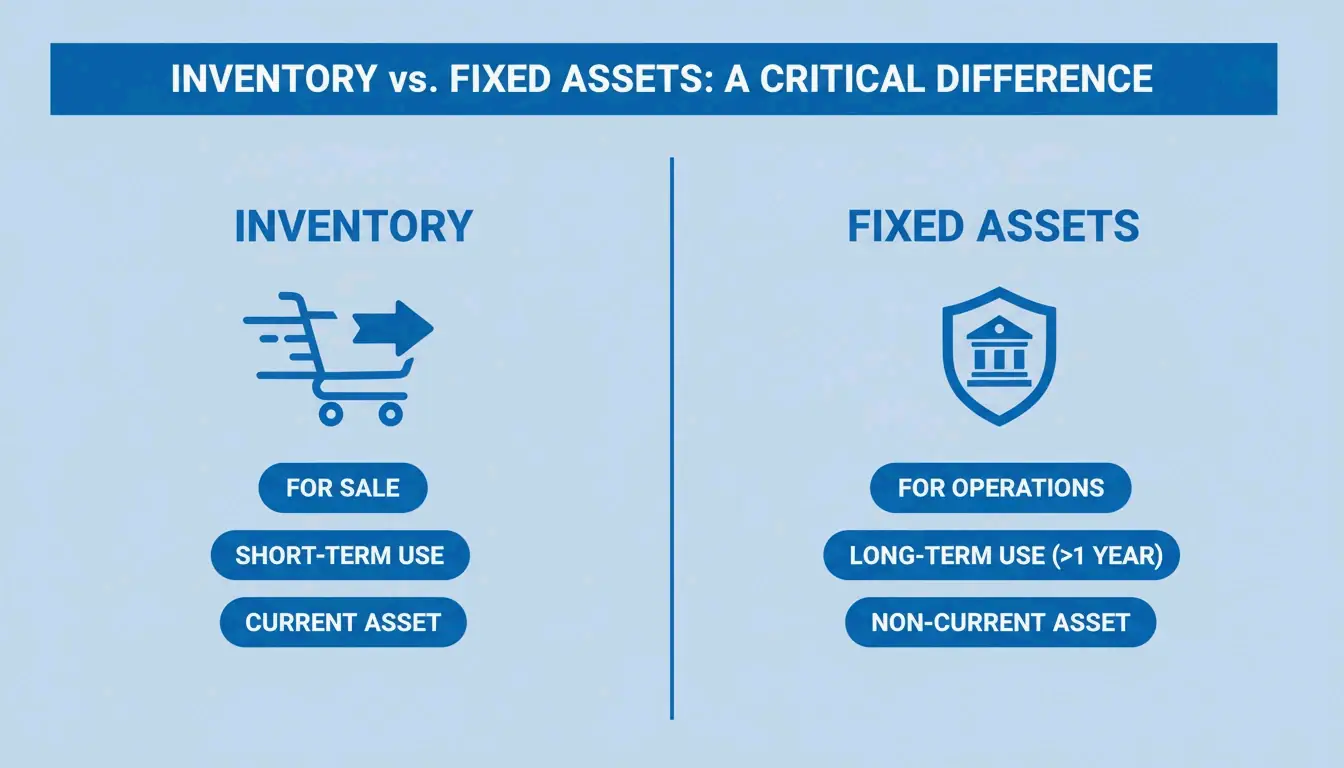
A common SME mistake is treating fixed assets and inventory the same way. They are fundamentally different:
| Property | Inventory | Fixed Assets |
|---|---|---|
| Lifecycle | Fast — items are sold | Long — items stay with the company |
| Financial impact | Revenue | Depreciation over time |
| Label durability | Standard labels | Industrial-grade, weather-resistant |
GSM Barcoding stresses that quality labels keep barcodes readable for years, even in harsh environments. Proper asset tracking can cut operational costs by 20% by preventing loss and improving utilization, per TAG Samurai.
Automatic Depreciation Updates
Modern systems link physical scans to your financial software through ERP/POS integration. A single scan updates accounting platforms like QuickBooks or Xero, giving finance teams real-time asset values and automated depreciation schedules — no manual data entry.
2026 Hardware: Smart Scanners and Wearables
Hardware has moved beyond corded scanners:
- AI-powered smartphones: 2026 mobile apps use computer vision to scan multiple codes simultaneously, even in dark warehouses.
- Wearable scanners: Ring or glove-mounted devices let workers move items while logging data — hands-free.
- RFID: More expensive than barcodes but gaining traction for high-value assets. No line-of-sight needed — audit an entire room in seconds.
Cost-Benefit: Low-Cost Software vs. Enterprise ERP
For most SMEs, a dedicated inventory app ($20–$50/month) outperforms a complex enterprise ERP. While free open-source options like myWMS or Openboxes exist, they require significant technical skill to maintain.
The Retail Exec warns that the “hidden cost” of free software often appears as security vulnerabilities or lack of support during critical audits.
Look for these essential features:
– Low stock alerts
– Cloud syncing across devices
– Multi-user permissions
– Bulk import from spreadsheets
Conclusion
A barcode-based fixed asset system is no longer optional for SMEs that want accuracy and efficiency. The five-step approach — define SKUs, pick cloud software, choose internal QR codes, select affordable hardware, and build a daily scanning workflow — can lift accuracy from 63% to 99% for under $800.
Next step: Audit your current assets, pick a scalable platform (Zoho, inFlow, or Sortly), and run a small QR code pilot on one asset category. Scale from there.
FAQ
What is the cost difference between internal barcodes and GS1-registered barcodes in 2026?
Internal barcodes (Code 128 or QR codes) are free to generate using your inventory software. GS1 barcodes require an annual membership plus roughly $30 per barcode for small batches. You only need GS1 codes if you sell through major global retailers like Walmart or Amazon.
Can I use a smartphone as a professional barcode scanner for fixed asset audits?
Yes. 2026 smartphone cameras paired with AI scanning apps handle low-to-medium volume audits efficiently, with zero additional hardware cost. For high-volume scanning or rugged environments (construction sites, warehouses), a dedicated handheld or wearable scanner is recommended for durability, speed, and battery life.
How do I transition from spreadsheets to an automated barcode system without downtime?
Start with a pilot program on one asset category. Use your new software’s bulk-upload feature to import existing spreadsheet data before printing labels. Conduct physical tagging during off-peak hours to avoid disrupting daily operations. Once the pilot runs smoothly, expand category by category.
Frequently Asked Questions
1D vs 2D Barcodes: Which One for Fixed Assets?
The choice comes down to data capacity: 1D barcodes (classic black stripes) work for basic SKU identification — 20–80 characters. 2D QR codes store up to 4,000 characters and can embed maintenance links, batch data, and serial numbers.
What is the cost difference between internal barcodes and GS1-registered barcodes in 2026?
Internal barcodes (Code 128 or QR codes) are free to generate using your inventory software. GS1 barcodes require an annual membership plus roughly $30 per barcode for small batches. You only need GS1 codes if you sell through major global retailers like Walmart or Amazon.
Can I use a smartphone as a professional barcode scanner for fixed asset audits?
Yes. 2026 smartphone cameras paired with AI scanning apps handle low-to-medium volume audits efficiently, with zero additional hardware cost. For high-volume scanning or rugged environments (construction sites, warehouses), a dedicated handheld or wearable scanner is recommended for durability, speed, and battery life.
How do I transition from spreadsheets to an automated barcode system without downtime?
Start with a pilot program on one asset category. Use your new software’s bulk-upload feature to import existing spreadsheet data before printing labels. Conduct physical tagging during off-peak hours to avoid disrupting daily operations. Once the pilot runs smoothly, expand category by category.
Related Posts
Random Phone Number Generator: Testing, SMS Verification & DevOps Integration
How Truly Random Numbers Are Generated: TRNG, PRNG, and CSPRNG Explained

How to Pick a Raffle Winner Fairly: The Ultimate Guide to Random Legal Draws