مولّد خطوط الخط العربي: أداة مجانية عبر الإنترنت لأنماط نصوص أنيقة
ملخص سريع
- مولّد خطوط الخط العربي هو أداة مجانية عبر الإنترنت تستخدم أحرف Unicode لتحويل نصك العادي إلى أنماط خطّية أنيقة يمكنك نسخها ولصقها في أي مكان.
- ما الذي تبحث عنه في مولّد خطوط الخط العربي: الميزات الأساسية
- أهم تطبيقات مولّدات خطوط الخط العربي: الأعراس وInstagram والوشوم
عملية التحرير
تمت المراجعة بواسطة SectoJoy ونشرت على 22 يونيو 2026. يتم تحديث هذه المقالة عند تغيير تفاصيل المنتج أو الأمثلة أو إرشادات الأداة. آخر تحديث 22 يونيو 2026.
SectoJoy
أنا متسلل مستقل أقوم ببناء تطبيقات iOS وتطبيقات الويب، مع التركيز على إنشاء منتجات SaaS عملية. أنا متخصص في تحسين محركات البحث باستخدام الذكاء الاصطناعي، وأستكشف باستمرار كيف يمكن للتقنيات الذكية أن تقود النمو المستدام والكفاءة.
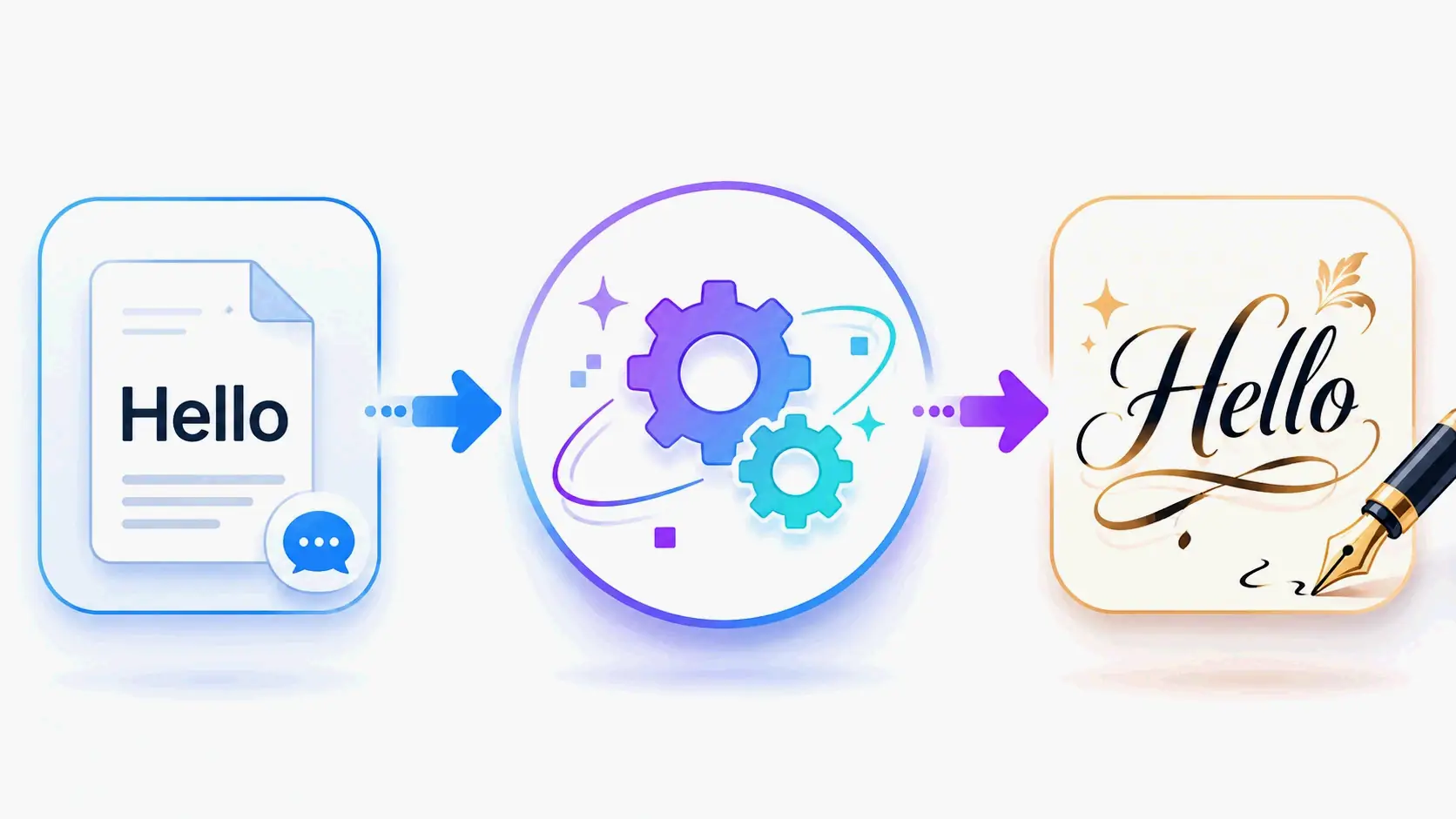
مولّد خطوط الخط العربي هو أداة مجانية عبر الإنترنت تستخدم أحرف Unicode لتحويل نصك العادي إلى أنماط خطّية أنيقة يمكنك نسخها ولصقها في أي مكان. سواء كنت تعمل على بطاقات دعوة الزفاف، أو تحدّث ملفك الشخصي على Instagram، أو تخطّط لوشم، تتيح لك هذه المولّدات إنشاء نصوص خطّية ذات مظهر احترافي على الفور—دون الحاجة إلى مهارات فنية أو برامج باهظة. إذا كنت تبحث عن نقطة انطلاق موثوقة، فإن مولّد الخطوط على dogenerator.com يقدّم مجموعة واسعة من الأنماط، بما في ذلك خيارات الخطوط المتصلة (Cursive) والخطّية التي تعمل عبر جميع المنصّات.
ما الذي تبحث عنه في مولّد خطوط الخط العربي: الميزات الأساسية
ليست كل مولّدات خطوط الخط العربي متساوية. عند اختيار أحدها، ركّز على الميزات التي تحدّد ما إذا كان النص المصمَّم يعمل فعلاً في العالم الواقعي.
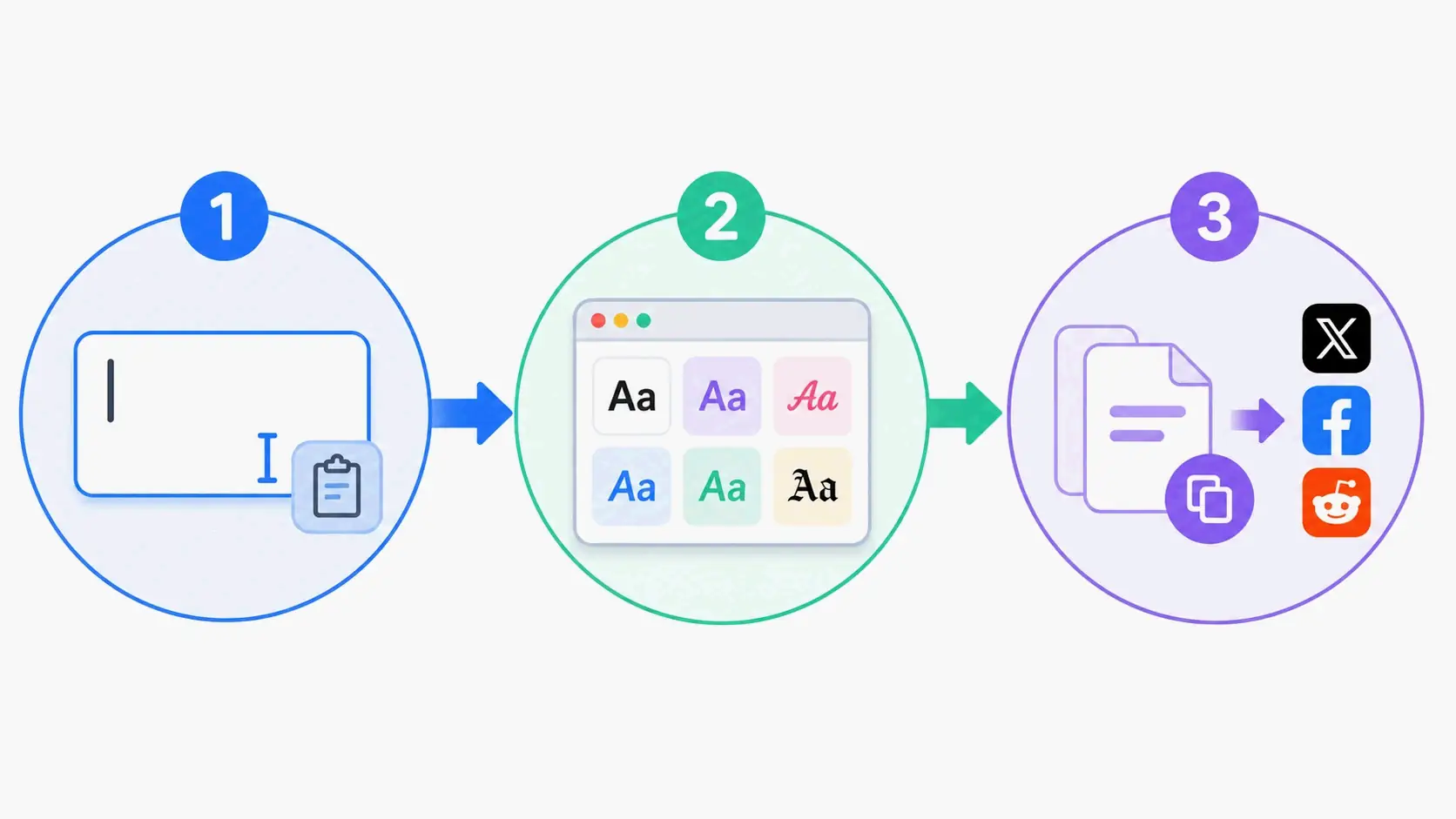
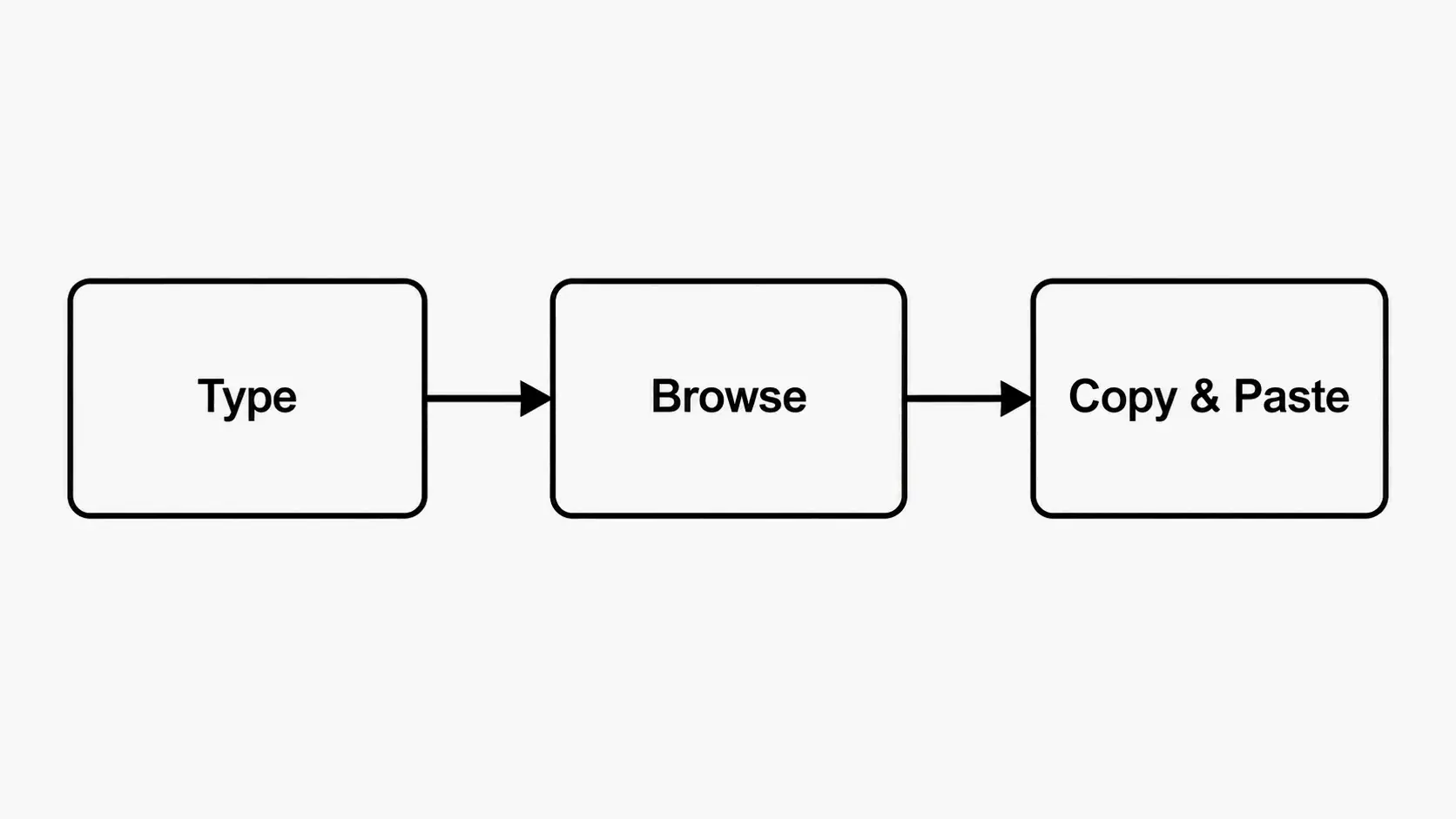
توافق Unicode مهم لأنه يضمن عرض الخطوط بشكل صحيح في كل مكان—من ملفات Instagram الشخصية إلى برامج حفل الزفاف المطبوعة. وظيفة النسخ واللصق هي سير العمل الأساسي: تكتب نصاً، تختار نمطاً، ثم تلصق النتيجة في أي مكان يقبل إدخال النصوص. يقدّم المولّد الجيد تنوّعاً في الأنماط، من خط الزفاف الكلاسيكي إلى الخط الفرشاة الحديث والخط القوطي الأسود (blackletter). أخيراً، ضع في اعتبارك الخيارات المجانية مقابل المدفوعة: معظم المولّدات عبر الإنترنت مجانية تماماً للاستخدام الشخصي، لكن بعضها قد يتطلّب الإسناد أو يقدّم خططاً مدفوعة للتطبيقات التجارية.
تقنية Unicode: لماذا تهمّ لتوافق المنصّات المتعددة
لا تنشئ مولّدات خطوط الخط العربي ملفات خطوط فعلية تثبّتها على حاسوبك. بدلاً من ذلك، تستخدم أحرف Unicode—وهو معيار ترميز نصي شامل يتضمّن آلاف الرموز الخاصة، بما في ذلك الحروف الزخرفية التي تحاكي الخط العربي. وكما يوضّح FontsGeneratorPro، فإن هذه “ليست خطوطاً تقليدية تثبّتها على حاسوبك. إنها أحرف Unicode خاصة تعمل في كل مكان دون أي تثبيت.”
بما أن هذه أحرف Unicode قياسية، فإن نصك الخطّي يعمل على Instagram وFacebook والبريد الإلكتروني والمستندات والرسائل النصية—حرفياً في أي مكان يمكنك لصق النص فيه. Unicode هو معيار ترميز أحرف شامل يكون لكل حرف ورمز وإيموجي رقم Unicode فريد، ولهذا السبب يُعرض النص الزخرفي بشكل صحيح على كل جهاز حديث، بما في ذلك iPhone وAndroid وWindows وMac. تستفيد أدوات مثل مولّد الخطوط على dogenerator.com من هذه التقنية لتقديم أنماط خطّية تُعرض بشكل متّسق عبر جميع الأجهزة.
مجاني مقابل مدفوع: أيهما تختار؟
معظم مولّدات خطوط الخط العربي مجانية تماماً للاستخدام الشخصي. على سبيل المثال، يقدّم dogenerator.com مئات الأنماط الأنيقة دون اشتراكات أو تنزيلات أو تكاليف مخفية. تؤكّد المنصّة أن الوصول إلى خطوط خطّية مذهلة لا ينبغي أن يتطلّب تثبيت برامج ثقيلة—فقط اكتب، واختر نمطاً، وانسخ.
توجد خيارات مدفوعة لحالات استخدام محدّدة. على سبيل المثال، يقدّم تطبيق xCanvas (المحدَّث في 17 مايو 2026) أكثر من 500+ خط وشم مع تصيير حبر واقعي وتطبيع طبقات وتوليد فلاش وشم بالذكاء الاصطناعي—لكنه لا يزيل العلامات المائية إلا باشتراك. إذا كنت مصمّماً محترفاً تنشئ عملاً للعملاء أو تحتاج إلى تخصيص متقدّم مثل انحناء النص وتطبيع الكائنات، فقد تستحق الأداة المدفوعة الاستثمار. أما للاستخدام اليومي—دعوات الزفاف أو ملفات وسائل التواصل الاجتماعي أو المشاريع الشخصية—فإن المولّدات المجانية مثل dogenerator.com أكثر من كافية.
أهم تطبيقات مولّدات خطوط الخط العربي: الأعراس وInstagram والوشوم
تتألّق مولّدات خطوط الخط العربي في ثلاث حالات استخدام رئيسية، لكل منها اعتبارات محدّدة للحصول على أفضل النتائج.
دعوات الزفاف المصنوعة يدوياً: وفّر مئات الدولارات بخطّ أنيق
مطبوعات الأعراس هي المكان الذي تحقّق فيه مولّدات خطوط الخط العربي أكبر توفير. يمكن أن يكلّف التعاقد مع خطّاط محترف لمجموعة زفاف كاملة آلاف الدولارات. وفقاً لـFontsGeneratorPro، فإن أحد المستخدمين “صنع دعوات زفافي بهذه الطريقة العام الماضي. وفّرت أكثر من $400 على التعاقد مع خطّاط محترف. ظنّ ضيوفي فعلاً أنني استأجرت فنّاناً ليكتب كل ظرف يدوياً.”
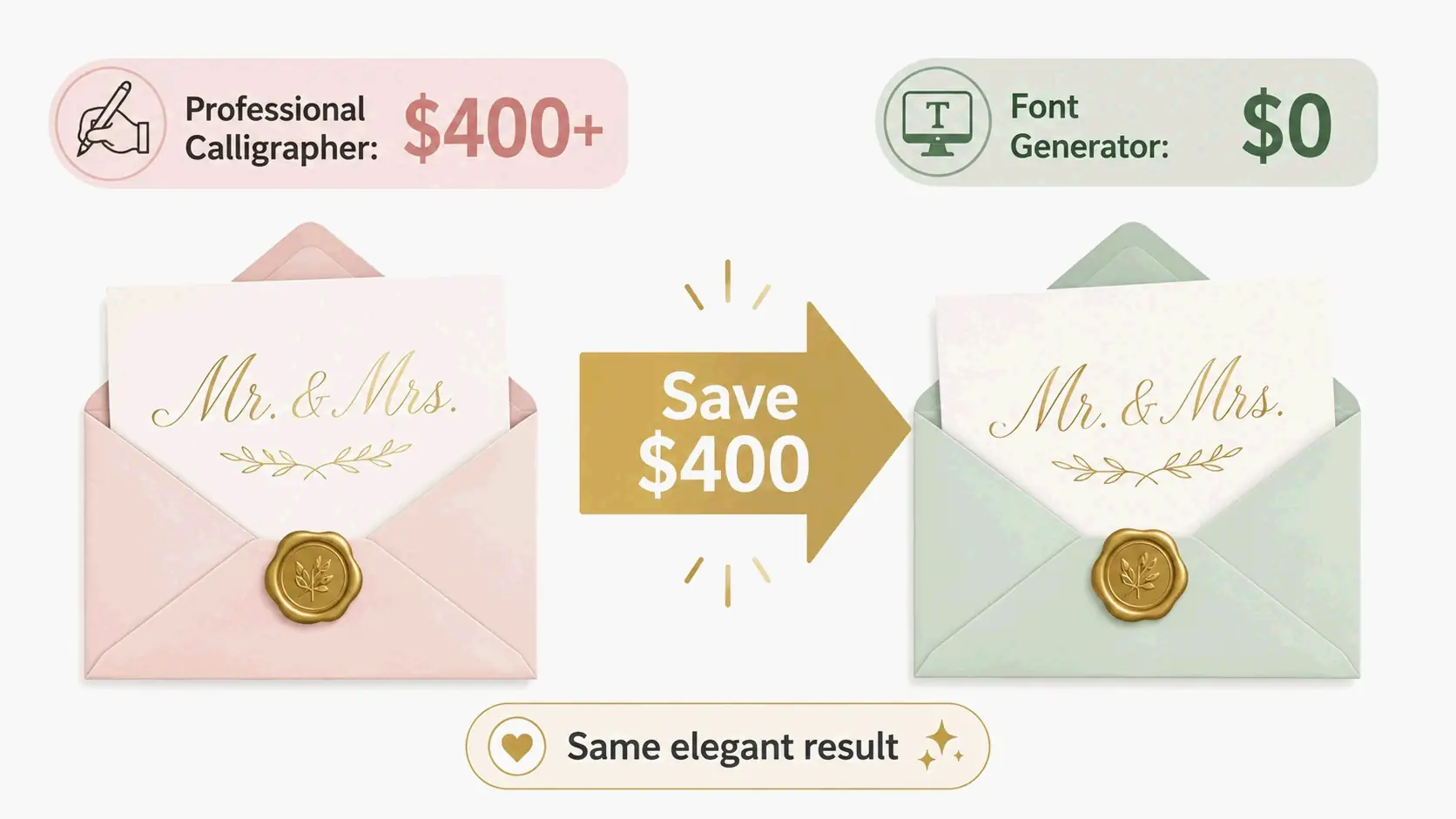
ينطبق التوفير عبر الثقافات ومستويات الميزانية. تذكر المصدر نفسه حالة أخرى: “ساعدت خالتي في تصميم دعوات زفاف ابنتها العام الماضي. كانت تريد خطاً هندياً تقليدياً للأجزاء المكتوبة بخط Devanagari، لكن سعر التعاقد مع خطّاط محترف قُدِّر بـ ₹15,000 فقط لتصاميم النماذج. استخدمنا هذا المولّد بدلاً من ذلك وأنشأنا كل شيء بأنفسنا. وفّرنا حرفياً آلاف الروبيات.”
بالنسبة للعروس التي تصنع دعواتها بنفسها، فإن سير العمل بسيط: أنشئ أسماءك وتواريخك وعباراتك الأساسية بنص خطّي أنيق باستخدام أداة مجانية مثل مولّد الخطوط الزخرفية، ثم الصقها في أداة تصميم مثل Canva أو Microsoft Word لإنشاء تخطيطات دعوات كاملة. توصي مقالة نُشرت عام 2026 في The Hans India باستخدام خط “Hero Script” للعناصر المهمّة مثل الأسماء ولافتات الترحيب، مع إبقاء النصوص المساندة بخط مقروء لتفاصيل مثل التاريخ والوقت.
ملفات Instagram الشخصية: تميّز بخطوط أنيقة
ملفات Instagram الشخصية هي مساحة رئيسية—150 حرفاً تصنع انطباعك الأول. تساعد الخطوط الخطّية ملفك الشخصي على التميّز على الفور. أفاد المستخدمون الذين أعادوا تصميم ملفات Instagram الخاصة بهم بخطوط مصمَّمة بزيادة في زيارات الملف الشخصي تصل إلى 40% خلال أسبوعين فقط.
المفتاح هو الاستخدام الاستراتيجي: صمّم اسمك وعباراتك الأساسية بنص خطّي، لكن أبقِ معلومات الاتصال والروابط بخط عادي لسهولة النقر. تُعرض معظم أنماط الخط العربي بشكل مثالي على Instagram، وتعمل في الملفات الشخصية والتعليقات والردود والقصص. يمكنك إنشاء هذه الأنماط بسرعة باستخدام مولّد الخطوط المتصلة من dogenerator.com للحصول على تأثيرات نصية انسيابية تلفت الانتباه.
تصميم الوشوم: اختيار خطوط تبدو رائعة وتدوم
الوشوم دائمة، لذا فإن اختيار خط الخط العربي المناسب يهمّ أكثر من أي تطبيق آخر. اختبر دائماً أولاً—اطبع نصك بأنماط خط وشم خطّية مختلفة، وانظر إليه لمدة أسبوع، وتأكّد أنك تحبه فعلاً.
بالنسبة لتخطيط الوشم الجاد، تقدّم الأدوات المتخصصة تحكّماً أكبر. يوفّر تطبيق xCanvas (المحدَّث في 17 مايو 2026) أكثر من 500+ خط وشم بما في ذلك “القوطي، والخط المتصل، والخط القوطي الأسود، والخط الرفيع، والقبلي، والتشيكاني، والإنجليزي القديم، والخط أحادي الخط”—ممّا يتيح لك “معاينة اسمك أو اقتباسك أو تكريمك بأكثر من 500+ خط وشم ورؤية كيف سيبدو وشمك الحرفي على البشرة بالضبط قبل أن تلمسك الإبرة.” كما يتيح لك انحناء النص على أجزاء الجسم، وتطبيع الحروف فوق الصور المرجعية، والتجربة مع الظلال والحدود والتأثيرات ثلاثية الأبعاد. للاستكشاف السريع للخطوط في البداية، يقدّم مولّد خطوط الوشم من dogenerator.com نقطة انطلاق مجانية قبل الالتزام بالحبر الدائم.
كيفية اختيار خطوط الخط العربي لعلامتك التجارية: إطار اتخاذ القرار
يختلف اختيار خطوط الخط العربي للعلامات التجارية عن اختيارها لمناسبة لمرة واحدة. يظهر خط علامتك التجارية في كل نقطة تماس—الموقع الإلكتروني والتغليف والمواد التسويقية—لذا فإن القرار يتطلّب نهجاً منظّماً.
الخطوة 1: حدّد شخصية علامتك التجارية
تواصل كل علامة تجارية بشخصية، ويجب أن يتوافق اختيار خطّك معها. تناسب أنماط الخط العربي التقليدية العلامات التجارية الراسخة والموثوقة مثل مكاتب المحاماة أو خطوط المنتجات الفاخرة. يعمل الخط العربي الحديث للأعمال الإبداعية والعلامات التجارية لنمط الحياة أو المناسبات المعاصرة. كما يقول أحد المصادر: “صالونات التجميل خاصة. البوتيكات. مخطّطو الأعراس. المخابز. يصرخ نص الخط العربي ببساطة بالجودة والاهتمام بالتفاصيل.”
الخطوة 2: اختبر قابلية القراءة وقابلية التوسيع
لا تعني الأناقة شيئاً إذا لم يتمكّن الناس من قراءة اسم علامتك التجارية. اختبر خط الخط العربي الذي اخترته بأحجام الاستخدام الفعلية—على شاشة الهاتف المحمول، وعلى بطاقة عمل، وعلى نموذج لوحة إعلانية. إذا أغمضت عينيك لقراءته بأي حجم، فاختر شيئاً أوضح. الجمال غير المقروء لا يساعد أحداً.
دراسة حالة: إعادة تصميم شعار علامة تجارية للعناية بالبشرة ترفع المبيعات بنسبة 25%
يمكن قياس التأثير التجاري لخط الخط العربي المناسب. وفقاً لـFontsGeneratorPro، “ساعدت علامة تجارية للعناية بالبشرة في إعادة تصميم شعارها بخطوط خطّية. ارتفعت مبيعاتها بنسبة 25% خلال ثلاثة أشهر. لست أمزح. بدأ العملاء يربطون العلامة التجارية بالفخامة بسبب الخط العربي الأنيق.”
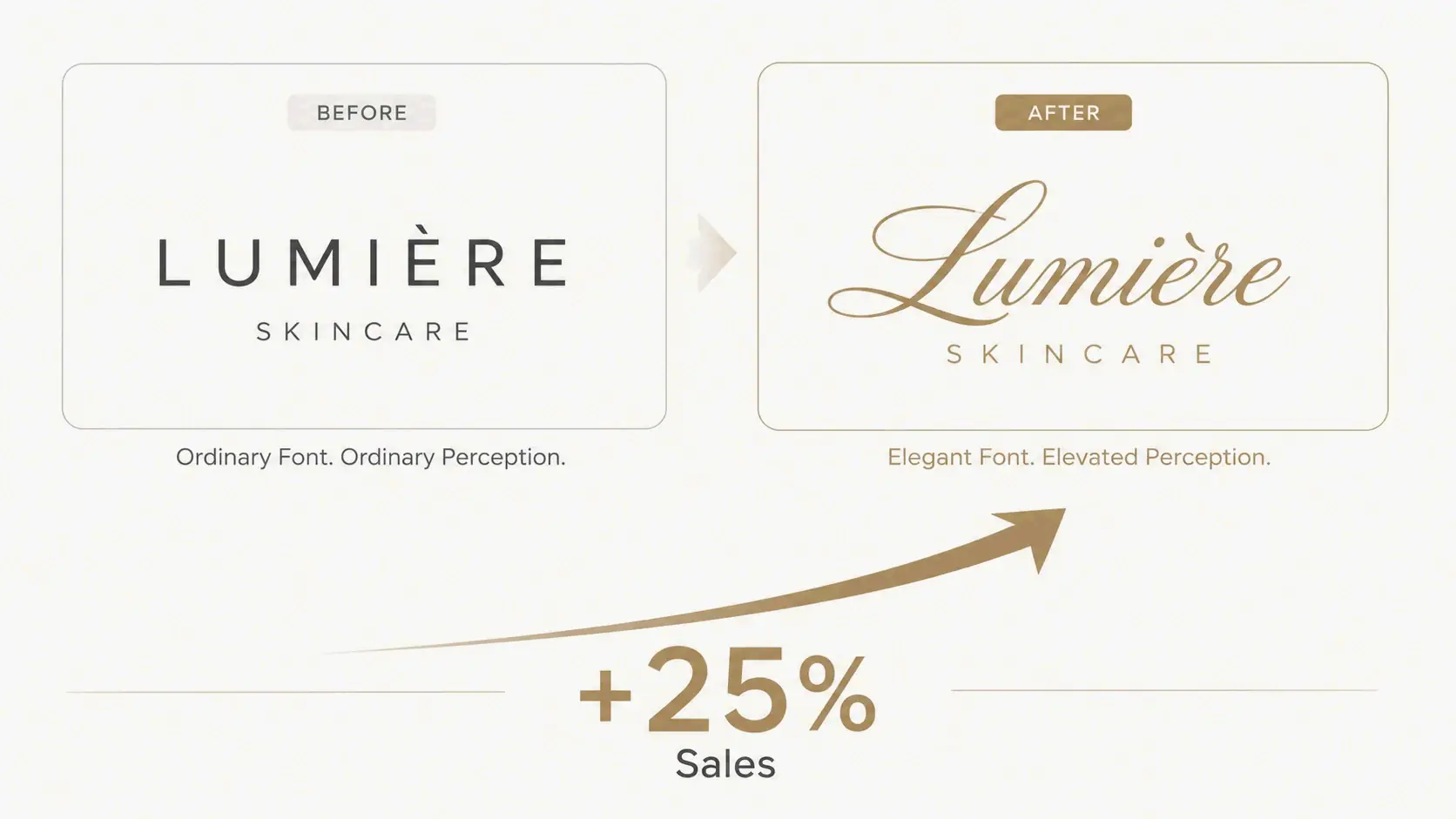
توضّح هذه الحالة التأثير النفسي للخط العربي في بناء العلامات التجارية: يربط الدماغ البشري الأناقة البصرية بجودة المنتج. عندما تستخدم الخط العربي، يفترض الناس بلا وعي قيمة أعلى.
كيف يدمج المصمّمون المحترفون مولّدات خطوط الخط العربي في سير عملهم
يستخدم المصمّمون المحترفون مولّدات خطوط الخط العربي ليس كبديل لعملهم، بل كأداة إنتاجية تبسّط مراحل محدّدة من عملية التصميم. تشير مقالة نُشرت عام 2026 في Good Men Project إلى أنه من خلال أتمتة خطوات معيّنة، “يستطيع المصمّمون جعل عملهم أكثر كفاءة وزيادة هوامش ربحهم بنسبة تصل إلى 40% في مشاريع بناء العلامات التجارية.”
تسريع عملية التصميم بنماذج خطوط سريعة
في المراحل المبكّرة من المشروع، يستخدم المصمّمون المولّدات لاستكشاف أنماط خطّية مختلفة بسرعة مع العملاء. توضّح المقالة نفسها أن هذا يساعد في حل “مشكلة الخط العربي”—التباين بين ما يريده العملاء (شعور “مكتوب يدوياً” ينطق بالفخامة والتقاليد) وما يستطيع المصمّمون تقديمه ضمن الميزانية. من خلال عرض خيارات خطوط خطّية متعددة للعملاء على الفور، يجمع المصمّمون التعليقات بسرعة ويتجنّبون المراجعات المكلفة للعمل المكتوب يدوياً.
متى تستخدم مولّداً مقابل أدوات إنشاء الخطوط الاحترافية
تتألّق المولّدات مثل dogenerator.com في النماذج الأوّلية السريعة ومحتوى وسائل التواصل الاجتماعي والمشاريع التي تتطلّب تسليماً سريعاً. أدوات إنشاء الخطوط الاحترافية (مثل Adobe Illustrator أو برامج تصميم الخطوط المخصّصة) ضرورية للأصول المتّجهية النهائية في بناء العلامات التجارية، حيث تحتاج إلى تحكّم كامل في تقارب الحروف (kerning) والتحجيم وتنسيقات الملفات. نصيحة عملية: حوّل دائماً مخرجات المولّد إلى مسارات متّجهية. يضمن هذا أن تكون الأعمال الفنية حادّة وقابلة للتوسيع سواء طُبعت على بطاقة عمل أو لوحة إعلانية كبيرة.
التعاون والتعليقات: مشاركة خيارات الخطوط مع العملاء
يبسّط مولّد خطوط الخط العربي التواصل مع العملاء. بدلاً من وصف نمط الخط شفهياً، ينشئ المصمّمون أمثلة نصية حيّة، ويشاركونها عبر لقطات الشاشة أو الروابط، ويحصلون على موافقة فورية. يلغي هذا مشكلة “القبول بتصميم غير مثالي فقط للبقاء ضمن الوقت والميزانية” التي تحدث عندما يتطلّب الكتابة اليدوية مراجعات تستغرق وقتاً طويلاً.
الخاتمة
مولّد خطوط الخط العربي هو أداة مجانية قوية تفتح عالم الطباعة الجميلة لأي مشروع—من دعوات الزفاف إلى بناء العلامات التجارية. التقنية بسيطة: أحرف Unicode تبدو كخط عربي أنيق لكنها تعمل كنص عادي، جاهزة للنسخ واللصق لأي منصّة. للبدء، جرّب مولّد الخطوط المجاني من dogenerator.com لاستكشاف مئات أنماط الخط العربي. استخدم إطار اتخاذ قرار العلامة التجارية لمطابقة الخطوط مع شخصيتك، واختبر دائماً المخرجات على منصّتك المستهدفة لتجنّب مشاكل توافق Unicode. سواء كنت توفّر $400 على دعوات الزفاف، أو تعزّز زيارات ملفك الشخصي على Instagram، أو تعيد تصميم شعار علامة تجارية، فإن مولّدات خطوط الخط العربي تضع الأناقة الاحترافية في متناول الجميع.
الأسئلة الشائعة
هل خطوط الخط العربي هذه مجانية للاستخدام؟
معظم المولّدات عبر الإنترنت مجانية تماماً للاستخدام الشخصي. تقدّم منصّات مثل dogenerator.com مئات الأنماط دون اشتراكات أو تكاليف مخفية. قد يتطلّب بعضها الإسناد أو يقدّم خططاً مدفوعة للاستخدام التجاري، لذا تحقّق دائماً من شروط الخدمة.
هل يمكنني استخدام خطوط الخط العربي من مولّد لمشاريع تجارية؟
تسمح العديد من المولّدات بالاستخدام التجاري، لكن تحقّق من الترخيص. أحرف Unicode نفسها خالية عموماً من قيود حقوق النشر، لذا يمكن استخدام النص المُولَّد لشعارات الأعمال والمواد التسويقية ومشاريع العملاء. بالنسبة لبناء العلامات التجارية عالية المخاطر، أكّد سياسة الاستخدام التجاري للمولّد المحدّد.
لماذا تظهر خطوطي المُولَّدة كمربعات أو علامات استفهام على بعض المنصّات؟
قد لا يدعم الجهاز أو التطبيق أحرف Unicode المحدّدة المستخدمة. التزم بنطاقات Unicode المدعومة على نطاق واسع واختبر عبر منصّاتك المستهدفة. تتعامل الهواتف وأجهزة الكمبيوتر الحديثة مع Unicode جيداً، لكن الأجهزة القديمة جداً أو التطبيقات المتخصّصة قد يكون لها دعم محدود للأحرف.
ما الفرق بين خطوط الخط العربي وخطوط الكتابة اليدوية العادية؟
تحاكي خطوط الخط العربي أشكال الحروف الأنيقة وغالباً المتّصلة بعرض ضربات متفاوت—ضربات هابطة سميكة وضربات صاعدة رفيعة تخلق تأثيراً فنياً مكتوباً يدوياً. تُنسخ خطوط الكتابة اليدوية خطّك الشخصي، بتدفّق أقل تنظيماً وأكثر عفوية. يخدم كلاهما أغراضاً جمالية مختلفة: الخط العربي للأناقة الرسمية، والكتابة اليدوية للأصالة الشخصية.
المشاركات ذات الصلة
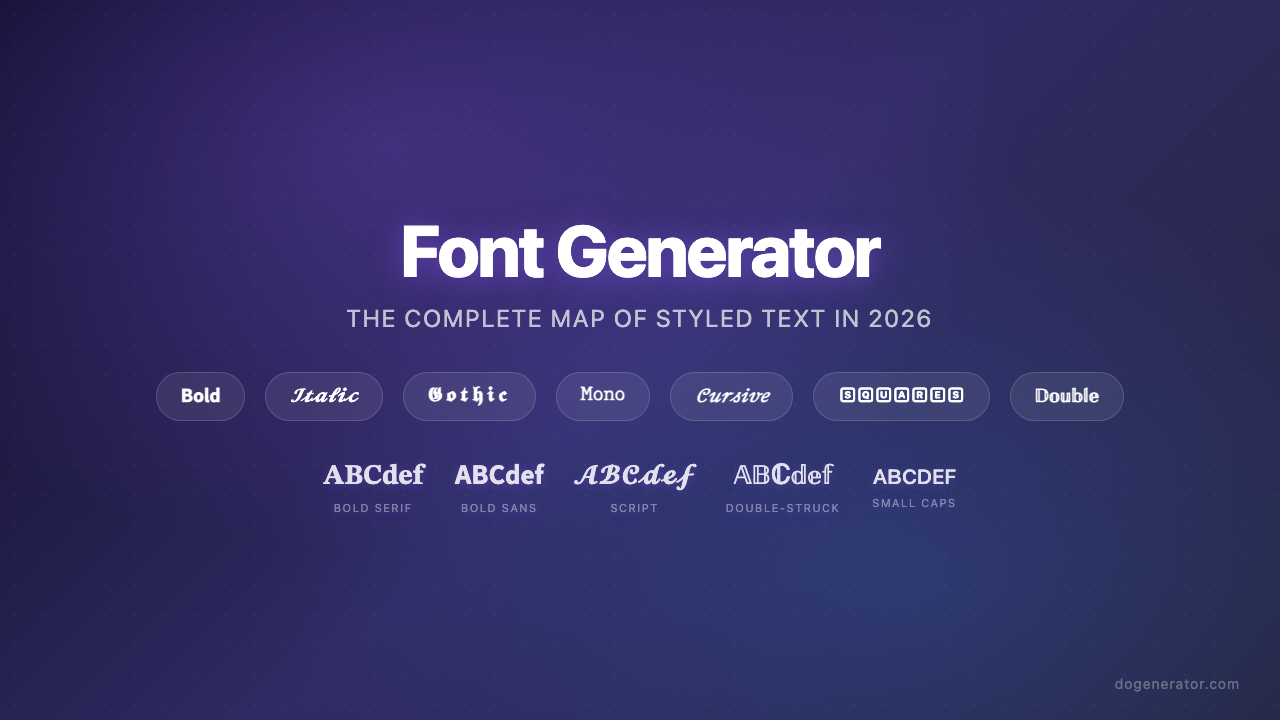
مولّد الخطوط: الخريطة الكاملة للنصوص المصمّمة في 2026
مولّد الخطوط الجمالية: الدليل الشامل لنصوص Unicode الأنيقة
مولّد الخطوط البديلة: أنماط Unicode فورية للنسخ واللصق (دليل 2026)